
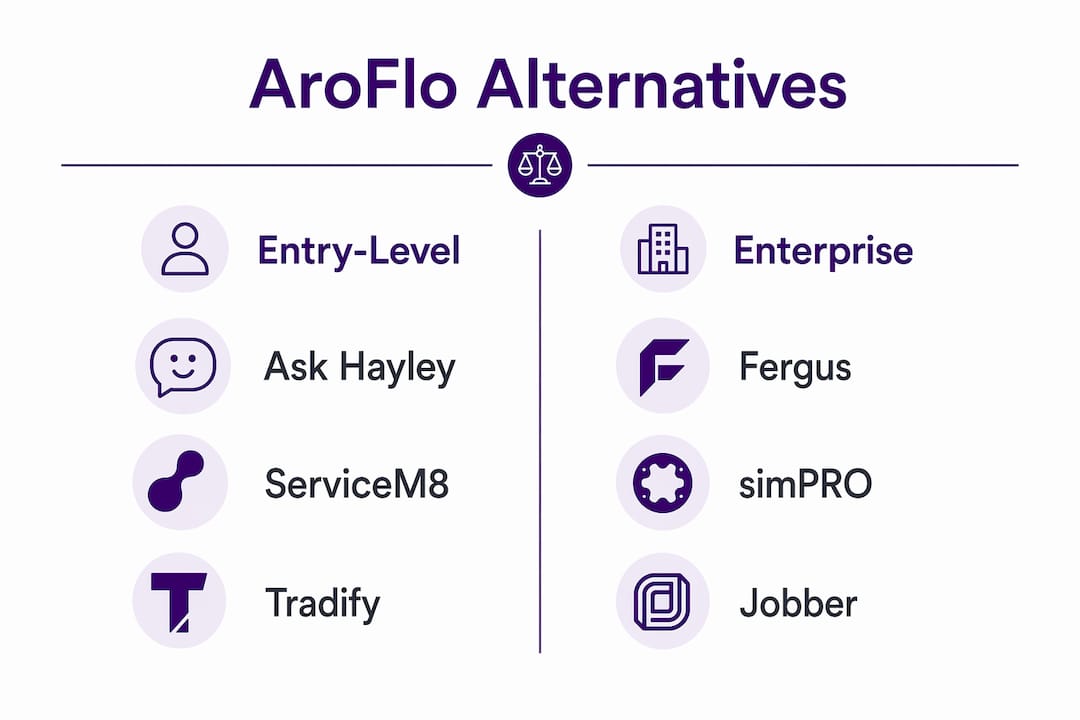
For most Australian tradies who need hands-free job management, Ask Hayley is the standout pick. It’s the only voice-first platform built specifically for the Australian market, with Xero integration, inbound call answering, and no steep onboarding curve. If your hands are full on-site and admin is eating your evenings, that matters more than a feature checklist.
Here’s a quick shortlist ranked by fit:
- Ask Hayley — best for sole traders and small teams who want voice-first admin, lead capture, and Xero-connected invoicing without learning a new dashboard
- ServiceM8 — best for mobile-first tradies who want simple job cards, GPS tracking, and a clean iOS experience
- Tradify — best for small trade businesses wanting straightforward quoting, scheduling, and timesheets at a low per-user cost
- Fergus — best for growing trade businesses that need job costing, margin tracking, and Xero/MYOB integration in one place
- simPRO — best for multi-site commercial operators needing deep inventory, project costing, and compliance workflows
- Jobber — best for service businesses focused on client management, online booking, and automated follow-ups
All six offer free trials or demos. Ask Hayley, ServiceM8, Tradify, and Fergus carry verified Xero integration. Migration risk is real: switching platforms without fixing underlying process gaps tends to replicate the same problems on a new screen.
Table of Contents
- How do these AroFlo alternatives compare side by side?
- How do you choose the right platform for your trade business?
- What does migration actually involve when you switch platforms?
- Which platform fits your growth stage?
- Why Ask Hayley stands out as a voice-first alternative
- How to trial your shortlisted platforms properly
- How does customer support compare across these platforms?
- How does the interface affect your day-to-day efficiency?
- What are the mobile and offline capabilities worth knowing?
- What Australian tradies say about these platforms
- How do these platforms handle security and Australian data privacy?
- Key takeaways
- The switch is worth it, but only if you fix the process first
- Ready to try a voice-first approach to trade business management?
- Useful sources and further reading
How do these AroFlo alternatives compare side by side?
| Platform | Best for | Pricing model | Onboarding friction | Australian support | Xero / MYOB | Voice / AI | Scalability | Mobile / offline |
|---|---|---|---|---|---|---|---|---|
| Ask Hayley | Sole traders, small teams, voice-first workflows | Subscription (Assistant / Office Manager plans) | Low | Yes, AU-based | Xero ✓ | Voice-first, AI call answering, lead capture | Small to mid | Yes |
| ServiceM8 | Mobile-first tradies, iOS-heavy teams | Per-job pricing | Low | Yes | Xero ✓ MYOB ✓ | Limited | Small | Strong iOS, offline ✓ |
| Tradify | Small trade teams, simple quoting | Per-user / month | Low | Yes, NZ/AU | Xero ✓ MYOB ✓ | None | Small to mid | Good, offline ✓ |
| Fergus | Growing teams, job costing | Per-user / month | Medium | Yes, AU/NZ | Xero ✓ MYOB ✓ | None | Small to mid | Good |
| simPRO | Multi-site commercial, heavy inventory | POA (enterprise) | High (3 months) | Yes, AU office | Xero ✓ MYOB ✓ | None | Enterprise | Strong |
| Jobber | Client management, service businesses | Per-user tiers | Low to medium | Yes | Xero ✓ | None | Small to mid | Good |
| Xero | Accounting backbone, not job management | Per-month tiers | Low | Yes, AU | Native | None | All sizes | Good |
| MYOB | AU/NZ accounting, payroll, compliance | Per-month tiers | Low to medium | Yes, AU | Native | None | All sizes | Good |
Free trial available: Ask Hayley, ServiceM8, Tradify, Fergus, Jobber. Pricing transparency: entry-level tools publish clear per-user rates; enterprise platforms use POA, so budget conversations happen before you see a number.
How do you choose the right platform for your trade business?
Start with your actual bottleneck, not a feature list. Ask yourself: are jobs slipping through because calls go unanswered? Are quotes slow because you’re typing on a phone at 7pm? Or is the real pain multi-site inventory and supplier reconciliation?
Decision criteria to work through:
- Business size: sole trader, small team (2–10), or commercial operator (10+)
- Inventory depth: do you carry van stock or manage supplier purchase orders at scale?
- Compliance needs: do contracts require documented safety plans, asset registers, or maintenance schedules?
- Voice-first priority: are your hands free to type, or do you need to talk your way through admin?
- Accounting integration: are you already on Xero or MYOB, and how critical is real-time sync?
Questions to ask vendors in a demo:
- How does data migration work, and what does it cost?
- How does your Xero/MYOB mapping handle chart of accounts differences?
- What is your local Australian support SLA and contact method?
- How does voice or AI input perform in a noisy environment (van, site, workshop)?
- What are the full onboarding fees, including training and customisation?
Red flags to watch for: hidden setup fees not listed on the pricing page, no Australian-based support contact, accounting integration that only syncs invoices (not purchase orders or payroll), and demo scripts that avoid live data.
Local Australian support and verified Xero/MYOB integration reduce migration risk and recurring operational friction for trades bound by local accounting practices.
Pro Tip: Run a real job during your trial, not a demo script. Create a quote, convert it to an invoice, and push it to Xero. That single workflow will reveal more about fit than any feature walkthrough.
What does migration actually involve when you switch platforms?
Switching is manageable if you plan it properly. The hidden costs sit in training, customisation, and the time your admin team loses during the changeover period. Total cost of ownership always runs higher than the headline subscription price.
Migration checklist:
- Export all active jobs, client records, and supplier contacts as CSVs from your current platform
- Map your chart of accounts to the new system before importing anything (a chart of accounts guide helps here)
- Test three to five live invoices through to Xero or MYOB before going live
- Migrate compliance forms, safety templates, and asset registers last
- Run both systems in parallel for two to four weeks to catch sync errors
Typical onboarding timeline:
| Phase | Entry-level tools | Enterprise platforms |
|---|---|---|
| Data export and prep | 1–3 days | 1–2 weeks |
| Account setup and mapping | 1–3 days | 2–4 weeks |
| Staff training | 1–3 days | 2–4 weeks |
| Parallel run | 1–2 weeks | 4–8 weeks |
| Full go-live | 2–4 weeks total | 3 months total |
For accounting support during migration, small business accounting help can reduce the risk of chart-of-accounts errors that cause reconciliation headaches later.
Which platform fits your growth stage?
Match the tool to where your business actually is, not where you hope to be in three years.
Sole trader / simple needs:
Ask Hayley or ServiceM8. You need fast quoting, call answering, and clean Xero sync. You don’t need multi-site inventory or project costing modules you’ll never open.
Small team (2–10 people):
Tradify or Fergus. Both handle multi-user scheduling, job costing, and Xero/MYOB integration without the enterprise price tag or implementation timeline.
Multi-site commercial operator:
simPRO. Deep inventory, supplier ordering, and scheduled maintenance are where it earns its complexity. AroFlo itself remains a strong fit here too.
Growth-stage comparison:
| Stage | Recommended type | Core capability needed |
|---|---|---|
| Sole trader | Entry-level / voice-first | Quoting, invoicing, call answering |
| Small team | Mid-market | Job costing, scheduling, Xero sync |
| Multi-site commercial | Enterprise | Inventory, compliance, project costing |
One caution: downgrading from an enterprise platform to a simpler tool can strip out compliance and asset-lifecycle tracking that your contracts actually require. Verify that before you decommission anything.
Why Ask Hayley stands out as a voice-first alternative
Ask Hayley is built around a simple idea: tradies shouldn’t have to stop work to manage their business. You talk, Hayley handles it.
Core capabilities:
- Voice-first admin: create jobs, log notes, and update tasks by speaking, not typing
- Inbound call answering: Hayley answers calls when you can’t, pre-qualifies leads, and routes them correctly
- Quote and invoice generation: triggered by voice or chat, synced to Xero
- Task management and calendar: scheduling without a dashboard session
- Compliance tracking: safety documentation and compliance records managed through the platform
- Xero and AroFlo integrations: accounting sync and data continuity for tradies already in the AroFlo ecosystem
- AI Sales Agent and Website Chatbot: optional add-ons for broader lead coverage
Ask Hayley is the only platform in this shortlist that answers your phone, captures the lead, and pushes the invoice to Xero — all without you touching a screen. For a tradie on the tools all day, that’s not a nice-to-have. It’s the whole point.
Ask Hayley suits sole traders and small teams best. If your business runs heavy van stock or needs deep project costing across multiple commercial sites, you’ll still want to pair it with a platform like simPRO for that layer. But for the daily admin grind — calls, quotes, invoices, compliance — it covers the ground that costs tradies the most time.
How to trial your shortlisted platforms properly
A trial is only useful if you test real work, not a vendor walkthrough.
Trial checklist:
- Run a voice command in a noisy environment (van engine running, site background noise) and check accuracy
- Create a quote from scratch and convert it to an invoice
- Push that invoice to Xero or MYOB and confirm it maps to the right account
- Capture a job offline (no signal) and verify it syncs when you reconnect
- Test the inbound call flow: call the number and see what the customer actually experiences
Pilot plan template:
- Duration: two to three weeks minimum
- Success metrics: voice accuracy rate, invoice sync errors, time saved on admin per day
- Who to involve: you (or the business owner), your admin person, and one field staff member
- Decision record: note what worked, what broke, and what you’d need to change before going live
Pro Tip: Ask the vendor to show you a failed invoice sync and how to fix it. How they handle that question tells you more about their support quality than any demo.
How does customer support compare across these platforms?
Support quality varies significantly and it’s one of the most underevaluated criteria when choosing a platform.
Ask Hayley offers Australian-based support, which means you’re not waiting for an overnight response from an offshore help desk when a job is stuck. ServiceM8 and Tradify both have strong AU/NZ support reputations with active user communities. Fergus runs AU/NZ support with good response times reported by trade users. simPRO has a dedicated Australian office and a partner network for implementation support, which matters when your onboarding runs three to six months.
Jobber’s support is solid but primarily North American in timezone, so response times for Australian users can lag during business hours. For any platform, check whether live chat, phone, and email are all available, and ask specifically about after-hours support if your business runs weekend or emergency call-outs.
How does the interface affect your day-to-day efficiency?
The best interface is the one your team actually uses. A platform with fifty features nobody opens is slower than a simple one everyone understands.

Ask Hayley removes the interface problem almost entirely for field work. Voice input means there’s no screen to navigate when your hands are occupied. ServiceM8 is widely praised for its clean, card-based iOS design that field staff pick up in hours. Tradify’s interface is straightforward and low-friction, which is why small teams adopt it quickly. Fergus has more depth, so there’s a slightly steeper learning curve, but the job costing visibility it provides is worth it for growing businesses.
simPRO’s interface is powerful but dense. New users often need formal training to get productive, which is reflected in its longer onboarding timeline. If your team resists new software, that friction is a real cost.
What are the mobile and offline capabilities worth knowing?
Field work doesn’t always come with reliable signal. Your platform needs to keep working when the connection drops.
ServiceM8 has one of the strongest offline modes for iOS, allowing job capture, signature collection, and photo uploads that sync when signal returns. Tradify and Fergus both handle offline job updates well on Android and iOS. Ask Hayley’s voice-first approach works through the phone network rather than a data connection for call-based interactions, which means it stays functional in low-data environments.
simPRO’s mobile app is capable but heavier, and some users report slower performance on older devices. Jobber’s mobile app covers the core workflows well, though offline functionality is more limited than ServiceM8 or Tradify.
What Australian tradies say about these platforms
Published user feedback from Australian tradies reflects a consistent pattern. ServiceM8 users frequently cite the iOS app and job card simplicity as the reason they stay. Tradify users highlight the pricing and the ease of getting a new apprentice up to speed. Fergus users point to job costing visibility as the feature that changed how they price work.
simPRO users in commercial electrical and plumbing consistently rate the inventory and compliance depth, though they’re equally consistent about the implementation effort required. The buyer guides from 2025 and 2026 highlight integrations and compliance automation as the top selection criteria across the market, aligning with what trade business owners report in reviews.
Ask Hayley is newer to the market, so the published review base is still growing. The platform’s differentiation on voice-first workflows and Australian support is what draws early adopters who’ve grown tired of typing admin into a phone at the end of a long day.
How do these platforms handle security and Australian data privacy?
Australian businesses are subject to the Privacy Act 1988 and the Australian Privacy Principles (APPs), which govern how personal information is collected, stored, and disclosed. Any platform you use to store client records, job histories, and financial data needs to comply.
Ask Hayley, ServiceM8, Tradify, Fergus, and simPRO all operate under Australian data residency or comply with Australian privacy law. Xero and MYOB, as the accounting backbone for most of these integrations, store data in Australian or New Zealand data centres and publish their compliance with the APPs.
When evaluating any platform, ask specifically: where is your data stored, who can access it, and what happens to it if you cancel your subscription? Reputable vendors will answer these questions directly. If a vendor is vague about data residency or can’t confirm APP compliance, that’s a red flag worth taking seriously.
This article is general information, not legal or compliance advice. Confirm your obligations under the Privacy Act 1988 with a qualified professional for your specific situation.
Key takeaways
For most Australian tradies, the right AroFlo alternative comes down to growth stage, voice-first need, and whether your accounting integration is genuinely verified.
| Point | Details |
|---|---|
| Match tool to growth stage | Sole traders need speed and simplicity; multi-site operators need inventory depth and compliance modules. |
| Verify Xero / MYOB sync | Confirm the integration covers invoices, purchase orders, and chart of accounts mapping, not just basic invoice push. |
| Pilot with real jobs | Test voice accuracy in noise, invoice sync to Xero, and offline capture before committing to any platform. |
| Local support matters | Australian-based support reduces response lag for urgent issues, especially for weekend and emergency call-outs. |
| Ask Hayley for voice-first | If hands-free admin, call answering, and Xero-connected invoicing are your priority, trial Ask Hayley first. |
The switch is worth it, but only if you fix the process first
Most tradies who struggle with job management software aren’t dealing with a software problem. They’re dealing with a process problem that the software makes visible. Switching platforms without redesigning the workflow underneath tends to replicate the same bottlenecks on a new screen.
The tradies who get the most out of a platform change are the ones who spend a week mapping their actual job flow before they import a single record. Where does a lead come from? Who quotes it? When does the invoice go out? If those steps are clear, any decent platform will handle them. If they’re not, no platform will fix them for you.
Ask Hayley’s voice-first design does remove one genuine barrier: the friction of stopping work to update a system. That’s a real operational gain for tradies on the tools all day. But it works best when the underlying process is already clear. Start small, protect your invoicing flow, and get local support locked in before you go live.
Ready to try a voice-first approach to trade business management?
If you’ve been managing your business by typing into apps at the end of a long day, there’s a better way. Ask Hayley answers your calls, captures your leads, and keeps your invoicing moving through Xero, all by voice.
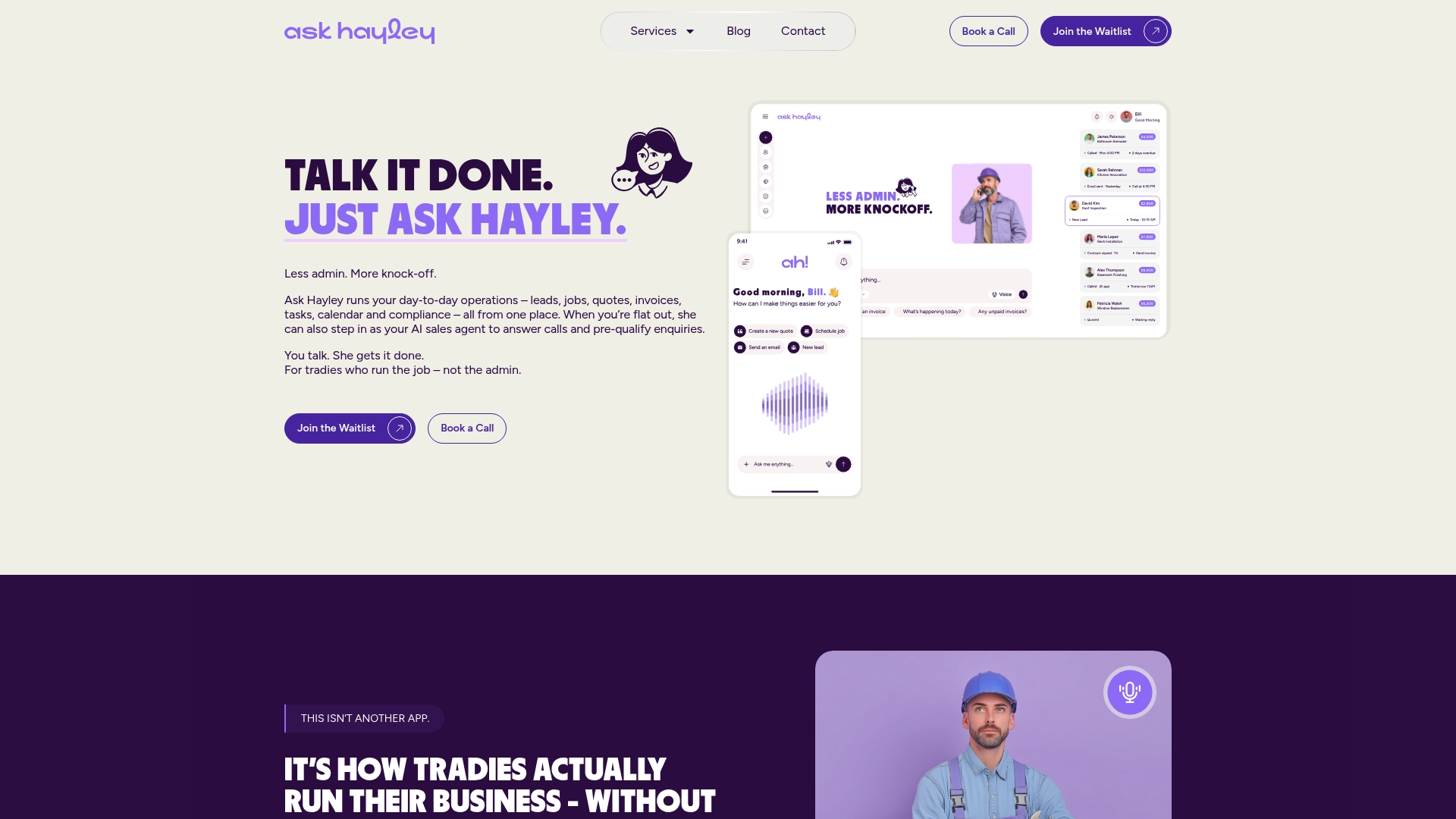
The Ask Hayley platform is built for Australian tradies who need their admin handled without adding another screen to their day. Two core plans, clear pricing, and no long implementation project to get started. If you also need support with compliance documentation or tendering as part of your migration, the professional services team can help with that too.
Book a demo or start a trial at askhayley.com.au and see how much time you get back in the first week.
Useful sources and further reading
- AroFlo Alternatives for Tradies (2026) — Australian-focused buyer guide covering growth-stage fit, pricing ranges, and integration priorities. Good starting point for shortlisting.
- 12 AroFlo alternatives in 2025 and beyond — Australian industry guide emphasising integrations, compliance automation, and mobile scheduling as decision drivers. Useful for commercial operators.
- Compare simPRO and AroFlo Software — Head-to-head feature and cost comparison with notes on total cost of ownership and compliance module depth.
- AroFlo alternatives: what commercial trades need — Practical analysis of where standard job management platforms hit their limits at scale, with focus on multi-site and AI-driven operations.
- Ask Hayley — Primary source for voice-first features, Australian support, and Xero/AroFlo integration details.
- TaxBowl chart of accounts guide — Practical resource for mapping accounts when migrating between platforms. Relevant to any Xero or MYOB migration.