For Australian cleaning businesses, Ask Hayley is the top pick for owners who want voice-first admin automation with tight Xero and AroFlo integrations built around GST/BAS workflows. If you’re hands-on and on-site, it fits the way you actually work.
Here’s the 30-second shortlist:
- Ask Hayley — best for owners who want to manage admin by voice, handle missed calls, and keep Xero in sync without sitting at a screen
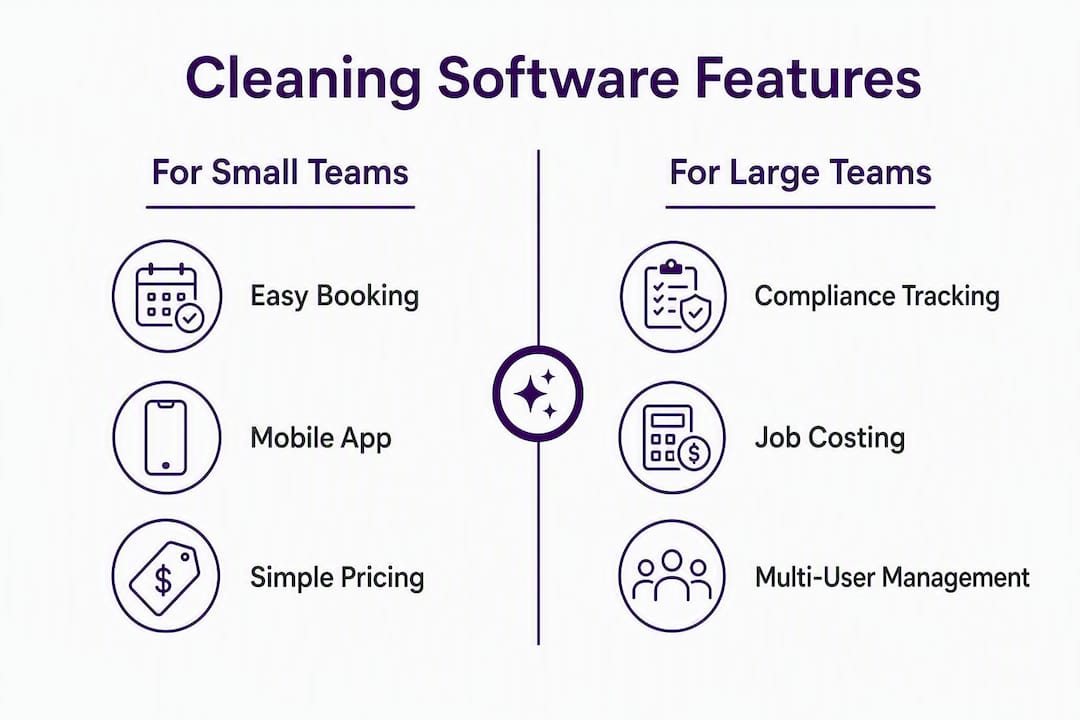
- ServiceM8 — best for small teams needing a strong mobile app and clean Xero integration
- AroFlo — best for multi-team or contract cleaning operations requiring detailed job costing and compliance tracking
- Tradify — best for small to mid-size teams wanting a simple quote-to-invoice flow
- Fergus — best for growing operators who want job profitability dashboards and scheduling in one place
- OneBookPlus — best for small to medium cleaning teams focused on booking and recurring client management
Running multiple disconnected apps for scheduling, invoicing, and CRM costs cleaning owners several hours a week in manual data entry and reconciliation errors. The right cleaning service management software consolidates those workflows into one place. Start with a 7–14 day live trial using real jobs and test GST invoice generation before you commit.
Table of Contents
- Which cleaning business software wins the side-by-side comparison?
- A closer look at each platform on the shortlist
- How do you choose the right cleaning software for your business?
- What does cleaning business software actually need to do?
- What do automation and hidden costs actually look like in practice?
- Key takeaways
- How this shortlist was put together
- Ask Hayley gives cleaning businesses their admin time back
- Useful sources and further reading
Which cleaning business software wins the side-by-side comparison?
| Platform | Best for | Scheduling & recurring jobs | On-site invoicing & payments | GST/BAS support | Rostering & time tracking | Integrations | Pricing model | Ease of use / mobile | Local support |
|---|---|---|---|---|---|---|---|---|---|
| Ask Hayley | Single operators and small teams wanting voice-driven admin | Calendar, recurring jobs, voice-prompted scheduling | Invoice generation via voice; Xero sync for payment tracking | Xero integration for GST/BAS; ATO-compliant invoice output | Task and calendar management; integrates with AroFlo for field tracking | Xero, AroFlo | Subscription; two core plans with optional add-ons | Voice-first; no screen required on-site | Australian-built; designed for tradies and field teams |
| OneBookPlus | Small to medium cleaning teams | Booking-focused; recurring scheduling | Online booking and invoicing | GST-aware invoicing | Basic crew management | Accounting integrations | Subscription | Simple booking interface; mobile-friendly | Australian market focus |
| ServiceM8 | Small teams; mobile-first crews | Job scheduling; recurring job templates | On-site invoicing; card payment links | ATO-compliant tax invoices; GST tracking | GPS time tracking; crew clock-in/out | Xero, MYOB, QuickBooks | Per-job pricing model | Strong mobile app; offline capable | Australian market; local case studies |
| AroFlo | Multi-team and contract cleaning | Advanced scheduling; shift rostering; skip-week support | On-site invoicing; payment capture | Full GST/BAS reporting; ATO-compliant invoices | GPS tracking; timesheets; geofenced clock-ins | Xero, MYOB, QuickBooks | Per-seat subscription | Feature-rich; steeper learning curve | Australian-built; trade and cleaning case studies |
| Tradify | Small to mid-size teams | Job scheduling; recurring job support | Mobile invoicing; payment links | GST invoicing; accounting sync for BAS | Basic time tracking | Xero, MYOB, QuickBooks | Per-seat subscription | Clean mobile app; easy onboarding | Australian and NZ market presence |
| Fergus | Growing operators scaling teams | Scheduling; job templates | Invoicing; payment capture | GST invoicing; Xero sync | Time tracking; crew scheduling | Xero, MYOB | Per-seat subscription | Dashboard-heavy; mobile app available | Australian and NZ market |
Watch for these gotchas before you sign up:
- Per-seat fees compound fast. A 10-person crew on a per-seat model can cost two to three times the advertised base price.
- Payment processing markups are rarely listed on pricing pages. Ask vendors for the exact percentage charged on card transactions before trialling.
- Some platforms have limited or no offline functionality. If your crews work in apartment buildings or remote sites with poor signal, test offline behaviour on day one of the trial.
Use this table during your free trial as a checklist. Tick off each column against your own jobs, not demo data.

A closer look at each platform on the shortlist
Ask Hayley
Ask Hayley is built for the reality of trade and service work: hands full, on-site, no time to open a laptop. You talk to Hayley to schedule jobs, generate invoices, and manage follow-ups. It answers inbound calls when you can’t, pre-qualifies leads, and pushes data straight into Xero and AroFlo without you touching a keyboard.
For Australian cleaning operators, the GST/BAS angle is practical. Because Ask Hayley integrates directly with Xero, your invoices feed into your accounting software with the right tax codes applied. That cuts the manual reconciliation work before each BAS lodgement.
Strengths: Voice-first admin means zero screen time on-site; Xero and AroFlo integrations are native, not bolted on; designed specifically for the Australian trade market.
Pricing shape: Two core plans (Assistant and Office Manager) with optional add-ons. Subscription-based with no per-job fees. Check Ask Hayley’s services page for current plan details.
Best for: Cleaning business owners who want to manage admin by voice and keep their accounting in sync without learning another dashboard.
OneBookPlus
OneBookPlus focuses on booking and recurring client management, which suits cleaning businesses with a steady repeat client base. The platform is designed for the Australian market and appears regularly in local cleaning software roundups.
Its strength is in the booking workflow: clients can book online, recurring schedules are easy to set up, and the interface is straightforward for small teams. It’s less feature-heavy than AroFlo or Fergus, which works in its favour for operators who don’t need deep job costing.
Strengths: Clean booking interface; recurring scheduling built in; Australian market focus.
Pricing shape: Subscription-based. Specific plan pricing is not publicly listed in detail; request a demo to confirm per-seat costs.
Best for: Small to medium cleaning teams that want a consolidated booking and client management tool without a steep learning curve.
ServiceM8
ServiceM8 has strong traction in the Australian trade market and is one of the more polished mobile-first options on this list. The app handles scheduling, quoting, on-site invoicing, and card payment capture, and it integrates cleanly with Xero, MYOB, and QuickBooks.
The per-job pricing model is worth understanding before you scale. At low job volumes it’s cost-effective, but as your team grows and job frequency increases, the monthly cost climbs. That said, the mobile app is genuinely good: crew members can clock in, attach photos, and complete jobs without needing to call the office.
Strengths: Best-in-class mobile app for Australian field teams; clean Xero integration; offline capability.
Pricing shape: Per-job model. Costs scale with job volume, so calculate your average monthly job count before committing.
Best for: Small cleaning teams that live on their phones and need tight Xero integration.
AroFlo
AroFlo is the most feature-complete option on this list for contract cleaning and multi-team operations. It handles detailed job costing, compliance documentation, shift-based rostering, GPS time tracking, and full GST/BAS reporting. Ask Hayley integrates directly with AroFlo, so if you’re already using AroFlo for field operations, Ask Hayley can sit on top as your voice-driven admin layer.
The trade-off is complexity. AroFlo takes longer to set up and requires more onboarding time than simpler tools. For a solo operator or a two-person team, it’s likely more than you need. For a 10-crew commercial cleaning business managing multiple sites and compliance requirements, it earns its cost.
Strengths: Deep job costing; compliance tracking; full GST/BAS reporting; GPS and geofenced clock-ins.
Pricing shape: Per-seat subscription. Onboarding and setup time is a real cost to factor in.
Best for: Multi-team or contract cleaning operations that need compliance tracking and detailed job costing.
Tradify
Tradify keeps things simple, and that’s its main selling point. The quote-to-invoice flow is clean, the mobile app is easy to pick up, and the accounting integrations with Xero, MYOB, and QuickBooks work reliably. It’s popular with Australian and New Zealand tradies who want to get off paper without a long implementation project.
It doesn’t have the depth of AroFlo for compliance or job costing, and the rostering features are basic compared to Fergus. But for a small cleaning team that mainly needs scheduling, quoting, and invoicing sorted, Tradify covers the essentials without overcomplicating things.
Strengths: Simple onboarding; clean mobile app; reliable accounting integrations.
Pricing shape: Per-seat subscription. Pricing is transparent and mid-range for the category.
Best for: Small to mid-size cleaning teams wanting a no-fuss quote-to-invoice workflow.
Fergus
Fergus targets growing service businesses that want more visibility into job profitability. Its performance dashboards show you which jobs, clients, or crew members are costing you money, which is genuinely useful once you’re running a team of five or more. Scheduling and job management are solid, and the Xero and MYOB integrations are well-regarded.
Where Fergus stands out is the financial reporting layer. If you’re scaling and want to understand your margins by job type or client, that data is built in rather than requiring a spreadsheet workaround.
Strengths: Job profitability dashboards; scheduling; Xero and MYOB integrations.
Pricing shape: Per-seat subscription. Costs increase with team size, so model your headcount growth before committing.
Best for: Growing cleaning operators who want job profitability insights alongside scheduling and invoicing.
Pro Tip: Before trialling any platform, ask the vendor one direct question: “What is your payment processing fee per transaction?” Many platforms charge a percentage on top of standard card fees. On a high-volume cleaning business, that markup adds up faster than the subscription cost.
How do you choose the right cleaning software for your business?
Evaluation checklist for your free trial
Work through these steps during any trial period. A trial shorter than 7–14 days rarely reveals the integration and scaling issues that matter most.
- Run three real recurring jobs through the platform, not demo data. Set up a weekly clean, a fortnightly clean, and a one-off job. Test skip-week handling manually.
- Generate a GST tax invoice for each job and confirm it includes: your ABN, the date, a description of the supply, the GST amount shown separately, and the total price including GST. These are the fields the ATO requires on a tax invoice over $82.50.
- Test the payment flow end to end. Send a payment link to yourself, pay it, and confirm the transaction appears correctly in your accounting software.
- Add a second crew member and have them accept and complete a job on the mobile app. Time how long it takes from invitation to job completion.
- Test offline behaviour. Turn off mobile data on the crew app and confirm whether clock-in, job notes, and photo uploads still work.
- Export a GST/BAS report and open it in Xero or MYOB. Check that the figures reconcile without manual adjustment.
Questions to ask every vendor
- What is the per-seat fee, and does it apply to crew-only users or just admin accounts?
- What is the payment processing markup on card transactions?
- Can I export all my data (jobs, clients, invoices) if I leave?
- Does the mobile app work offline, and which features are unavailable without connectivity?
- Is your Xero integration two-way, or does it only push invoices one direction?
Red flags that should stop a purchase
- No ATO-compliant tax invoice output (missing ABN, GST amount, or date fields)
- Per-seat fees that apply to every crew member, not just admin users
- No offline mode for the crew app
- Payment processing markups above standard card rates with no opt-out
- No data export option if you cancel
Pro Tip: Test mobile usability with your least tech-savvy crew member, not your most capable one. Adoption across the whole team depends on the person who finds it hardest, not the person who picks it up fastest.
What does cleaning business software actually need to do?
Scheduling and recurring jobs
Cleaning businesses live on recurring schedules: weekly, fortnightly, monthly, with occasional skip weeks for public holidays or client requests. Generic field service management tools are usually built for one-off trade jobs (plumbing callouts, HVAC installs) and often lack native handling for high-volume recurring invoicing or simple crew rotation. Cleaning-native platforms handle skip weeks, rotation patterns, and job templates without workarounds.
A good scheduling system lets you set a recurring job once, define the rotation (which crew member attends which week), and handle a skip week with a single tap rather than manually deleting and recreating the job.
On-site invoicing and payments
Sending an invoice after the job is done and waiting for a bank transfer is the slowest way to get paid. On-site invoicing with a direct payment link or card terminal captures payment at job completion, which cuts invoice follow-up time and shortens the gap between completing work and receiving funds. The best cleaning job management software generates the invoice automatically when the crew marks the job complete, then sends the client a payment link by SMS or email.
Rostering, GPS tracking, and offline apps
For cleaning teams working across multiple sites, rostering and time tracking need to be reliable without depending on perfect mobile coverage. Geofenced clock-ins confirm crew are on-site before the clock starts. GPS tracking gives you a record of attendance without relying on crew self-reporting. Offline app functionality matters in apartment buildings, underground car parks, and regional sites where signal drops out.
GST and BAS requirements
If your cleaning business is registered for GST, every invoice over $82.50 must be an ATO-compliant tax invoice. That means it must show your ABN, the date of issue, a description of the goods or services, the GST amount as a separate line item, and the total price including GST. Your software should generate these automatically and track GST collected across all jobs so your BAS preparation is a report export, not a manual calculation.
Integration with Xero, MYOB, or QuickBooks reduces duplicated data entry and simplifies BAS reconciliation. Many Australian cleaning operators use Xero as their primary accounting tool; others use MYOB for payroll alongside a separate scheduling platform.
Dedicated cleaning-management automation saves owners meaningful hours of administrative work each week and reduces the time between completing a job and issuing an invoice. The compounding effect on cashflow is significant for businesses running 20 or more jobs per week.
Light CRM and client notes
Recurring clients expect their cleaner to remember the gate code, the dog’s name, and which rooms to skip. A light CRM layer inside your scheduling software stores those notes against the client record, so every crew member who attends has the right information before they arrive. This is a small feature with a large impact on client retention.
What do automation and hidden costs actually look like in practice?
Automation in cleaning software pays off in three specific areas: SMS reminders that reduce no-shows, on-site invoicing that captures payment before the crew leaves, and GPS time tracking that replaces paper timesheets. Each of these removes a manual step that would otherwise require admin time.
The hidden costs are where operators get caught out. The monthly subscription is rarely the whole story.
Illustrative total cost of ownership: 10-crew operator (monthly, AUD)
These figures are illustrative ranges based on typical market pricing structures. Confirm exact figures with each vendor during your trial.
| Cost component | Per-seat model (est.) | Flat-rate model (est.) |
|---|---|---|
| Crew seat fees (10 crew) | — | Included |
The per-seat model looks cheaper at the base subscription level but often costs more once crew seats and payment markups are added. Flat-rate models with unlimited crew seats tend to be more cost-effective once your team grows past five or six people.
Pro Tip: During your trial, capture four figures: the base subscription, the per-seat fee multiplied by your actual crew count, the payment processing markup applied to your average monthly revenue, and an estimate of onboarding time at your own hourly rate. Add them up. That’s your real monthly cost, not the advertised price.
Key takeaways
The best cleaning business software for Australian operators combines cleaning-native scheduling, ATO-compliant GST invoicing, and accounting integration in one place, with total cost of ownership calculated across subscription, per-seat, and payment fees.
| Point | Details |
|---|---|
| Start with a live trial | Run at least three real recurring jobs and test GST invoice export before committing to any platform. |
| Calculate true TCO | Add subscription, per-seat fees, payment markups, and onboarding time to get the real monthly cost. |
| Check GST compliance first | Confirm the platform generates ATO-compliant tax invoices with ABN, GST line item, and date before anything else. |
| Match platform to team size | Per-seat models suit small teams; flat-rate models become more cost-effective as your crew grows past five or six. |
| Ask Hayley for voice-first admin | Ask Hayley suits cleaning operators who want to manage scheduling, invoicing, and Xero integration without screen time. |
How this shortlist was put together
Evaluating cleaning software honestly means looking past the feature lists on vendor websites. The platforms on this shortlist were assessed against criteria that matter specifically to Australian cleaning businesses: whether the scheduling system handles recurring jobs and skip weeks natively, whether the platform generates ATO-compliant tax invoices without manual workarounds, how the mobile app performs in low-connectivity environments, what the true total cost of ownership looks like for a 10-person crew, and whether local support and Australian case studies are available.
The review method involved working through a feature checklist against each platform’s documented capabilities, testing integration behaviour with Xero and AroFlo where relevant, and evaluating the mobile app experience against the standard of a crew member with limited tech familiarity. Platforms that required significant workarounds for recurring scheduling or GST invoicing were noted accordingly.
Ask Hayley leads the shortlist because it addresses the specific friction points Australian cleaning operators face: admin done by voice when you’re on-site, missed calls handled automatically, and accounting kept in sync without manual data entry. The other platforms on the list each serve a genuine need, and the right choice depends on your team size, job volume, and how much complexity you’re willing to manage.
Ask Hayley gives cleaning businesses their admin time back
Most cleaning software asks you to sit at a screen. Ask Hayley works the other way: you talk, it handles the rest. While your crew is on-site, Hayley answers inbound calls, captures leads, and pushes job and invoice data straight into Xero. No double entry, no chasing paperwork, no missed enquiries because you were in the middle of a job.
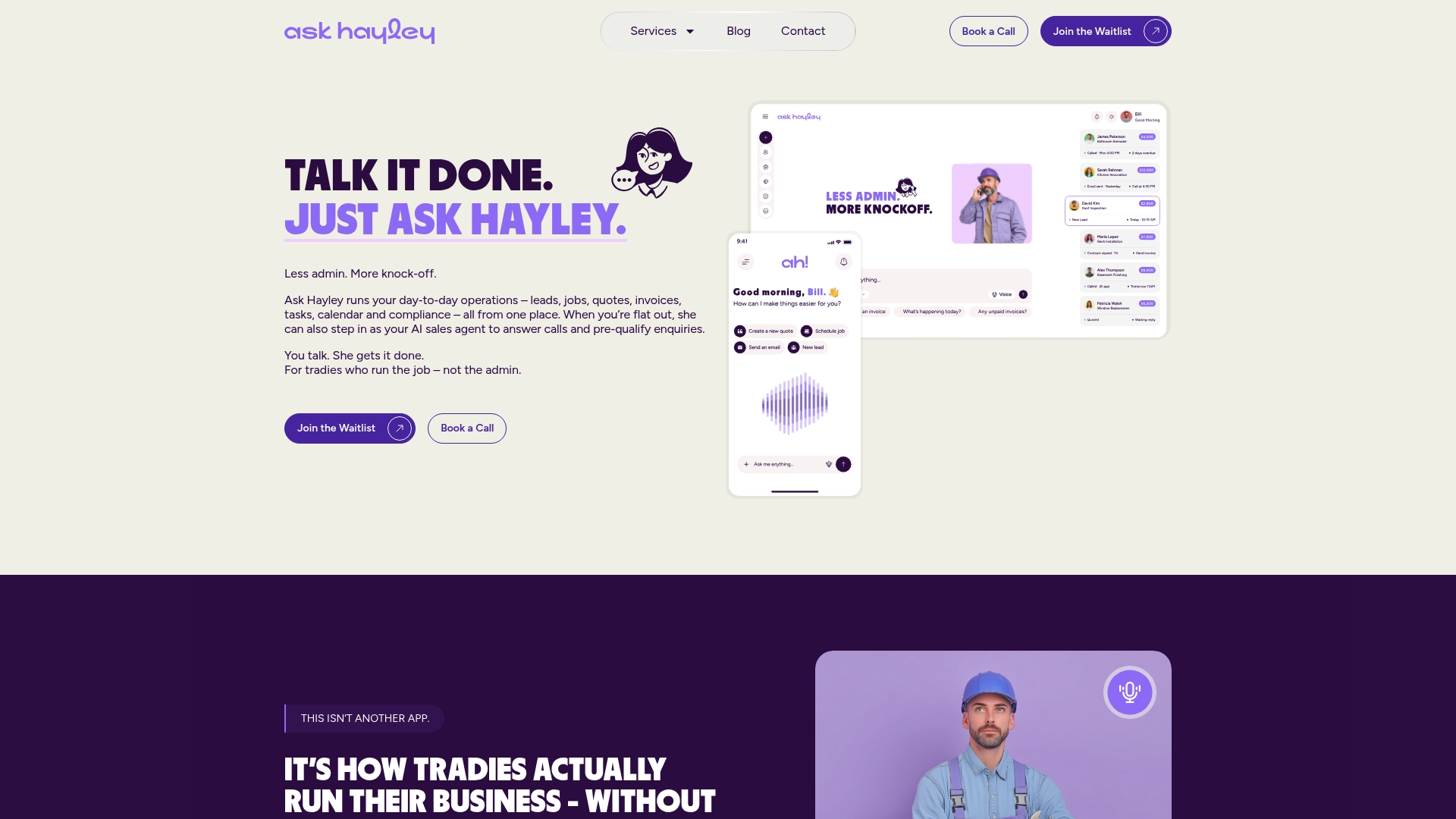
For cleaning operators, the practical fit is clear. The Ask Hayley Assistant and Office Manager plans cover call handling, quote generation, invoicing, and Xero integration in a single subscription. If you’re running a larger operation and need compliance documentation or tender support alongside your day-to-day admin, the professional services offering covers that too.
Start by trialling the platform on three real jobs. Test the voice-prompted invoice flow, confirm the Xero sync, and check how Hayley handles an inbound call while you’re busy. That’s enough to know whether it fits your business.
Book a free discovery call or start your trial at Ask Hayley and see how much admin time you get back in the first week.
Useful sources and further reading
The resources below support the GST/BAS, integration, and software evaluation claims in this article.
- Ask Hayley platform overview — Voice-first admin, call handling, Xero and AroFlo integrations, and plan details for Australian tradies and service businesses.
- Ask Hayley services and plans — Full breakdown of the Assistant and Office Manager plans, add-ons, and professional services.
- Ask Hayley professional services and tendering — Relevant for larger cleaning operators needing compliance documentation or tender support alongside their software setup.
- OneBookPlus — Best cleaning business software Australia — An Australian-market roundup that covers several platforms featured in this article.