For most Australian electricians, Ask Hayley is the best electrician software available right now. It’s voice-first, built for tradies, and handles the admin that costs you jobs every single day.
- Fewer missed calls: Hayley answers inbound calls when you’re on the tools, so leads don’t go to voicemail.
- Faster lead capture: Calls are pre-qualified before they hit your inbox, saving you the back-and-forth.
- Hands-free quoting: Generate quotes by voice, on-site, without stopping work.
- Xero and AroFlo integrations: Your accounting and job management stay connected, with no rekeying.
- Local support: Ask Hayley is built for Australian tradies, with onboarding and support that understands the trade.
Ready to see it in action? Book a demo and watch the voice-first workflow live.
Table of Contents
- Why voice-first capability changes how electricians run their business
- What features do electricians actually need from business software?
- How Ask Hayley maps to what electricians actually need
- What does electrician software pricing actually look like?
- What does onboarding look like for an electrician business?
- What security and privacy questions should you ask before signing up?
- How do you choose the right electrician management tools?
- Key takeaways
- Why voice-first really does change the game for tradies
- Ask Hayley is built for electricians who want to stop losing jobs to admin
- Useful sources and further reading
Why voice-first capability changes how electricians run their business
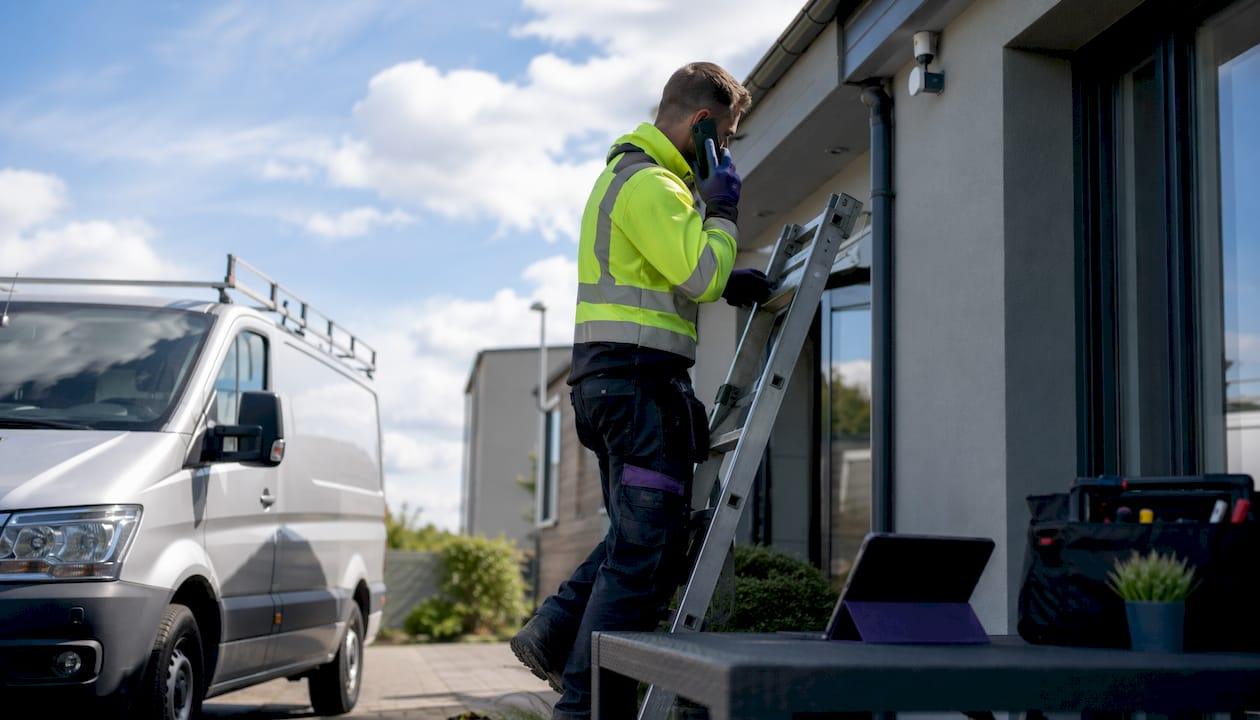
You’re three metres up a ladder, mid-job, and your phone rings. You can’t answer. That call goes to voicemail, the customer moves on, and you’ve just lost a job you never knew you had.
Voice-first software fixes that problem at the source. Ask Hayley answers calls when you can’t, pre-qualifies the lead, and logs the details so nothing falls through the cracks. No missed opportunity, no scramble to call back hours later.
On-site voice capture also cuts admin time significantly. Rather than scribbling notes on a job walk and re-keying them back at the office, you speak your observations directly into the platform. Fewer transcription errors, faster quoting, and a cleaner job record from the start.
- Voice call answering handles new enquiries, emergency callbacks, and quote follow-ups automatically.
- On-site voice notes replace manual data entry after site visits.
- Voice-generated quotes let you price a job while you’re still standing in the customer’s switchboard room.
For electricians running lean, this isn’t a luxury. It’s the difference between a business that captures every lead and one that loses a substantial portion of them to admin friction.
What features do electricians actually need from business software?
The best apps for electricians share a common core. Here’s what matters most, in priority order:
- Voice-first call handling: Answers calls, pre-qualifies leads, and logs details without you lifting a finger.
- Quoting and estimating: Fast quote creation from the field, ideally by voice or mobile.
- Job scheduling and management: Assign, track, and update jobs without a whiteboard or spreadsheet.
- Invoicing and payments: Send invoices quickly after job completion and track what’s been paid.
- CRM and lead capture: Keep customer history, follow-up notes, and contact details in one place.
- Mobile and offline capability: Works on-site, even with patchy mobile coverage.
- Xero and AroFlo integrations: Connects your accounting and job management without rekeying.
- Onboarding and local support: A vendor who picks up the phone and helps you get set up properly.
When you’re shortlisting electrical job scheduling software, use these dimensions to compare options:
| Dimension | What to look for |
|---|---|
| Best for (trade size) | Solo operator, small crew (2–5), or growing business |
| Voice-first capability | Call answering, voice quotes, on-site voice notes |
| Core features | Quoting, scheduling, invoicing, CRM, lead capture |
| Integrations | Xero, AroFlo, and any telco or payment tools you use |
| Pricing and plans | Transparent tiers, no hidden fees, add-ons clearly listed |
| Onboarding and support | Local, phone-based, short pilot option available |

How Ask Hayley maps to what electricians actually need
Ask Hayley covers every item on that checklist, and it’s built specifically for Australian tradies rather than adapted from a generic CRM.
Here’s how the platform maps to real electrician pain points:
- Voice call answering: Hayley answers inbound calls when you’re on-site, pre-qualifies the lead, and logs it for follow-up. No missed jobs.
- Voice quoting: Speak a quote on-site and have it generated without typing a word.
- Invoicing: Create and send invoices from the field, with job details already captured.
- CRM and lead management: Every customer interaction is logged, searchable, and ready for follow-up.
- Xero and AroFlo integrations: Your accounting and job management connect directly, removing the biggest source of rekeying friction.
- Safety and compliance documentation: Professional services for permits and compliance paperwork, useful for electricians preparing documentation for larger jobs.
- Website and tender support: Ask Hayley also offers website builds and tender preparation for tradies wanting a more professional presence.
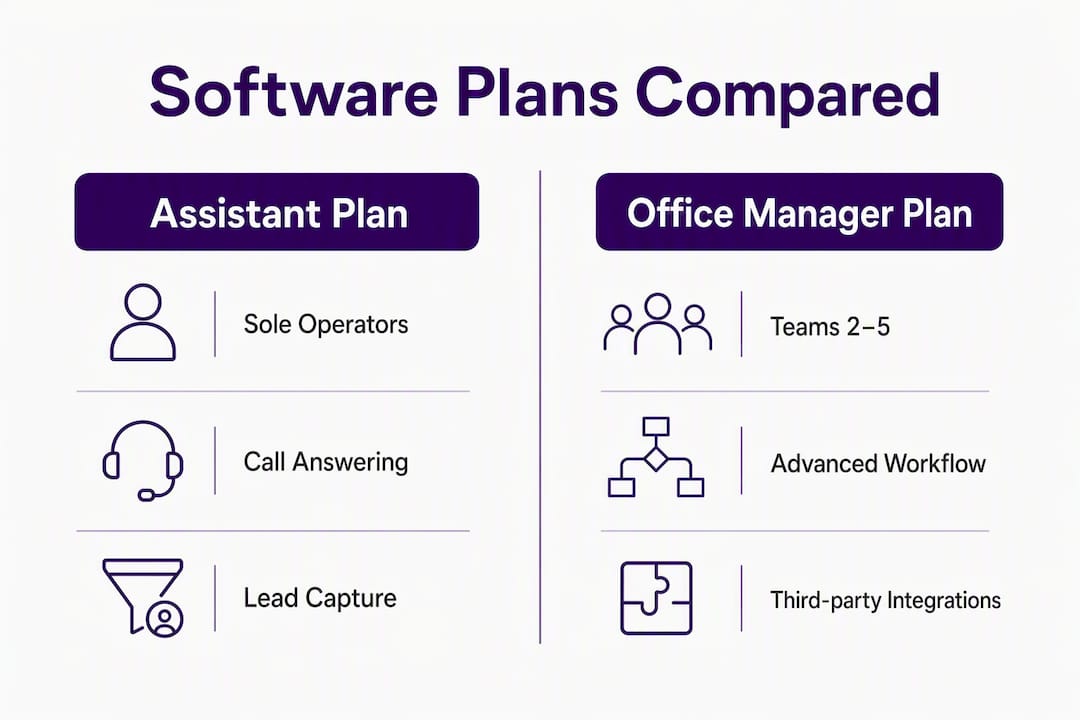
The platform runs on two core plans. The Assistant plan suits sole operators who want call answering and basic admin covered. The Office Manager plan adds deeper job management, reporting, and broader workflow coverage for growing businesses. Add-ons include an AI Sales Agent (for extended lead qualification and follow-up) and an AI Website Chatbot (for capturing enquiries from your website around the clock).
Pro Tip: Ask your vendor to walk you through a live voice call demo before you sign up. If they can’t show you exactly how a new enquiry call is handled, the voice-first capability may be more marketing than product.
| Plan | Best for | Voice features | Integrations | Add-ons available |
|---|---|---|---|---|
| Assistant | Solo operators | Call answering, lead capture | Xero, AroFlo | AI Sales Agent, AI Website Chatbot |
| Office Manager | Small to mid-size crews | Full voice workflow, quoting, invoicing | Xero, AroFlo | AI Sales Agent, AI Website Chatbot |
What does electrician software pricing actually look like?
Ask Hayley operates on a subscription model with two core tiers and optional add-ons. Specific pricing is available directly on the platform, and it’s worth requesting a quote based on your crew size and the add-ons you need.
| Plan | Typical inclusions | Add-ons |
|---|---|---|
| Assistant | Call answering, lead capture, basic admin, Xero/AroFlo integrations | AI Sales Agent, AI Website Chatbot |
| Office Manager | Everything in Assistant, plus job management, invoicing, reporting, compliance | AI Sales Agent, AI Website Chatbot |
To estimate ROI, use this simple method: count the admin minutes you spend per week on calls, quoting, and invoicing, then multiply by your effective hourly rate. Add an estimate for the value of one or two missed jobs per month. For most electricians, the payback period is short.
- Time saved on admin × your hourly rate = monthly admin saving.
- Fewer missed calls × average job value = monthly revenue recovered.
- Faster invoicing = improved cashflow, fewer overdue accounts.
What does onboarding look like for an electrician business?
Setup is straightforward, and most electricians are operational within one to four weeks depending on crew size and how much existing data needs importing.
- Discovery call: Walk through your current workflow, pain points, and what you need the platform to handle.
- Data import: Bring in your contact list, pricebook, and job templates.
- Xero and AroFlo integration: Connect your accounting and job management systems.
- Voice routing setup: Configure call scripts for new enquiries, emergency callbacks, and quote follow-ups.
- Staff training: Short session covering the voice workflow and mobile app for your crew.
- Pilot period: Run a one-week pilot with one crew member to validate call capture and lead logging before full rollout.
Before you start, prepare these items to keep onboarding moving:
- Your current pricebook or rate card.
- A contact list of existing customers.
- Job templates for your most common work types (switchboard upgrades, fault finding, new installs).
- Login credentials for Xero and AroFlo.
Ask Hayley’s onboarding and professional services team handles the technical setup, so you’re not left reading a help doc at 9pm. For telco reliability and number porting, Netera Communications offers business voice services that integrate cleanly with voice-first platforms.
What security and privacy questions should you ask before signing up?
Australian data residency matters. Your customer records, call logs, and financial data should be stored in Australia and governed by the Australian Privacy Act, not held on overseas servers with no clear jurisdiction.
Before you sign any agreement, verify these items:
- Data residency: Is your data stored in Australia?
- Encryption: Is data encrypted in transit and at rest?
- Access controls: Can you limit who on your team sees financial or customer data?
- Backups: How often is data backed up, and how quickly can it be restored?
Call recording adds another layer. Under Australian law, at least one party to a call must consent to recording. Check that your vendor’s call-handling scripts include a clear consent notification at the start of each call.
Pro Tip: Before signing, ask for a one-page summary of the vendor’s data residency, backup frequency, and breach notification process. A vendor who can’t produce this in 24 hours is a vendor worth reconsidering.
- Confirm the platform integrates with compliant accounting systems (Xero is a strong choice here).
- Ask whether the vendor holds any relevant Australian certifications or follows the Australian Privacy Principles.
- Check that call recording consent is built into the default call scripts, not left to you to configure.
How do you choose the right electrician management tools?
Prioritise voice-first capability, Xero/AroFlo integration, mobile reliability, and clear onboarding support. Everything else is secondary.
- Confirm voice-first call answering works without manual setup for each call type.
- Check that Xero and AroFlo integrations are native, not third-party workarounds.
- Test the mobile app on your phone before committing.
- Ask about onboarding timeline and whether phone support is included.
- Request a live demo of the voice workflow, not just a slide deck.
Questions to ask vendors during a demo:
- Can you show me a live inbound call being handled by the AI?
- What happens when the AI can’t answer a question?
- How are call scripts customised for my trade?
- What are the limits on AI credits or call minutes per month?
- How does data export work if I want to leave?
- Is onboarding included, or is it a separate fee?
- Who do I call if something breaks on a Monday morning?
- How long does Xero/AroFlo integration take to set up?
Red flags to watch for: no local support contact, pricing that only appears after a sales call, no live voice demo available, and a mobile app that requires a strong internet connection to function.
Key takeaways
Voice-first AI business management is the most practical choice for Australian electricians who want fewer missed leads, faster quoting, and less time on admin.
| Point | Details |
|---|---|
| Voice-first is the priority | Call answering and on-site voice capture reduce missed leads and admin time for tradies. |
| Integrations decide ROI | Native Xero and AroFlo connections remove rekeying and deliver the fastest payback. |
| Onboarding matters | Local, phone-based setup and a short pilot period get you operational in one to four weeks. |
| Security is non-negotiable | Verify Australian data residency, encryption, and call recording consent before signing. |
| Ask Hayley fits the brief | Ask Hayley’s Assistant and Office Manager plans cover voice call handling, quoting, invoicing, and Xero/AroFlo integrations for Australian electricians. |
Why voice-first really does change the game for tradies
Most electricians I speak with aren’t losing jobs because they’re bad at the work. They’re losing them because the phone rang while they were on the tools, or because quoting took three days instead of three hours, or because invoicing slipped to the weekend and cashflow suffered.
The honest truth about job management software for electricians is that most platforms are built for someone sitting at a desk. They assume you have time to log in, click through menus, and update records. Tradies don’t work that way. You’re on a roof, in a roof cavity, or driving between jobs. The software has to fit around that reality, not the other way around.
Voice-first changes the equation because it removes the friction entirely. You don’t need to stop what you’re doing. You speak, the platform captures it, and the admin is done. That’s not a minor convenience. For a sole operator or a small crew, it’s the difference between a business that runs itself and one that runs you.
The electricians who get the most out of platforms like Ask Hayley are the ones who commit to the voice workflow from day one, rather than treating it as a backup. Record your call scripts properly, run the pilot week seriously, and trust the system to handle the calls you can’t.
Ask Hayley is built for electricians who want to stop losing jobs to admin
Most electrician software is designed for someone at a desk. Ask Hayley is designed for someone on a ladder. It answers your calls, captures your leads, generates quotes by voice, and connects directly to Xero and AroFlo, so your accounting and job management stay in sync without any extra effort from you.
The Assistant plan suits sole operators who want call answering and lead capture covered from day one. The Office Manager plan adds full job management, invoicing, and reporting for businesses with a crew. Both plans include Xero and AroFlo integrations, and add-ons like the AI Sales Agent and AI Website Chatbot extend your coverage to website enquiries and after-hours leads.
Book a demo at Ask Hayley and see the voice-first workflow in action. It takes less than 30 minutes, and you’ll know immediately whether it fits the way you work.
Useful sources and further reading
- Ask Hayley homepage — Overview of the voice-first platform, plans, and features for Australian tradies.
- Ask Hayley services and integrations — Detail on Xero and AroFlo integrations, onboarding support, and professional services.
- Ask Hayley tendering and professional services — Tender preparation and document support for electricians pursuing larger contracts.
- Ask Hayley safety and compliance documentation — Professional services for permit paperwork and compliance documentation.
- Ask Hayley blog — How-to articles and practical guides on voice-first workflows and trade business management.
- Call Time — Australian call-handling and virtual reception services, useful for overflow call routing and after-hours coverage.
- Netera Communications — Business voice telco services for number porting, SIP trunking, and reliable inbound call infrastructure.