
For most Australian tradies and small field teams, the fastest path to fewer missed jobs and faster invoicing is a Xero-integrated job management platform with a reliable mobile app. The field service management market is projected to grow significantly in 2026, and the tools have matured quickly. In short, Ask Hayley suits tradies who want voice-first call handling and simple admin without learning another app. ServiceM8 and Fergus are the go-to mobile apps for small crews. simPRO and AroFlo serve mid-sized businesses with heavier project or asset management needs. Microsoft Dynamics 365 Field Service and Salesforce Field Service are enterprise-grade platforms for large, asset-heavy organisations.
| Product | Best for | Why it makes the shortlist |
|---|---|---|
| Ask Hayley | Tradies who prioritise call handling and simple admin | Voice-first AI, Xero + AroFlo integration, no extra apps to learn |
| simPRO | Mid-sized trade businesses | Strong project and asset management, implementation partner network |
| AroFlo | Maintenance-heavy teams | Detailed asset histories, compliance checklists, Australian-built |
| ServiceM8 | Small teams and sole traders | Fast onboarding, excellent mobile UX, quick quoting |
| Fergus | Small to mid-sized trade businesses | Estimate-to-job workflows, trades-focused templates |
| Microsoft Dynamics 365 Field Service | Large, asset-heavy organisations | Enterprise scalability, IoT, AI scheduling agents |
| Salesforce Field Service | CRM-centric enterprises | Tight CRM integration, enterprise workflow customisation |
When to pick Ask Hayley:
- You miss calls on-site and lose leads before they reach your inbox.
- You want Xero invoicing and job admin handled by voice, not a dashboard.
- You need a single platform that covers calls, quotes, and compliance without a steep learning curve.
- You want professional services (website, tendering, compliance docs) bundled with your software.
When to pick a trade-focused job app (ServiceM8, Fergus, AroFlo):
- Your priority is scheduling, quoting, and invoicing from a mobile app.
- You have a small crew that needs fast, on-site job management.
When to pick an enterprise FSM (Dynamics 365, Salesforce):
- You manage multiple sites, complex SLAs, or need deep ERP and CRM integration.
Table of Contents
- How do these tools compare across the dimensions Australian tradies care about?
- What does each platform actually deliver for Australian users?
- How do you choose the right field service software for your Australian business?
- What core FSM features actually matter for Australian tradies?
- What does field service software typically cost in Australia, and how long does setup take?
- When does an enterprise FSM make sense, and what do you trade off?
- Why Ask Hayley suits Australian tradies who want fewer apps and better call handling
- Key takeaways
- The gap between what field service software promises and what actually matters
- Ask Hayley: built for tradies who want fewer apps and more jobs
- Useful sources and further reading
How do these tools compare across the dimensions Australian tradies care about?
Gartner defines field service management software as modular cloud services and mobile apps that manage work and commercial interactions for field workforces, covering work order management, scheduling, dispatch, and asset maintenance. The table below maps each platform against the dimensions that matter most to Australian buyers.

| Product | Best for | Core features | Mobile & offline | Integrations | Pricing shape | Setup time | Australian support | Scalability |
|---|---|---|---|---|---|---|---|---|
| Ask Hayley | Tradies: call handling + admin | Voice call handling, lead capture, quoting, invoicing, task management, calendar, compliance tracking | Mobile-friendly; voice-first design | Xero, AroFlo | Subscription tiers (Assistant, Office Manager) + add-ons | Fast; minimal onboarding | Australian-built; local support | SMB-focused; grows with add-ons |
| simPRO | Mid-sized trade businesses | Scheduling, job management, quoting, invoicing, project management, asset tracking | Good mobile app; offline capability | Xero, accounting, ERP | Per-tech licensing | Partner-assisted; moderate | Australian HQ; local partners | Strong; suits growing teams |
| AroFlo | Maintenance-heavy teams | Scheduling, job management, asset management, compliance checklists, inspections | Strong offline mode | Xero, accounting | Per-user subscription | Moderate; guided setup | Australian-built; local support | Good for mid-market |
| ServiceM8 | Small teams and sole traders | Scheduling, quoting, invoicing, job notes, client comms | Excellent mobile UX; offline capable | Xero, accounting | Per-active-job or subscription | Very fast; self-serve | Australian support available | Limited for larger teams |
| Fergus | Small to mid-sized trade businesses | Quoting, job management, scheduling, invoicing, timesheets | Good mobile app; offline mode | Xero, accounting | Per-user subscription | Fast; self-serve | Australian support available | Moderate |
| Microsoft Dynamics 365 Field Service | Large, asset-heavy organisations | Work orders, scheduling, IoT, AI agents, asset management, SLA tracking | Strong mobile app; offline capable | ERP, CRM, Microsoft 365 | Enterprise licensing | Long; certified partners required | Global support; local partners | Enterprise-grade |
| Salesforce Field Service | CRM-centric enterprises | Scheduling, dispatch, work orders, analytics, CRM-native workflows | Good mobile app; offline capable | Salesforce CRM, ERP | Enterprise licensing | Long; Salesforce partners | Global support; local partners | Enterprise-grade |
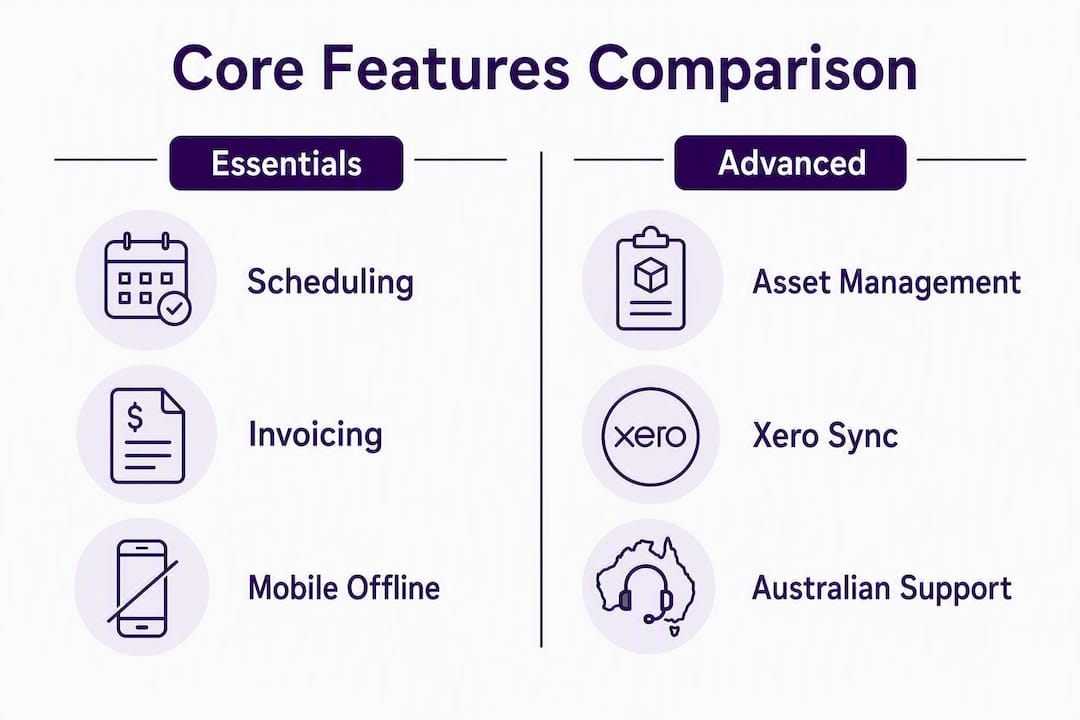
Legend: “Fast” setup = self-serve or guided onboarding under two weeks. “Moderate” = two to eight weeks, typically partner-assisted. “Long” = eight-plus weeks, requiring certified implementation partners.
What does each platform actually deliver for Australian users?
Ask Hayley
Ask Hayley is built specifically for Australian tradies who lose time to missed calls and admin. Rather than logging into a dashboard, you talk to Hayley. She answers inbound calls when you’re on-site, pre-qualifies leads, and handles quoting, invoicing, task management, and calendar updates through natural voice prompts. The platform integrates directly with Xero and AroFlo, so invoice data and job records sync without manual entry.
Two core plans cover most tradie needs: the Assistant plan handles call answering and basic admin, while the Office Manager plan adds broader business management. Optional add-ons include an AI Sales Agent for extended lead coverage and an AI Website Chatbot for customer enquiries. Ask Hayley also offers tendering support, website builds, and safety and compliance documentation as professional services, which means you can get your whole business setup sorted in one place.
- Pros: Voice-first design removes app fatigue; Xero and AroFlo integrations; Australian-built; professional services bundled.
- Cons: Newer platform; best suited to SMBs rather than large multi-site operations.
simPRO
simPRO is an established Australian platform with a strong reputation among mid-sized trade businesses. Its project management and asset tracking capabilities go well beyond basic job management, making it a solid fit for electrical, plumbing, and HVAC contractors who run multiple concurrent projects. An implementation partner ecosystem means you can get hands-on setup help, though that also means a longer onboarding process.
- Pros: Feature-rich project and asset management; strong local partner network; scales well.
- Cons: Steeper learning curve; partner-assisted setup adds cost and time.
AroFlo
AroFlo is an Australian-built platform that has earned a loyal following among maintenance contractors and inspection-heavy trades. Its asset management module tracks full service histories, and its compliance checklists are tuned to Australian regulatory requirements. Offline mobile capability is reliable, which matters for crews working in regional areas with patchy connectivity.
- Pros: Detailed asset histories; compliance-focused; strong offline mode; Xero integration.
- Cons: Interface can feel dense for very small teams; pricing scales with users.
ServiceM8
ServiceM8 is the go-to choice for sole traders and small crews who want to be up and running within a day. The mobile app is genuinely well-designed, and the quoting-to-invoicing workflow is fast. It connects to Xero and handles client communications neatly. The trade-off is that it does not scale well once you move beyond a handful of technicians.
- Pros: Very fast onboarding; excellent mobile UX; Xero integration; affordable entry point.
- Cons: Limited project management depth; not suited to teams with complex scheduling needs.
Fergus
Fergus focuses on the estimate-to-job workflow that trade businesses live by. Its templates are built for tradies, and the quoting module is practical rather than generic. It suits small to mid-sized businesses that want structured job workflows without the complexity of a full project management platform.
- Pros: Trades-focused templates; solid quoting and job workflows; Xero integration.
- Cons: Less suited to asset-heavy or inspection-heavy operations.
Microsoft Dynamics 365 Field Service
Dynamics 365 Field Service is an enterprise platform that connects scheduling, IoT monitoring, and AI-assisted dispatch into a single system. It is built for organisations managing large technician workforces, complex SLAs, and asset-centric operations. The AI scheduling agent optimises technician routes as conditions change in real time. Implementation requires certified Microsoft partners and a significant time investment.
- Pros: Enterprise scalability; IoT and AI agent capabilities; deep ERP and CRM integration.
- Cons: High cost; long implementation; requires in-house IT or certified partners.
Salesforce Field Service
Salesforce Field Service is the natural choice for organisations already running Salesforce CRM. It connects customer data directly to scheduling and dispatch, giving service teams a complete view of the customer relationship alongside the job. Enterprise analytics and workflow customisation are strong, but the platform is overkill for most Australian SMBs.
- Pros: Tight CRM integration; enterprise analytics; highly customisable.
- Cons: Expensive; complex setup; requires Salesforce expertise.
Stat to know: The field service management market is projected at around US$3.1 billion in 2026, with AI automation and mobile-first design now considered standard differentiators rather than premium features.
How do you choose the right field service software for your Australian business?
Start with three non-negotiables: Xero integration, reliable mobile offline mode, and local support. Get those right and most other decisions become easier.
Step-by-step selection checklist
- Confirm Xero compatibility. Ask whether the sync is two-way, whether it handles GST correctly, and whether invoice status updates flow back into the FSM. A direct Xero sync that supports invoice status and payment links can reduce debtor days materially for a small trade business.
- Test offline mode before you buy. Switch the demo device to aeroplane mode and complete a job. Check that job details, photos, and signatures cache locally and re-sync automatically when connectivity returns. This is critical for regional crews.
- Check Australian data hosting. Ask vendors where your data is stored. Australian Privacy Act obligations apply to how customer data is handled, and some enterprise platforms default to US or EU data centres.
- Map your must-have features. Scheduling and job management are table stakes. Decide whether you need asset tracking, compliance checklists, or project management before you shortlist.
- Assess implementation time honestly. A self-serve app like ServiceM8 can be live in a day. A partner-assisted platform like simPRO may take four to eight weeks. Factor that downtime into your decision.
- Verify local support hours. Australian business hours matter. Confirm whether support is available during your working day and whether there is a local phone number.
Questions to ask vendors during demos
- Does your Xero sync handle GST line items and invoice status updates?
- What happens to job data when a technician loses mobile coverage?
- Where is our data hosted, and how do you comply with the Australian Privacy Act?
- Is there an open API, and what does integration with our existing tools cost?
- What does onboarding include, and is there a local implementation partner?
Red flags to watch for
- Vague answers about offline capability (“it mostly works offline”).
- No local support contact or support hours limited to US or UK time zones.
- Xero integration described as “coming soon” or requiring a third-party connector.
- Pricing that jumps sharply at the number of technicians you currently employ.
What core FSM features actually matter for Australian tradies?
Scheduling and dispatch
Good scheduling software shows you who is available, where they are, and how long each job will take. For a small team, a drag-and-drop calendar is enough. For larger crews, automated dispatch that accounts for travel time and skill matching saves hours each week.
Quoting and estimating
A fast quoting workflow means you can send a professional quote from your phone while you’re still on-site. Trades-focused templates (Fergus does this well) reduce the time spent formatting and calculating. The faster a quote goes out, the higher the conversion rate.
Invoicing and Xero sync
Same-day invoicing is one of the biggest cashflow levers available to a small trade business. A direct Xero sync that pushes invoice status and payment links back into your job management app means you know who has paid without logging into two systems.
Asset management and compliance

If your work involves equipment servicing, inspections, or maintenance contracts, asset management is not optional. AroFlo and simPRO both handle asset histories and compliance checklists well. For tradies working on regulated sites, having a digital audit trail is increasingly a contract requirement.
Mobile app and offline capability
Australia’s regional connectivity gaps make offline mode a genuine requirement, not a nice-to-have. A mobile app that caches job details, photos, and customer signatures offline and re-syncs automatically is what separates a reliable tool from a frustrating one.
Pro Tip: During any demo, ask the vendor to show you a job completed in aeroplane mode. If they can’t demonstrate it cleanly, assume the offline mode is unreliable.
What does field service software typically cost in Australia, and how long does setup take?
Pricing bands
| Band | Typical licensing shape | What to expect |
|---|---|---|
| Entry-level (sole trader to 3 techs) | Per-active-job or low per-user subscription | Basic scheduling, quoting, invoicing, Xero integration; fast self-serve setup |
| Mid-market (4–20 techs) | Per-user or per-tech subscription | Full job management, asset tracking, compliance features, partner-assisted onboarding |
| Enterprise (20+ techs or multi-site) | Enterprise licensing, often per-site or custom | Deep ERP/CRM integration, IoT, AI scheduling, certified implementation partners required |
Ask Hayley sits outside the per-tech pricing model. Its subscription tiers (Assistant and Office Manager) are structured around business function rather than headcount, which keeps costs predictable as your team grows.
Typical implementation timelines
- Self-serve apps (ServiceM8, Fergus, Ask Hayley): One day to two weeks. Most configuration is guided and does not require a consultant.
- Mid-market platforms (simPRO, AroFlo): Two to eight weeks. Partner-assisted setup is common and recommended for businesses with complex workflows.
- Enterprise platforms (Dynamics 365, Salesforce): Eight weeks to six months. Certified partners are required, and data migration is a significant workstream.
Hidden costs to budget for
- Data migration: Moving job history, customer records, and asset data from your old system takes time and sometimes specialist help.
- Custom integrations: Connecting to an existing ERP, CRM, or accounting system beyond Xero may require API development.
- Add-on modules: Asset management, compliance tracking, and advanced reporting are sometimes sold separately.
- Training: Field crew adoption is the most common implementation failure point. Budget for at least one structured training session.
- Ongoing admin: Someone needs to own the system. For small businesses, that admin overhead is often underestimated.
If you are unsure whether to pilot first or roll out fully, start with a pilot on one crew or job type. A two-week pilot with real jobs is more informative than any demo.
Ask Hayley’s one-page website service is worth considering alongside your software setup if you don’t yet have a professional web presence. It affects total time-to-value by giving you a lead capture point from day one.
When does an enterprise FSM make sense, and what do you trade off?
Choose an enterprise FSM only when you have complex asset management, multi-site SLAs, or a genuine need for deep ERP or CRM integration. For most Australian SMBs and trade businesses, the cost and implementation complexity of Dynamics 365 or Salesforce Field Service outweighs the benefits.
Signals that an enterprise solution is the right call:
- You manage 20 or more technicians across multiple sites.
- You have contractual SLAs with penalty clauses that require real-time tracking.
- Your assets require IoT monitoring or predictive maintenance scheduling.
- You are already running Microsoft 365 or Salesforce CRM at scale and need native integration.
- You have in-house IT staff or a budget for certified implementation partners.
Trade-offs to understand before you commit:
- Implementation timelines of eight weeks to six months are common.
- Licensing costs are significantly higher than mid-market platforms.
- You will need in-house IT capability or an ongoing partner relationship to manage the system.
- Customisation is powerful but adds cost and complexity at every change.
The upside is real for the right organisation. Dynamics 365 Field Service’s AI scheduling agent optimises technician routes as conditions change, and its IoT integration supports predictive maintenance at scale. Salesforce Field Service gives enterprise teams a complete view of the customer relationship alongside every job. For a 50-person electrical contractor managing government maintenance contracts, that capability is worth the investment; for a five-person plumbing business, it is not.
Why Ask Hayley suits Australian tradies who want fewer apps and better call handling
Most tradies don’t lose jobs because they lack software. They lose jobs because they miss calls while they’re on-site, and by the time they call back, the customer has moved on. Ask Hayley is built around that specific problem.
The platform’s voice-first design means you don’t need to open an app or sit at a screen. Hayley answers inbound calls, pre-qualifies the lead, and logs the job. From there, you can manage quotes, invoices, tasks, and your calendar through natural voice prompts. The Xero and AroFlo integrations mean your accounting and job data stay in sync without manual entry.
Core features relevant to Australian tradies:
- Voice call answering and lead pre-qualification
- Quote generation and invoicing via voice prompts
- Task management and calendar scheduling
- Xero integration for same-day invoicing and payment tracking
- AroFlo integration for job data sync
- Compliance tracking and reporting
- Safety and compliance documentation services
Plan overview:
- Assistant: Call answering, lead capture, and basic admin. The right starting point for a sole trader or small team.
- Office Manager: Full business management including quoting, invoicing, scheduling, and compliance tracking.
- Add-ons: AI Sales Agent for extended lead coverage; AI Website Chatbot for customer enquiries on your website.
Ask Hayley also offers professional services that reduce the friction of getting set up: website builds, tendering support, and compliance documentation. For a tradie who needs to present professionally and win more work, those services sit alongside the platform rather than requiring a separate provider.
A practical use case: an electrician running a two-person team misses three to five calls a week while on-site. With Ask Hayley handling inbound calls and pre-qualifying leads, those calls become logged jobs rather than lost revenue. Invoices go out the same day via Xero sync, and compliance documentation is handled through the platform’s professional services rather than a separate consultant.
Key takeaways
For most Australian tradies, the right field service software combines Xero integration, reliable offline mobile capability, and local support, with Ask Hayley the strongest fit for those who also want voice-first call handling and simple admin.
| Point | Details |
|---|---|
| Xero integration is non-negotiable | Confirm two-way sync with GST support before shortlisting any platform. |
| Test offline mode in every demo | Switch to aeroplane mode and complete a job; unreliable offline mode is a dealbreaker for regional crews. |
| Match platform complexity to team size | ServiceM8 or Fergus for small crews; simPRO or AroFlo for mid-sized; Dynamics 365 or Salesforce for enterprise. |
| Hidden costs add up quickly | Budget for data migration, training, and add-on modules beyond the base subscription. |
| Ask Hayley for voice-first call handling | Best fit for tradies who miss calls on-site and want Xero-integrated admin without learning extra apps. |
The gap between what field service software promises and what actually matters
Most software comparisons focus on feature lists. The real question is adoption. A platform with 200 features that your crew ignores after week two is worth less than a simple app they actually use every day.
The pattern I see repeated in Australian trade businesses is this: the owner buys a mid-market platform, spends six weeks setting it up, and then finds that the field crew reverts to WhatsApp and paper dockets because the app is too slow to open on-site. The software cost is sunk. The admin problem is unsolved.
The insight that gets overlooked is that app fatigue is a genuine productivity killer for small trade teams. Every additional login, every extra screen, every new workflow is friction. That friction compounds. Smaller trade businesses often get better results from a single solution that covers calls, admin, and invoicing than from a best-of-breed stack that requires three apps and a weekly reconciliation.
That is why voice-first design matters more than it sounds. It removes the screen entirely for the most time-sensitive tasks: answering a call, logging a lead, sending a quote. For a tradie with their hands full, that is not a convenience feature. It is the difference between capturing a job and losing it.
The other underestimated factor is local support. When something breaks on a Tuesday morning in regional Queensland, a US-timezone support team is not much help. Before you sign anything, call the support line during your working hours and see who answers.
Ask Hayley: built for tradies who want fewer apps and more jobs
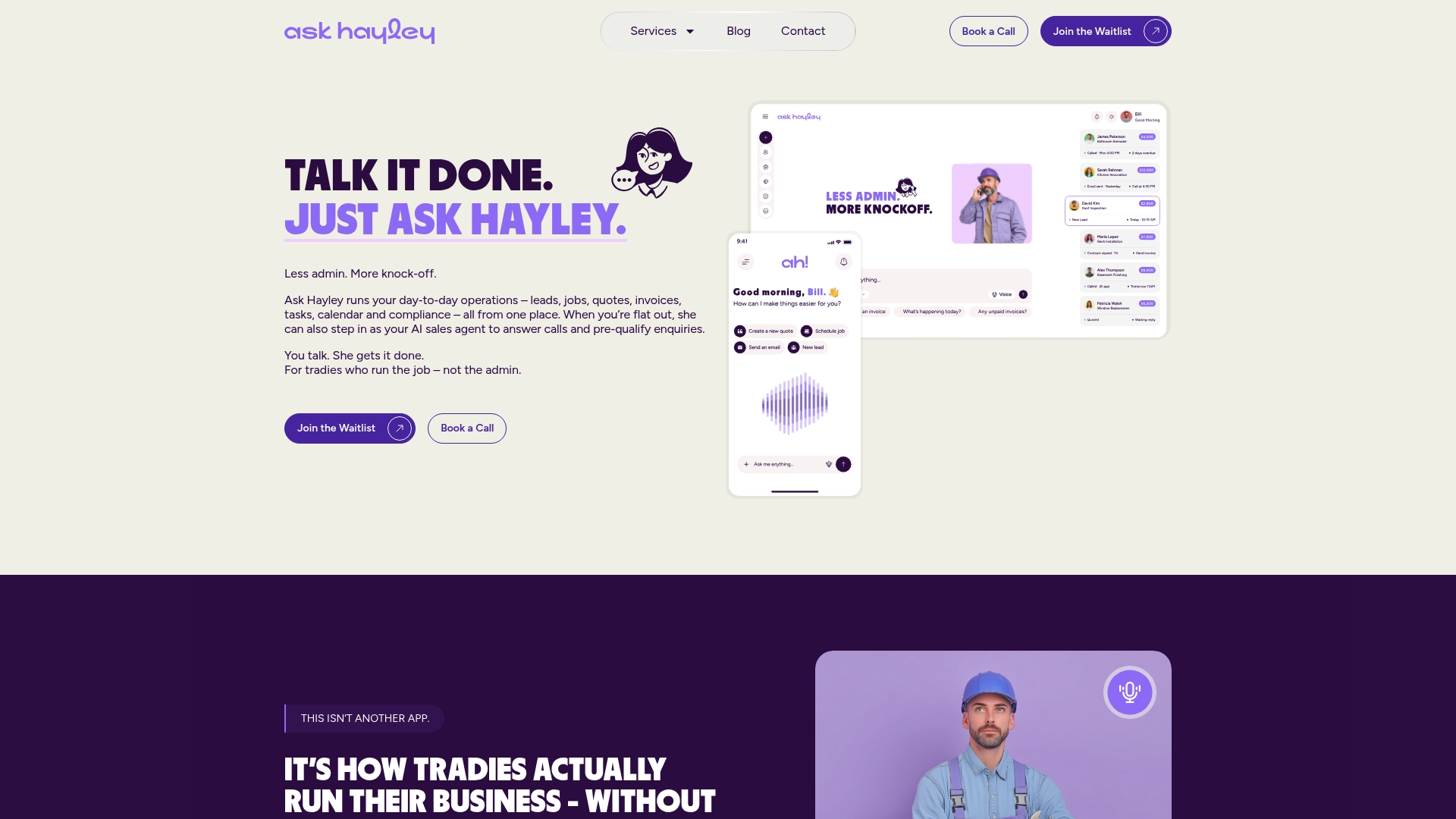
Missed calls cost Australian tradies real revenue every week. Ask Hayley answers those calls, pre-qualifies the leads, and handles your quoting, invoicing, and admin through voice, so you stay focused on the job in front of you. It integrates directly with Xero and AroFlo, and it comes with professional services for websites, tendering, and compliance documentation built in.
There are solid options across the market: ServiceM8 and Fergus for mobile-first job management, simPRO and AroFlo for mid-market depth. But if your biggest problem is missed calls and admin overhead rather than complex project management, Ask Hayley is the more direct solution. No long implementation, no per-tech pricing that scales against you, and no extra apps to learn.
Book a demo or explore the plans to see which plan fits your business. If you also need a professional web presence or compliance documentation, those services are available alongside the platform.
Useful sources and further reading
- Gartner Peer Insights: Field Service Management Software — market definition, feature categories, and peer reviews from verified users.
- Microsoft Dynamics 365 Field Service — enterprise FSM product detail and AI scheduling agent documentation.
- Capterra Australia: Field Service Management Software directory — independent user reviews and product listings for Australian buyers.
- Ask Hayley: services and add-ons — Assistant and Office Manager plans, AI Sales Agent and AI Website Chatbot add-ons.
- Ask Hayley: safety and compliance documentation — professional compliance documentation services for tradies with regulated or tendered work.
- Ask Hayley: tendering support — tender preparation services for tradies bidding on larger contracts.