


A short, staged sequence of invoice chasing emails recovers most unpaid invoices without damaging client relationships. Send a pre-due reminder seven days before the due date, a prompt on the due date itself, a gentle follow-up at three to seven days overdue, a firm reminder with a payment-plan offer at 14 days, and a final notice at 30 days.
One-line action plan: Block 15 minutes this week to set these five triggers in your invoicing software, paste in the templates below, and attach your payment link to every message.
- Pre-due several days before the due date: friendly heads-up, invoice attached
- Due date (day 0): polite prompt, payment link prominent
- First overdue (days 3–7): gentle, assume admin error
- Second overdue (day 14): firm, offer payment plan
- Final notice (day 30+): formal, state next steps clearly
Pro Tip: The single biggest habit that improves on-time payment is sending the pre-due reminder. Most late payments happen because clients forget, not because they refuse to pay. A seven-day heads-up cuts that problem before it starts.
Key takeaways
A staged invoice chasing sequence, starting with a pre-due reminder seven days before the due date, recovers most unpaid invoices before they become a cashflow problem.
| Point | Details |
|---|---|
| Start before the due date | Send a pre-due reminder seven days out to cut late payments before they happen. |
| Use a five-stage sequence | Pre-due, due date, 3–7 days, 14 days, and 30+ days covers most scenarios without over-chasing. |
| Include the same details every time | Invoice number, amount, due date, and a payment link in every email removes client excuses for delay. |
| Automate with Xero, QuickBooks, or Stripe | Set up automated reminders once and let the software handle the routine follow-up. |
| Ask Hayley reduces the admin further | Voice capture, Xero integration, and automated reminders mean less manual chasing for tradies on the tools. |
Trusted templates and official resources
These are the sources worth bookmarking or downloading for your own invoice chasing process:
- Business Victoria overdue email template: a government-issued template you can adapt directly for Australian clients. Use this as your formal overdue email base.
- ATO guidance on bad debts: explains how to write off an unrecoverable invoice as a tax deduction and what records the ATO requires.
- Xero: chasing outstanding invoices: step-by-step guide to setting up automated reminders inside Xero for Australian accounts.
- QuickBooks Australia: invoice follow-up guide: day-based reminder examples and template language tailored to Australian small businesses.
- Stripe: payment reminders guide: covers automation features, payment links, and retry logic for businesses invoicing online.
- Scale Suite: payment reminder templates: ready-to-send Australian templates from friendly first nudge to final notice, with subject-line examples.
- DisputesRegister: unpaid invoices in Australia: practical guidance on escalation steps, contract terms, and small claims options for Australian businesses.
This article is general information, not a substitute for advice from a qualified lawyer. Consult a qualified legal professional about your own circumstances before acting on anything here.
Table of Contents
- What are payment reminder emails and why do they matter for Australian small businesses?
- When should you send each email in the chasing sequence?
- What every invoice chasing email must include
- Copy-paste invoice chasing email templates for every stage
- What to do when emails don’t work: escalation and legal steps in Australia
- How do Xero, QuickBooks, and Stripe cut invoice chasing time?
- How Ask Hayley helps tradies chase invoices with less admin
- What actually works when chasing invoices for tradies
- Less chasing, fewer missed payments with Ask Hayley
- Sources
What are payment reminder emails and why do they matter for Australian small businesses?
A payment reminder email is a structured message sent to a client to prompt them to pay an outstanding invoice. The term “invoice chasing” is the informal name most tradies use; the formal industry term is accounts receivable follow-up. Both describe the same process: a timed sequence of messages that moves a client from “invoice received” to “payment made.”
For Australian tradies and small service businesses, cashflow is the pressure point. A single large invoice sitting unpaid for 30 days can mean you cannot pay a supplier, cover wages, or take on the next job. Reminder emails solve that without requiring you to pick up the phone every time.
The channels that work best are:
- Email: the standard for formal, documented follow-up
- SMS: effective for short, urgent nudges near the due date
- Automated calls: sometimes used for final-notice escalation
Business Victoria’s overdue email template is a practical starting point for Australian businesses that want a government-endorsed format they can adapt immediately. It covers the key elements: invoice reference, amount, due date, and a clear request for payment or contact.
Cashflow fact: Late payment is one of the leading causes of small business failure in Australia. A consistent reminder sequence, even a simple three-email flow, keeps your receivables moving without requiring a dedicated credit controller.
When should you send each email in the chasing sequence?
Timing is where most small businesses go wrong. They either wait too long (30 days overdue before the first contact) or send every message in the same flat tone. The table below maps the recommended cadence, tone, and goal for each stage.
| Stage | Timing | Tone | Goal |
|---|---|---|---|
| Pre-due reminder | about a week before due date | Warm, helpful | Prompt early payment, confirm details |
| Due-date prompt | Due date | Polite, neutral | Remind without pressure |
| Gentle follow-up | a few days after due date | Friendly, assume oversight | Recover without awkwardness |
| Firm reminder | around two weeks overdue | Direct, professional | Signal seriousness, offer payment plan |
| Final notice | about a month overdue | Formal, factual | State consequences, invite resolution |
Stripe’s payment reminders guide recommends exactly this staged approach, noting that automation features such as payment links, retry logic, and integrations reduce the manual effort at each step. Xero’s guide to chasing outstanding invoices reinforces the same cadence for Australian small businesses, with practical notes on how to connect reminders to your invoicing workflow.
When to move to the next step: if there is no response or payment within several days of each message, send the next stage. Do not wait the full interval if the client has gone silent after a previous reply.
Pro Tip: Tuesday to Thursday, between 9 AM and 11 AM, is when payment reminder emails get the highest open and response rates. Avoid Monday mornings (clients are catching up) and Friday afternoons (decisions get deferred to the following week).
What every invoice chasing email must include
Every reminder, regardless of stage, needs the same core details. Missing even one creates a reason for the client to delay: “I’ll need to check the invoice number” is a classic stall.
Required invoice details in every email
- Invoice number
- Invoice issue date
- Due date (and how many days overdue, if applicable)
- Amount owing (GST-inclusive total)
- Payment options and bank details or payment link
- Your contact details for queries
Subject lines that get opened
Subject lines for payment reminders should be specific and direct. Vague lines like “Following up” get ignored. These four perform well for tradies:
- Invoice #[number] due [date] — payment details inside
- Friendly reminder: invoice #[number] is due today
- Invoice #[number] is now overdue — please action
- Final notice: invoice #[number] — action required
Quick checklist before you hit send
- [ ] Invoice PDF attached or payment link included
- [ ] Invoice number and amount correct
- [ ] Due date stated clearly
- [ ] Payment method explained (bank transfer, card link, BPAY)
- [ ] Your phone number included for queries
- [ ] Tone matches the stage (friendly early, firm late)
QuickBooks Australia’s follow-up guide emphasises that attaching the invoice to every reminder removes the “I never received it” excuse and reduces the back-and-forth that delays payment.
Copy-paste invoice chasing email templates for every stage
These templates are ready to use. Replace the bracketed fields with your details, adjust the tone to suit your relationship with the client, and send.
Pre-due reminder (7 days before due date)
Subject: Invoice #[number] due [date] — payment details inside
Hi [Client name],
Just a heads-up that invoice #[number] for $[amount] is due on [date]. I’ve attached a copy for your records.
You can pay by [bank transfer / card link / BPAY — details below]. If you have any questions, give me a call on [phone].
Thanks for your business.
[Your name]
Due-date prompt (day 0)
Subject: Friendly reminder: invoice #[number] is due today
Hi [Client name],
Invoice #[number] for $[amount] falls due today. If you’ve already processed it, please disregard this message.
Payment details: [bank details or payment link].
Happy to help if anything needs clarifying.
[Your name]
Gentle first overdue (3–7 days)
Subject: Invoice #[number] — just checking in
Hi [Client name],
Invoice #[number] for $[amount] was due on [date] and doesn’t appear to have been paid yet. I’m sure it’s just slipped through — these things happen.
Could you let me know when to expect payment, or if there’s an issue I can help resolve?
[Payment link / bank details]
Thanks,
[Your name]
Firm reminder (14 days overdue)
Subject: Invoice #[number] is now 14 days overdue
Hi [Client name],
Invoice #[number] for $[amount] is now 14 days overdue. I’d appreciate your urgent attention to this.
If cashflow is a concern, I’m open to discussing a short payment plan. Please reply or call me on [phone] so we can sort this out.
[Payment link / bank details]
Regards,
[Your name]
Final notice (30+ days overdue)
Subject: Final notice: invoice #[number] — action required
Dear [Client name],
Invoice #[number] for $[amount], originally due on [date], remains unpaid after [X] days. This is a formal final notice.
If payment or a written payment arrangement is not received by [date — 7 days from today], I will have no choice but to pursue this matter through [debt collection / small claims / a letter of demand].
Please contact me immediately on [phone] or [email] to resolve this.
Regards,
[Your name]
[Business name, ABN]
Quick customisation guide
- Small invoices (under $500), new client: keep the tone warm through day 7; escalate to firm at day 14.
- Large invoices ($5,000+), repeat client: add a personal note in the first overdue email acknowledging the relationship; offer a call rather than just a payment link.
- Repeat late payer: move to the firm tone at day 7 rather than day 14.
Pro Tip: Add the client’s first name and the job description (“the bathroom renovation at [suburb]”) to the first overdue email. Personalised reminders get a significantly faster response than generic ones because they signal you are paying attention.
What to do when emails don’t work: escalation and legal steps in Australia
If the full email sequence produces no payment and no response, it is time to escalate. The steps below move from low-effort to formal action.
Escalation checklist
- Phone call: call within one business day of the final notice going unanswered. Keep it brief, professional, and document the outcome.
- Payment plan in writing: if the client is willing but struggling, agree to a plan by email so you have a written record.
- Letter of demand: a formal written notice stating the amount owed, the deadline, and the consequences of non-payment. You can send this yourself or through a solicitor.
- Small claims tribunal: each Australian state and territory has a civil and administrative tribunal for disputes up to a set threshold (for example, VCAT in Victoria, NCAT in New South Wales, QCAT in Queensland). Filing fees are low and legal representation is often not required.
- Debt collection agency: appropriate for debts you have given up recovering directly. The agency takes a commission on recovery.
If an invoice becomes unrecoverable, the ATO’s guidance on bad debts explains how to write it off as a deduction and what records you need to keep. You must have genuinely tried to recover the debt, and the write-off must be recorded in the same income year you declare it.
DisputesRegister’s unpaid invoice guide recommends checking your contract terms before escalating, particularly whether you included a late-payment fee clause. If you did, you are entitled to apply it. If you did not, you cannot add one retrospectively.
Dos and don’ts to preserve evidence and the relationship:
- Do keep every email, reply, and payment record in a single folder per client.
- Do send all formal notices by email with read-receipt or registered post.
- Do stay factual and professional in every message, even when frustrated.
- Don’t threaten action you are not prepared to follow through on.
- Don’t contact the client’s employer or personal contacts — this can expose you to harassment claims.
How do Xero, QuickBooks, and Stripe cut invoice chasing time?
Manual follow-up takes time you do not have. Automation handles the routine reminders so you only step in when a client needs a personal conversation.
What automation does for you
- Schedules reminders at the exact intervals you set (day minus 7, day 0, day 7, day 14, day 30)
- Attaches the invoice PDF automatically to every message
- Embeds a payment link so the client can pay in one click
- Logs every reminder sent, so you have a record without manual note-taking
- Flags chronic late payers so you can adjust terms before the next job
Tool comparison: what each platform offers in Australia
Xero’s automated reminders let you set up to three reminder emails per invoice, customise the message, and include a “Pay now” button linked to Xero’s online payment gateway. Xero’s chasing guide walks through the exact setup steps for Australian accounts.
QuickBooks Australia’s reminder tool works similarly, with day-based triggers you configure once per invoice template. QuickBooks’ follow-up guide includes template language and notes on attaching invoices automatically.
Stripe Billing is worth considering if you invoice clients online or take card payments. It handles retry logic for failed card charges and sends automated reminder emails through its hosted invoice page. Stripe’s payment reminders guide covers how to configure these features.
For businesses using tools that do not have built-in reminders, Zapier can connect your invoicing software to Gmail or Outlook and trigger reminder emails based on due-date logic, no coding required.
Pro Tip: If you are a sole trader with fewer than 20 active clients, the minimum automation worth setting up is Xero’s three-reminder sequence with a payment link. It takes about 20 minutes to configure and removes the need to manually chase the majority of invoices.
How Ask Hayley helps tradies chase invoices with less admin
Ask Hayley is built for the reality of trade work: you are on-site, your hands are full, and the last thing you want to do at 6 PM is chase an unpaid invoice. The platform handles the admin side so you do not have to.
Features that directly reduce chasing time:
- Voice capture: tell Hayley to flag an invoice for follow-up while you are still on the tools, without touching a screen
- Invoice reminders: automated reminders triggered by due-date logic, sent without manual input
- Xero integration: syncs with your Xero account so invoice status, payment records, and reminders stay in one place
- Call answering: Hayley answers inbound calls when you are busy, so clients can query an invoice without leaving a voicemail that sits unanswered for three days
A practical use case: a plumber finishes a job, raises an invoice through Hayley by voice, and the reminder sequence starts automatically. If the client calls to query the invoice, Hayley captures the message and logs it against the job. The plumber reviews it that evening and responds, rather than losing the query in a missed-call list.
Ask Hayley also integrates with AroFlo for field service management, which means job completion, invoicing, and follow-up can sit in a connected workflow rather than three separate tools. For tradies who want to present professionally from quote to payment, the Ask Hayley tendering service covers the documentation side as well.

What actually works when chasing invoices for tradies
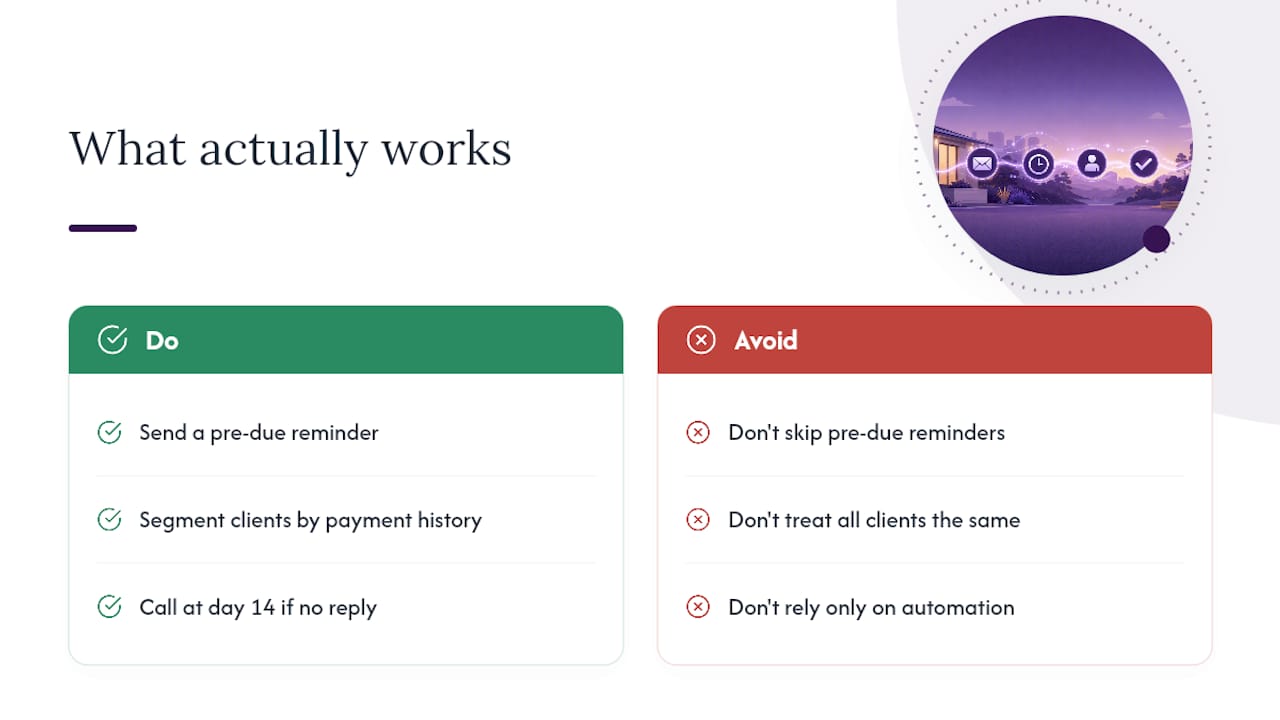
The templates and timing in this article are a solid foundation. What separates businesses that get paid consistently from those that scramble is not the wording of the final notice. It is the pre-due reminder.
Most tradies skip it because it feels presumptuous to chase before the invoice is even late. That instinct costs money. Clients who receive a pre-due reminder pay earlier, query faster, and rarely end up in the 30-day overdue bucket. The awkwardness is in your head; the client just sees a professional business that keeps them informed.
The second thing that works is client segmentation. A repeat client who has always paid on time deserves a warmer tone and a longer grace period than a new client you have not worked with before. Adjust your cadence accordingly: for a trusted repeat client, hold the firm tone until day 21 rather than day 14. For a new client, stick to the standard sequence without exception, because you have no payment history to rely on.
One more thing worth saying: automation does not replace the personal call. At the 14-day mark, if there has been no response to the email sequence, pick up the phone. A two-minute conversation resolves more disputes than a week of emails, and it signals that you are serious without being aggressive.
Less chasing, fewer missed payments with Ask Hayley
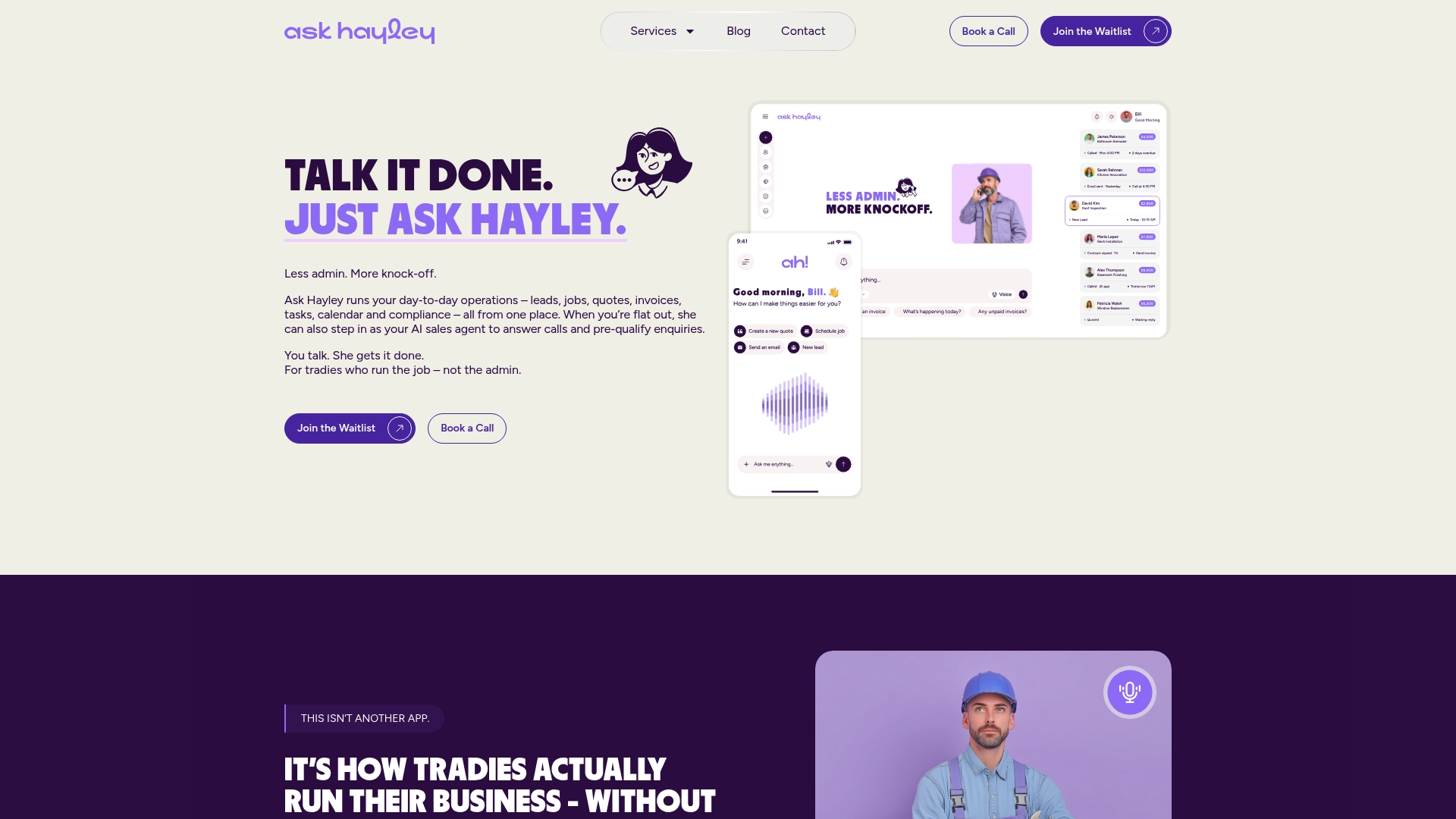
Chasing invoices manually is one of the biggest time drains for Australian tradies. Ask Hayley gives you back that time by handling reminders, call answering, and Xero integration in one voice-first platform.
What you get with Ask Hayley:
- Automated invoice reminders triggered by due-date logic, sent without you lifting a finger
- Xero integration that keeps your invoice status and payment records in sync
- Voice capture so you can flag follow-ups on-site, hands-free
- Call answering that captures client queries against the right job, not a missed-call list
Ask Hayley is a paid subscription platform. You can Askhayley to see how it fits your workflow before committing.
Sources
- Overdue email template
- Deductions for unrecoverable income (bad debts) | ATO
- Payment reminders: A guide for businesses | Stripe
- Chasing outstanding invoices
- Invoice reminder payment template | QuickBooks Australia


