


For most Australian service businesses, the right choice is a cloud VoIP or hosted phone system. It works from a mobile app, includes auto-attendant and call-routing features out of the box, and connects to the software you already use for jobs and invoicing. Before you commit to any plan, run one quick check: your internet connection. Plan for roughly 100 Kbps of dedicated bandwidth per simultaneous call, then decide whether you’re porting your existing business number or starting fresh.
- Choose cloud VoIP over a landline or on-premise PBX
- Test your bandwidth before signing up (100 Kbps per call)
- Decide now: port your existing number or get a new one
- A platform like Ask Hayley can handle the calls you’d otherwise miss on-site
Key Takeaways
Cloud VoIP works for Australian service businesses because it pairs mobile flexibility with call-handling rules and integrations that a landline simply can’t match.
| Point | Details |
|---|---|
| Choose cloud VoIP | It suits mobile field teams better than a landline or on-premise PBX system. |
| Test bandwidth first | Plan for about 100 Kbps per simultaneous call before signing up with a provider. |
| Fix your call-handling rules | A short auto-attendant and a real after-hours routing plan prevent missed jobs. |
| Connect your integrations | Xero and job management links turn an answered call straight into a quote or invoice. |
| Consider Ask Hayley | Its voice-first answering and lead pre-qualification suit tradies who can’t sit at a screen. |
Table of Contents
- What’s the difference between VoIP and a landline system?
- What should you check before choosing a provider?
- How do you set up a business phone system from scratch?
- How should you handle calls to avoid missing jobs?
- Which integrations actually save time for service businesses?
- What does a service business phone system cost?
- Why does Ask Hayley suit tradies specifically?
- What do most businesses get wrong with their phone setup?
- Where does Ask Hayley fit if you’re setting this up now?
- Frequently asked questions
- Sources
What’s the difference between VoIP and a landline system?
VoIP (Voice over Internet Protocol) sends your calls over the internet instead of copper phone lines. A hosted PBX is the “brain” behind it, the switchboard that routes calls, manages voicemail and runs your auto-attendant, except it lives in the cloud rather than a box in your office cupboard. Cloud-based systems deliver the same call-handling features as old-school PBX hardware without you having to buy or maintain any of it, and they’re often running within hours of signing up.
Traditional landlines and on-premise PBX systems tie your business to one physical location and one clunky handset. That’s a problem when your team is on job sites, not sitting at a desk. Cloud systems flip that:
- Calls follow you on a mobile app, not a fixed line
- Softphone apps turn your existing phone into a full business line
- Adding or removing a user takes minutes, not a technician visit
- Features like auto-attendant and voicemail-to-email are included, not bolted on
What should you check before choosing a provider?
Get these fundamentals right before you sign anything, because retrofitting them later costs more time than doing it upfront.
- Decide on your number. Porting an existing business number usually takes three to ten business days, and most providers manage the process for you. If you’re launching a new line, you can often go live the same day.
- Confirm emergency-call handling. Any VoIP provider operating in Australia needs to support access to emergency services, and it’s worth confirming this explicitly rather than assuming it.
- Pick your devices. Softphone apps on the phones your team already carries, dedicated IP handsets for a front desk, or analogue adapters if you’ve got old hardware you’re not ready to retire.
Bandwidth reality check: A four person crew taking simultaneous calls needs roughly 400 Kbps of stable upload. That’s modest by home broadband standards, but tradies working from a ute with patchy mobile signal should test on-site, not just at the office.
Pro Tip: Run your speed test at the exact time you usually get busy, whether that’s 7am when the tradies check in or 4pm when clients call about tomorrow’s job. A connection that’s fine at 10am can choke during your actual peak.
How do you set up a business phone system from scratch?
Getting live doesn’t need an IT department. Most cloud VoIP systems can be configured and operational within a single afternoon, though number porting adds a few extra days if you’re keeping an existing line.
- Work out who needs what. A tradie on the tools might only need a shared line and voicemail; your office manager needs full access to call logs, routing and voicemail-to-email.
- Choose your plan. Confirm it includes auto-attendant, call queues and voicemail-to-email before you sign; these aren’t always standard on entry tiers.
- Port or provision your number, then set your business hours and what happens outside them.
- Build your call flow. Configure the auto-attendant, set up ring groups for your team, and define an overflow rule for when everyone’s already on a call.
- Provision devices and apps, then test.
- Run a go-live check before you switch over fully:
- Call the main number from an external mobile and listen to the greeting
- Test after-hours routing outside business hours
- Confirm voicemail-to-email actually lands in the right inbox
- Have every team member place and receive a test call on their device
How should you handle calls to avoid missing jobs?
The biggest gap between a professional operation and a backyard setup isn’t the phone hardware. It’s how calls are actually handled: the rules behind business hours, after-hours, and overflow.
Keep your business-hours greeting short: business name, a one-line menu (sales, existing job, accounts), then route. During peak call times, use a ring group so the call hits three phones at once instead of queuing behind one person who’s up a ladder. After hours, don’t just dump callers into voicemail; a well-configured after-hours flow can push high-value enquiries into a call-back queue rather than a message nobody checks until Monday.
- Keep the auto-attendant to two or three options, not a phone-tree maze
- Route overflow calls to a second staff member, not straight to voicemail
- Turn on voicemail-to-email so nothing sits unheard on a handset
- Follow up missed calls with an automatic SMS within minutes, not hours
Pro Tip: If you only fix one thing, fix your after-hours message. Callers who hit dead voicemail at 6pm often just ring the next name on their list.
Which integrations actually save time for service businesses?
A phone system that just rings is only half the job. The real value comes from what happens the moment someone calls. Connecting your phone system to CRM, job management and accounting software turns a call into a completed task instead of a scribbled note.
- Call-pop with contact details means whoever answers already knows who’s calling and their job history, before they say a word
- Xero and AroFlo connections let a call turn straight into a quote or invoice, no re-typing required
- SMS and voicemail-to-email get a lead followed up in minutes, not at the end of the day
A typical workflow looks like this: a call comes in, gets qualified (new job or existing customer), a job record gets created in your job management software, and the invoice trail starts from that first conversation. That’s the difference between a phone system and an admin shortcut.
What does a service business phone system cost?
Pricing generally sits in three bands. Entry-level plans cover the basics, one number, voicemail, mobile app, auto-attendant, and suit a sole operator or two-person crew. Mid-tier plans add call queues, multiple ring groups and voicemail-to-email, which most small service teams end up needing within their first few months. Advanced tiers bring analytics dashboards, CRM integrations and multi-location support, worth it once you’re running more than a handful of staff.
Watch for costs that don’t show up in the headline price: setup fees, handset purchases if you want physical desk phones, porting fees for moving your number, and international call rates if you deal with overseas suppliers.
Cloud and virtual systems can meaningfully cut telecom costs compared to traditional landline plans, largely because you’re not paying for on-site hardware or a technician every time something changes.
- Check whether analytics (missed calls, hold times, peak hours) are included or an add-on
- Confirm porting and setup fees before you sign, not after
- Review your call reports monthly; a rising missed-call rate is your signal to upgrade
Reviewing your call reports regularly, missed-call rate, average hold time, peak hours, tells you when it’s time to add a licence or upgrade your plan, rather than guessing.
Why does Ask Hayley suit tradies specifically?
Most phone systems assume someone’s sitting at a desk to manage settings, check voicemail and answer calls. Tradies aren’t. Ask Hayley is built around that reality: a voice-first assistant that answers inbound calls when you can’t, pre-qualifies leads before they hit your inbox, and handles the day-to-day admin through a conversation, not a dashboard.
- Assistant plan covers call answering and lead pre-qualification for solo operators and small crews
- Office Manager plan extends into broader admin handling for busier teams
- AI Sales Agent and Website Chatbot add-ons cover more ground across calls, leads and enquiries
- Xero and AroFlo integrations connect answered calls straight to your existing job and invoicing setup
Pro Tip: If you’re already drowning in apps, the appeal here isn’t another screen to check. It’s one less thing to manage, because you just talk to Hayley the way you’d brief an office manager.
Have a look at what Ask Hayley actually does before you lock in a generic VoIP plan that still leaves you answering calls from a roof.
What do most businesses get wrong with their phone setup?
The most common mistake I see is treating the phone system as a one-time purchase instead of a workflow to configure properly. A weak IVR with too many options frustrates callers before they even reach a human. After-hours routing gets left on default settings, so a genuine emergency call sits in voicemail until Monday. And almost nobody tests their internet connection at their actual busy hour before going live, only to find call quality drops right when it matters most.
Three quick wins fix most of this: shorten your auto-attendant to two options, build a real after-hours rule instead of relying on default voicemail, and test your bandwidth during peak hours before you commit to a plan.

Where does Ask Hayley fit if you’re setting this up now?
Cloud VoIP handles the technical side of your calls. It doesn’t answer them when you’re up a ladder with your hands full. That’s the gap Ask Hayley is built to close: instead of another app to configure, you talk to Hayley the way you’d brief a real office manager, and she answers, pre-qualifies leads, and keeps your admin moving while you’re on the job.
If you’ve just worked through the setup checklist above and you’re wondering who’s going to actually answer the phone while you’re on-site, that’s exactly the problem the Assistant and Office Manager plans solve. Add the AI Sales Agent or Website Chatbot if you want coverage across enquiries as well as calls. For tradies who also need a fast, professional web presence to go with it, the one-page website option pairs neatly with voice-led lead capture.
Head to Ask Hayley and see which plan matches how your business actually runs, then get set up before your next missed call becomes a missed job.
Frequently asked questions
What’s the best type of phone system for a small service business?
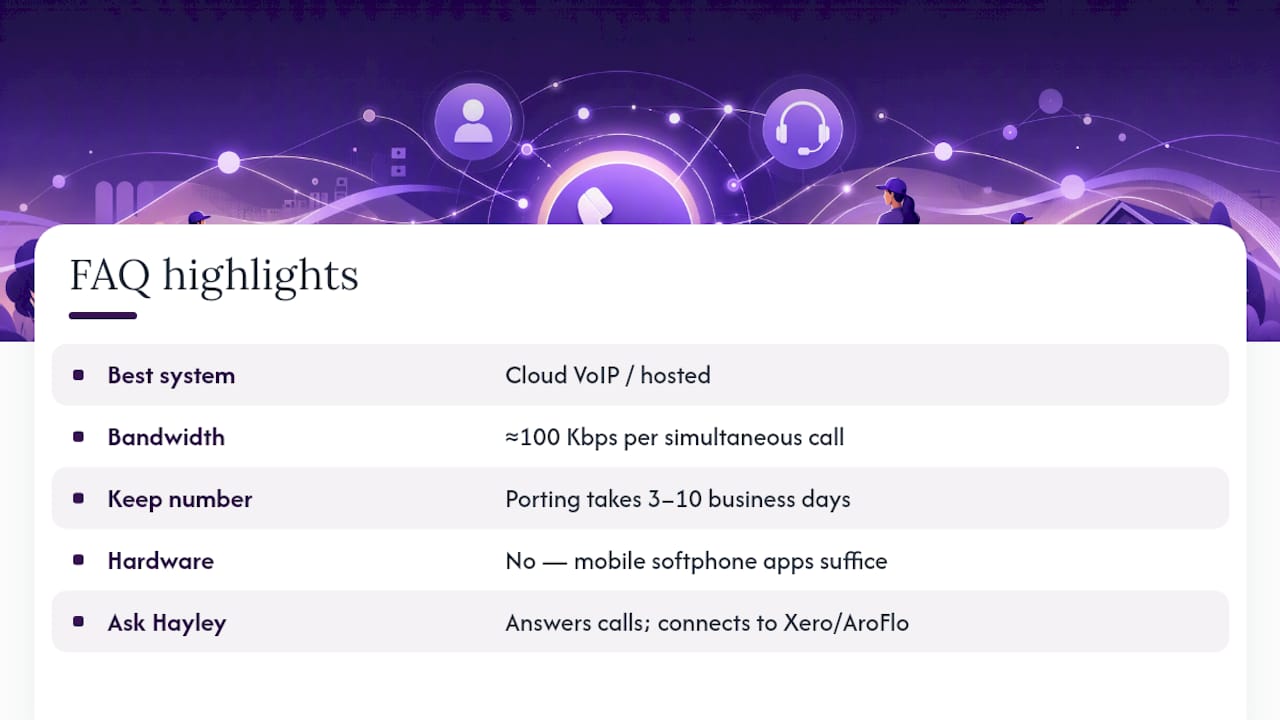
A cloud VoIP or hosted phone system suits most Australian service businesses, since it combines mobile apps, auto-attendant and integrations without landline hardware.
How much bandwidth do I need for a business VoIP phone system?
Plan for roughly 100 Kbps per simultaneous call; a team taking five calls at once needs about 500 Kbps of stable upload capacity.
Can I keep my existing business phone number?
Yes. Porting an existing number to a new provider typically takes three to ten business days, and most providers manage the transfer for you.
Do I need special hardware to switch to VoIP?
No. Softphone apps work on the mobile phones your team already carries; IP handsets or analogue adapters are optional extras, not requirements.
How does Ask Hayley fit into a service business phone setup?
Ask Hayley answers and pre-qualifies calls when you can’t get to the phone, then connects that activity to tools like Xero and AroFlo through the Assistant or Office Manager plans.


