


For most Australian tradies, the best ServiceM8 alternatives come down to four options: Tradify for simple teams, simPRO for complex commercial work, AroFlo for mid-size operations needing strong compliance, and Ask Hayley for voice-first, hands-free admin. Jobber and Fergus round out the shortlist for specific use cases. Editorial roundups consistently map these platforms to team size and trade type, so the right pick depends less on features and more on how your business actually runs day to day.
Here is the quick verdict by tradie profile:
- Best for solo trades: Tradify. Low cost, fast setup, clean Xero sync, and no steep learning curve.
- Best for small teams (2–10 staff): Fergus or AroFlo. Both handle job management, quoting, and Xero/BAS flows without enterprise-level complexity.
- Best for complex commercial projects: simPRO. Purpose-built for phased billing, multi-site scheduling, and deep inventory — but expect a longer onboarding window and higher setup costs.
- Best voice-first, Aussie-built option: Ask Hayley. Designed for tradies who are hands-full on-site and want to manage jobs, capture leads, and handle admin by talking, not typing.
ServiceM8 is genuinely good for what it does. It is optimised for small teams and is strongly iOS-native with offline capabilities that are hard to beat on an iPhone in a patchy signal area. The reasons tradies switch tend to cluster around three things: hitting job caps, needing Android support, or outgrowing the platform as the business scales into commercial work.
Key takeaways
The right ServiceM8 alternative depends on your team size, trade type, and the specific gap you are trying to close — pricing, Android support, project complexity, or admin overhead.
| Point | Details |
|---|---|
| Match platform to team size | Solo and small crews suit Tradify, Fergus, or Ask Hayley; commercial operations need AroFlo or simPRO. |
| Offline reliability varies | ServiceM8’s iOS-native offline mode outperforms most browser-based alternatives; test on your actual job sites before switching. |
| Watch for hidden costs | SMS charges, job caps, form purchases, and paid onboarding can add significantly to the base subscription price. |
| Xero/BAS integration is non-negotiable | Confirm GST mapping works correctly in the Xero sync before committing to any platform. |
| Ask Hayley for voice-first admin | Ask Hayley suits tradies who want to manage jobs, capture leads, and handle admin by talking, not typing, with Xero and AroFlo integrations built in. |
Table of Contents
- How do the top ServiceM8 alternatives compare?
- Profiles of the top alternatives and what they deliver for tradies
- What are the key differences between these platforms?
- How do you choose the right alternative and plan the switch?
- Why a voice-first approach can work better for tradies on the tools
- What should you trial first, based on your team size?
- A practical note on switching platforms
- Ask Hayley: less admin, more jobs, built for Australian tradies
- Useful sources and references
How do the top ServiceM8 alternatives compare?
The table below covers the dimensions that actually drive a switch: pricing shape, mobile behaviour, integrations, and local support.
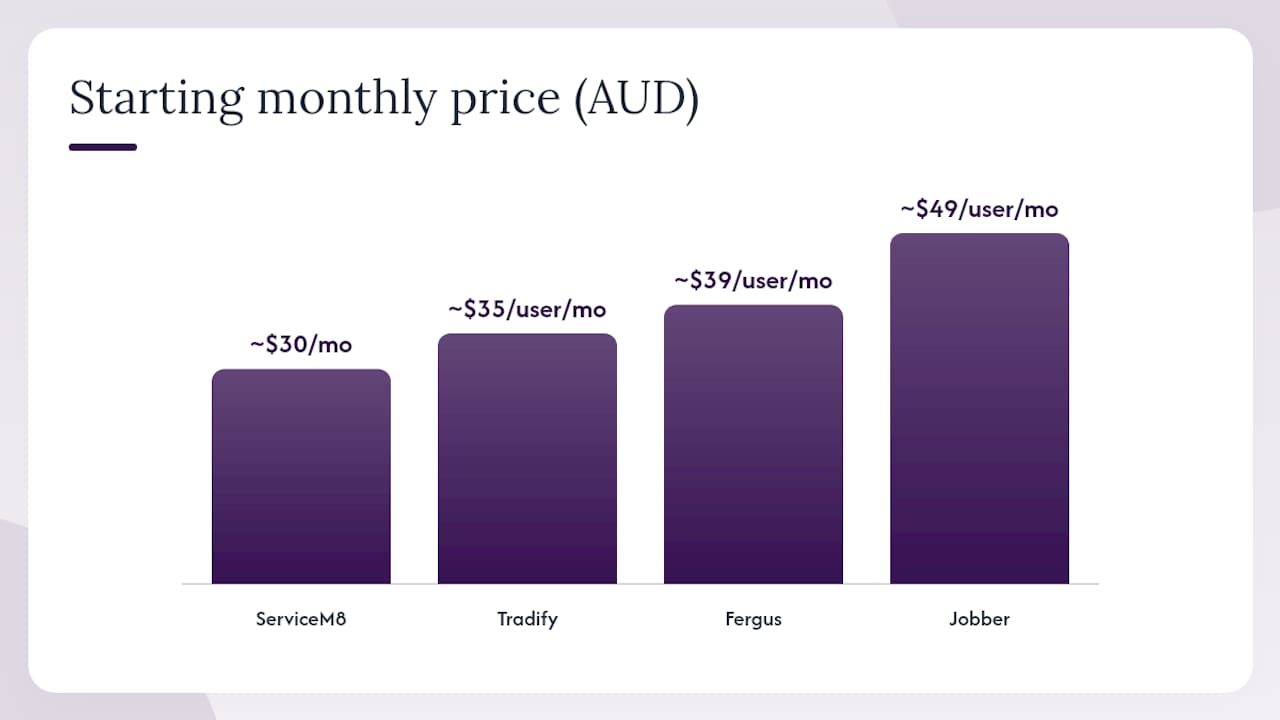
| Platform | Best for / team size | Pricing model & AUD range | Scheduling type | Mobile & offline | Key integrations | Onboarding & AU support |
|---|---|---|---|---|---|---|
| ServiceM8 | Solo to 5 staff; iOS users | Per-job tier; from ~$30/mo | Drag-and-drop; recurring jobs | iOS-native; strong offline | Xero, MYOB, QuickBooks | Self-serve; AU-based support |
| Tradify | Solo to 10 staff | Per-user; from ~$35/user/mo | Calendar-based; recurring | iOS + Android; good offline | Xero, MYOB | Fast setup; AU support |
| Fergus | 2–15 staff; trades focus | Per-user; from ~$39/user/mo | Job board; drag-and-drop | iOS + Android; solid offline | Xero, MYOB | Guided setup; AU support |
| AroFlo | 5–50 staff; compliance-heavy | Per-user; mid-tier | Scheduling board; recurring | iOS + Android; browser-based | Xero, MYOB, payroll | Paid onboarding; AU-based |
| simPRO | 10+ staff; commercial | Per-user; enterprise pricing | Advanced dispatch; multi-site | iOS + Android; browser-based | Xero, MYOB, procurement | Paid onboarding; AU offices |
| Jobber | Solo to 10 staff | Per-user; from ~$49/user/mo | Drag-and-drop; recurring | iOS + Android; good offline | Xero, QuickBooks | Self-serve; limited AU support |
| Ask Hayley | Solo to 10 staff; Aussie trades | Subscription; Assistant & Office Manager plans | Voice-driven; calendar | iOS + Android + web; voice-first | Xero, AroFlo | Aussie-based; guided onboarding |
A note on pricing shapes: ServiceM8 charges per job completed, which suits low-volume operators but can get expensive fast as you scale. Per-user models (Tradify, Fergus, Jobber) are more predictable for growing teams. Freemium tiers exist across several platforms but typically impose job caps or feature limits that catch growing businesses off guard. Watch for hidden costs in SMS notifications, purchased form templates, and additional storage, as these can add noticeably to your actual bill.
Profiles of the top alternatives and what they deliver for tradies
ServiceM8: what you are leaving behind
ServiceM8 is a genuinely capable platform for small, Apple-device teams. Its iOS app is fast, the offline mode is reliable, and setup takes a day rather than a week. Quoting, invoicing, and job scheduling are clean and intuitive. The Xero integration is solid for BAS purposes.
The limitations show up at scale. Job-tier pricing means a busy team can hit cost ceilings quickly. Android support is limited, which creates friction if your crew uses a mix of devices. There is no meaningful project-costing or phased billing for commercial work. If any of those three things are a current pain point, it is worth looking elsewhere.
Tradify
Tradify is the most natural first stop for a solo tradie or small crew moving off ServiceM8. The interface is clean, setup is fast, and the Xero sync handles GST and BAS data reliably. Scheduling is calendar-based with recurring job support, and the mobile app works well on both iOS and Android.
Pricing runs from around $35 per user per month, making it one of the more affordable per-user options. Offline performance is solid for a browser-based app, though it does not match ServiceM8’s native iOS offline mode in very low-connectivity conditions. For most residential trades, that is not a dealbreaker.
Fergus
Fergus sits in the sweet spot for trade businesses with two to fifteen staff. The job board is visual and practical, quoting flows into invoicing cleanly, and the Xero integration covers the BAS workflow without manual reconciliation. It was built specifically for trades, which shows in the way it handles job costing and time tracking.
Pricing is per user from around $39/month. The mobile app covers iOS and Android, and offline reliability is reasonable for day-to-day field use. Fergus does not offer the deep project-costing or inventory features of enterprise platforms, but for most small trade businesses, that is not a gap worth paying for.
AroFlo
AroFlo suits mid-size operations, particularly those in compliance-heavy trades like electrical, plumbing, or construction. It handles scheduling, quoting, invoicing, asset management, and compliance documentation in one place. The Xero and MYOB integrations are mature, and the platform has a strong reputation among Australian contractors for handling multi-technician scheduling.
Onboarding requires more effort than Tradify or Fergus. Expect a paid setup process and a few weeks to configure the platform to your workflows. The browser-based app performs well on Android and iOS, though offline reliability varies more than a native app. For businesses needing compliance tracking alongside job management, AroFlo is a strong fit.
simPRO
simPRO is designed for larger, complex field operations with enterprise-grade project costing, inventory management, and multi-site scheduling. If you are running a commercial electrical or HVAC business with ten or more staff, multiple job sites, and phased billing requirements, simPRO has the depth to match.
The trade-off is implementation time and cost. simPRO requires paid onboarding and a longer configuration window compared with quick-setup mobile-first tools. Expect two to eight weeks of configuration and a meaningful upfront investment. User reviews on G2 show simPRO scores higher for project tracking and enterprise features, while ServiceM8 scores higher for mobile speed and quick setup. That trade-off is the whole decision.
Jobber
Jobber is a polished platform popular with residential service businesses. Scheduling, quoting, and client communication are well-designed, and the mobile app is reliable on both iOS and Android. It integrates with Xero and QuickBooks. Pricing starts from around $49 per user per month.
The main consideration for Australian tradies is support. Jobber is a Canadian product, and local support hours and AU-specific BAS guidance are more limited than with locally-built options. It is a good fit for solo operators or small teams doing residential work who want a clean, modern interface.
Ask Hayley
Ask Hayley takes a different approach to the whole category. Rather than adding another app to manage, tradies talk to Hayley to handle job capture, lead qualification, quoting, invoicing, and calendar management. Hayley answers inbound calls when you are on-site, pre-qualifies leads before they reach your inbox, and handles admin through natural voice prompts.
The platform integrates with Xero and AroFlo, covers the core BAS workflow, and is built and supported in Australia. Plans are structured around two tiers, Assistant and Office Manager, with optional add-ons for an AI Sales Agent and AI Website Chatbot. For tradies who lose jobs to missed calls or spend evenings catching up on admin, Ask Hayley addresses the problem at the source.
What are the key differences between these platforms?
Scheduling and dispatch
ServiceM8, Tradify, and Fergus all offer drag-and-drop scheduling with recurring job support, which covers most residential trade workflows. AroFlo and simPRO add multi-technician dispatch boards and more sophisticated recurring scheduling for commercial operations. Ask Hayley handles scheduling through voice, which suits tradies who want to update their calendar without stopping work.

For field service scheduling in complex environments, simPRO and AroFlo are the clear leaders. For straightforward residential scheduling, Tradify and Fergus are faster to learn and cheaper to run.
Mobile access and offline reliability
This is where the decision gets nuanced. ServiceM8’s iOS-native offline mode is genuinely superior in low-connectivity environments. Browser-based alternatives can degrade when signal drops, which matters on rural properties, underground sites, or in buildings with poor coverage.
| Platform | iOS app | Android app | Offline reliability |
|---|---|---|---|
| ServiceM8 | Native | Limited | Excellent (iOS) |
| Tradify | Native | Native | Good |
| Fergus | Native | Native | Good |
| AroFlo | Browser/app | Browser/app | Moderate |
| simPRO | Browser/app | Browser/app | Moderate |
| Jobber | Native | Native | Good |
| Ask Hayley | Web/voice | Web/voice | Voice-first; call-based |
Pro Tip: Before committing to a browser-based alternative, run a real offline test on your most common job site. Turn on flight mode, complete a quote, save a job, and take a photo. Check whether the data syncs correctly when you reconnect. A platform that fails this test will cost you time in the field.
Quoting, invoicing, and on-site payments
All platforms in this shortlist handle quoting and invoicing. The differences are in depth and flow. Tradify and Fergus handle standard residential quoting cleanly. AroFlo and simPRO add multi-stage quoting, supplier price books, and cost-plus margin tools for commercial work. Australian record-keeping rules make reliable accounting integrations essential for BAS lodgement, so test the Xero sync specifically: confirm GST codes map correctly and that invoices post to the right accounts without manual adjustment.
On-site payment options vary. Most platforms support Stripe or similar payment gateways for card-on-site collection, but check whether your plan tier includes this or whether it is an add-on.
Integrations and BAS workflows
Xero is the non-negotiable for most Australian tradies. Every platform in this shortlist integrates with Xero, but the quality of that integration varies. SME digitalisation trends mean integration and automation are increasingly important when choosing business software, and a poor Xero sync creates duplicate data entry and BAS errors that cost real time.
AroFlo and simPRO also connect to procurement systems and supplier price books, which matters for commercial contractors managing materials costs. Ask Hayley integrates with both Xero and AroFlo, giving tradies who use AroFlo for field operations a voice layer on top.
Hidden costs and total cost of ownership
The base subscription price is rarely the full story. Common hidden costs include:
- SMS notifications (charged per message on some platforms; can add $20–$50/month for active teams)
- Purchased form templates (SWMS, safety checklists) on platforms that charge per form
- Job caps on entry-tier plans that force an upgrade earlier than expected
- Paid onboarding fees for AroFlo and simPRO (can range from a few hundred to several thousand dollars)
- Training time, which is a real cost for a working tradie who cannot afford a week off the tools
For a broader view of field service software options, the total cost of ownership calculation should include setup, training, and the first three months of actual use, not just the monthly subscription.
How do you choose the right alternative and plan the switch?
Matching the platform to your business profile
Start with your team size and trade type. Solo operators and small residential crews rarely need enterprise features, and paying for them adds cost and complexity without benefit. A business with ten or more staff doing commercial work has different requirements entirely.
Ask yourself three questions before shortlisting:
- Do you need Android support for any staff member?
- Do you run multi-stage commercial projects with phased billing?
- Is your current pain point pricing, missing features, or platform scale?
If the answer to question one is yes, ServiceM8 is off the table. If question two is yes, look at AroFlo or simPRO. If question three is pricing or admin overhead, Tradify, Fergus, or Ask Hayley are worth trialling first.
Questions to ask vendors before you commit
- What is the data export format, and can you export all historical jobs as CSV or PDF?
- Are there job limits on your plan, and what happens when you hit them?
- How are SMS notifications priced, and is there a monthly cap?
- Who handles BAS data flow, and how does GST mapping work in the Xero integration?
- What are the onboarding timescales, and is local Australian support available during business hours?
Why a voice-first approach can work better for tradies on the tools
Most field service platforms assume you have time to sit at a screen. The reality of trade work is different. You are under a house, on a roof, or mid-job when the phone rings or a quote needs updating. Every minute spent on admin is a minute off the tools.
Ask Hayley is built around that reality. Rather than opening an app and navigating menus, you talk. Hayley captures the job, qualifies the lead, updates the calendar, and handles the follow-up. For tradies who miss calls because they are on-site, that alone can recover jobs that would otherwise go to a competitor.
Voice-first workflows save time in specific situations:
- On-site quoting: describe the scope verbally and let Hayley generate the quote
- Inbound call triage: Hayley answers when you cannot, pre-qualifies the lead, and logs the details
- Quick invoicing: call in the job completion and invoice details without stopping work
- Calendar updates: reschedule or add jobs by voice while driving between sites
Tradies who need deep inventory control, complex project costing, or multi-site enterprise scheduling will still need a platform like AroFlo or simPRO for those specific workflows. Ask Hayley is not trying to replace enterprise field service software. It is built for the tradie who wants less admin, better lead capture, and a platform that fits the way trade work actually happens.
Pros of Ask Hayley for tradies switching from ServiceM8:
- Voice-first admin means no screen time for routine tasks
- Answers inbound calls and captures leads when you are on-site
- Xero and AroFlo integrations cover the BAS workflow
- Built and supported in Australia
- Faster to onboard than enterprise platforms
Where a larger platform may still be needed:
- Complex multi-stage project costing with phased billing
- Deep inventory management across multiple sites
- Advanced compliance documentation workflows (though Ask Hayley also offers safety and compliance documentation support)
What should you trial first, based on your team size?
Solo tradie: Start with Tradify or Ask Hayley. Both are fast to set up, affordable, and cover the core workflows without a steep learning curve. Ask Hayley is the better fit if missed calls are costing you jobs.
Small crew (2–10 staff): Trial Fergus or AroFlo. Fergus is faster to configure; AroFlo suits compliance-heavy trades. Run a two-week pilot with real jobs before committing.
Commercial growth (10+ staff): simPRO is the most capable option for complex operations, but budget for paid onboarding and a four-to-eight week setup window. AroFlo is a viable mid-point if you need compliance features without full enterprise complexity.
When to stay on ServiceM8: If your whole team uses iPhones, you do residential work only, your job volume is low, and you have no plans to scale into commercial work, ServiceM8 still does the job well. Switching has a real cost in time and training, and that cost needs to be justified by a genuine operational gap.
Trial checklist for a two-week pilot:
- Test offline behaviour on your most common job site (flight mode test)
- Complete a quote and push it to Xero; confirm GST codes are correct
- Check whether your plan’s job limit affects your typical monthly volume
- Send three SMS notifications and check whether they are charged separately
- Time how long it takes a new staff member to complete their first job on the platform
A practical note on switching platforms
The tradies who struggle most with a platform switch are the ones who try to migrate everything at once. They export five years of job history, spend a week cleaning up the data, and then wonder why their team is confused and their invoicing is behind.
The smarter move is almost always to start clean. Migrate your active customers and open jobs. Keep the old system accessible for historical lookups. Give your team two weeks to run real jobs on the new platform before you commit. That approach works whether you are moving to Tradify, simPRO, or Ask Hayley.
The other thing worth saying plainly: the platform itself is not the bottleneck for most trade businesses. The bottleneck is admin time, missed calls, and jobs that fall through the cracks because no one followed up. A platform switch only fixes the bottleneck if the new platform actually addresses those specific problems. That is why the first question to ask is not “which platform has the most features?” but “where am I actually losing time and money right now?”
For tradies losing jobs to missed calls, Ask Hayley addresses that directly. For tradies hitting job caps or needing Android support, Tradify or Fergus are the faster fix. For businesses scaling into commercial work, AroFlo or simPRO are worth the longer onboarding investment.
Ask Hayley: less admin, more jobs, built for Australian tradies
You have just spent time comparing platforms. Here is the honest summary: most of them are good tools, but they still require you to stop what you are doing, pick up a device, and navigate an interface. That is fine when you are at a desk. It is not fine when you are mid-job.
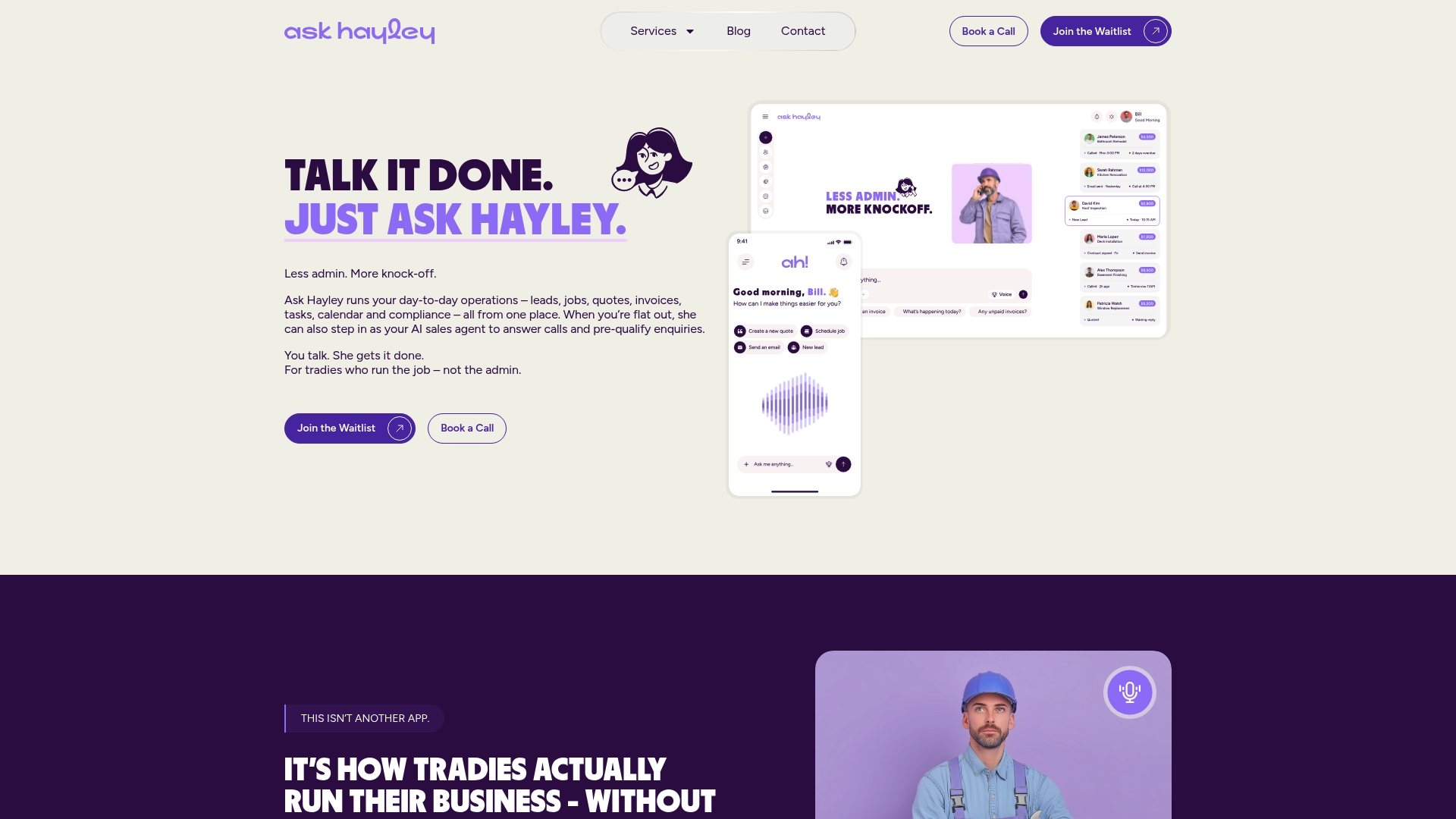
Ask Hayley works differently. You talk, Hayley handles it. Inbound calls get answered and leads get qualified even when you are on the tools. Jobs get captured, quotes get generated, and your Xero account stays up to date, all without adding another app to your workflow. The platform is built and supported in Australia, integrates with Xero and AroFlo, and is designed to get you up and running in days, not weeks.
If you are scaling into commercial work and need help with tender preparation, Ask Hayley also offers tendering support for contractors moving into larger contracts. For a full picture of what the platform covers, the Ask Hayley services page walks through every plan and add-on.
Ready to see how it fits your business? Book a free discovery call with the Ask Hayley team and find out how quickly you can be up and running.
Useful sources and references
These sources cover Australian business guidance, analyst comparisons, and user-review aggregators. They are worth bookmarking if you want to dig deeper into any of the platforms covered here.
- ServiceM8 vs Simpro Australia 2026 — SWMS, Quoting & Job Management
- simPRO vs ServiceM8 | Which field service management software wins in 2026?
- Digitalisation of SMEs — OECD
- Record keeping — business.gov.au
- Compare ServiceM8 and Simpro — G2
- 12 Best ServiceM8 Alternatives in 2026 (Compared for Trades) — Authencio
- Alternatives to ServiceM8 — ToolRadar
- Simpro vs ServiceM8: Field Service Software Comparison 2026 — Colobbo


