
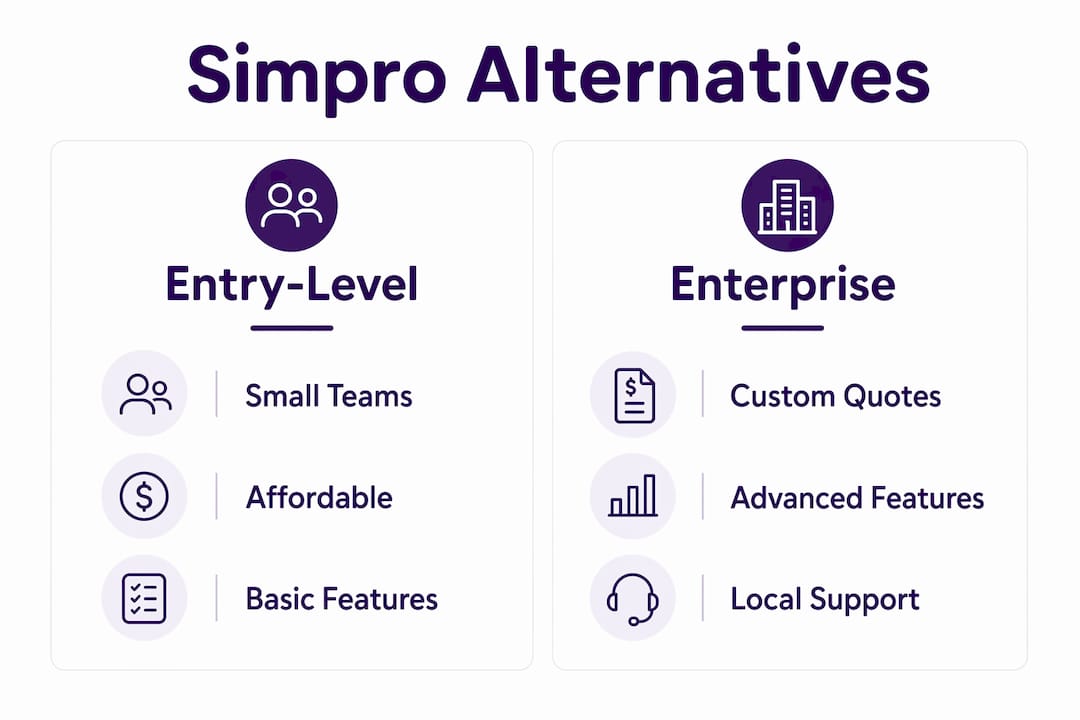
If you’re an Australian tradie or small service business looking to move away from Simpro, the short answer is this: your best option depends on your team size and your biggest daily pain point. For hands-free admin and voice-first lead capture, Ask Hayley is the recommended Australian-built option. For scheduling and invoicing on a tight budget, entry-level scheduling apps suit sole traders and small crews. For real-time job costing, job-cost-first platforms serve contractors who need to track margins on every job. For larger teams managing complex projects, project-first builder platforms offer the depth you need.
Here’s a quick shortlist to orient your search:
- Ask Hayley — voice-first, AI-powered admin for Australian tradies; answers calls, pre-qualifies leads, and syncs with Xero and AroFlo without adding another screen to manage.
- Entry-level scheduling apps (e.g. Tradify, ServiceM8) — best for sole traders and small crews who need quoting, scheduling, and invoicing without a steep learning curve.
- Job-cost-first platforms (e.g. AroFlo, Fergus) — suited to contractors and mid-size teams who need real-time cost control and margin visibility on every job.
- Project-first builder platforms (e.g. Jobber) — good for businesses running longer, multi-stage projects where scheduling and client communication matter most.
- Enterprise dispatch and CRM platforms — for larger service businesses with dedicated admin staff, complex dispatch needs, and multi-location operations.
Review sites like G2 and Capterra Australia consistently group these into the same categories, which tells you the market has settled on a clear taxonomy. Use that taxonomy to narrow your shortlist before you book a single demo.
Table of Contents
- How do the top Simpro alternatives compare for Australian trade businesses?
- What each alternative category actually offers Australian tradies
- How to choose the right Simpro alternative for your trade business
- What Australian tradies say matters most: usability, local support, and Xero integration
- Pricing guidance and onboarding timelines: what to expect
- Key takeaways
- Picking the right tool is simpler than the feature lists suggest
- Ask Hayley gives Australian tradies back their time
- Useful sources for deeper reading
How do the top Simpro alternatives compare for Australian trade businesses?
The table below maps each category to the dimensions that matter most on the tools: pricing shape, core features, field app quality, accounting integrations, and local support. Use it to rule out categories that don’t fit your business before you spend time in demos.
| Category | Best for | Pricing model | Core features | Field app & offline | Accounting integrations | AU support |
|---|---|---|---|---|---|---|
| Voice-first AI admin (Ask Hayley) | Sole traders to SMBs; any trade; hands-free admin | Subscription per plan (Assistant / Office Manager) | Lead capture, call answering, quoting, invoicing, scheduling, compliance docs | Voice-driven; no screen required on-site | Xero, AroFlo | Australian-based; AU compliance focus |
| Entry-level scheduling apps | small crews; electricians, plumbers, cleaners | Per user/month; low entry cost | Quoting, scheduling, job cards, invoicing | Mobile-first; basic offline | Xero, QuickBooks | Varies; some AU-based |
| Job-cost-first platforms | small to mid-size contractors; builders, HVAC, maintenance | Per user/month or tiered | Real-time job costing, timesheets, purchase orders, reporting | Good mobile apps; partial offline | Xero, QuickBooks | Some AU-based helpdesks |
| Project-first builder platforms | mid-size teams; builders, project managers | Per user or per project; mid-range | Project scheduling, client portals, document management | Moderate; online-dependent | Xero, QuickBooks | Mixed; check SLA |
| Enterprise dispatch & CRM | large teams; multi-trade, multi-location | Custom quote; high TCO | Full dispatch, CRM, asset management, compliance | Strong; enterprise-grade | Xero, QuickBooks, ERP | Dedicated AU support common |
Total cost of ownership (TCO) components to factor in beyond the subscription price:
- Setup and data migration fees (often underquoted)
- Training time for field staff and admin
- Third-party integration costs (Xero connector, supplier catalogues)
- Add-on modules (compliance, reporting, CRM)
- Ongoing support or account management fees
Software Advice lists integration fit and feature coverage as the top evaluation criteria for buyers comparing field service platforms, and accounting integration in particular affects cash flow reconciliation every single week.
What each alternative category actually offers Australian tradies
Voice-first AI admin: Ask Hayley
Ask Hayley is built specifically for Australian tradies who are on-site with their hands full. Rather than opening an app and typing, you talk to Hayley. She answers inbound calls when you can’t, pre-qualifies leads before they reach your inbox, and handles quoting, scheduling, and invoicing through natural voice prompts. The platform integrates natively with Xero and AroFlo, which means your job data and financial records stay in sync without manual exports.
- Pro: No screen required on-site; reduces missed calls and lost leads immediately.
- Pro: Australian-built with local compliance documentation support and AU-based onboarding.
- Con: Voice-first design suits tradies who prefer talking over typing; less suited to admin-heavy back-office teams who prefer dashboard-driven workflows.
Entry-level scheduling apps
These platforms target sole traders and small crews who want to get off paper and spreadsheets fast. Setup is typically measured in hours, not weeks. The mobile apps are clean and purpose-built for field staff, which drives adoption. The trade-off is limited depth in job costing and reporting.
- Pro: Low cost, fast to implement, and easy for field staff to pick up.
- Pro: Most offer Xero and QuickBooks integration out of the box.
- Con: Reporting and financial visibility are basic; you’ll outgrow them as your team scales.
Job-cost-first platforms
Contractors who need to know their margin on every job in real time gravitate toward this category. These platforms track labour, materials, and subcontractor costs against the original quote, flagging overruns before they become losses. Trade roundups consistently recommend this category for contractors who need real-time cost control, while scheduling-first platforms suit smaller service teams.
- Pro: Real-time job costing and purchase order management reduce financial surprises.
- Pro: Strong reporting for business owners who review margins weekly.
- Con: More complex to set up; field staff need training to log time and materials accurately.
Project-first builder platforms
Longer projects with multiple stages, subcontractors, and client sign-offs need a different approach. Project-first platforms organise work around milestones and client communication rather than individual job cards. They suit builders and project managers more than reactive service trades.
- Pro: Client portals and document management reduce back-and-forth communication.
- Con: Can feel over-engineered for reactive service work like emergency plumbing or electrical callouts.
Enterprise dispatch and CRM platforms
Simpro itself sits in this category, which is why smaller tradies find it too heavy. Business directories and company profiles list Simpro among enterprise offerings, signalling a steeper learning curve for teams without a dedicated admin role. Enterprise platforms make sense when you’re managing 50-plus staff, multiple locations, and complex asset registers.
- Pro: Full dispatch, CRM, and asset management in one system.
- Con: High TCO, long implementation timelines, and significant admin overhead.
Pro Tip: When assessing any category, check whether the vendor holds Xero certification and whether their helpdesk operates during Australian business hours. These two signals alone will filter out a significant number of options that look good on paper but fall short in practice.
How to choose the right Simpro alternative for your trade business
Priority checklist
- Match to your business size and trade type. A sole-trader electrician and a 30-person HVAC contractor need fundamentally different tools.
- Test the mobile app first, not the dashboard. If your field staff won’t use it, the back-office reporting is irrelevant. Field-app usability and AU-based support are the two highest-impact factors in long-term satisfaction.
- Confirm accounting integration specifics. Native Xero or QuickBooks sync is non-negotiable for most Australian businesses. Ask for a live demo of the sync, not a slide.
- Assess real-time job costing. If you’re running multi-day jobs with materials and subcontractors, you need cost tracking, not just invoicing.
- Check reporting depth. Can you see job profitability, outstanding invoices, and technician utilisation in one view?
Questions to ask vendors in demos
- How does data migration work, and what does it cost?
- Can you show me the Xero/QuickBooks sync with a real chart of accounts?
- What happens to the mobile app when there’s no internet on-site?
- What are your support hours, and is the helpdesk based in Australia?
- How long does onboarding typically take for a team our size?
- What add-ons or API access do you offer if we need to connect other systems?
Red flags to watch for
- Pricing only available on request with no ballpark figures published
- No Australian support contact or helpdesk outside business hours
- Slow or clunky mobile app in the demo environment
- No clear answer on how you export your historical data if you leave
- Vague migration plan with no timeline or milestones
Onboarding timeline to expect
Small teams can typically be live on an entry-level platform within a short period. Mid-size teams should plan for a moderate onboarding timeline including data migration and staff training. Larger teams switching from an enterprise system like Simpro should allow a longer onboarding process and run both systems in parallel for at least one full billing cycle to avoid gaps in invoicing and payroll.

Pro Tip: Map your core process (lead → quote → job → invoice) on paper before you touch any migration tool. This single step catches data-mapping problems before they become billing errors.
What Australian tradies say matters most: usability, local support, and Xero integration
The three factors that consistently drive satisfaction or regret after switching platforms are field-app usability, accounting integration quality, and the responsiveness of local support. This isn’t opinion; it’s the pattern that emerges across G2, Software Advice, and Capterra buyer reviews.
The three findings that matter most for Aussie tradies:
- Field-app usability: If the mobile app is slow or confusing, field staff won’t use it consistently. Back-office reporting becomes meaningless when job data is incomplete. Prioritise usability for field staff over executive-only reporting features.
- Xero and QuickBooks integration: Native or well-documented syncs to Xero or QuickBooks affect cash flow reconciliation every week. An integration that breaks or requires manual intervention is a hidden cost that compounds over time.
- Local support and onboarding: For Australian businesses, local support and documented Xero integration are often deal-makers because they affect compliance and cashflow reconciliation directly. A vendor with no AU helpdesk will cost you time when something goes wrong.
Many tradies also underestimate how much admin overhead comes with enterprise-grade platforms. The setup and ongoing administration can outweigh the benefits unless you have a dedicated admin role to manage the system.
Pro Tip: Run your old and new systems in parallel for at least one billing cycle before you cut over. This is the single most effective way to catch invoicing gaps and payroll errors before they affect your cash flow.
Ask Hayley addresses the usability problem differently. Because the interface is voice-first, there’s no app to learn and no screen to navigate on-site. Hayley handles inbound calls, captures lead details, and drafts quotes while you’re working. For tradies who lose jobs to missed calls or spend evenings catching up on admin, that’s a direct reduction in lost revenue and unpaid hours. You can explore Ask Hayley’s safety and compliance documentation support as part of the platform’s broader admin coverage.
Pricing guidance and onboarding timelines: what to expect
Pricing across the field service management category varies widely, and the published price is rarely the full cost. Here’s how each category typically charges:
Entry-level scheduling apps generally charge per user per month, with plans starting at a low monthly rate for small teams. These are the most transparent on pricing and the easiest to trial without a sales conversation.
Job-cost-first platforms use per-user-per-month pricing with tiered plans based on features. Expect mid-range monthly costs per user, with higher tiers unlocking advanced reporting and purchase order management.
Project-first builder platforms price per user or per project, often in the mid-to-upper range. Some charge separately for client portal access or document storage.
Enterprise dispatch platforms almost always require a custom quote. Implementation fees, training, and data migration are typically separate line items. Total first-year cost can be significantly higher than the subscription alone.
Ask Hayley operates on a subscription model with two core plans (Assistant and Office Manager) and optional add-ons for an AI Sales Agent and AI Website Chatbot. Pricing is structured to suit sole traders through to growing SMBs, without the enterprise overhead.
What to budget beyond the subscription:
- Data migration: allow time and potentially a fee for cleaning and transferring historical jobs, contacts, and invoices.
- Training: field staff need at least one structured session; admin staff typically need more.
- Integration setup: connecting Xero or QuickBooks correctly from day one saves hours of reconciliation later.
- Parallel-run period: budget for running two systems simultaneously for at least four weeks.
The most successful transitions focus on three measurable outcomes in the first 90 days: adoption rate among field staff, accuracy of job costing versus budget, and time saved on admin tasks like invoicing and quote creation. Set those three benchmarks before you go live and you’ll know within a month whether the switch is working.
Key takeaways
For Australian tradies evaluating Simpro alternatives, the right platform is the one your field staff will actually use, with a Xero integration that works natively and support you can reach during Australian business hours.
| Point | Details |
|---|---|
| Match category to team size | Entry-level apps suit 1–10 person crews; job-cost platforms suit 5–50 person contractors; enterprise tools need dedicated admin. |
| Field-app usability comes first | If field staff won’t use the mobile app consistently, back-office reporting becomes unreliable. |
| Xero integration is critical | Native Xero or QuickBooks sync affects cash flow reconciliation every week; test it live in the demo. |
| Run systems in parallel | Overlap old and new platforms for at least one billing cycle to catch invoicing and payroll gaps. |
| Ask Hayley for hands-free admin | Ask Hayley answers calls, captures leads, and syncs with Xero and AroFlo without requiring a screen on-site. |
Picking the right tool is simpler than the feature lists suggest
The field service software market loves a long feature list. Every platform claims to do everything. In practice, the businesses that switch successfully are the ones that picked a tool their field staff would actually open on a Tuesday morning, not the one with the most impressive demo.

My honest advice: weight usability twice as heavily as feature count. A platform with 80% of the features your team will actually use beats one with 120% of the features that only the owner ever touches. The same logic applies to integrations. A clean, documented Xero sync that works every time is worth more than five integrations that need babysitting.
Three things I’d insist on before signing anything:
- Get a local reference. Ask the vendor for a contact at an Australian business in your trade. A five-minute call with someone who’s been live for six months tells you more than any demo.
- Insist on a migration plan with dates. Vague promises about “easy migration” are a red flag. A good vendor will give you a timeline, a data-mapping checklist, and a named contact.
- Measure adoption at 30, 60, and 90 days. Set the benchmark before go-live. If field staff aren’t using the mobile app consistently by day 60, the platform isn’t working regardless of what the dashboard shows.
Ask Hayley’s voice-first approach sidesteps the adoption problem entirely. There’s no app to train field staff on because the interface is a phone call. For tradies who work on-site all day, that’s a practical advantage that no feature list captures.
Ask Hayley gives Australian tradies back their time
If you’ve read this far, you know the alternatives. What Ask Hayley offers is different from a traditional job management platform, and that difference is worth naming plainly.
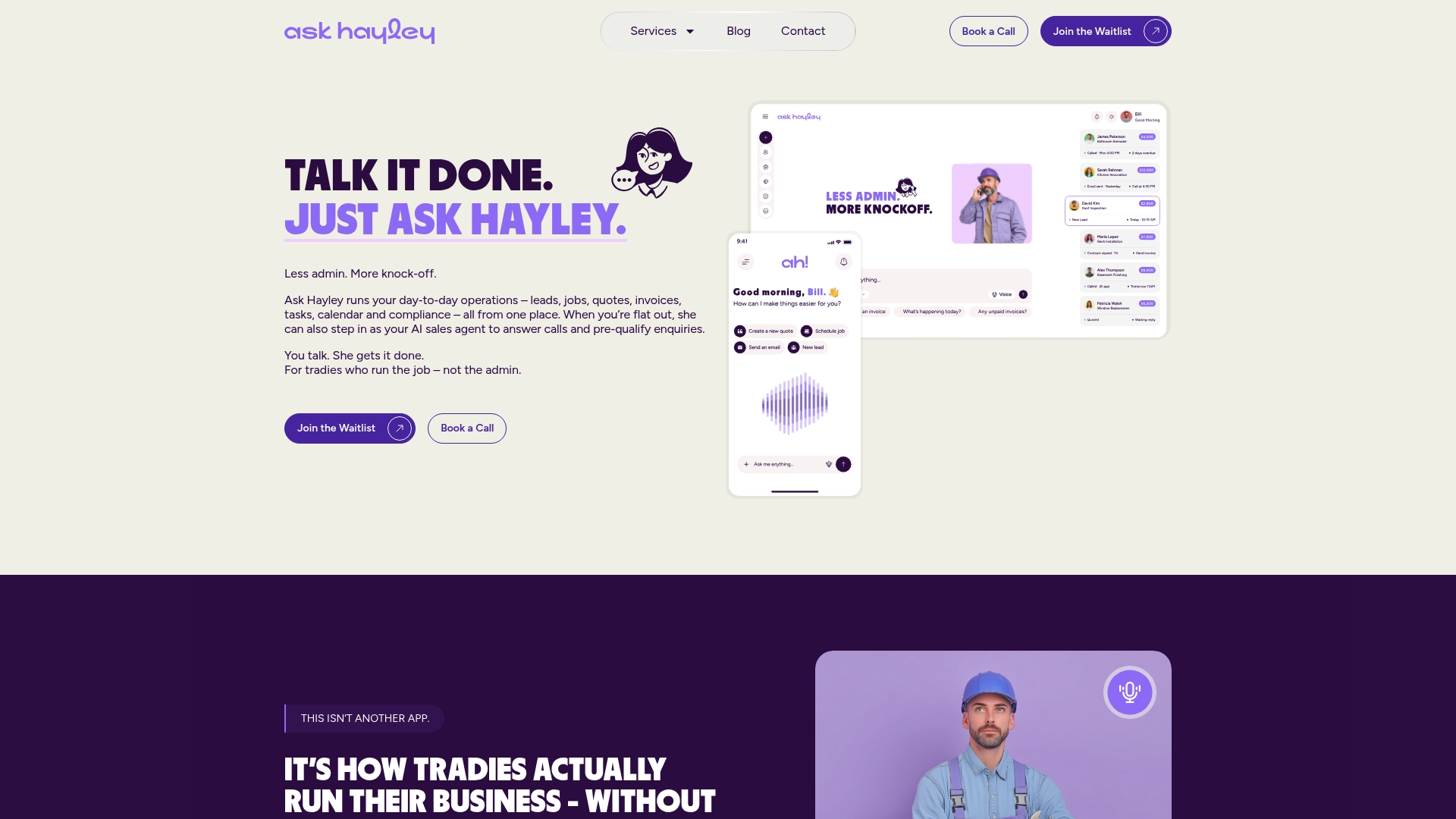
Ask Hayley answers your inbound calls when you’re on the tools, pre-qualifies the lead, and drafts a quote, all without you touching a screen. The platform handles scheduling, invoicing, and compliance documentation through voice prompts, and syncs with Xero and AroFlo so your accounts stay current. For tradies who lose work to missed calls or spend Sunday evenings catching up on paperwork, Ask Hayley removes that cost directly.
What Ask Hayley does for your business:
- Answers calls and captures lead details when you’re unavailable
- Pre-qualifies enquiries so you only follow up on real jobs
- Drafts quotes and manages scheduling through voice
- Syncs with Xero and AroFlo for real-time financial visibility
- Provides access to safety and compliance documentation on-site
- Supports tender preparation for tradies pursuing larger commercial contracts
The Assistant and Office Manager plans are built for sole traders through to growing SMBs, with optional add-ons for broader lead and call coverage. No enterprise overhead, no dedicated admin role required.
Book a demo or explore the platform at askhayley.com.au and see how much admin you can hand off this week.
Useful sources for deeper reading
- G2 — Simpro alternatives and competitors: Aggregated user reviews and category groupings; useful for comparing feature coverage and reading verified buyer feedback.
- Capterra Australia — alternatives to Simpro: Australian buyer behaviour data and feature comparison lists; good starting point for shortlisting.
- Software Advice — best 15 Simpro alternatives: Covers integration fit and feature-match criteria; useful for mid-size businesses evaluating multiple platforms.
- LiveCosts — 7 of the best Simpro alternatives for contractors: Trade-focused roundup with practical commentary on job costing vs scheduling trade-offs and migration best practice.
- Gartner Peer Insights — Simpro field service software alternatives: Enterprise buyer evaluation criteria including integration, deployment, and vendor support; most relevant for larger teams.
- Owler — Simpro company profile: Context on Simpro’s enterprise positioning; helps explain why smaller tradies seek lighter-weight alternatives.
- Ask Hayley services overview: Covers onboarding, compliance documentation, and professional services available alongside the platform subscription.
- Ask Hayley blog: Practical articles on field management approaches, trade business operations, and platform comparisons written for Australian tradies.