


Website call tracking setup for tradies means one thing in practice: a voice-first AI agent that answers your website calls, asks the right questions, and books the job before the caller rings your competitor. Ask Hayley does exactly this. It picks up on the first ring, records the details, and pre-qualifies leads so only real jobs land in your inbox.
Three things happen the moment it goes live:
- Every call gets answered, even on-site, even after hours
- Jobs get booked or recorded straight into your calendar
- Leads get sorted before you ever see them, so you’re not chasing tyre-kickers
Your next move is simple: pull together your FAQs, decide whether you want after-hours cover, overflow cover, or full-time answering, and book a demo.
Key Takeaways
Voice-first AI answering works because it captures the calls a form or voicemail loses, and it books the job while the tradie is still on the tools.
| Point | Details |
|---|---|
| Missed calls are the real leak | Industry reporting puts missed-call rates for trades between 60% and 80%, mostly with no voicemail left. |
| Setup keeps your existing number | Ask Hayley answers on your current business number or as a website chatbot, with no need to change what customers see. |
| Qualifying questions do the sorting | Urgency, suburb, job type and price band should all be set before the agent books anything in. |
| Test before full rollout | Run scripted test calls, review transcripts, and start with after-hours or overflow cover for one to two weeks. |
| Ask Hayley handles the whole setup | Voice answering, an AI Website Chatbot and an optional AI Sales Agent cover calls, leads and enquiries under the Assistant or Office Manager plans. |
Table of Contents
- What do you need before setting up call tracking on your website?
- How do you set up call tracking and answering on your website?
- How do you test and go live with your call answering setup?
- How do you measure whether call tracking is working?
- What does call tracking setup cost, and how long does it take?
- Why voice-first answering fits tradies better than a form ever will
- Get your website calls answered without hiring anyone
- Sources
What do you need before setting up call tracking on your website?
You don’t need to touch your existing setup to get started. Keep the phone number you’ve already got printed on your ute, your invoices, and your Google Business listing. Ask Hayley sits on top of it, or runs as a chatbot on your website if that’s where enquiries come in.
Before you start, get these sorted:
- Confirm access to your calendar or CRM, or decide you’re happy to get leads by SMS and email instead
- List your services, the suburbs you cover, your rough pricing bands, and the questions customers always ask
- Decide your coverage scope: after-hours only, overflow when you can’t pick up, or full-time answering
- Nominate an escalation contact for anything urgent, like a burst pipe or a live electrical fault
- Prepare a short line disclosing that calls may be answered by AI, and confirm your data is stored onshore
Pro Tip: Write your FAQ list before you touch the setup screen. Most delays come from tradies trying to think of pricing bands and service areas on the fly instead of having them ready.
How do you set up call tracking and answering on your website?
Getting Ask Hayley live is a build task, not a rewiring job. The agent either answers calls on your existing business number or sits as a chatbot on your website, and you can run both at once if your enquiries come from both channels.
Here’s the order that works:
- Connect your number or widget. Point your existing business line to the agent, or add the AI Website Chatbot to your site so web enquiries get answered instantly.
- Upload your business details. Services, suburbs, pricing bands, and the FAQs you drafted earlier all feed the agent’s answers, so it sounds like your business, not a call centre script.
- Build your qualifying questions. Set the agent to ask about job urgency, suburb, job type, and budget range before it books anything in.
- Set your booking rules. Decide which jobs get booked straight into the calendar and which get flagged for a callback.
- Connect your calendar or CRM. Many Australian tradies run tools like ServiceM8 or Tradify, and Ask Hayley can sync bookings directly or deliver leads by SMS and email if you’d rather review them first.
- Define escalation rules. Set a clear rule for what counts as urgent and which mobile number it transfers to, then test the transfer yourself.
- Turn on transcripts and notifications. Every call gets recorded as text, so you can check what was said and confirm your storage is onshore.
A missed call isn’t a small loss. Industry reporting puts missed-call rates for trades and home services between 60% and 80%, and most of those callers never leave a voicemail. They just call the next name on the search results page.
This is where the setup earns its keep. An AI phone agent that answers with a natural Australian accent, books appointments, and qualifies leads around the clock closes that gap without you needing to carry your phone into the roof cavity. If you’re building or refreshing a one-page website, this is also the point to make sure your call and chat options are visible above the fold and not buried in a footer.
For businesses tracking enquiries across multiple channels, it’s worth understanding how web leads get tracked back to bookings more broadly, since your website chatbot is one source of leads among several.
How do you test and go live with your call answering setup?
Don’t flip the switch on a Friday afternoon and hope for the best. Run it through a proper test first.
- Make scripted test calls covering common jobs, urgent jobs, and awkward edge cases, then read the transcripts back
- Confirm your calendar sync is working and check for duplicate bookings before real customers show up in it
- Test the escalation path yourself, on your own mobile, so you know urgent calls actually reach you
- Start with after-hours or overflow answering if you’re not fully sold yet, then watch it for a week or two before expanding
Providers commonly let you review test-call transcripts and approve the flow before it ever touches a live customer, and that review step is the difference between a smooth rollout and a string of apology calls in week one.
Pro Tip: Run your test calls at the times you’re usually busiest on-site. That’s when the agent needs to sound sharpest, not in a quiet office on a Tuesday morning.

How do you measure whether call tracking is working?
The numbers that matter here are simple, and you probably already track some of them in your head.
- Answered call rate. Compare how many calls got picked up before setup versus after. This is usually the first number that moves.
- Jobs booked from AI-handled calls. Track how many bookings came straight out of an agent-answered call.
- Quote-to-job conversion. Practical automation like templated quotes and instant follow-up commonly lifts quote-to-job conversion by around 30% in trade businesses once call capture is paired with faster follow-up.
- Lead quality. Watch whether booked appointments actually get kept, and whether repeat customers start showing up.
- Admin time saved. Notice how much less time you spend calling people back at 7pm.
Set a review point at 30, 60, and 90 days. The first month shows you whether calls are being answered properly. The second and third show whether that’s turning into real jobs.
What does call tracking setup cost, and how long does it take?
A focused, single-number setup is usually live within two to four weeks. That timeline stretches if you’re adding custom booking flows, CRM integrations, or want the voice tuning polished before launch.
What tends to drive the cost:
- Integrations with your existing calendar or CRM, like ServiceM8 or Xero
- Custom qualifying flows for multiple service lines or complex pricing
- Onshore voice tuning to get the tone and accent right for your customers
Running costs sit in a monthly band rather than a flat number, with a smaller one-off setup fee depending on how much customisation you need. Most tradies see payback within several months, simply by capturing some jobs that would otherwise have gone to voicemail. If you want a sense of what those missed calls are actually worth, the cost of not having a website breaks the maths down properly.
Why voice-first answering fits tradies better than a form ever will
Every tradie I’ve spoken with about missed calls tells a version of the same story: they were up a ladder, the phone rang, and by the time they called back the job had gone to someone else. That’s not a discipline problem. It’s a hands problem.
Voice-first answering works because it matches how tradies actually operate, not how a marketer wishes they operated. Booking the job while you’re still on-site captures revenue a form on a website simply can’t, because a form doesn’t ask a follow-up question or reassure a nervous caller. One caveat worth repeating: always disclose when a caller is speaking with AI, and keep your data stored onshore. That’s not a compliance formality. It’s what makes customers comfortable trusting the system in the first place.
— Hayley
Get your website calls answered without hiring anyone
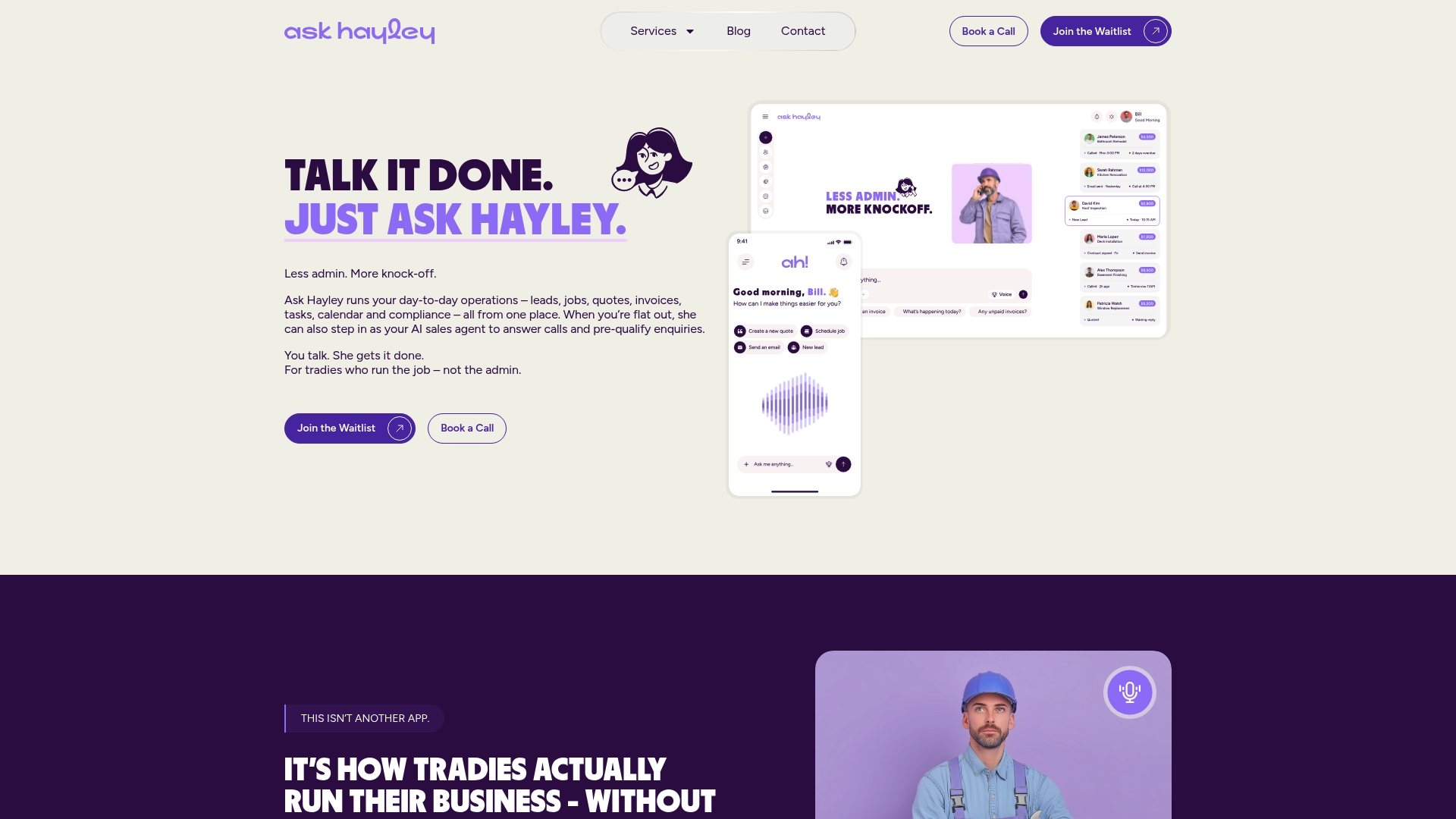
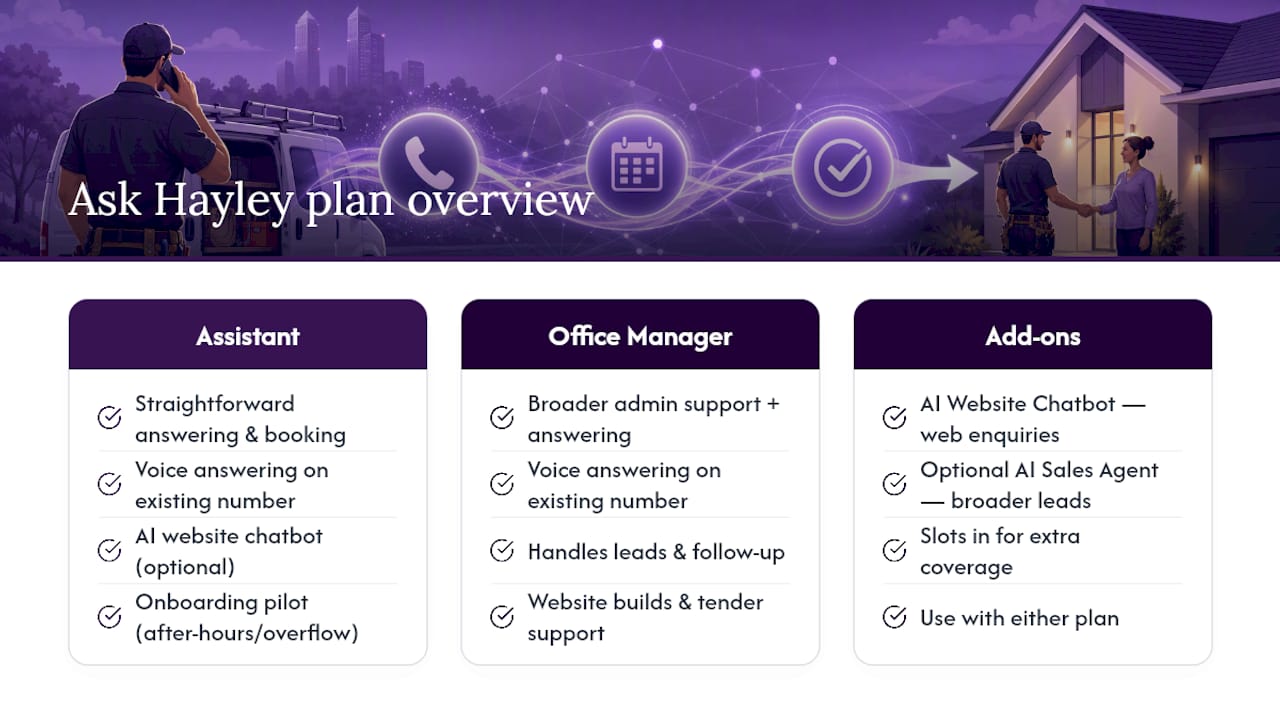
Ask Hayley is the practical alternative to hiring a receptionist or losing jobs to voicemail. For website calls specifically, it works through voice answering on your existing number, an AI Website Chatbot for web enquiries, and an optional AI Sales Agent if you want broader coverage across leads and follow-up.
Two plans cover most tradies: Assistant for straightforward call answering and booking, and Office Manager for businesses wanting broader admin support alongside it. Add-ons like the chatbot and sales agent slot in when you need wider coverage across calls, leads, and customer enquiries.
Onboarding typically starts with an after-hours or overflow pilot, so you can see it working before committing to full-time answering. If you’re weighing up a wider professional setup alongside it, Ask Hayley also handles website builds and tender support for tradies wanting to present more professionally to bigger clients.
The next step is straightforward: book a demo with Ask Hayley and see how it handles a real call from your business before you decide on anything.
Sources
- AI for Australian Tradies: What Actually Works in 2026 | Web Engine
- AI Business Phone Systems in Australia: The Complete 2026 Guide
- AI Receptionist Australia: Phone Answering | Mamba Strategic


