


A project handover document is the formal package that transfers a completed asset, its records, and operational responsibility from a project team to the people who will run it day to day. The best approach is progressive, not last minute. You draft it as the project develops, verify it against the NCC, Business safety expectations, and institutional benchmarks like the UON guideline, then close it out with a formal, signed acceptance.
TL;DR:
- Starting the handover documentation three to four weeks before completion reduces last-minute errors and ensures all certificates, drawings, and manuals are verified and complete.
- A deliverables table with clear links, owner assignments, and consistent naming conventions is essential for tracking all project records and compliance documents.
- Continuous collection of as-built drawings, test records, and maintenance details during construction minimizes missing or outdated information at handover.
- Conducting a formal readiness assessment, including live walkthroughs and hyperlink verifications, prevents delays caused by incomplete or incorrect documentation.
- Using voice-first platforms can streamline evidence collection, tracking outstanding items, and training confirmation, reducing reliance on paper folders and spreadsheets.
Table of Contents
- What should project handover documentation include?
- How do I create a handover document and deliver it on time?
- Training and evidence the receiving team is actually ready
- What does a proper handover sign-off actually look like?
- Building your own handover template
- Which Australian standards and guidance shape your handover pack?
- Why handover fails when it’s treated as a last-minute task
- Managing handover admin without the paperwork pile-up
- Sources
- FAQ
What should project handover documentation include?
A complete package answers three questions for whoever inherits the asset: what did we build, how do we keep it running, and who’s accountable for what’s left undone. Miss any one of those and you’ve handed over a folder, not a functioning transition.
Most Australian teams organise the package around a deliverables table that names each document, where it lives, what format it’s in, and who owns it. That table becomes the spine of everything else.
| Deliverable | Location/link | Format | Owner |
|---|---|---|---|
| As-built drawings | Shared drive link | PDF + native CAD | Site engineer |
| O&M manuals | Repository link | Contractor | |
| Test and commissioning records | Repository link | Commissioning lead | |
| Compliance certificates | Repository link | PDF (scanned original) | Compliance officer |
| Access credentials register | Secure portal | Spreadsheet | IT/facilities lead |
Project record documents
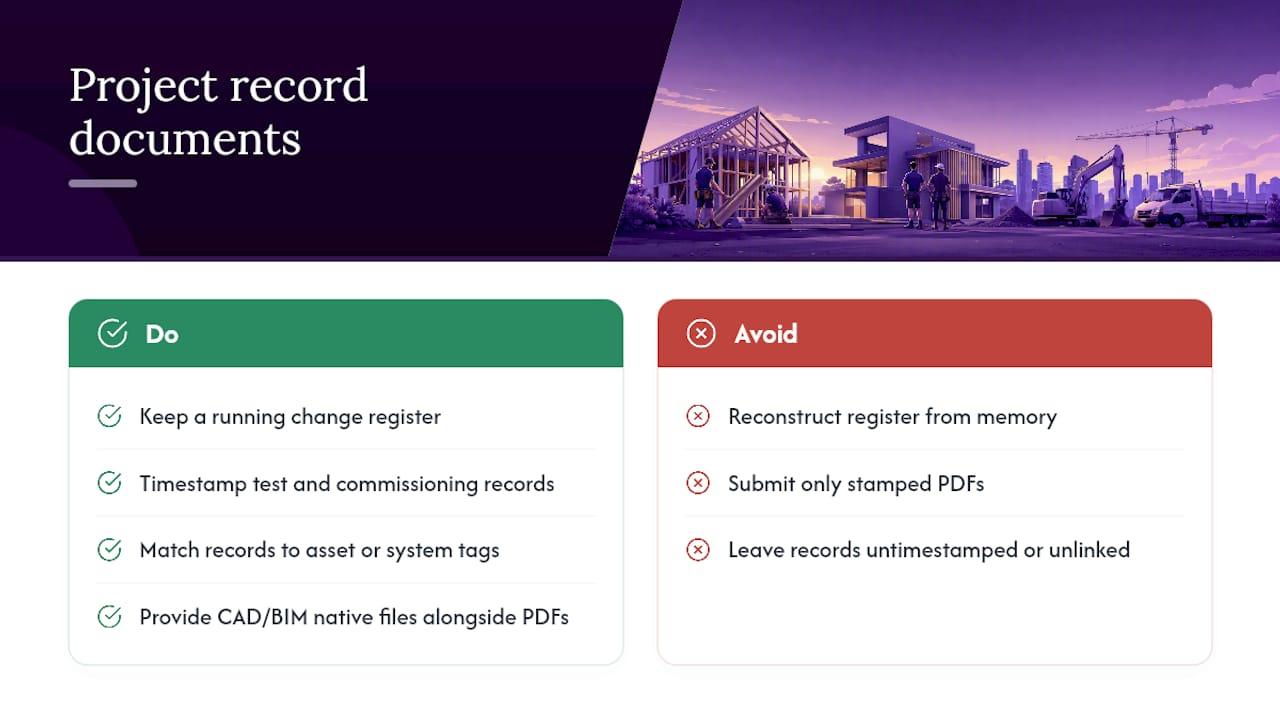
As-built drawings, record models, and updated specifications need to reflect what was actually constructed, not what was originally designed. Keep a running change register throughout the build rather than reconstructing it from memory in the final week. Test and commissioning records should sit alongside these, timestamped and matched to the relevant system or asset tag.
For technical or multi-trade projects, native files matter as much as the stamped PDF. A closeout checklist commonly used on complex builds recommends supplying CAD or BIM files alongside PDFs, and producing a COBie-style asset worksheet where the owner’s facilities team needs one for their asset management system.
Operation and maintenance detail
O&M manuals, maintenance schedules, spare parts lists, and vendor contact details are what keep a building or system running once your crew has moved on. Procore’s closeout guidance lists these among the most commonly overlooked items, because they’re often produced by subcontractors and never consolidated into one pack. Chase them down early, not during the final walkthrough.
Compliance documents
Certificates, inspection reports, and certificates of occupancy or substantial completion belong in the pack with the issuing authority named against each one. The NCC and ABCB set the baseline for what compliance documentation a building needs, and state authorities issue the actual certificates. Never assume a certificate exists just because the work is finished. Verify it.
Access, outstanding items, and support
- Document every system access and credential transfer with a schedule for when logins, keys, and admin rights move to the receiving team.
- List outstanding items (the punch list) with a named owner and a resolution date against each one, not a vague “to be completed” note.
- Record support and warranty details, including SLAs and the length of the hypercare period, typically somewhere between 30 and 90 days depending on project complexity.
- Set out document storage and naming conventions early. Decide whether hard copies are required alongside electronic ones, and standardise file names before the pack grows to hundreds of documents.
Pro Tip: Test every hyperlink in the deliverables table before you send the pack. A dead link on day one of hypercare tells the receiving team the document was rushed, even if the content behind it wasn’t.
How do I create a handover document and deliver it on time?
Start drafting the handover document three to four weeks before go-live, not the week of. Treat it as a living document that grows as work packages close out, rather than a single file you assemble at the eleventh hour. Projects that build the asset register progressively report fewer post-handover support calls and faster time-to-competency for the receiving team, because nobody’s trying to remember six months of decisions in one sitting.
A practical timeline for a mid-sized project looks like this:
- Week minus four: Open the document shell, populate the deliverables table structure, and assign a documentation owner on the receiving side.
- Week minus three: Progressively load as-builts, O&M manuals, and commissioning records as each trade or system closes out.
- Week minus two: Run a near-final review with the project team to catch missing certificates or unresolved punch-list items.
- Week minus one: Send the pack to the receiving team for their review window. Give them at least 48 hours to work through it before sign-off week.
- Sign-off week: Conduct the formal walkthrough, resolve any last flagged items, and execute the acceptance signatures.
- Hypercare start: Begin the support period, with a clear end date and escalation path documented in the pack itself.
Before formal acceptance, run a readiness assessment, sometimes called a tollgate check, against a short list: are all statutory certificates present and verified against the issuing authority, has training been delivered and signed off, is the punch list fully populated with owners and dates, and does every hyperlink in the pack actually resolve? If any of those fail, acceptance should be delayed, not waived.
Roles matter here. The documentation owner on the receiving team is responsible for reviewing content as it lands, not just at the end. The project manager is responsible for compiling and chasing outstanding contributions from subcontractors and consultants. Sign-off itself typically sits with the project sponsor, alongside the PM and the receiving owner, which the next section covers in detail.
Two verification habits catch most problems before they become disputes. First, the 48-hour review rule: the receiving team gets a minimum window to review the pack before any sign-off meeting, so nobody’s rubber-stamping a document they haven’t opened. Second, a live walkthrough is not optional. Combine it with spot checks on a handful of documents, chosen at random, to confirm the pack matches reality on the ground rather than just looking complete on paper.
Training and evidence the receiving team is actually ready
Handing over a folder of manuals means nothing if the people running the asset can’t operate it. Training needs a mix of formats: a live session for hands-on systems, a recorded walkthrough for anything staff might need to revisit later, and a hands-on practical run for equipment where competency actually needs demonstrating, not just describing.
Keep records that prove the training happened and stuck:
- Session agendas showing what was covered and when.
- Sign-in sheets naming every attendee.
- Competency confirmations, signed by the trainee, not just the trainer.
- Recordings linked from the handover pack, not buried in a separate drive.
A spaced-learning approach, where a short refresher session runs two to three weeks after the initial training, tends to bed in operational knowledge better than a single marathon briefing on handover day. It also gives the receiving team a natural checkpoint to raise questions once they’ve actually used the system for a few weeks.
Define what counts as acceptable evidence of readiness before training starts, not after. A completed sign-in sheet with no competency confirmation isn’t evidence anyone can actually run the plant room. Plan and resource the hypercare period with this in mind: staff need to know who to call in week two when the training feels a lot less clear than it did on day one.
What does a proper handover sign-off actually look like?
Acceptance criteria should map directly back to the project’s original objectives and agreed specifications, not a generic “looks finished” standard. If the brief specified a five-year warranty on the roof system, the sign-off criteria should confirm that warranty documentation is in the pack, not just that the roof exists.
A three-way signature, typically the project manager, the receiving owner, and the project sponsor, is the most robust way to record acceptance and transfer of operational responsibility. It spreads accountability across the person who built it, the person who’s inheriting it, and the person who’s ultimately answerable for the outcome.
- Where items are accepted with caveats, log them individually with a named owner and a resolution date, rather than a blanket “pending items to follow” note.
- Acceptable evidence of sign-off includes a signed acceptance certificate, a countersigned handover report, or an authorised email confirming acceptance where a formal certificate isn’t standard practice on smaller projects.
- Set a clear access revoke timeline for the outgoing project team once acceptance is signed, so nobody’s still holding admin credentials to a system they no longer support.
- Confirm who’s responsible for triggering that access revocation, usually IT or facilities, and put a date against it in the pack.
Building your own handover template
A reusable template saves you from rebuilding the structure every project. The core sections worth including are: project overview, the deliverables table, documentation package links, the access transfer schedule, outstanding items with owners, training records, support contacts, and the sign-off page.
- Deliverables table fields: description, location, format, and owner, always as a hyperlink rather than a file path. File paths break the moment a folder gets renamed or moved to a new drive; a tested hyperlink to a repository doesn’t.
- Naming conventions: agree on a consistent format (project code, document type, revision number) before the pack grows past a dozen files, and stick with it across the project.
- Storage recommendations: keep native files (CAD, BIM, spreadsheets) alongside PDFs where the receiving team’s systems need them, and decide upfront whether hard copies are contractually required.
- Short and full versions: a two-page checklist variant works for small fit-out or maintenance handovers, while a full pack with all the sections above suits larger builds with multiple trades and long-term operational obligations.
If you’re transferring design decisions as well as physical assets, a decision log template helps capture the reasoning behind choices, not just the choices themselves, which saves a lot of confusion when someone asks “why was it built this way” eighteen months later.
Which Australian standards and guidance shape your handover pack?
The National Construction Code, maintained by the Australian Building Codes Board, sets the baseline for what statutory certificates and inspection records a building needs before it can be legally occupied or operated. Your as-builts and compliance certificates should be checked against current NCC requirements, not assumptions carried over from a previous project.
- business.gov.au’s WHS guidance is the right national starting point for deciding which safety documentation belongs in the pack, covering things like risk assessments and safe work method statements.
- State authorities, such as the Victorian Building Authority for projects in Victoria, issue occupancy certificates and essential safety measure documentation that vary by jurisdiction, so confirm the relevant body for your project’s location.
- Always include copies or verified links to statutory certificates in the pack, and cross-check them against the issuing authority’s own records rather than trusting a scanned copy at face value.
- Institutional guidelines like the UON Project Handover Guideline show how far a rigorous owner will go, right down to naming commissioning records and training sign-offs as mandatory line items.
Why handover fails when it’s treated as a last-minute task
Handover documentation falls apart when teams treat it as a wrap-up chore instead of a running record. By the time someone sits down to compile everything in the final week, half the certificates are missing, nobody remembers which sub-contractor was meant to send the warranty paperwork, and the punch list is a mess of sticky notes rather than a tracked register.
Progressive compilation solves this because it spreads the admin load across the whole project instead of dumping it into the last fortnight. For tradies specifically, a few habits make a real difference: label photos clearly the moment they’re taken (not weeks later when you can’t remember which switchboard is which), use mobile-friendly links rather than desktop-only file shares, and record short training videos on-site rather than trying to schedule a formal session after everyone’s already moved to the next job.
— Hayley
Managing handover admin without the paperwork pile-up
A voice-first business management platform can help capture evidence, contacts, and follow-ups as the work happens, not weeks later when details are forgotten. Instead of typing up punch lists and chasing training sign-offs on a laptop after hours, voice-first AI tools let you log these items on-site by speaking.
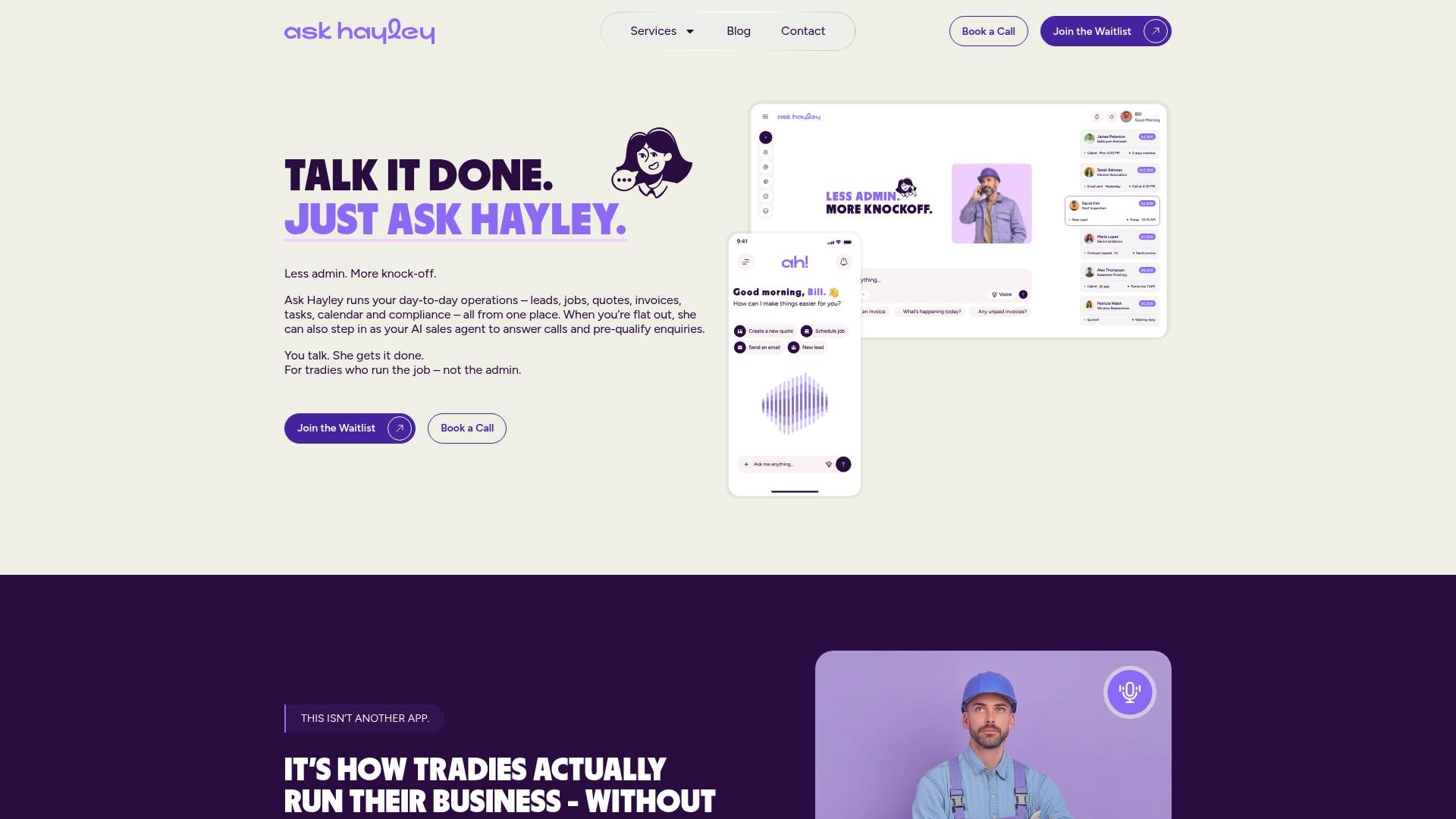
Work order tracking keeps outstanding items assigned to a named owner with a resolution date, which is exactly what a proper punch list needs and exactly what falls apart when it’s scribbled on paper. A follow-up cadence means hypercare check-ins don’t rely on someone remembering to call the client in week two. For the compliance side, Ask Hayley’s safety and compliance documentation support helps keep certificates and inspection records where you can actually find them when the receiving team asks.
If your crew is still building handover packs the old way, folders, spreadsheets, and a scramble in the final week, consider how voice-first systems can change that. Book a demo with Ask Hayley and see what it looks like to capture handover evidence at the source instead of reconstructing it later.
Sources
- UON Project Handover Guideline v1.2
- NCC / Australian Building Codes Board
- Business
- Procore — Construction handover / closeout documents (AU page)
- Project Management Formula — Project lifecycle handover process guide
FAQ
What documentation is required at handover?
At minimum, a handover pack needs as-built drawings, O&M manuals, test and commissioning records, compliance certificates, an outstanding items list with owners, and signed training records. State and national requirements, like those set by the NCC, determine which certificates are mandatory for your project type.
What documents are required for a construction handover?
Construction handovers typically require as-built drawings, warranty documentation, statutory certificates of occupancy or compliance, maintenance manuals, and a punch list of outstanding defects with resolution dates. Larger projects often add native CAD or BIM files and an asset-exchange worksheet for facilities management systems.
What is a project handover document?
A project handover document is the formal package that transfers a completed asset, its operational records, and accountability from the delivery team to the receiving organisation. It combines a deliverables table, compliance certificates, training evidence, and a formal sign-off page, ideally compiled progressively rather than assembled at the last minute.
How do I create a handover document?
Start drafting three to four weeks before go-live, populate a deliverables table as each work package closes out, and run a readiness assessment before formal acceptance. Tools like Ask Hayley’s work order tracking can help capture outstanding items and evidence as work happens rather than after the fact.
When should handover documentation be finalised?
Finalise it during sign-off week, after the receiving team has had at least 48 hours to review the pack and a live walkthrough has confirmed the documents match what’s actually on site. The document should keep evolving through the hypercare period as any accepted-with-caveats items get resolved.


