


An AroFlo integration connects your job management software to the other tools you already run, such as accounting, calls, forms and compliance, so the same job detail doesn’t get typed in twice. The best way to approach it is simple. Decide which handoff costs you the most time, connect that first, and add the rest one at a time. This guide shows you the main ways to connect AroFlo, how to plan the work, and where a voice-first assistant like Hayley fits.
TL;DR
- AroFlo can connect to other tools in three main ways: built-in integrations, automation tools like Zapier, and custom API work.
- Start with the handoff that eats the most hours. For most trade businesses that is quote to invoice to accounting, or missed calls turning into job requests.
- Clean data in means clean data out. Fix client names, job types and pricing before you connect anything.
- Change one thing at a time and run it on live jobs for a couple of weeks before adding the next.
- Ask Hayley integrates with AroFlo and Xero, so you can handle calls and admin by voice while your job records stay in one place.
Table of Contents
- What an AroFlo integration actually does
- The three ways to connect AroFlo
- Which approach suits which business
- Plan before you connect anything
- A step-by-step rollout
- Common AroFlo integration mistakes
- Where the real time goes: calls and admin
- Perspective: what we’ve learned about integrations
- Choosing what to connect first
- Compliance and documentation
- How Ask Hayley fits with AroFlo
- Get set up with Ask Hayley
- FAQ
- Sources
What an AroFlo integration actually does
AroFlo is where many Australian trade businesses keep jobs, schedules, clients and invoices. On its own it is a solid record of the work. The trouble starts at the edges. A call comes in while you’re up a ladder. A quote lives in your head or in a text message. An invoice gets typed into one system and then retyped into another.
An integration closes those gaps. Data created in one place shows up in the other without you touching it. In practice that means:
- A new client or job is created once, not three times.
- Invoices flow through to your accounting software so your books match your jobs.
- Enquiries land as structured jobs or tasks, not scribbled notes.
- Compliance paperwork is attached to the job it belongs to.
The goal is not more software. It is fewer places where you have to type the same thing.
The three ways to connect AroFlo
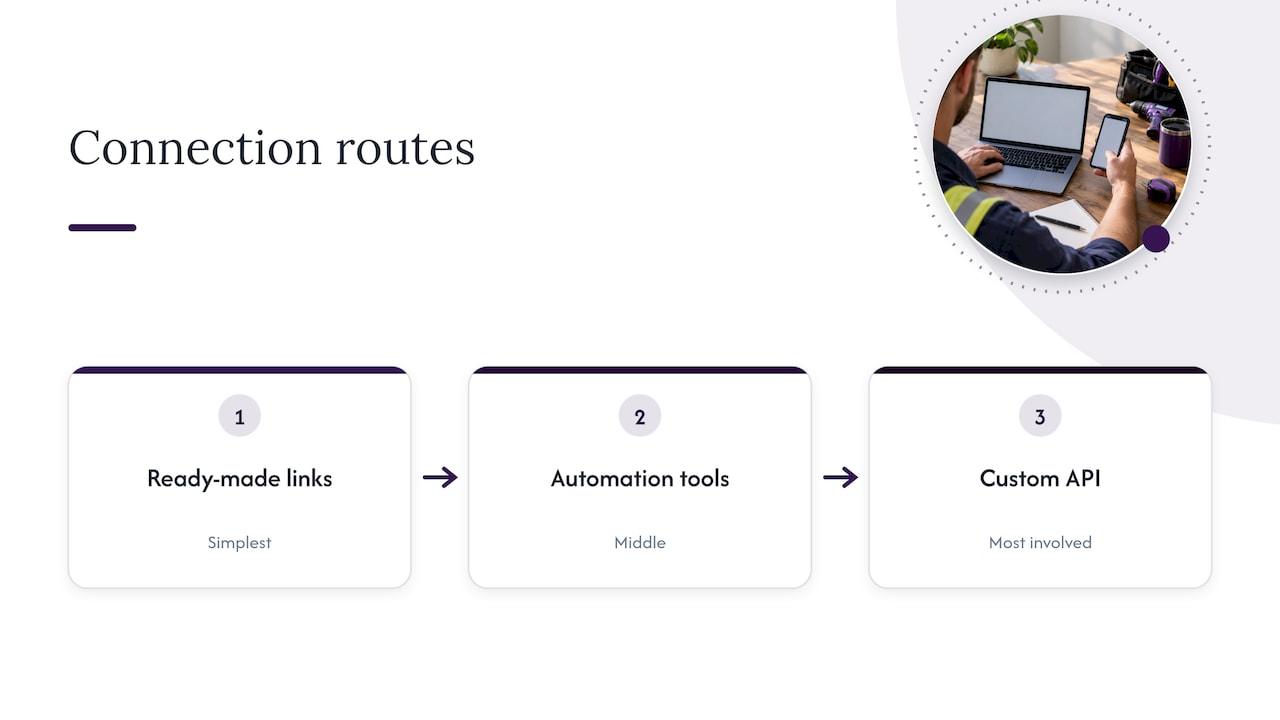
There is no single “integration button”. Think of three levels, from simplest to most involved.
1. Built-in and ready-made connections
These are connections that already exist between AroFlo and another product. Accounting is the common one. Xero is a popular choice among Australian tradies, and AroFlo and Xero are designed to pass customer, supplier and invoice information between them. Supplier ordering, compliance forms and facilities-management tools also have ready-made links of this kind.
This is the best place to start. Setup is usually guided, support is available from both sides, and you aren’t maintaining anything yourself. Check inside your AroFlo account and the other product’s help pages for what is available on your plan.
2. Automation tools
When no ready-made link exists, an automation tool can do the middle work. Zapier lists AroFlo among apps it can connect to thousands of others, with example workflows such as sending new invoices to a spreadsheet, creating AroFlo clients from a CRM, or creating tasks from form submissions.
This suits simple “when this happens, do that” jobs. It is flexible, but each automation is another thing to watch. If a field name changes, the automation can quietly stop working, so someone in the business needs to own it.
3. Custom API work
AroFlo offers an API, which lets a developer build a tailored connection. That makes sense for larger businesses with unusual reporting needs or in-house systems. For a typical one- to twenty-person trade business it is usually more than you need. Try the first two levels before you pay for custom development.
Which approach suits which business
| Your situation | Where to start |
|---|---|
| Books and jobs don’t match | Accounting integration (for example Xero) |
| Missed calls and messy lead notes | A voice-first assistant feeding jobs into AroFlo |
| A tool with no ready-made link | An automation tool for one simple flow |
| Complex multi-system reporting | Custom API work, scoped carefully |
| Paper-based safety forms | Compliance forms linked to the job |
If you recognise yourself in more than one row, pick the one that costs you the most time each week. Do that first.
Plan before you connect anything
Most integration headaches are planning problems, not technology problems. Spend an hour on this before you switch anything on.
Map the journey of one job
Grab a pen and trace a single job from first contact to money in the bank. Write down every step and where the information lives:
- The enquiry arrives (call, text, web form).
- Someone qualifies it and books a visit.
- A quote is prepared and sent.
- The job is scheduled and done.
- Variations and materials are recorded.
- The invoice goes out.
- Payment is chased and reconciled.
Now circle every step where you retype something. Those are your integration candidates.
Clean your data first
Integrations copy your mess faithfully. Before connecting, tidy these:
- Client records: merge duplicates, fix spellings, make sure ABNs and emails are right.
- Item and price lists: one name for each labour rate and material, so quotes and invoices line up.
- Job types and statuses: keep them few and clear. Ten statuses nobody uses is worse than four everyone does.
- Tax settings: make sure GST is treated consistently between systems.
Decide who owns it
Name one person who knows what is connected, what it does and who to call when it breaks. In a small business that is often you or your office manager. Write it down in one page.
A step-by-step rollout
- Back up and note your current setup. Export client and job lists, and screenshot your current settings so you can reverse a change.
- Pick one integration. Choose the handoff from your journey map that wastes the most time.
- Test with a handful of real records. Use a small set of recent jobs rather than your whole database.
- Check the results on both sides. Does the invoice total match? Is GST right? Is the client in the right place?
- Go live on new jobs only. Don’t try to re-sync history on day one.
- Review after two weeks. Look for duplicates, missing fields or anything your team is working around.
- Add the next integration. Repeat the process.
This pace feels slow, but it is faster than untangling five half-working connections at once.
Common AroFlo integration mistakes
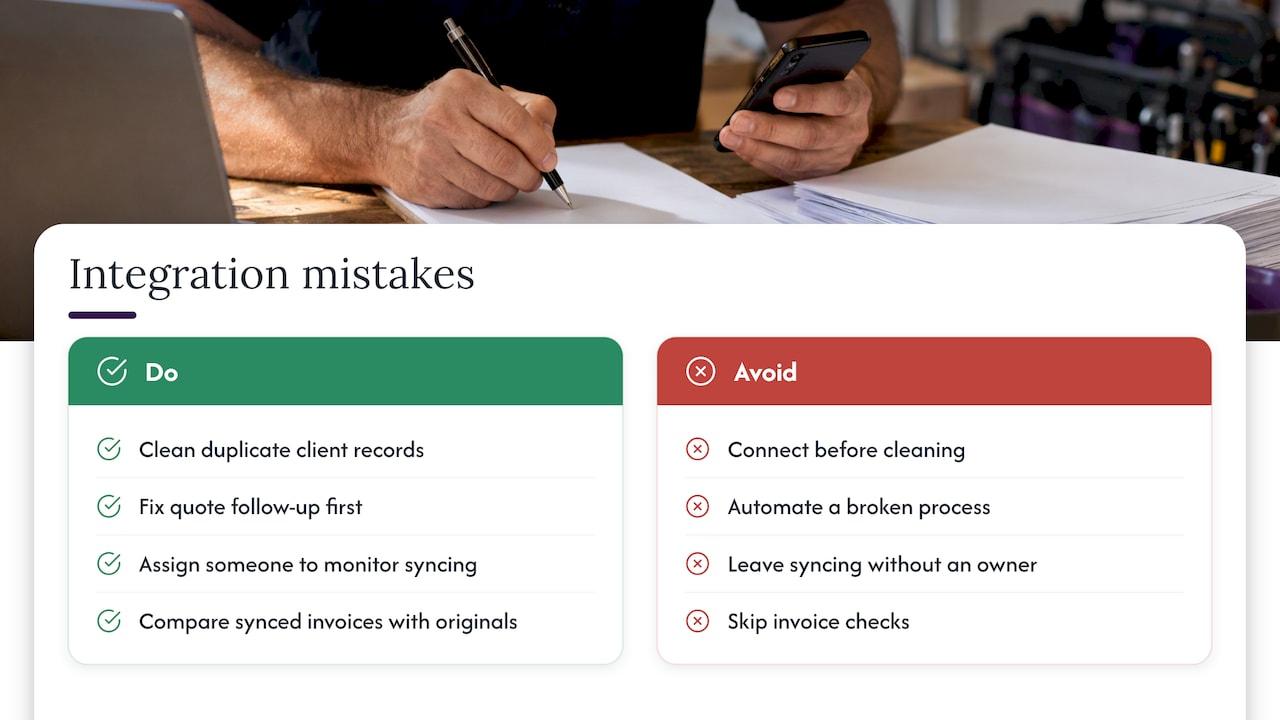
Connecting before cleaning. Duplicate clients in AroFlo become duplicate contacts everywhere else.
Automating a broken process. If your quote follow-up is inconsistent today, automation makes it inconsistently fast. Fix the process first. Our guide to a follow-up cadence is a good place to start.
No clear owner. When something stops syncing, nobody notices for weeks and the books drift.
Skipping the invoice check. Always compare a few synced invoices against the originals, especially around GST and part payments. If progress claims are part of your work, see how progress claims in Australia are normally handled before you automate them.
Forgetting the field. If a system only works when you’re sitting at a desk, it won’t get used on site. That is the biggest reason tradies drop software.
Where the real time goes: calls and admin
Most integration guides focus on moving data between systems. For tradies, the bigger loss often happens before the data exists. A missed call is a job that never reaches AroFlo at all. A quote you’ll “do tonight” turns into an invoice you send three weeks later.
That is why we think the best integration starts with capture. If the enquiry, the quote and the job update are all captured the moment they happen, the connection to AroFlo has something good to pass along.
A few places this shows up:
- Calls: an assistant that answers when you can’t, asks the right questions and passes on a structured enquiry. See how AI call triage works for tradies.
- Quotes: dictating a quote on site rather than typing it later. Here is how a voice quote can be done in minutes, and what to automate versus check in quote automation.
- Invoices: turning the finished job into an invoice without re-entering anything. The quote to invoice workflow walks through it, and Xero invoice automation covers the accounting side.
- Reporting: once your data is consistent, reports become useful. Our AroFlo reporting setup guide shows what to track, and job profitability analysis shows how to read the numbers.
Perspective: what we’ve learned about integrations
We built Hayley for people whose hands are full. Electricians, plumbers, arborists, roofers: you’re on a roof, under a house or in a trench, not at a screen.
So when we think about an AroFlo integration, we start with a different question. Not “how do we sync two databases?” but “how does the information get captured in the first place?” If it takes typing, forms or a dashboard, it often doesn’t happen until the evening, and by then details are forgotten.
That’s why Ask Hayley is voice-first. You talk, Hayley handles the call, the lead qualification and the admin, and the platform is designed to work with the tools you already use, including Xero and AroFlo. It’s meant to centralise admin without adding another app to learn.
Our advice is to keep AroFlo as your system of record, connect your accounting, and let voice take care of the capture. Fewer steps, fewer retypes, fewer missed jobs.
Hayley
Choosing what to connect first
Here is a simple way to decide. Score each handoff from 1 to 5 on two things: hours lost per week, and how often mistakes happen.
| Handoff | Typical pain | Good first fix |
|---|---|---|
| Call to job | Missed calls, vague notes | Voice call answering and lead pre-qualification |
| Quote to job | Quotes written late | Voice-dictated quotes |
| Job to invoice | Retyping, slow billing | Invoice flow into accounting |
| Invoice to payment | Chasing, ageing debts | Automated reminders |
| Job to compliance | Missing safety paperwork | Forms linked to the job |
The highest total is where you begin. If you’re not sure, lead capture is usually the safest first step because it adds jobs rather than just saving time. Our page on lead prequalification questions shows what a good screening call asks.
Compliance and documentation
AroFlo can hold safety forms against jobs, but the forms still need to be right. Safe Work Method Statements, job safety analyses and handover packs are only as strong as the documentation behind them. If you tender for larger work, your paperwork also decides whether you get shortlisted. Related reading: contractor prequalification in Australia and project handover documentation.
How Ask Hayley fits with AroFlo
We don’t replace AroFlo. We sit in front of it, in the part of the day when you can’t be at a keyboard.
- Hayley answers inbound calls when you can’t and pre-qualifies leads before they reach your inbox.
- Day-to-day admin is handled through natural voice prompts.
- The platform covers lead capture, call answering, quote generation, invoicing, task management, calendar, compliance tracking and reporting, with integrations with Xero and AroFlo.
- Two core plans, Assistant and Office Manager, with optional add-ons: an AI Sales Agent and an AI Website Chatbot.
If you want a broader view of what can be handed off, see how to automate admin for tradies.
Get set up with Ask Hayley
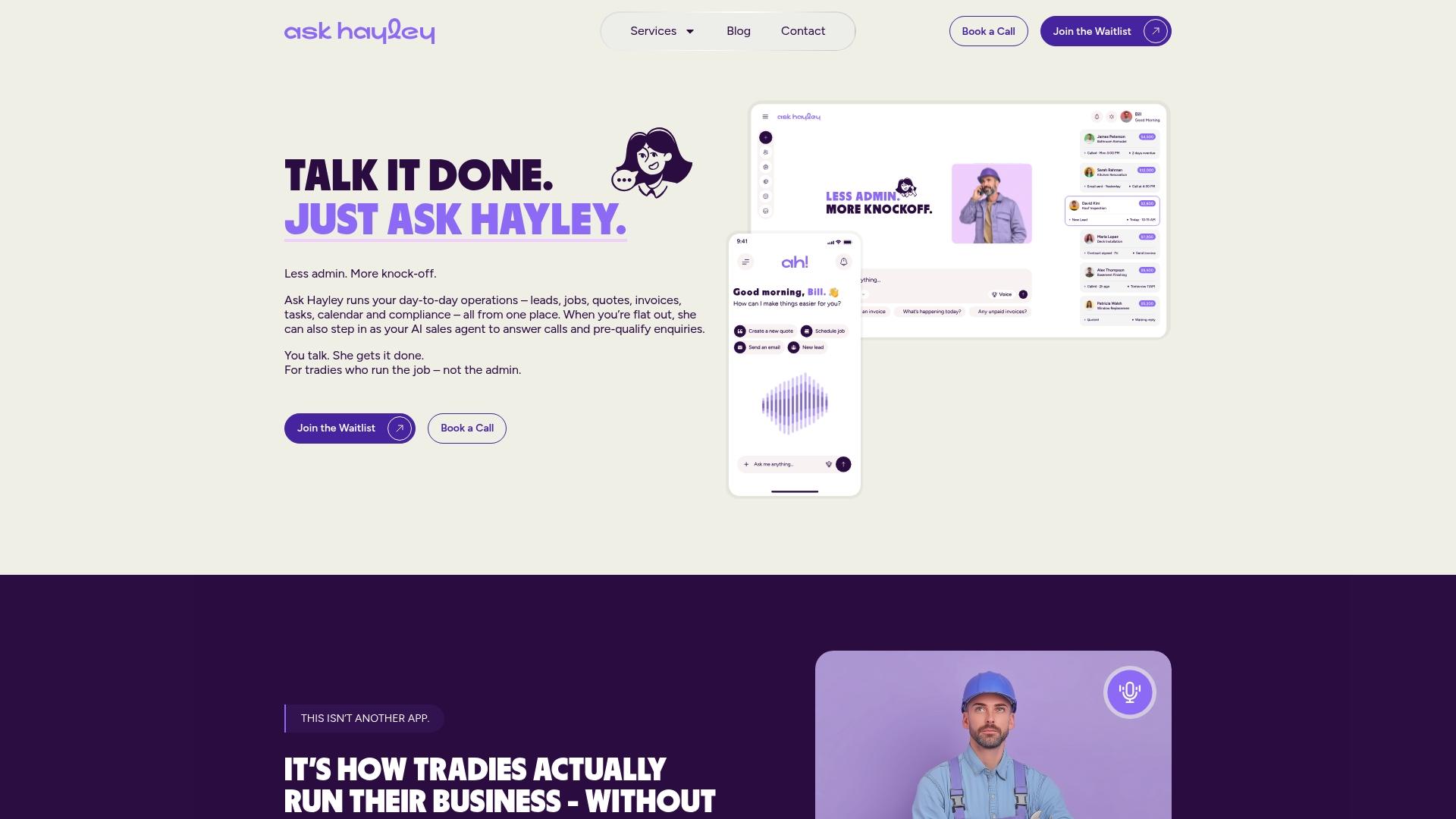
If you want the capture side sorted so your AroFlo records are complete from the first call, Ask Hayley is built for exactly that. Talk to Hayley and the call, lead and admin side takes care of itself.
We also help with the professional side of the business: a one page website, tendering support, and safety and compliance documentation. Pricing for these is by project, so get in touch through the site to talk about what you need.
FAQ
Can AroFlo connect to Xero?
Yes. AroFlo and Xero are designed to pass customer, supplier and invoice information between them, which keeps your jobs and books aligned. Set it up with clean client and item lists, then check a few synced invoices for GST accuracy.
Can I connect AroFlo to apps that don’t have a built-in link?
Often you can. Zapier offers AroFlo connections for workflows such as creating clients or tasks from other apps. Keep each automation simple and give someone ownership of it.
Do I need a developer for an AroFlo integration?
Not usually. Ready-made links and automation tools cover most small trade business needs. Custom API work is for unusual requirements, such as bespoke reporting across several systems.
Does Ask Hayley work with AroFlo?
Yes. Ask Hayley integrates with AroFlo and Xero, so voice-captured calls, leads and admin can sit alongside the job records you already keep.
What should I connect first?
Start with the handoff that costs you the most time each week. For many tradies that is answering calls and capturing leads, followed by quote to invoice.


