


Yes, Xero can automate your invoicing from end to end: repeating invoices, payment reminders, online payments and bank reconciliation all run without you touching a keyboard. Add Hubdoc for supplier bill capture and a payment gateway like Stripe or GoCardless, and the gaps close too. The result is less time chasing money and cleaner books, provided you set it up properly.
TL;DR:
- Proper setup of recurring invoices, reminders, payment gateways, and bank rules from most specific to most general ensures full automation without errors.
- Regularly reviewing templates, rule order, aged receivables, and failed payments quarterly prevents misconfigurations that can disrupt workflow.
- Integrating Hubdoc, Stripe, and GoCardless enables near real-time reconciliation and faster cash collection, especially for Australian small businesses.
- Upstream processes like job intake and work order tracking are critical, as automation relies on clean, timely data input.
- Voice-first workflows that capture job details during calls can significantly improve data accuracy and reduce manual follow-up tasks.
Table of Contents
- How does Xero invoice automation actually work?
- How do I set up automated invoicing in Xero?
- Which integrations make Xero invoicing truly hands-off?
- How do you automate accounts payable in Xero?
- What mistakes should you avoid when automating invoices?
- What tradies get wrong about “automating” their invoicing
- A practical next step for tradies running Xero
- Where to go for official Xero guidance
- Sources
- FAQ
How does Xero invoice automation actually work?
Xero automates invoicing through a handful of connected features that work best when they talk to each other. Get one wrong and the rest lose their punch.
- Repeating invoices: set a frequency (weekly, monthly, whatever suits the job) and choose whether Xero sends automatically or holds the invoice as “Awaiting Approval” for a human check first.
- Invoice reminders: scheduled nudges that fire before and after the due date, so you’re not the one sending awkward follow-up texts.
- Bank rules: these match incoming transactions to invoices for reconciliation, but only work reliably when ordered correctly, more on that shortly.
- JAX (Just Ask Xero): Xero’s plain-language assistant lets you create and send invoices through Xero, WhatsApp or SMS, handy when you’re on a roof and need to bill a job before you forget the details.
- Hubdoc: captures supplier bills by email or photo, then uses OCR to build draft bills in Xero ready for approval.
None of these features are new. What trips people up is treating them as separate switches instead of one connected workflow.
How do I set up automated invoicing in Xero?
Setting up Xero invoice automation is a sequence, not a single toggle. Skip a step and you end up with half-automation, which often creates more admin than none at all.
- Build your repeating invoice templates. Set the frequency, line items and GST treatment, then decide the status: “Awaiting Approval” if you want eyes on it first, or auto-send for a genuinely hands-off client relationship.
- Turn on invoice reminders. A sensible sequence is a nudge 7 days before the due date, a reminder on the due date itself, then follow-ups at 7 and 14 days overdue. Tune the tone so overdue reminders read firmer without sounding threatening.
- Connect a payment gateway. Link Stripe for instant card payments, GoCardless for Direct Debit collection, or both, and switch on the Pay Now button across your templates. Xero’s own data shows customers spend significantly less time chasing payments once reminders and Pay Now buttons are running together.
- Connect your bank feed and set bank rules. Order rules from most specific to most general. A rule matching “ABC Electrical Supplies” should sit above a broad rule for “any payment under $200”, otherwise the general rule fires first and miscodes the transaction.
- Run a full test. Generate a repeating invoice, pay it yourself via the Pay Now button, and check it reconciles automatically against the bank feed. If it doesn’t, the fault is almost always rule order, not the software.
Pro Tip: Test with a real dollar amount you can refund yourself, not a $1 placeholder. Small test amounts sometimes get filtered differently by payment gateways, which can give you false confidence that everything’s working.
Which integrations make Xero invoicing truly hands-off?
Automation only goes as far as the tools feeding it. Three integrations do most of the heavy lifting for Australian small businesses.
- Hubdoc, included with most Xero subscriptions, fetches supplier invoices from email and portals, extracts the data with OCR, and pushes draft bills into Xero, so the accounts payable side isn’t stuck on manual entry while your accounts receivable side runs itself.
- Stripe puts a Pay Now button on every invoice, and connecting a payment gateway to Xero is what turns a static PDF into something a client can settle in seconds.
- GoCardless handles Direct Debit, useful for retainer clients or recurring maintenance contracts where you don’t want to rely on someone remembering to pay.
- Zapier or a marketplace app is worth adding once your job management tool needs to trigger invoice creation itself, for example when a job is marked complete in the field.
Get these three working together and your reconciliation reporting starts reflecting reality in near real time, rather than a week behind.
How do you automate accounts payable in Xero?
Invoice automation isn’t just about what you send out. What comes in matters just as much for cashflow visibility.
- Use Hubdoc to capture supplier invoices automatically and generate draft bills, cutting out manual data entry entirely.
- Set approval workflows and dollar thresholds so nothing above a set amount gets paid without a second set of eyes.
- Run batch payments on a schedule rather than ad hoc, which also makes it easier to catch early payment discounts before they expire.
- Track AP KPIs inside Xero, processing time per bill and error rates, so you know whether automation is actually saving time or just moving the bottleneck.
Automating accounts payable this way also speeds up audit readiness, since every bill has a digital trail from capture to approval to payment.
What mistakes should you avoid when automating invoices?
Most automation failures aren’t technology problems, theyre configuration gaps that leave a workflow half built.
- Don’t switch on reminders without a payment link attached, a nagging email with nowhere to click is worse than no reminder at all.
- Don’t set up bank rules without checking their order, a general rule sitting above a specific one will misfile transactions silently.
- Review your repeating invoice templates every quarter, rates change, clients change, and a stale template keeps billing the old number.
- Watch aged receivables and failed payments weekly, and log any exceptions for manual follow-up rather than assuming the system caught everything.
Configuration, not the software itself, is the biggest barrier to automation working properly, and a quarterly review catches most of the drift before it costs you money.
| What to check | How often | Why it matters |
|---|---|---|
| Repeating invoice templates | Quarterly | Rates and line items go stale fast |
| Bank rule order | Quarterly or after a new supplier | Prevents miscoded transactions |
| Reminder and payment link settings | Quarterly | Broken links mean silent non-payment |
| Aged receivables and failed payments | Weekly | Catches exceptions before they compound |
What tradies get wrong about “automating” their invoicing
Most advice on Xero automation treats invoicing as an isolated task you switch on inside the software. That’s backwards for a trade business. The real bottleneck usually sits upstream, in the gap between finishing a job and getting the details into Xero at all.
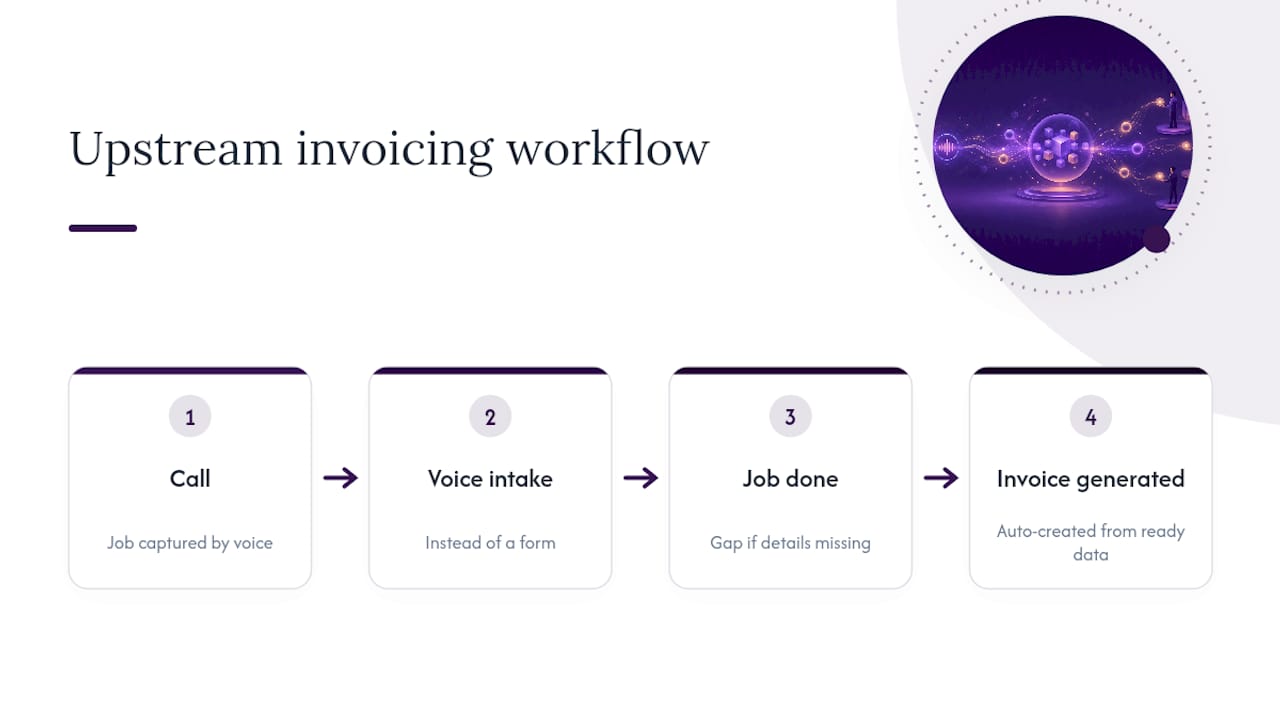
A voice-first workflow closes that gap differently. A call comes in, the job gets captured through voice intake instead of a form nobody fills in properly, and once the work is marked complete, the invoice data is already sitting there ready to flow through. That’s the sequence: call, intake, job done, invoice generated, not “job done, then someone remembers to write it up on Friday.”
Work order tracking and consistent follow-up cadence matter here because they’re the upstream steps that decide whether Xero’s automation has clean data to work with. Automation only performs as well as what feeds it.
— Hayley
A practical next step for tradies running Xero
Xero automates the invoicing side beautifully once it’s fed clean, timely job data, and that’s exactly the piece most trade businesses lose to missed calls, scribbled notes and forgotten follow-ups. A voice-first assistant that answers calls you can’t get to, captures the job details on the spot, and keeps that information moving toward the invoice instead of sitting in a notebook until Friday can help close that gap.
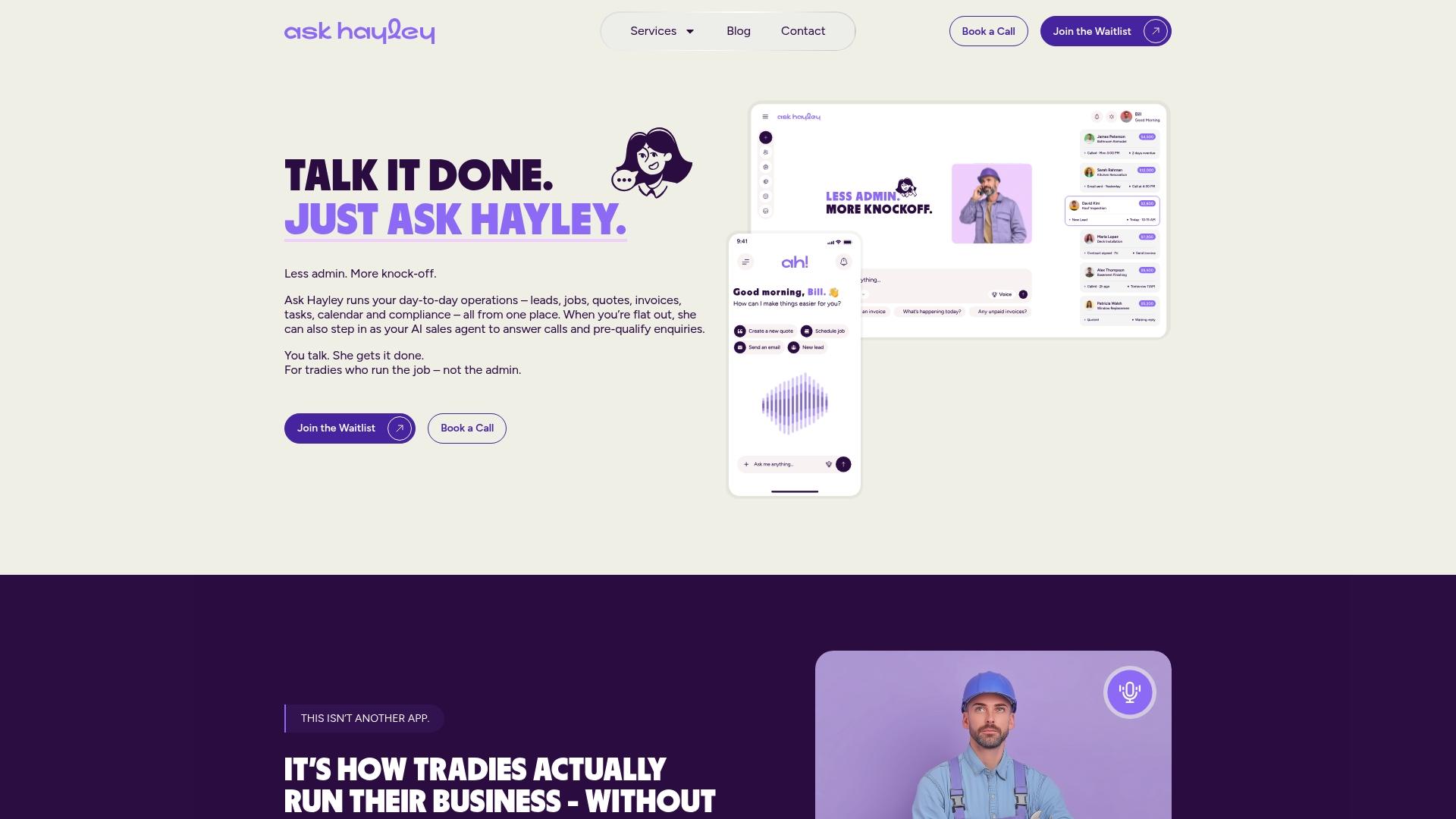
If you’re weighing up a proper web presence alongside your admin setup, the One Page Website service gives tradies a fast, professional front door without agency timelines. Businesses chasing bigger contracts can also look at tendering support to put together stronger submissions. For a broader look at how Ask Hayley’s add-ons fit around your existing Xero setup, start at the Ask Hayley homepage and get in touch to talk through your specific workflow.
Where to go for official Xero guidance
- Xero’s invoicing and payments guide covers repeating invoices, reminders and Pay Now buttons directly from the source.
- Xero’s accounts payable automation guide is written for Australian accountants and bookkeepers setting up Hubdoc-driven workflows.
- Ready Accounting’s implementation guide offers a practical, hands-on walkthrough for getting the setup right the first time.
Sources
- Easy online invoicing software for SMBs | Xero
- How to automate accounts payable for your clients | Xero AU
- How to Automate Repeating Invoices and Rules in Xero? | Patron Accounting
FAQ
How can I automate invoices in Xero?
Set up repeating invoice templates with a fixed frequency, connect a payment gateway like Stripe or GoCardless for online payments, and turn on scheduled reminders. Bank rules then handle reconciliation automatically once payments land, provided the rules are ordered from specific to general.
Why is Xero’s share price falling?
Share price movements reflect broader market and investor sentiment rather than product performance, and they have no bearing on whether Xero’s invoicing and automation features work as intended for your business. If you’re researching Xero as a company rather than a tool, that’s a separate question from whether its automation suits your invoicing needs.
What’s the best invoicing software for small businesses in Australia?
Xero is one of the most widely used platforms among Australian small businesses and bookkeepers, particularly once repeating invoices, reminders and payment integrations are configured together. For tradies specifically, pairing Xero with a voice-first tool like Ask Hayley to capture job data earlier in the workflow often matters more than the invoicing software choice itself.
Is Hubdoc still free with Xero?
Hubdoc is included with most Xero subscriptions at no extra cost, giving you automatic supplier bill capture and OCR data extraction as part of your existing plan. Check your specific Xero subscription tier to confirm inclusion, as this can vary between plan levels.


