


A sitemap is a file that lists the pages on your website you want Google to know about. For a tradie site, that means your homepage, your service pages, the areas you really work in and your contact or quote page. Most website builders create one for you. Your job is to check it lists the right pages, then tell Google where it lives through Search Console.
That takes about 20 minutes. This guide walks you through it in plain terms, with no coding needed.
TL;DR
- A sitemap is a list of your important pages that helps Google find and crawl your site. It does not guarantee ranking or indexing.
- If you use WordPress, Wix or a similar builder, you probably already have one. Find it, then check what’s in it.
- List only pages you want customers to land on: homepage, service pages, genuine service-area pages, contact and quote pages, key project pages.
- Leave out redirects, dead pages, noindex pages, test pages, logins and duplicates.
- Submit the sitemap in Google Search Console, then check the Sitemaps report for errors.
Table of Contents
- What a sitemap actually is
- Does a tradie website need a sitemap?
- Which pages belong in a tradie sitemap
- What to leave out
- How to create a sitemap
- How to submit your sitemap to Google Search Console
- Common sitemap errors and quick fixes
- A simple sitemap checklist for tradies
- Perspective
- Need a site worth listing?
- FAQ
- Sources
What a sitemap actually is
Think of a sitemap as the page index at the front of a manual. Google describes it as a file where you provide information about the pages, videos and other files on your site, and Google reads it to crawl your site more efficiently. It can also tell search engines which pages you consider important and when a page was last updated.
There are two kinds, and people mix them up.
XML sitemap: for Google
This is the one that matters for this article. An XML sitemap is built for search engines, not people. Google’s own explanation is that XML sitemap files are processed by its sitemap program. It’s a plain list of web addresses, usually found at an address like yourwebsite.com.au/sitemap.xml. Customers will never see it.
HTML sitemap: for visitors
An HTML sitemap is an ordinary page on your site with links to your main sections, often linked from the footer. It helps people find their way around. Search Engine Journal explains that it doesn’t need a specific format, though the links should be followable. You can’t submit an HTML sitemap to Google’s sitemap tools.
For a typical tradie site of five to twenty pages, the XML sitemap is the priority. A tidy menu and footer do the job of an HTML sitemap.
Does a tradie website need a sitemap?
Short answer: it helps, and it costs you almost nothing.
Google is upfront that if your pages are properly linked, it can usually discover most of your site. Sitemaps matter more for large or complex sites. A small trade site with a clean menu is not complex.
So why bother? Because a few situations are common for tradies:
- You’ve added new service pages and nothing links to them yet.
- Your site is new and few other sites link to it.
- You’ve got project or case study pages buried several clicks from the homepage.
- You’ve rebuilt the site and want Google to pick up the new addresses.
Search Engine Land describes a sitemap as a roadmap that helps search engines find key pages, including ones several clicks from the homepage and orphan pages with no links pointing at them. Google also says that in most cases sites benefit from having one.
What a sitemap won’t do
Be realistic here, because plenty of sales pitches oversell this. Google says a sitemap helps search engines discover URLs but doesn’t guarantee they’ll all be crawled and indexed. Submitting one is a hint, not a command. And a sitemap isn’t a ranking factor by itself, though it can lift your visibility by getting more of your site crawled and indexed.
In other words, the sitemap gets your pages in the door. What’s on the page decides whether anyone rings you. That’s where your copy, layout and reviews come in. If you want to work on that side, our guide to tradie website copywriting covers what to write on each page.
Which pages belong in a tradie sitemap
The rule is simple: list the pages you’d be happy for a customer to land on from Google. Each should be a real page, load properly and be the preferred version of that address.
Google’s guidance is to include only canonical URLs, meaning the one main address for each page. Listing duplicates adds server load without helping indexing.
Here’s how that looks for a typical trade business.
| Page type | In the sitemap? | Why |
|---|---|---|
| Homepage | Yes | Your main entry point and trust page |
| Service pages (one per service) | Yes | These match what customers search for |
| Service-area pages with real local content | Yes | Only where you genuinely work and have local detail |
| Contact or quote request page | Yes | It’s where enquiries happen |
| Project or case study pages | Yes | Proof of work, often buried deep in the site |
| Licence, insurance and about pages | Yes, if they’re useful to a customer | Builds trust before the call |
| Thank-you pages after a form | No | Nobody should land there from search |
| Login, cart, admin and account pages | No | Not for the public |
| Old pages that redirect | No | List the final address instead |
| Deleted pages (404) | No | They send Google nowhere |
| Test or staging pages | No | Not ready for customers |
This lines up with what an Australian SEO agency suggests for service businesses: the homepage, current service pages, relevant service-area pages and useful commercial content that are canonical, indexable and return a 200 OK status.
Service pages: one job, one page
An electrician who lists “Services: switchboards, rewiring, lighting, safety switches, EV chargers” in one paragraph is giving Google one page to work with. Give each major service its own page with the detail a customer wants: what you do, what areas you cover, what the job involves, a photo or two. Then each page goes into the sitemap.
We’ve written a separate piece on laying out the most important page, your homepage, in three homepage layouts for tradies.
Service-area pages: only if they’re real
It’s tempting to build a page for every suburb and paste the same text with the name swapped. Don’t pad your sitemap with them. A suburb page earns its place when it has something local: a job you did there, a photo, the kind of properties or council rules you deal with. If you can’t write two honest paragraphs about working in an area, cover it on your main service page instead. Our guide to service area pages for tradies shows how to keep them lean and useful.
What to leave out
Leaving pages out of a sitemap is normal, not a failure. Not every page needs to be in Google, and you don’t want to send mixed signals about the ones that matter.
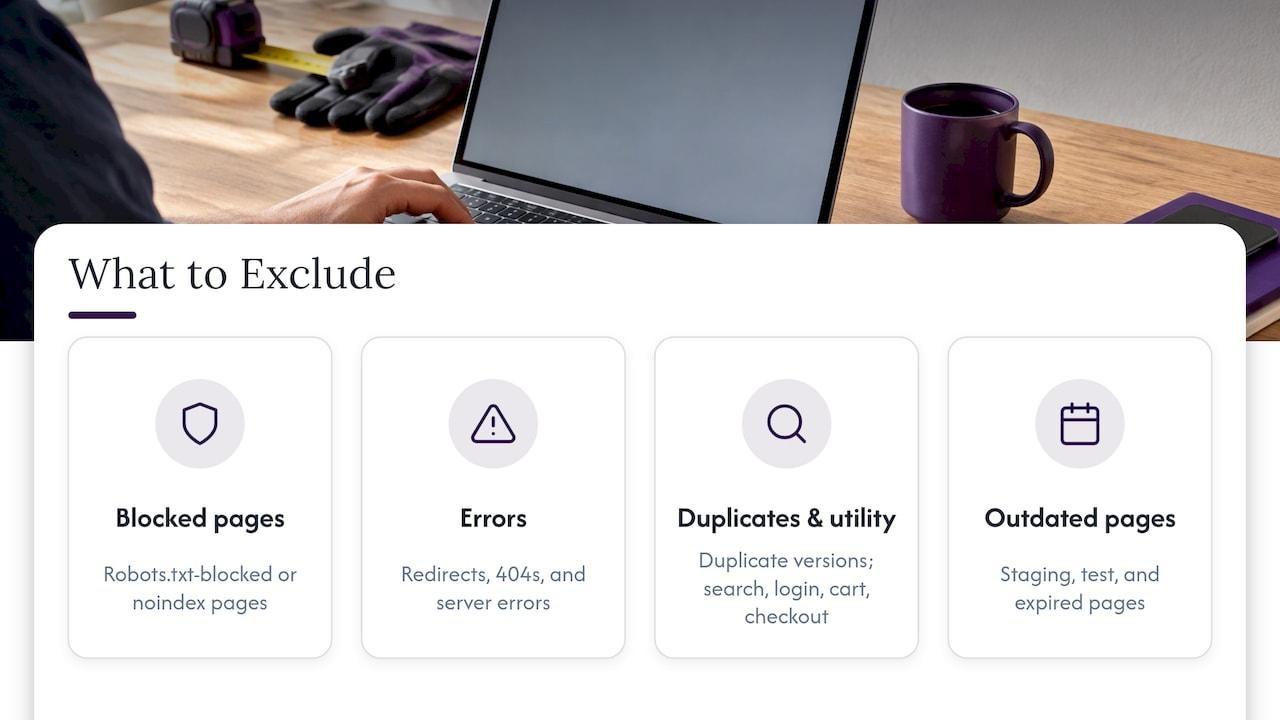
A good working list of what to exclude: pages blocked by robots.txt, pages with a noindex tag, redirecting addresses, 404 and server-error pages, duplicate versions, internal search results, login, cart and checkout pages, staging or test addresses, and expired pages. That list is drawn from a technical SEO guide on sitemap contents.
A common tradie example: you built a “Summer special” page two years ago, then deleted it. The sitemap still lists it, Google hits a dead end and Search Console flags an error. Remove it and regenerate the file.
How to create a sitemap
You’ve got three options, and the first suits nearly every tradie.
- Let your website platform do it. Google notes that most CMSes automatically generate a sitemap. If you’re on WordPress, Wix or Blogger, it’s likely one already exists. Try typing your web address followed by /sitemap.xml into your browser. If you see a list of addresses, you’re set.
- Use an SEO plugin or tool. If your platform doesn’t make one, a plugin or generator can. Make sure it updates automatically when you add or remove pages.
- Write one by hand. Google says you can create one manually for a few dozen URLs, but for most owners this is more work than it’s worth.
Whichever you choose, a few technical rules from Google are worth knowing. Use fully qualified, absolute addresses (starting with https://), since Google tries to crawl URLs exactly as listed and has trouble with relative ones. The file should use UTF-8 encoding. And if you update a page’s content, updating its last modified date helps crawlers find the change sooner.
If your site is built by a developer, ask them for the sitemap address and whether it updates on its own. Sitemaps that never refresh go out of date quickly, which is why some SEO teams rely on dynamic sitemaps that stay current as pages are added or removed.
How to submit your sitemap to Google Search Console
Search Console is Google’s free tool for site owners. You’ll need to verify that you own the site first, and then:
- Open Search Console and choose your website.
- Go to Sitemaps in the left-hand menu.
- Under “Add a new sitemap”, enter the address of your file (for example, sitemap.xml) and hit Submit.
- Check the status column. It should say Success.
Google’s instructions are to submit through the Sitemaps report, which shows when Googlebot accessed the file and any processing errors. You can also add a “Sitemap:” line to your robots.txt file so Google finds it on its next crawl.
One note on wording: “submitting” just means telling Google where the file is. You can’t upload a sitemap to Google through that report. The sitemap has to be posted on your site, in an acceptable format, and open to Googlebot, so not hidden behind a login.
Checking it’s working
Come back after a few days. The report shows the submission status, discovered URL count and last read date. If the number of pages Google found is far lower than the pages in your sitemap, or lots are listed but not indexed, it can point to thin content or canonical problems. Use the URL Inspection tool in Search Console to check a single page and see why Google treated it the way it did.
Common sitemap errors and quick fixes
Most problems come from a sitemap that wasn’t kept up after the site changed. Here’s what to look for.
| Problem | What it means | Fix |
|---|---|---|
| Dead pages (404) | Page deleted, still listed | Remove dead URLs and regenerate the sitemap |
| Redirects (301 or 302) | The listed address sends people elsewhere | Replace with the final address that returns 200 |
| Noindex pages listed | You’re asking Google to index a page you’ve told it not to | Remove the noindex tag or take the page out of the sitemap |
| Blocked by robots.txt | Googlebot can’t reach the page | Lift the block if the page should be public, otherwise remove it from the sitemap |
| Broken file | Unclosed tags, stray characters or encoding errors | Fix the XML, because it can stop URLs being processed |
| Wrong version of the address | http instead of https, or www mismatches | List the one version your site actually uses |
If you see errors in Search Console and don’t know where to start, begin with the first URL listed in the error. Open it in your browser. Does it load, redirect or show an error? That tells you which row in the table applies.
A simple sitemap checklist for tradies
Run through this after any website change, and at least a couple of times a year:
- Can I open my sitemap in a browser?
- Does it list my homepage, each service page, my contact page and genuine area pages?
- Are any deleted, redirected or test pages still in there?
- Does every listed address start with https:// and open directly?
- Is it submitted in Search Console, with a Success status?
- Did I update the sitemap after adding a new service or project?
If you can tick all six, you’ve done what a sitemap can do for you.
Perspective
We see the same pattern with tradies’ websites. The sitemap is fine, but nobody has ever checked what’s in it, and the site behind it is thin: one services paragraph, no real area detail, a contact form that nobody answers quickly.
A sitemap helps Google find your pages. It can’t make a customer ring you. When the phone rings and you’re up a ladder, under a sink or on a roof, the page has done its job only if the call gets answered and the lead gets followed up.
That’s why we built Ask Hayley around how trade work really goes. Your website, your calls and your admin should work together, without another app to learn. Get the basics right (a clean sitemap, lean pages, a clear way to enquire) and then make sure no enquiry goes missing.
Hayley
Need a site worth listing?
If you don’t have a website yet, or yours is a patchwork of old pages, a sitemap won’t fix the foundations. Our One Page Website service is designed for tradies and small service businesses who want a clear, professional page that shows what they do, where they work and how to get in touch.

With a single page, the sitemap question is simple. There’s one main address to list and one place to send customers. Tell us about your trade and we’ll talk through what suits your business at Ask Hayley. If you’d like to understand budgets first, see our breakdown of what a tradie website costs in Australia.
FAQ
Do I need a sitemap if my website only has a few pages?
It’s still worth having. Google says it can usually find most pages that are properly linked, so a small site may be crawled fine without one. But Google also says most sites benefit from a sitemap, and if your builder generates one automatically, it’s free insurance. Just check what’s in it.
Will a sitemap help me rank higher on Google?
Not directly. Google has said a sitemap isn’t a ranking factor by itself. What it does is help Google discover and crawl more of your pages, which gives them a chance to appear in results. Rankings still depend on the quality and relevance of the pages themselves.
How do I find my website’s sitemap?
Type your web address followed by /sitemap.xml into your browser. If nothing appears, check your robots.txt file (your address followed by /robots.txt), where a Sitemap line may point to it. If you still can’t find it, your platform’s settings or your web developer can tell you where it lives.
Should I list every suburb I work in?
Only if each suburb page has real local content, such as jobs you’ve done there, photos and practical details. Pages that are the same text with a different suburb name don’t help customers, and they clutter the sitemap. For areas where you have little to say, mention them on your main service page.
How often should I update my sitemap?
Whenever you add, remove or change pages. If your platform generates the sitemap automatically, it updates itself, so just check Search Console now and then for errors. If you built it by hand, update it after every change.
Sources
- What Is a Sitemap, Google Search Central
- Build and Submit a Sitemap, Google Search Central
- How is a Google Sitemap different from an HTML sitemap?
- Sitemaps FAQs, Google Search Central Blog
- Best practices for XML sitemaps and RSS/Atom feeds
- FAQ: Google Search Crawling and Indexing
- Sitemaps report, Search Console Help
- Ask an SEO: Is an XML or HTML sitemap better for SEO?, Search Engine Journal
- Sitemap: Best practices for crawling and indexing, Search Engine Land
- XML Sitemaps Explained: What Should Be Included?
- Technical Guidelines for XML Sitemaps
- Sitemap Best Practices: The Complete Guide for 2026
- Sitemap Errors, Instant Sitemap


