


Quote automation means the software does the repetitive parts of quoting: capturing the enquiry, building the quote from your rates, sending it, chasing it and turning it into an invoice. You still make the calls that need a tradesperson’s judgement, like scope, risk and price. Done well, you quote faster, you stop losing jobs to slow replies, and every quote reaches the customer complete and consistent.
This guide covers what can be automated, what an Australian quote must contain, how to build the workflow step by step, and how to tell whether it’s paying off.
TL;DR
- Automate the admin around the quote (enquiry capture, templates, rates, sending, follow-up, invoicing). Keep the scope and price decisions yours.
- A written quote that’s accepted can become a legally binding contract, so every automated quote needs the full set of details, not just a number.
- Build the workflow in order: enquiry, site details, costing, review, send, follow-up, invoice. Fix the weakest step first.
- Check each quote before it goes out, at least until you trust your templates. Errors repeat at speed when they’re automated.
- Measure three things: time to send a quote, quotes accepted, and quotes that never got a reply.
Table of Contents
- What quote automation actually covers
- Why a quote is more than a price
- How to set up an automated quote workflow
- Checking automated quotes before they go out
- Automating follow-ups without being annoying
- Connecting quotes to your other tools
- How we think about quote automation
- Work out whether it’s working
- Where Ask Hayley fits
- FAQ
- Sources
What quote automation actually covers
Quoting is a chain of small jobs. Some need your eyes on the site. Most don’t.
The national training unit for estimating and costing a job describes the core work as gathering job information, estimating materials, labour and other costs, applying overheads, mark-up and GST, checking the calculations, preparing the quotation and keeping the records. Look at that list and you can see where software helps:
| Step in the quote | Can it be automated? | What stays with you |
|---|---|---|
| Taking the enquiry and customer details | Yes: calls, forms and chat can be captured and sorted | Deciding which jobs you want |
| Gathering job information | Partly: standard questions can be asked up front | Seeing the site, spotting risks |
| Costing materials and labour | Partly: saved rates and price lists | Checking supplier prices and unusual items |
| Adding GST, mark-up, terms | Yes: built into the template | Setting the margin and terms |
| Preparing and sending the document | Yes | A final read before it goes |
| Following up | Yes: scheduled reminders | Personal calls on big jobs |
| Turning accepted quotes into invoices | Yes | Variations on the job |
The pattern is simple. Automation handles anything repeatable. You handle anything that depends on what you actually see on site.
Why a quote is more than a price
It’s tempting to treat a quote as a number on a page. The law and your margin say otherwise.
Business.gov.au explains that a quote tells a customer what you’ll charge and on what terms, and that if it’s accepted it becomes a legally binding contract. It also says clear, specific and complete quotes help win work, build trust and protect your business.
That’s the risk with automation. A template with a gap in it, such as a missing exclusion, an unclear scope or no expiry date, doesn’t make one mistake. It makes the same mistake every time it’s used.
What every Australian quote should include
Business.gov.au sets out what a written quote should contain:
- Your business name, ABN and contact details
- The customer’s details
- A clear description of the work
- Itemised and total costs, including GST if applicable
- How variations will be handled
- Payment terms and payment method
- Start and finish dates
- An expiry date
- A place for the customer to sign and date acceptance
Build every one of these into your template as a required field. If the software lets you send a quote with a blank scope or no expiry, change the setup.
Business Queensland adds practical costing points: include the exact scope of work, true material, labour and operating costs, check supplier availability and prices, and show cost breakdowns, GST, options, timeline and expiry. For a deeper look at what to price in, see our guide to the five costs every tradie quote must include.
Get GST right in the template
GST is 10% on most goods and services sold in Australia, and a business must register once its GST turnover reaches $75,000. If you’re registered, your template should show GST as its own line and show the total including GST. If you’re not, the template shouldn’t add it. Check this once, properly, rather than per quote.
How to set up an automated quote workflow
Here’s the order that works for most trade businesses, whether you’re a sparky, a plumber or a roofer.
1. Capture every enquiry
A quote can’t start if the enquiry goes to voicemail. Work out where enquiries arrive: phone, website form, text, email. Then make sure each one lands somewhere you can see, with the same basic details: name, number, address, type of job.
This is where most of the lost work happens. If you’re on a roof or under a house, you can’t answer the phone. That’s why we built Hayley to answer calls you can’t and pre-qualify the lead before it hits your inbox. Faster responses matter too, and our page on lead response time goes into it.
2. Ask the same questions every time
For each job type you quote, write down the five to eight things you always need to know. For an electrician replacing a switchboard, that might be the age of the house, the number of circuits, access to the meter box and whether there’s a photo available. Put those questions at the start of the enquiry so the information is there before you’ve left the ute.
3. Save your rates and common items
Your labour rate shouldn’t be a guess you make fresh each time. Work out a charge-out rate from real job time, then store it. Our charge-out rate formula shows how to use actual hours rather than hopeful ones. Then save the materials and tasks you quote repeatedly, with a note to check supplier prices on anything that moves.
The building-cost unit CPCCBC4004 lists what a thorough estimate considers: drawings and specifications, site features, materials, waste, approvals, delivery, labour rates and on-costs, equipment, overhead recovery, margins and risk. You don’t need that much detail for a tap washer. For a bathroom reno or a re-roof, it’s a sensible checklist for what your saved items should cover.
4. Build the quote from those pieces
This is the step people picture when they hear “automation”. The system pulls your rate, adds the items, applies mark-up and GST, and puts it into a template with your terms. With voice, you describe the job and the quote takes shape. Our walkthrough on how to dictate a quote on site shows what that looks like in practice.
5. Review before it goes
Read the quote the way the customer will. We cover the checks in the next section.
6. Send it and start the follow-up clock
A quote that’s sent and forgotten is a quote that’s probably lost. Set the follow-up schedule at the moment you send. We’ve written about follow-up cadence and have five follow-up email examples you can adapt.
7. Convert to a job and an invoice
When the customer accepts, the quote should become the job and then the invoice without retyping. That’s where mistakes and wasted evenings creep in. See our quote-to-invoice workflow for how to keep it hands free.
Checking automated quotes before they go out
Speed is the point, but a wrong quote costs more than a slow one. Build a short check into the process.
The five-point review
- Scope. Does the description say exactly what’s included and, just as importantly, what isn’t?
- Numbers. Do the line items add up to the total? Is GST correct?
- Materials. Are prices current for anything with volatile pricing, like copper, timber or steel?
- Terms. Are the deposit, payment terms, variations clause and expiry date all there?
- Customer details. Is the name, address and contact correct, and is the quote going to the right person?
The estimating unit puts it plainly: the work includes checking and verifying costing details, resolving errors or anomalies, preparing an accurate customer quotation and filing the documentation. Automation does the preparing. The checking is still a human job, at least until a template has proven itself across a few dozen quotes.
Protect your price and deposit
The terms on a quote carry as much weight as the price. Clear wording on deposits, price changes and what happens if the customer cancels is what protects your margin when something goes sideways. We cover this in tradie quote terms and in our quote expiry policy guide, which explains why a fixed validity period stops old prices coming back to bite you.
Quote versus tax invoice
Don’t confuse the two. A quote isn’t a tax invoice. When you invoice, the ATO says a valid tax invoice for sales under $1,000 needs seven specific details, including your identity and ABN, the date, a description of the items and the GST amount. If your quote converts into an invoice automatically, check that the invoice template carries all of them. Higher-value sales have extra requirements, so check the ATO page for your jobs.
Keep customer information safe
Quotes hold names, addresses, phone numbers and sometimes photos of someone’s home. Use a system with a login for each person who needs access, don’t email quotes from a shared personal account, and don’t leave customer details in text threads on a phone that several people use. Delete or archive what you no longer need.
Automating follow-ups without being annoying
Most quotes that don’t convert don’t get a “no”. They get silence. A short, scheduled nudge is often all that’s needed. The trick is making it sound like you.
- Keep it short and specific. Mention the job (“the deck at Maple Street”), not “your quote”.
- Offer something useful. An answer to a likely question, an available start date, or an offer to adjust the scope.
- Know when to stop. Two or three follow-ups over a couple of weeks is plenty. After that, let the expiry date do its work.
- Pick up the phone for big jobs. Automation is for the routine ones. A $40,000 job deserves a call.
- Respect contact hours. Industry guidance in the older Direct Marketing Code of Practice says marketing messages shouldn’t be sent between 9pm and 8am on weekdays, or 9pm and 9am on weekends, without express consent. A quote follow-up to someone who asked for the quote isn’t the same as cold marketing, but sending at sensible hours is good manners and avoids complaints. The same code expects clear sender details and a working way to opt out of marketing messages.
Set the sending window in your software so you never have to think about it.
Connecting quotes to your other tools
Quotes shouldn’t live on their own island. Before you commit to any setup, check these things:
- Accounting. Does it send accepted quotes and invoices to your accounting package? Ask Hayley integrates with Xero and AroFlo, for example.
- Customer records. Is there one place for each customer, or will you re-enter details in two systems?
- Scheduling. Can an accepted quote create a job on your calendar? See our tips on hands-free job scheduling.
- Job tracking. Can you see what’s quoted, approved, in progress and invoiced at a glance? Our page on work order tracking covers it.
- Export. If you leave, can you take your customers, quotes and rates with you?
- Phone use. Can you do the whole thing from your phone, with gloves on, in the ute?
The more tools you join up, the fewer places an error can hide. But don’t connect everything on day one. Start with quoting, add invoicing, then scheduling.
How we think about quote automation
We built Ask Hayley for tradies who spend the day on tools and the night on paperwork. Here’s our view.
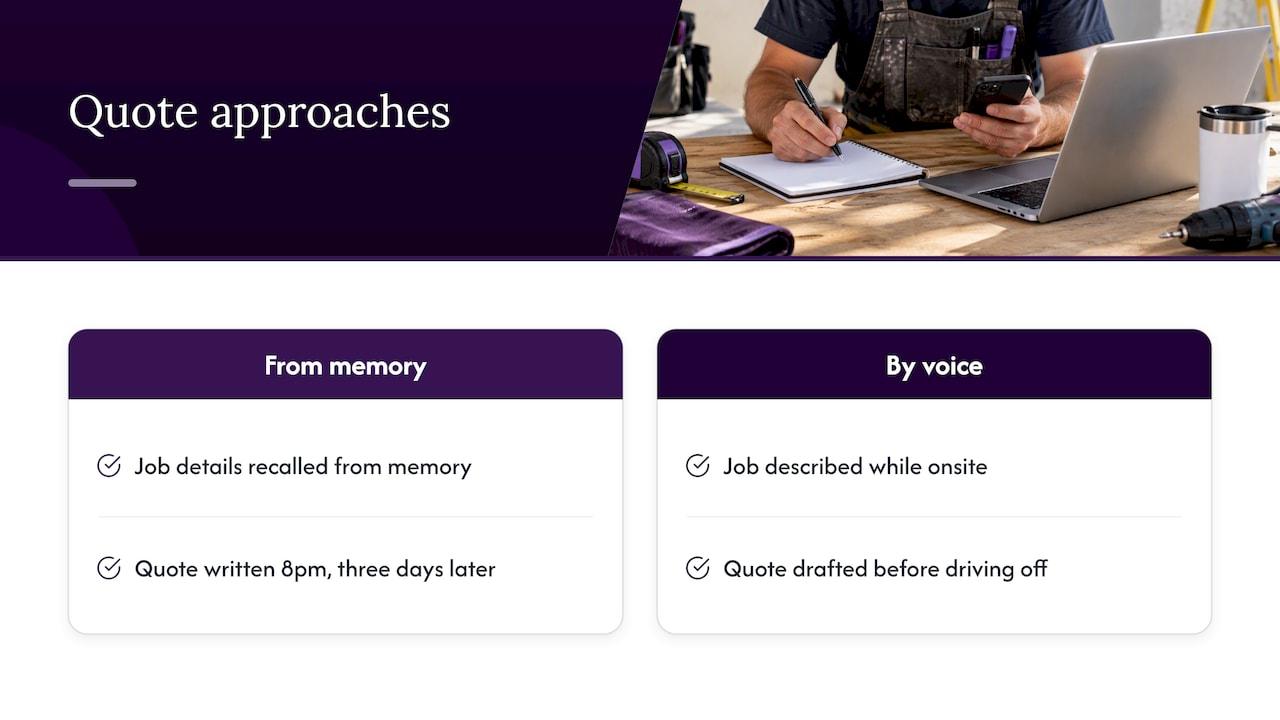
The biggest quoting problem isn’t the maths. It’s that the quote gets written at 8pm at the kitchen table, three days after the site visit, from memory. By then the customer has had two other quotes. Voice changes that: you describe the job while you’re still standing in it, and the quote is drafted before you drive off.
We also think automation should add no extra screens. If a tool needs a morning of training or a new dashboard to check every day, it probably won’t survive a busy week. That’s why Hayley works by talking: answering calls you can’t take, pre-qualifying the lead, and handling admin through natural voice prompts.
And we’d always say this: keep your judgement in the loop. Let the software do the typing and the chasing. You decide the price.
— Hayley
Work out whether it’s working
If you can’t measure it, you’re guessing. Pick a few simple numbers and look at them monthly.
| Measure | How to track it | What you’re looking for |
|---|---|---|
| Time to send a quote | Enquiry received to quote sent | Hours or days, not a week |
| Admin time per quote | Your own rough minutes, before and after | A clear drop |
| Acceptance rate | Quotes accepted divided by quotes sent | Steady or rising |
| Unanswered quotes | Quotes with no reply at expiry | Falling as follow-up improves |
| Quote errors | Corrections or disputes after sending | Close to zero |
| Missed enquiries | Calls or forms with no reply | Zero |
Take a baseline for two weeks before you change anything. Write down how long a quote really takes, from the enquiry to the send button. Then compare after a month. We haven’t put a dollar figure on the saving because it depends on your volume and your hourly rate. A simple way to estimate it: minutes saved per quote, times quotes per week, times what an hour of your time is worth.
If acceptance falls after you automate, don’t blame the software first. Look at response time, price and whether the scope was clear.
Where Ask Hayley fits
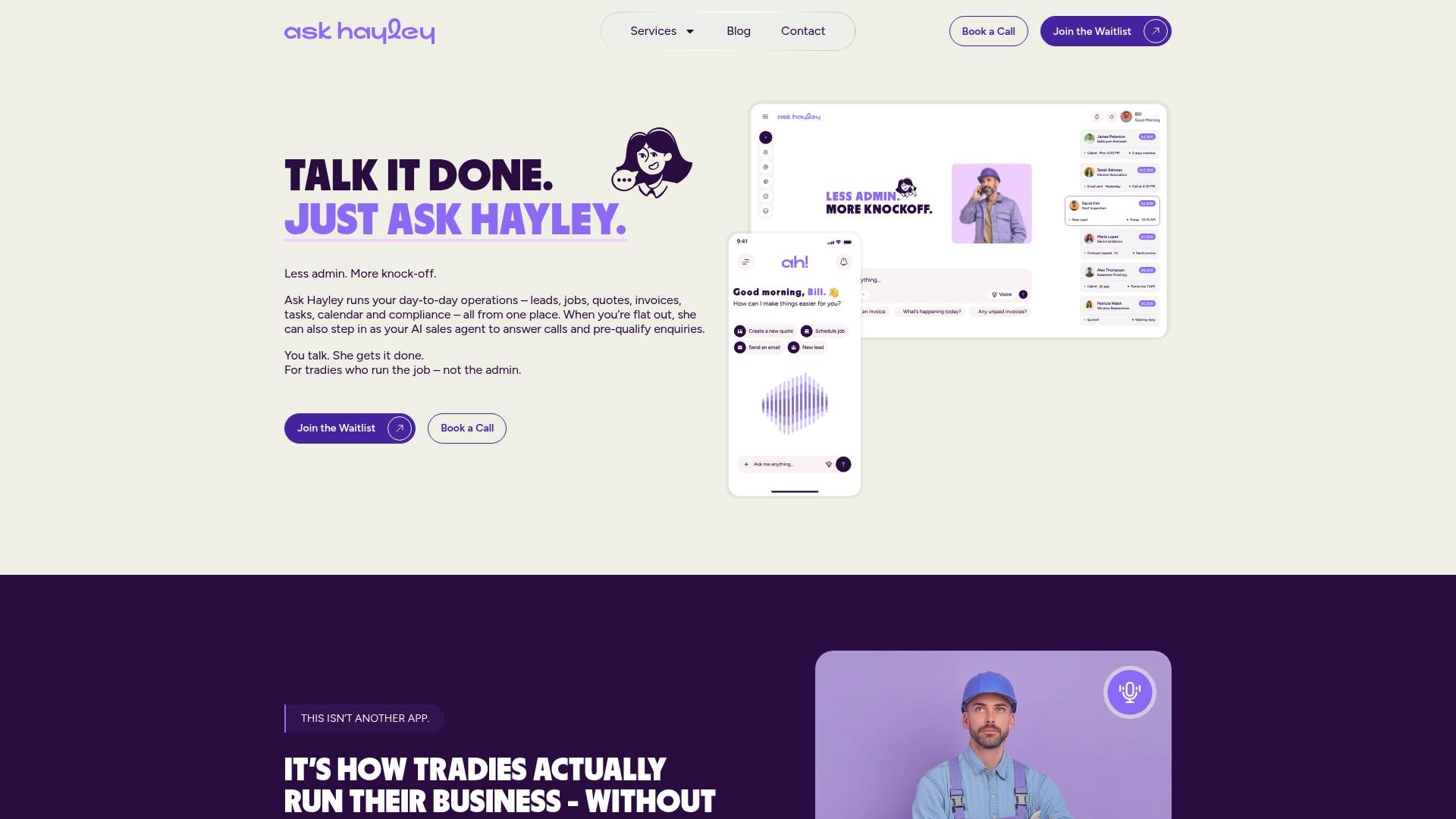
If quoting and admin are where your week disappears, Ask Hayley is built for exactly that. It’s a voice-first business management platform for Australian tradies and small service businesses. Hayley answers inbound calls when you can’t, pre-qualifies leads, and handles quotes, invoicing, tasks and your calendar through voice prompts. It works with Xero and AroFlo, so it fits the tools you already use. There are two core plans, Assistant and Office Manager, with optional add-ons for an AI Sales Agent and an AI website chatbot.
We also do the professional side: a one page website that makes it easy for customers to enquire, tender preparation, and safety and compliance documentation. See what we offer at Ask Hayley, or look at how a homepage layout can bring in more enquiries.
FAQ
Can I automate quotes if every job is different?
Yes, for the admin around the quote. Use templates for terms, GST, expiry and layout, and saved rates for labour and common items. Then add the job-specific scope yourself or by voice. Automation covers the repeatable 70 to 80 per cent of the work in the sense of the process, and you cover the part only you can see on site.
Is an automated quote legally binding?
A quote becomes a legally binding contract if the customer accepts it, according to business.gov.au. It doesn’t matter whether you typed it or software generated it. That’s why the scope, terms and expiry date need to be right before you send it.
What should I check before sending an automated quote?
Check the scope (including exclusions), the line items and GST, current material prices, your payment terms and variations clause, the expiry date and the customer’s details. If you have a legal or accounting question about your terms or GST, ask your accountant or a solicitor.
Do I need to be registered for GST to quote?
Not to quote, but your quote must reflect your status. A business must register for GST once its GST turnover is $75,000 or more. If you’re registered, show GST on quotes and invoices. Check with your accountant if you’re near the threshold.
How many times should I follow up a quote?
Two or three times over a couple of weeks suits most residential work, with a phone call for larger jobs. Space the messages out, send them at sensible hours and stop once the quote expires.
Sources
- Prepare quotes | business.gov.au
- Preparing a business quote | Business Queensland
- MSFGN3006 Estimate and cost job | training.gov.au
- CPCCBC4004 | training.gov.au
- Register for goods and services tax (GST) | business.gov.au
- Tax invoices | Australian Taxation Office
- Direct Marketing Code of Practice | ACCC


