


Voice job notes are short spoken recordings you make on site or in the ute, then turn into written job records, quotes and follow-ups. They work because you capture the detail while it is fresh and your hands stay free. The trick is a repeatable pattern: address first, then work done, materials, what is outstanding and what needs quoting. Then review it the same day.
This guide covers what to say, how to get clean audio on a noisy site, where voice notes fall short, what Australian privacy and record-keeping rules mean for them, and a simple end-to-end workflow.
TL;DR
- Start every note with the site address, then cover work completed, materials used, anything outstanding and anything to quote.
- Hold your phone about 20 cm from your mouth, shield it from wind and speak in one steady flow.
- Use voice for the story of the job. Check measurements, model numbers and prices in writing before you quote.
- Review notes the same day and turn them into job records, quotes to send and calls to make.
- Keep customer details out of public AI tools unless you are comfortable with them being retained.
Table of Contents
- Why spoken notes suit trade work
- What to say in a voice job note
- Getting clean audio on a noisy site
- Where voice notes fall short, and how to cover the gaps
- Privacy, consent and record-keeping in Australia
- A simple workflow, from site visit to follow-up
- Common mistakes to avoid
- Voice job notes by trade
- Perspective
- Put your notes to work with Ask Hayley
- FAQ
- Sources
Why spoken notes suit trade work
You finish a job at 3:40 pm. The switchboard is labelled, the gear is packed, and you have a mental list: the owner wants a second quote for the shed, the isolator needs replacing next visit, and you used the last of the 20 mm conduit. By the time you are home, half of that list has gone.
Typing on site is slow. Notebooks get wet, dusty or left on the dash. A voice note takes about a minute and you can do it while you are packing the ute or sitting in the driveway before you pull out.
Spoken notes suit trades because:
- Your hands are busy. Gloves, ladders, tools and wet hands do not mix with a touchscreen.
- The detail is fresh. You remember the odd thing behind the wall or the customer’s off-hand comment about the bathroom.
- It is fast. Talking is quicker than typing for most people, and far quicker than writing up at the kitchen table at 8 pm.
- It stops admin piling up. A daily habit beats a Sunday-night scramble.
This applies whether you are an electrician, plumber, roofer, arborist, painter, concretor or pool builder. The job differs, the habit is the same.
What to say in a voice job note
A good note is short, ordered and the same every time. Consistency matters more than polish. If you always start the same way, every recording is easy to match to a job later, whether you read it yourself or hand it to someone in the office.
The five-part pattern
Try this order:
- Site address. Say it first, every time. It tells you which job the note belongs to.
- Work completed. What you actually did today, in plain words.
- Materials used. What came off the truck or out of the van, and roughly how much.
- Anything outstanding. What is not finished, and why: waiting on parts, access, weather, a customer decision.
- Anything to quote. Extra work the customer asked about or that you spotted.
That pattern lines up with how most tradies already think at the end of a job. You are just saying it out loud.
A worked example
Here is what a 45-second note might sound like for a plumber:
“Fourteen Banksia Street, Penrith. Replaced the hot water relief valve and the isolation valve on the cold feed. Used one 15 mm valve, two lengths of copper, one tempering valve. Still outstanding: the laundry tap is dripping, customer wants it done next visit. To quote: new outdoor tap and a leak check on the bathroom waste.”
There is no waffle, and everything is in the order you would want to read it later. A good note answers three questions: where was I, what did I do, and what happens next?
A shorter variation for diagnostic work
For call-outs where you are finding a fault, a pattern that follows the visit works well: the issue as reported, what you found, what you did, what the customer decided, and the next step. HVAC, electrical fault-finding and garage door repairs fit this neatly. The customer decision step is the one most people forget, and it is the one that causes arguments three weeks later.
What to leave out
- Long stories about the customer. Stick to facts relevant to the job.
- Guesses at prices. If you need a figure, check it later.
- Full card numbers, passwords, alarm codes or gate codes. Do not dictate those into any tool.
Getting clean audio on a noisy site
Transcription, human or AI, is only as good as the audio. A saw running next door will beat the best tool going. A few habits help.
A manufacturer support guide for speech-to-text on mobile devices recommends speaking clearly in one continuous flow, holding the device about 20 cm away, shielding it from wind and using a wired or Bluetooth headset in very noisy settings. Put into trade terms:
- Step away from the noise. Walk to the ute, a quiet room or the shady side of the house before you record.
- Keep the phone at arm-ish length. Too close and you get breath pops. Too far and the mic picks up the site instead of you.
- Block the wind. Turn your back to it or sit in the cab with the door shut. Roofers and arborists know how fast wind wrecks a recording.
- Speak steadily. Pauses are fine, but stopping and starting every few words can confuse dictation tools.
- Use a headset on loud jobs. A Bluetooth earpiece with a mic is a cheap fix for demolition, concreting or anything with a compressor.
Say numbers slowly. Spell out unusual street names or product names once if you think they will be misheard.
Where voice notes fall short, and how to cover the gaps
Voice is excellent for narrative: what happened, what you found and what to do next. It is less reliable for exact figures. Transcription can stumble on numbers, model codes and anything said over background noise.
The practical fix is a division of labour:
- Voice for the story of the job, the customer’s requests and your next steps.
- Typing or a photo for measurements, serial numbers, model numbers and anything you will quote against.
If you are going to price a job from your note, check every dimension and quantity before the quote goes out. A transposed 2.4 m and 4.2 m is an expensive typo.
Pair the voice note with photos
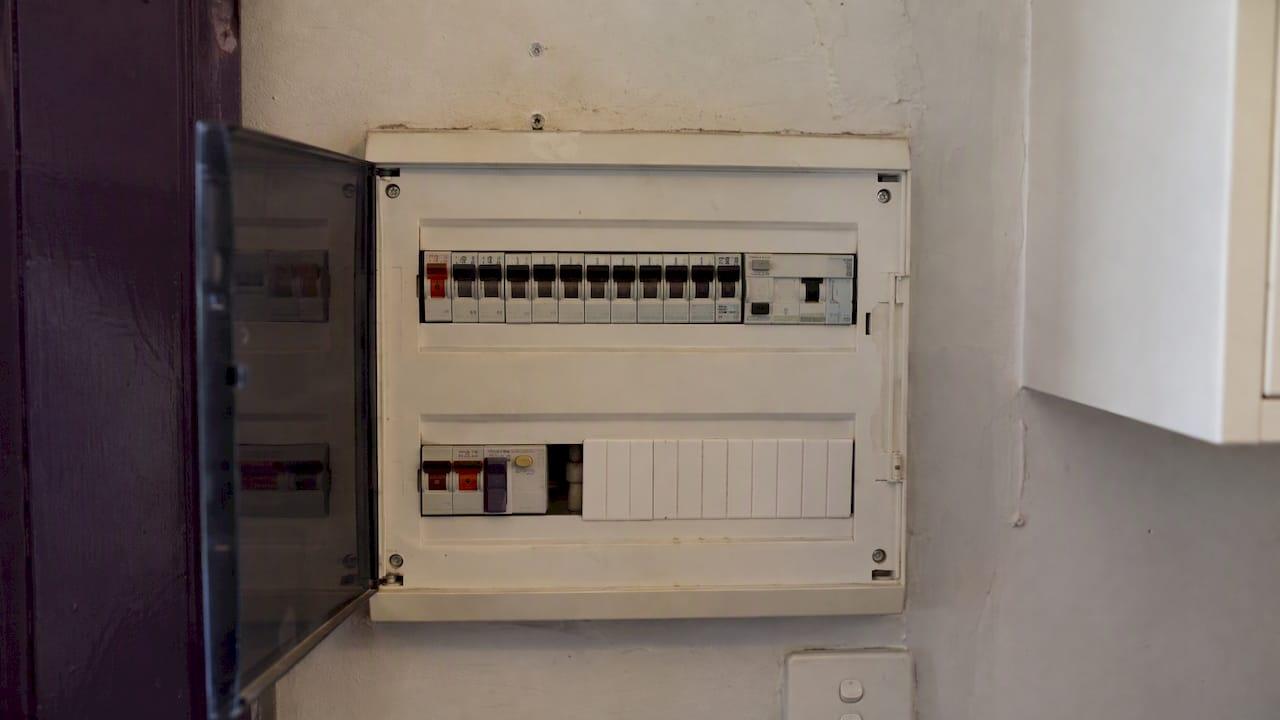
A voice note describes what you saw. It cannot show it. Take photos of the board, the roof, the fence line, the tile substrate or the existing condition before you start and after you finish. Then mention in your note that you took them, for example “photos taken of the switchboard before and after”. Later, you or anyone else can match the description to the picture.
Do a quick read-back
When the transcript arrives, skim it with the job in mind. Look for:
- the address (is it right?)
- numbers and quantities
- names, especially of customers and suppliers
- any sentence that does not make sense
Fix what is wrong while you still remember what you meant. That is why same-day review matters.
Privacy, consent and record-keeping in Australia
Voice notes are records. Once they contain customer names, addresses and job details, privacy and record-keeping rules can come into play. This is general information, not legal advice. If you are unsure about your own obligations, ask your accountant, industry association or a lawyer.
Customer information
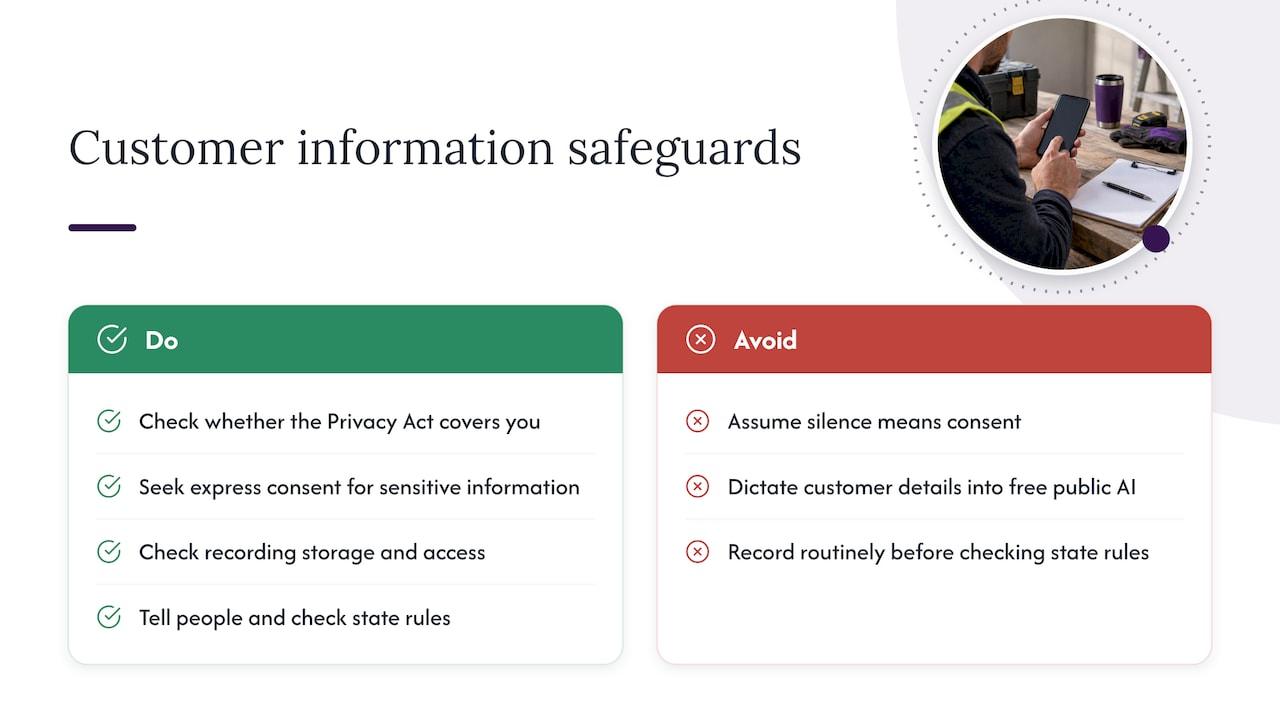
The Privacy Act applies to many Australian businesses, but not all small ones, so check whether it covers you. Where it does, the Office of the Australian Information Commissioner’s guidelines say consent can be express or implied, and that an organisation should generally seek express consent before handling sensitive information, and should not assume consent from silence. Most job notes are not sensitive information, but a note about a customer’s health, for example access needs because of a medical condition, could be.
A sensible rule of thumb, whatever your size: do not dictate customer names or addresses into a free public AI tool if you would not be happy for them to be kept. Check what any tool does with your recordings, where it stores them and who can access them before you use it for real jobs.
If you record phone calls or conversations with customers, rules about recording differ between states and territories. Let people know and ask, and check your own state’s rules before you make recording routine.
Employee records
If you employ staff, your obligations go beyond job notes. The Fair Work Ombudsman says employers must keep accurate, legible, English-language time and wages records, generally for 7 years, and keep them readily accessible for inspection. A voice note about who worked what hours on site is not a substitute for proper payroll records, but it can help you reconstruct a day when you update them.
Safety documentation
Voice notes are also handy for safety records, as long as they end up somewhere proper. Queensland’s Code of Practice on managing work health and safety risks says documentation such as incident reports, training logs and fit-test records should be kept systematically to show compliance. Requirements vary by state and territory, so check your own regulator.
The same code notes that after an incident, detailed records such as site sketches, photographs and independent notes of agreed actions help reconstruct what happened. A voice note made straight after a near miss, with the time, location, who was there and what was agreed, is exactly that kind of evidence. Turn it into a written record the same day and file it with the job.
If building a compliance paper trail feels like a mountain, our safety and compliance documentation service is there to help you set up the structure.
A simple workflow, from site visit to follow-up
Here is a routine that fits into a normal day without adding another thing to remember.
1. Finish the job
Pack up, do a last walk-through and take your after photos.
2. Record a 60-second note in the ute
Use the five-part pattern. Keep it to about a minute. If there is a lot going on, record a second note rather than one rambling five-minute one.
3. Let the transcript land somewhere useful
A voice note stuck in your phone’s recordings list is not a record. Get it into your notes app, your job management tool or wherever you keep job files, attached to the right customer or address.
4. Review it once a day
Set 10 to 15 minutes at the end of the day. Spoken notes lose their value quickly if they sit. Turn each one into:
- A job record, with the work done, materials and outstanding items filed under the right job.
- A quote to send, for any extra work the customer asked about. Our guide to dictating a voice quote on site shows how that step can work.
- A call or message to make, such as booking the return visit, chasing a decision or ordering parts.
5. Follow up on a schedule
The notes that say “customer to decide” are where money is quietly lost. Decide when you will chase each one. Our piece on follow-up cadence covers how often and how firmly to do it without being pushy.
6. Track what is open
Once several jobs are running, you need a place to see what is booked, in progress, waiting on parts or ready to invoice. A simple work order tracking approach keeps your voice notes connected to actual job status.
Common mistakes to avoid
- Skipping the address. Without it, a note from Tuesday is a mystery on Friday.
- Recording and never reviewing. A pile of unreviewed audio is just a bigger version of the forgotten-details problem.
- Trusting every number. Check dimensions and quantities before they go into a quote or an invoice.
- Mixing jobs in one recording. One note, one job. It keeps filing simple.
- Using a tool you have not checked. Know where your recordings go.
- Leaving out the customer’s decision. Record what they said yes or no to, and when.
Voice job notes by trade
The same pattern flexes across trades. A few examples of what to add:
- Electricians: circuits worked on, test results you will write up properly, switchboard condition, any defects found and whether the customer was told.
- Plumbers and gas fitters: fittings replaced, pressure or leak observations, access issues and compliance paperwork still to lodge.
- Roofers and gutter cleaners: areas covered, condition of flashings and sheets, anything you could not reach and photos taken.
- Arborists: species, work carried out, what was left on site and any neighbour or council issues.
- Painters, tilers and waterproofers: surface prep done, products and coats applied, cure or drying times to respect and what happens next.
- HVAC and air con: unit details, fault found, parts needed and whether a return visit is booked.
- Removalists and concretors: access, pour or load details, delays and any damage noted on the day.
In every case, the note should let someone who was not there understand the job in under a minute.
Perspective
We built Ask Hayley around one idea: tradies should not have to sit at a screen to run a business. The best admin habit is the one you will actually do, and for most people on the tools that means talking, not typing.
Voice notes are a good start. The real value comes when what you say does not stop at a recording. It becomes a job record, a quote, a follow-up or a task, without you retyping it at night. That is how we think about a voice-first platform: you speak, and the admin gets done in the right place.
We also think voice should cover the calls you cannot answer. If you are up a ladder, a missed call is a missed job. That is why we designed Hayley to answer inbound calls, pre-qualify leads and handle day-to-day admin through natural voice prompts, so your notes and your phone line work together.
Whatever you use, keep the habit simple: address first, same pattern, review daily.
Hayley
Put your notes to work with Ask Hayley
If you are already talking your way through the day, Ask Hayley is built so that what you say turns into work done. It is a voice-first business management platform for Australian tradies and small service businesses, designed to answer calls when you cannot, pre-qualify leads before they reach your inbox and handle admin through voice prompts. It is designed to fit alongside the tools you already use, with integrations including Xero and AroFlo.

Want to see how it works for your trade? Start at the Ask Hayley home page. If your phone is part of the problem, our guide to choosing between an AI receptionist and a human one is a good next read.
FAQ
How long should a voice job note be?
About 30 to 90 seconds is plenty for most jobs. Use the five-part pattern and stop when you have covered it. If a job has several separate issues, record a second note rather than one long one.
Can I use my phone’s built-in dictation for job notes?
Yes, for many people it is a good starting point. Dictation works best when you speak clearly, hold the phone about 20 cm away and avoid wind and machinery. Check the numbers afterwards, because transcription can get them wrong.
Are voice job notes legally enough as a record?
They can support your records, but they are not a replacement for records you are required to keep, such as wages records or safety documentation. Turn important notes into a written record and file it properly. Requirements differ by state and territory, so check with your regulator or adviser.
Is it safe to put customer details into an AI transcription tool?
Only if you know what the tool does with the data. Avoid putting customer names and addresses into a public AI tool if you would not want them retained. Check where recordings are stored and who can access them, and keep sensitive details out of casual tools.
Should I still take photos if I record voice notes?
Yes. A voice note describes what you saw, but a photo shows it. Take before and after photos, and mention them in your note so the two can be matched later.
Sources
- Enable Voice Text (Speech-to-Text) on Mobile Devices
- Chapter B: Key concepts, APP Guidelines, OAIC
- Record-keeping, Fair Work Ombudsman
- How to manage work health and safety risks Code of Practice 2021, WorkSafe Queensland


