


A quote to invoice workflow is the set of steps that turns an accepted quote into a paid invoice without double handling. The single biggest win is automating the conversion step itself, carrying every line item straight from quote to invoice and locking in the required tax invoice fields as you go. Tools designed with a voice-first interface allow tradies to manage it by voice instead of retyping details at a desk.
TL;DR:
- Converting an accepted quote into an invoice should be immediate and involve copying line items directly without retyping, ensuring tax fields are added at this step.
- Automation features such as accounting software integration, payment links, and automatic reminders should be prioritized at the hand-off points to reduce errors and save time.
- Including all required Australian tax invoice details upfront and issuing progress claims within 28 days keeps compliance and cash flow on track, especially for staged jobs.
- Proper on-site capture of job details and client information, using voice-first tools, is essential for accurate quotes and avoiding scope disputes or missed tax requirements.
- Small businesses should focus on robust front-end capture and seamless conversion systems before expanding into more complex automation or compliance workflows.
Table of Contents
- Step-by-step quote-to-invoice workflow tradies can follow today
- Automation and integrations that save time and reduce errors
- Australian compliance: what a tax invoice must include and timing rules
- Implementation checklist and plug-and-play templates for tradies
- Common pitfalls, follow-up sequence and cash-flow protection tactics
- How Ask Hayley applies this workflow in real tradie settings
- What tradies get wrong about their own admin
- How Ask Hayley helps tradies close the quote-to-invoice gap
- Sources
- FAQ
Step-by-step quote-to-invoice workflow tradies can follow today
Most revenue leaks happen at the joins: between the phone call and the quote, between the quote and the job, and between the job and the invoice. A consistent sequence closes those gaps.
- Capture the job properly the first time. Use a simple phone intake script and a photo checklist on site so you have measurements, access notes and client details before you leave.
- Build the quote with full line items. Include exclusions, a clear expiry date and a defined acceptance method (email reply, SMS, voice note or signature), because a vague quote invites scope disputes later.
- Record acceptance and any variations immediately. If the job needs a deposit or progress claims, note that against the quote so it carries through to invoicing.
- Convert the accepted quote straight into an invoice. Never retype it. Copy the line items across and add the required tax invoice fields at this point, not as an afterthought.
- **Send the invoice with clear payment terms and a payment link, then record the payment and close the job out in your system.
This lines up with how Stripe describes the broader quote-to-cash lifecycle: quoting, contracting, fulfilment and billing are one connected chain, and treating them as separate tasks is where most manual errors creep in. Industry guidance on the quote-to-cash process backs this up, recommending one centralised record for the quote and invoice rather than juggling separate documents. That single record makes it much easier to track progress claims and keeps variations attached to the right job instead of floating in a separate email thread.
If you quote a lot of jobs with a tight margin, a written quote expiry policy protects you from having to honour old pricing on materials that have since gone up.
Automation and integrations that save time and reduce errors
Automation earns its keep at the hand-off points, not everywhere at once. The highest-value spots are converting an accepted quote into a job and then an invoice, auto-filling tax fields from your business details, and sending payment reminders without you lifting a finger.
- Accounting integration, typically Xero or MYOB, so invoices sync straight into your books without manual re-entry.
- Payment links attached to every invoice, letting clients pay by card or bank transfer in one tap.
- Calendar and work order tracking, so a completed job automatically triggers the invoice step instead of waiting on you to remember.
- Automated reminder sequences for anything unpaid past the due date, rather than manual follow-up calls squeezed in after hours.
Centralising quoting and invoicing data also matters for how your systems talk to each other. Guidance on ERP integration for smaller operations makes the same point: the fewer separate systems holding the same information, the fewer chances for a figure to go missing between them.
Start with the smallest, highest-frequency automation first. Converting quotes to invoices happens on every job, so fix that hand-off before you touch anything else. Bigger projects, like a full compliance workflow, can wait until the basics are solid.

Pro Tip: Automate one step at a time and check the result on your next five jobs before adding the next automation.
Australian compliance: what a tax invoice must include and timing rules
Getting the tax invoice fields right at the point of conversion saves you from chasing corrections later. The Australian Taxation Office sets out exactly what a tax invoice needs to contain.
- The words “tax invoice” stated clearly on the document.
- Your identity and Australian Business Number (ABN).
- The invoice issue date.
- A brief description of the goods or services supplied.
- The GST amount payable, or a statement that the total price includes GST.
- The buyer’s identity or ABN, once the sale is $1,000 or more.
Under GSTR 2013/1, a supplier must provide a tax invoice within 28 days of a customer asking for one, so build that turnaround into your process rather than treating it as optional.
For progress claims and retention amounts, GST generally applies to each progress payment as it’s invoiced, not to the whole contract value upfront, so each staged invoice needs its own correct tax invoice fields. Variations should be documented and invoiced with the same rigour as the original quote, since an undocumented variation is one of the easiest ways to under-bill a job. This is general guidance, not tax advice tailored to your business, so check anything specific to your situation with your bookkeeper or accountant.
Implementation checklist and plug-and-play templates for tradies
Turning all of this into a routine is what actually changes your admin load. Start with what you capture before you ever write a quote.
On-site capture:
- Take photos of the site, access points and any existing damage.
- Note measurements, materials needed and any client-specific requests.
- Record the client’s name, address and ABN if the job is likely to hit $1,000 or more.
Quote and acceptance:
- Use a quote template with clear line items, exclusions and an expiry date.
- Offer an acceptance method the client can use immediately: reply email, SMS confirmation, voice note or e-signature.
- Log the accepted quote against the job the moment it comes back.
Conversion and automation:
- Copy line items across to the invoice rather than retyping them.
- Check ABN, GST treatment, variations and attachments before sending.
- Connect your accounting software, add a payment link and set a reminder cadence for anything overdue.
| Stage | What to check | Why it matters |
|---|---|---|
| Capture | Photos, site notes, client ABN | Prevents scope disputes and missing tax invoice fields later |
| Quote | Line items, exclusions, expiry date | Protects your margin against price rises and scope creep |
| Conversion | ABN, GST, variations, attachments | Keeps the invoice compliant on the first send |
| Follow-up | Reminder cadence, payment link | Speeds up payment without manual chasing |
If your charge-out rate hasn’t been reviewed in a while, checking it against actual job time before you quote the next job stops you underquoting and having to invoice a variation later just to break even.
Common pitfalls, follow-up sequence and cash-flow protection tactics
Most lost revenue on trade jobs comes down to a handful of repeatable mistakes: unbilled variations, invoices sitting unsent while waiting on a supplier bill, and GST applied inconsistently across progress claims.
- Unbilled variations, where extra work gets done on the spot and never makes it onto the invoice.
- Delayed invoicing while waiting on a supplier’s own invoice, which pushes your payment terms out by weeks.
- Inconsistent GST treatment across staged or progress invoices on the same job.
- No follow-up cadence, so overdue invoices only get chased when cash flow gets tight.
A simple follow-up cadence works better than an ad hoc one: a friendly reminder a few days before the due date, a firmer follow-up once it’s overdue, and a phone call before you escalate further. Deposits and progress claims are worth using on any job over a few days’ work, and an early-payment discount can be worth offering to a client with a history of slow payment.
The Atradius Payment Practices Barometer for Australia points to tightening B2B payment behaviour, with suppliers shortening terms and buyers prioritising which invoices they pay first. For a small trade business, that means the businesses with the tightest invoicing and follow-up habits are the ones least exposed when clients start being selective about who gets paid on time.
How Ask Hayley applies this workflow in real tradie settings
Ask Hayley’s voice-first design maps directly onto this workflow: intake calls, quote details and job notes are captured by talking, not typing. Converting an accepted quote to an invoice happens without re-entry, and the Xero integration keeps the books current without extra admin time on site.
What tradies get wrong about their own admin
The conventional advice on quote-to-invoice workflows tends to focus on software features: templates, integrations, dashboards. That misses the real problem, which is that most tradies lose money at the exact moments they can’t sit down at a screen: mid-job, hands full, on the tools.
The workflow steps above matter less as a checklist and more as a test of whether your system works when you’re not at a desk. A quote template is useless if you can only fill it in back at the office that night, by which point half the detail from the job has already slipped your mind. The businesses that protect their margin best aren’t the ones with the most sophisticated software. They’re the ones that capture the job accurately the moment it happens and convert that capture into a compliant invoice without a second sitting.
Prioritise hands-free capture before you prioritise features. Get that right and the rest of the workflow, GST fields included, looks after itself.
— Hayley
How Ask Hayley helps tradies close the quote-to-invoice gap
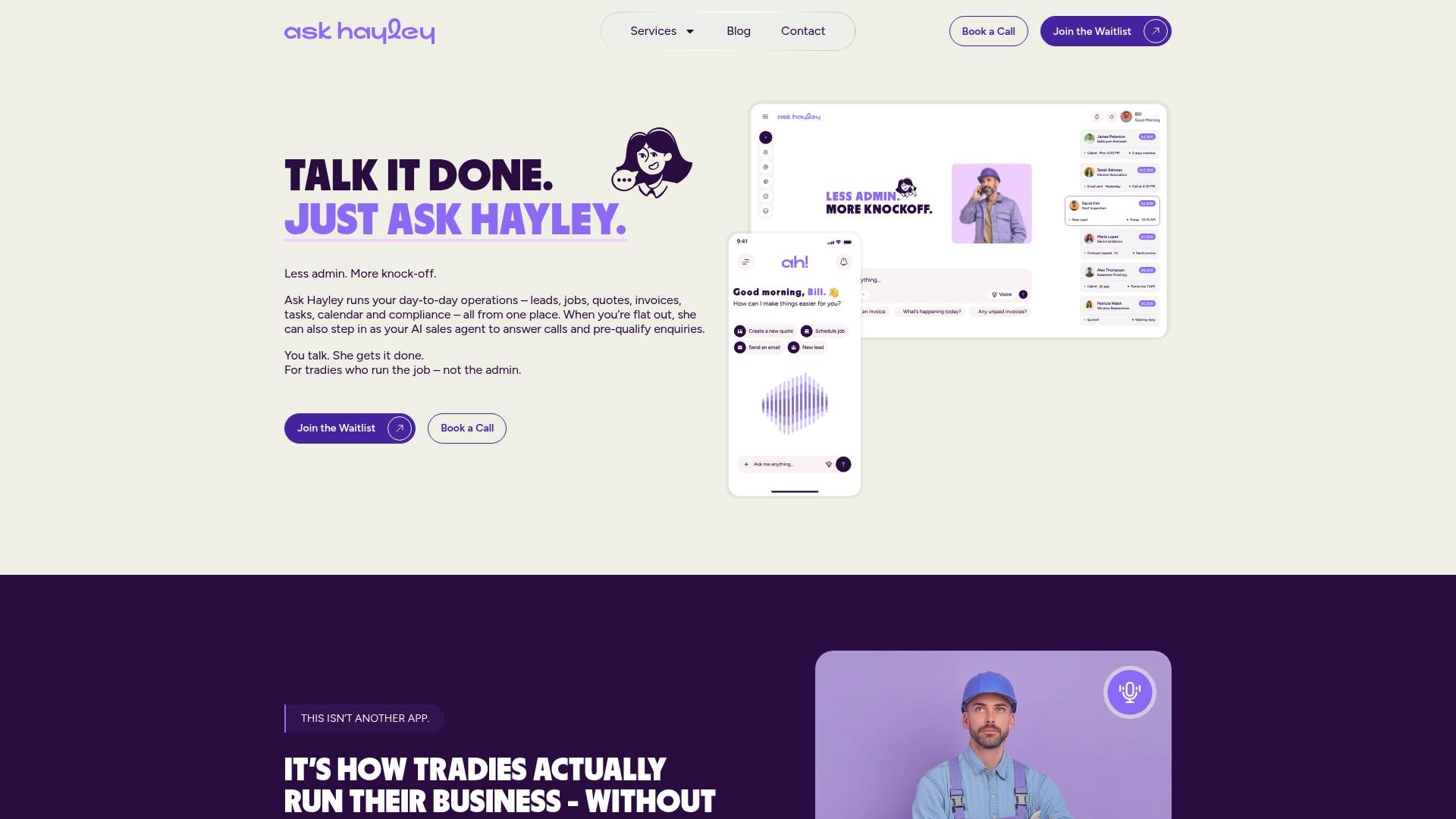
Everything above depends on capturing details accurately without stopping work to do it, and that’s exactly what Ask Hayley is built for. Instead of typing quote details into a form after the ute’s parked for the day, you talk through the job and Ask Hayley handles the admin behind it, including converting an accepted quote straight into an invoice with the right tax fields already in place.
- An Assistant plan typically covers call answering, lead capture and day-to-day admin tasks.
- An Office Manager plan usually extends into fuller business management such as quoting, invoicing and compliance tracking.
- AI Sales Agent and AI Website Chatbot add-ons may provide extra coverage across calls, leads and enquiries during busier periods.
Have a look at the Ask Hayley website to see how it fits your trade and book a demo.
This article is general information, not a substitute for advice from a qualified financial advisor. Consult a qualified financial professional about your own circumstances before acting on anything here.
Sources
- GSTR 2013/1 | Australian Taxation Office
- What is quote to cash (Q2C)? | Stripe
- Atradius Payment Practices Barometer Australia 2026
- Mastering the quote-to-cash process: benefits & challenges — Conga
FAQ
What is legally required on an invoice in Australia?
A tax invoice needs the words “tax invoice”, your identity and ABN, the issue date, a description of the work, and the GST amount or a statement that GST is included. If the sale is $1,000 or more, it also needs the buyer’s identity or ABN, as set out in the ATO’s ruling.
What is the best invoice software for small businesses in Australia?
The right choice depends on whether you want a standalone accounting tool or a system that also handles calls, quoting and admin. Tradies who want hands-free capture on site rather than form-filling at a desk often look at voice-first platforms like Ask Hayley alongside accounting software such as Xero or MYOB.
What are the payment terms for invoices in Australia?
There’s no single legal payment term in Australia. Businesses set their own terms, and guidance from Business recommends agreeing terms upfront and using deposits or staged payments for larger jobs to protect cash flow.
How long does a company have to invoice you for services in Australia?
There’s no fixed deadline for issuing an invoice in general, but if a customer asks for a tax invoice, the supplier must provide one within 28 days under ATO rules. Sending invoices promptly after a job finishes is still the best way to protect your own cash flow.


