


The simplest out-of-office voicemail takes 30 seconds to record and covers four things: your business name, the reason you’re unavailable, when you’ll be back, and what to do if it’s urgent. Try this: “You’ve reached Business Name]. We’re currently closed and will return your call within one business day. For urgent matters, please call [number] or email [address].” Keep it between 10 and [30 seconds, and you’ve covered the basics.
TL;DR:
- For closures lasting several days, state both dates, give an emergency contact, and direct routine enquiries to email or a quote form.
- Use a dedicated business line for urgent jobs rather than a personal mobile, and enable call routing only when someone is rostered on call.
- Send voicemail audio and caller details to a shared inbox, route unanswered calls there, and test delivery externally each month to catch failures.
- Promise a specific callback window, such as within one business day, and offer an email, website form, or text option so callers can avoid waiting.
Table of Contents
- 1. Short professional scripts you can record in under 20 seconds
- 2. Extended scripts and holiday closure examples for multi-day shutdowns
- 3. How to handle urgent calls without sharing personal numbers
- 4. Quick setup checklist: voicemail-to-email, after-hours routing and testing
- 5. How to write a professional voicemail greeting that actually works
- 6. Why we think voice intake beats a static voicemail
- Let Ask Hayley answer calls and qualify leads while you’re on the tools
- FAQ
- Sources
- Authoritative Australian resources for voicemail setup and privacy
1. Short professional scripts you can record in under 20 seconds
Most callers just want to know you heard them and when you’ll respond. These six scripts cover the situations tradies and small service businesses hit most often. Swap in your business name, timeframe and contact details, then read each one aloud once before recording. If it sounds stiff on the first take, trim a sentence rather than add one.
- Standard after-hours: “Thanks for calling [Business Name]. Our office hours are [hours], and we’re currently closed. Leave your name, number and a brief message, and we’ll call you back within one business day.” Tone: neutral, straightforward. Length: 12 seconds.
- Quick holiday closure: “You’ve reached [Business Name]. We’re closed for the [holiday name] break and will reopen on [date]. Leave a message and we’ll return your call when we’re back.” Tone: friendly, brief. Length: 10 seconds.
- Return-date message: “Hi, you’ve called [Business Name]. [Owner/Staff name] is away until [date] and will respond to your message as soon as they’re back on deck.” Tone: personal. Length: 10 seconds.
- Busy or unavailable: “Thanks for calling [Business Name]. We’re on the tools right now and can’t take your call. Leave a message with your name and job details, and we’ll ring you back by [timeframe].” Tone: practical, tradie-friendly. Length: 14 seconds.
- Urgent redirect: “You’ve reached [Business Name]. For urgent jobs, call [on-call mobile]. For everything else, leave a message and we’ll be in touch within [timeframe].” Tone: direct. Length: 12 seconds.
- Web-CTA variant: “Thanks for calling [Business Name]. You can get a quote faster by visiting [website], or leave a message here and we’ll call you back within one business day.” Tone: helpful. Length: 15 seconds.
A well-built phone answering script does the same job your voicemail does, just live. Reviewing both together helps keep your wording consistent across every touchpoint.
2. Extended scripts and holiday closure examples for multi-day shutdowns
A short script works for an afternoon off. Multi-day shutdowns, like Christmas and New Year, need more detail because callers can’t always wait the usual one business day. Use a longer script whenever your closure runs past a couple of days or when call volume typically spikes, such as the lead-up to a long weekend.
- Extended holiday closure: “Thanks for calling [Business Name]. We’re closed from [start date] to [end date] for the holiday period and will reopen on [return date]. If your matter is urgent, call our emergency line on [number]. Otherwise, leave a message or email [address], and we’ll respond as soon as we’re back.”
- Staff training shutdown: “You’ve reached [Business Name]. Our team is attending training on [date] and the office is unattended. For urgent assistance, call [on-call number]. For everything else, leave a message or request a quote at [website], and we’ll follow up on [return date].”
- Public holiday closure with emergency contact: “Thanks for calling [Business Name]. We’re closed for [public holiday] and will reopen on [date]. If you have an urgent issue that can’t wait, call [emergency contact]. For all other enquiries, leave a message and we’ll call back within [timeframe] of reopening.”
- Tradie seasonal shutdown: “You’ve reached [Business Name]. We’re taking our annual break from [start date] to [end date]. Jobs booked before the break will go ahead as scheduled. For new enquiries, leave your details or fill out a quote request, and we’ll be in touch when we’re back on the tools.”
Each of these leaves room for an emergency contact, an email address and a link to a quote form, so callers with non-urgent questions have somewhere to go besides your voicemail.
3. How to handle urgent calls without sharing personal numbers
Callers with a genuine emergency, a burst pipe, no power, a safety issue, need a fast path that doesn’t put your personal mobile on blast. The trick is building that path into the greeting itself.
- Use phrasing like “For urgent matters, press 1 to reach our on-call technician” or “If this is an emergency, call our dedicated line on [business mobile].”
- Enable a key-press menu only when you genuinely have someone rostered on-call; otherwise it just sends callers to another voicemail and frustrates them.
- For after-hours issues that aren’t life-threatening but can’t wait, direct callers to an emergency email address you check regularly, rather than a menu option.
- For genuine emergencies outside your control, such as a gas leak or electrical hazard, your message should direct callers to the relevant emergency service rather than your own line.
Pro Tip: Route urgent calls through a dedicated business mobile or a call-routing service instead of a personal number, so staff aren’t fielding work calls at home.
4. Quick setup checklist: voicemail-to-email, after-hours routing and testing
Voicemail-to-email sends every message as an audio attachment straight to a nominated inbox, which matters because voicemails sent only to a single person’s mailbox are far more likely to be missed than those landing in a shared team inbox. Setting up voicemail-to-email on most Australian cloud phone systems follows the same basic steps.
- Log into your phone system’s admin portal and create a dedicated voice mailbox object.
- Assign that mailbox as the timeout destination for your main ring group, so unanswered calls always end in voicemail rather than a dead tone.
- Turn on email delivery and point it to a shared inbox, not one person’s email.
- Call in externally, leave a test message, and confirm the audio attachment and caller details arrive intact.
- Add the sending address to your safe senders list so messages don’t land in spam.
- Set a monthly reminder to repeat the test, and agree on a retention period for old voicemails.
5. How to write a professional voicemail greeting that actually works
Keep your greeting to 10 to 30 seconds, long enough to sound considered, short enough that callers don’t hang up. A specific callback promise builds more trust than a vague one.
- Say “we’ll return your call within one business day” rather than “we’ll get back to you soon.”
- Give callers a way to skip the wait: an email address, a website quote form, or an SMS option for photos of the job.
- Match your tone to your trade: a plumber’s after-hours message can be brisk and practical, while a design studio’s might be warmer and more conversational.
For businesses juggling bookings, pairing this with SMS appointment reminders keeps callers updated without extra phone tag.
6. Why we think voice intake beats a static voicemail
A voicemail tells a caller you’re away. Voice intake can actually have a conversation with them, ask what the job is, and flag it as urgent before you’ve even picked up your phone. That’s the gap we built our platform to close: when calls overflow after hours, pre-qualifying the lead on the spot means less time spent returning calls to find out they weren’t right for the job anyway. Pairing call overflow management with voicemail-to-email gives callers a consistent experience whether they reach a person, a voice assistant, or a message bank.
— Hayley
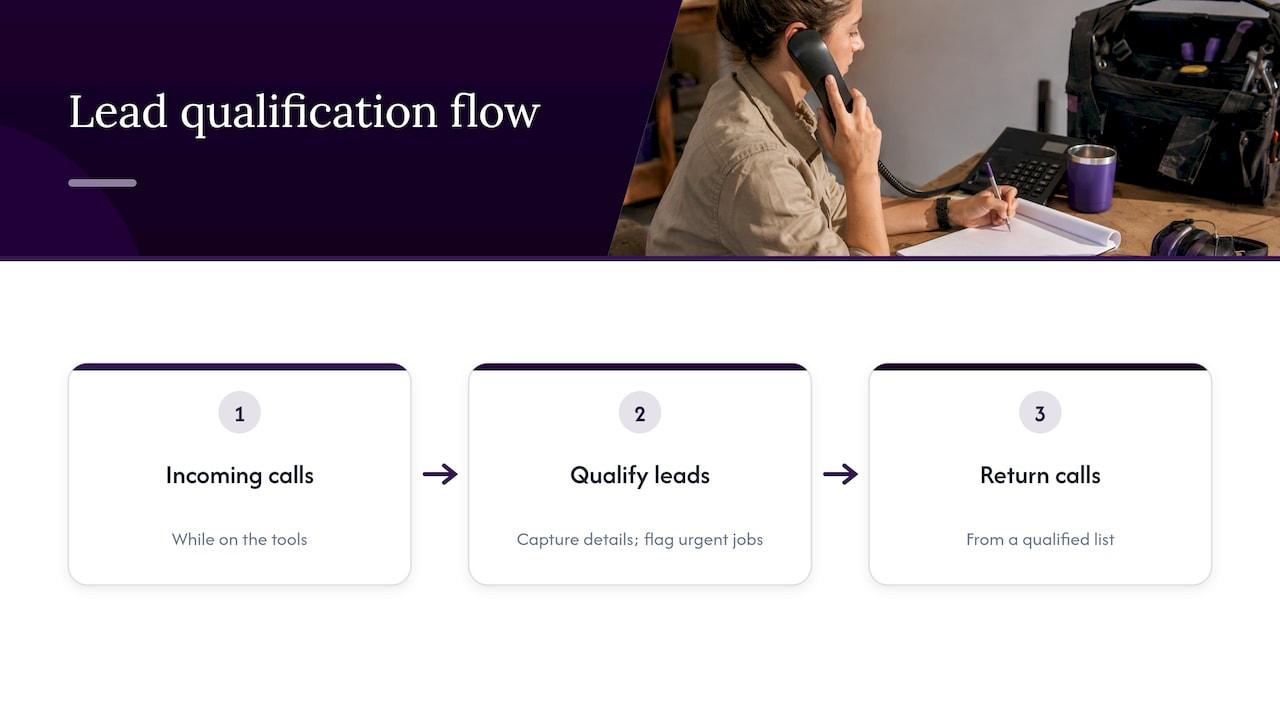
Let Ask Hayley answer calls and qualify leads while you’re on the tools
Voice-first conversation systems can capture caller details and flag urgent jobs, helping tradies return to a qualified list, not a pile of guesswork. 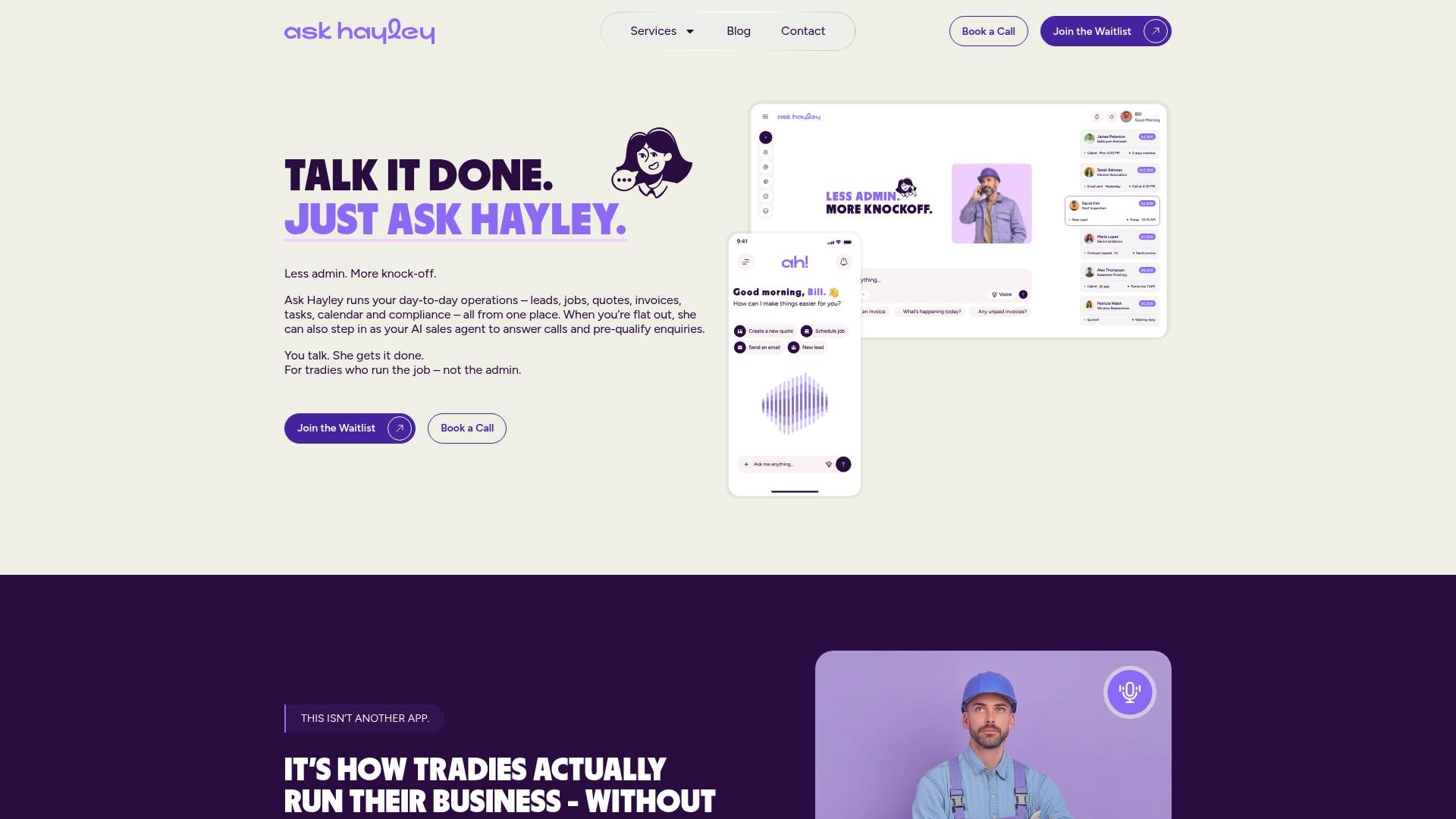
If you’re also missing enquiries because your website doesn’t make it easy to leave details, our one page website service pairs a simple contact and quote form with the same voice-first approach. Have a look at what we offer and see what fits your business.
FAQ
What are some good voicemails for a small business?
A good voicemail states your business name, why you’re unavailable, when you’ll call back and how to reach you urgently, all in 10 to 30 seconds. Specific phrasing like “we’ll return your call within one business day” works better than a vague promise.
What are some good Australian greetings for a voicemail?
Australian business voicemails tend to be friendly but brief, often opening with “Thanks for calling” or “You’ve reached” followed by the business name. Tradies often add practical touches like “we’re on the tools right now” to explain the delay without sounding formal.
What are some good greetings for emails during a closure?
An email out-of-office should mirror your voicemail: state your closure dates, your return date, and an alternative contact for urgent matters. Keeping the wording consistent across voicemail and email avoids confusing callers who try both.
What is a good out of office message for the holidays?
A holiday closure message should name your closure dates, confirm your reopening date, and offer an emergency contact for anything that can’t wait. For shutdowns longer than a couple of days, add a line directing non-urgent callers to a quote form or email address so they’re not stuck waiting on a callback.
Authoritative Australian resources for voicemail setup and privacy
For step-by-step setup, see this voicemail-to-email guide. For handling recordings and stored messages correctly, the OAIC’s Australian Privacy Principles cover consent, storage and retention. For call-recording consent rules by state, see this compliance overview.


