


Use a two-step SMS sequence, one reminder 24 hours out and a second 2 to 4 hours before, with two-way replies enabled so clients can confirm or reschedule by texting back. This cuts no-shows, kills the endless phone tag, and takes minutes to set up. For Australian tradies juggling jobs on-site, it’s the single most effective change you can make to how you manage bookings, and Ask Hayley can run the whole thing for you.
TL;DR:
- Sending two SMS reminders, one 24 hours and another 2 to 4 hours before the appointment, significantly reduces no-shows for tradies.
- Keep reminders concise, including only essential details like business name, date, time, location, and a clear call to action within 160 characters.
- Automate the process through a calendar or booking system that supports two-way reply handling to confirm, reschedule, or opt-out easily.
- Obtain explicit consent from clients to send texts and include an automatic opt-out option to comply with Australian regulations.
- Pair SMS reminders with voice-first automation services like Ask Hayley to manage incoming calls, questions, and rescheduling, minimizing manual admin.
Table of Contents
- Why SMS appointment reminders work for service businesses
- Best timing and reminder sequence to reduce no-shows
- Concise SMS templates and what to include
- How to implement SMS reminders: tools, integrations and workflow
- Consent, opt-out and Australian compliance basics
- Measure success and optimise your reminders
- Ask Hayley perspective: why voice-first automation pairs with SMS reminders
- How Ask Hayley can help you run reminders without the admin
- Sources
Why SMS appointment reminders work for service businesses
Text messages get read. Automated SMS reminders reach clients far faster than email because people check their phones constantly and open a text almost as soon as it lands, whether they’re at work, driving, or halfway through dinner. Email sits in inboxes for hours. A text sits in a notification bar for seconds.
The bigger issue isn’t that clients forget you exist. It’s that they forget the exact time, especially once a booking was made two or three weeks earlier. Memory fades fast on specifics like appointment slots, and a well-timed reminder fills that gap right when it matters.
For a tradie, the payoff shows up in three places:
- Fewer wasted trips to a job that isn’t ready or a client who isn’t home
- Less time spent manually calling to confirm or rebook
- A smoother day because reschedules come in early, not as a no-show surprise
SMS is also just the default channel in Australia. Almost everyone has a mobile, and almost nobody needs an app download or a login to receive a text, unlike email confirmations that can get buried or bounce.
Best timing and reminder sequence to reduce no-shows
The sequence that consistently performs best is simple: one message 24 hours before the appointment, then a second 2 to 4 hours before it. That gap matters. The first reminder gives the client enough notice to reschedule without leaving you with a dead slot. The second catches same-day forgetfulness, the classic “I completely forgot that was today” moment that turns into an empty driveway.
- Booking confirmation — sent immediately when the appointment is made
- 24-hour reminder — sent the afternoon or evening before
- 2 to 4 hour reminder — sent the morning of, or a few hours ahead for afternoon jobs
For long-lead bookings, quotes booked three or four weeks out, add an earlier reminder at the one-week mark. Clients lose track of distant dates faster than you’d expect.
On-site appointments benefit most from the tighter 2 to 4 hour window, since travel and access issues (locked gates, no one home) only become obvious close to arrival. Virtual or phone consults can run on a longer lead time since there’s no travel risk.

For weekend or after-hours bookings, send the final reminder the evening before rather than at 6am on the day. Nobody wants a text buzzing at dawn.
Pro Tip: Push your final reminder slightly earlier for jobs requiring access, like an electrician needing someone home. A 4-hour window gives the client time to rearrange their day if a family member needs to be there.
Concise SMS templates and what to include
Every reminder needs the same “vital few” details and nothing else: your business name, the date and time, the location, and one clear call to action. Concise reminders that stick to those essentials perform better than longer, chattier ones because there’s less for the client to read and less room for confusion.
Copy-ready examples for tradies:
- Booking confirmation: “Hi [Name], your appointment with [Business] is confirmed for [Date] at [Time], [Location]. Reply YES to confirm or RESCHEDULE to change.”
- 24-hour reminder: “Reminder: [Business] is booked in tomorrow at [Time] for [Service]. Reply YES to confirm.”
- 2-hour reminder: “[Business] is on the way for your [Time] appointment today. Call [Phone] if anything’s changed.”
- Reschedule prompt: “No worries, [Name]. Reply with a preferred day and we’ll lock in a new time.”
- Post-appointment follow-up: “Thanks for having us out today, [Name]. Let us know if you need anything else from [Business].”
Keep every message under 160 characters where possible, since going over splits the text into multiple parts and can add to your SMS costs. Use placeholders like [Name], [Time], and [Location] so one template covers every booking without you retyping details. Tone should be plain and direct, tradie to client, not corporate. Skip the exclamation marks and skip the sales language. A confirmation text isn’t a marketing message.
How to implement SMS reminders: tools, integrations and workflow
Start by deciding what drives the automation: your calendar or your booking system. Most small operators do better anchoring everything to one calendar source of truth, whether that’s Google Calendar or a booking platform, so every reminder and every reply syncs back to the same appointment record instead of three different spreadsheets.
- Confirm it can trigger SMS automatically off appointment time, not manually
- Set up two-way reply handling so YES confirms, RESCHEDULE triggers a follow-up, and STOP opts the client out
- Test the reply parsing against common misspellings and shorthand before going live
- Estimate your SMS credit usage based on booking volume and budget a small buffer
A few things to check before switching on:
- Does the system link SMS templates to specific appointment types, the way Cliniko’s setup does?
- Do replies actually update the appointment status, or just land in an inbox someone has to read?
- What’s the cost per message, and does going over 160 characters bump you into a second credit?
Run a two to four week pilot before rolling it out across every booking type. Track a small sample, confirm the reply rate and no-show rate move in the right direction, then scale.
Consent, opt-out and Australian compliance basics
Collect express consent when you first take a client’s mobile number, even if it’s just a line on your booking form saying reminders will be sent by text. Don’t assume consent because someone gave you their number for a quote.
Every message needs a simple way out:
- Include “Reply STOP to opt out” on at least your first message in any sequence
- Automate the STOP handling so it removes the client from future texts without you lifting a finger
- Record each client’s communication preference against their profile, and respect it going forward
- Storing preferences and processing opt-outs automatically is standard practice among messaging providers and keeps complaints down
If you’re unsure how consent rules apply to your specific business setup, a quick chat with a compliance advisor is worth the hour. It’s a small job compared to the cost of getting it wrong.
Measure success and optimise your reminders
Track five numbers: no-show rate, confirmation rate, reply rate, opt-out rate, and cost per confirmed appointment. These tell you whether the system is actually working, not just running.
A two-step sequence with two-way replies tends to produce a noticeable drop in no-shows within a matter of weeks, which is a fast enough signal to justify testing before committing to it long-term.
- Run small A/B tests on timing (2 hours vs 4 hours) and CTA wording (“Reply YES” vs “Confirm now”)
- Give any test a fair run, four weeks is usually enough to see a real pattern rather than a fluke week
- Compare no-show rates before and after across different appointment types to find where reminders add the most value, whether that’s first-time quotes, recurring maintenance, or emergency callouts
Ask Hayley perspective: why voice-first automation pairs with SMS reminders
Reminders only work if someone’s watching the replies, and most tradies don’t have a spare hour a day for that. Voice-first automation solves the gap on the other end: while your SMS sequence handles the reminder, Ask Hayley picks up the calls, questions, and reschedule requests that come in around it, so nothing falls through simply because you were up a ladder. The two systems aren’t competing tools, they’re the same job split into text and voice.
— Hayley
How Ask Hayley can help you run reminders without the admin
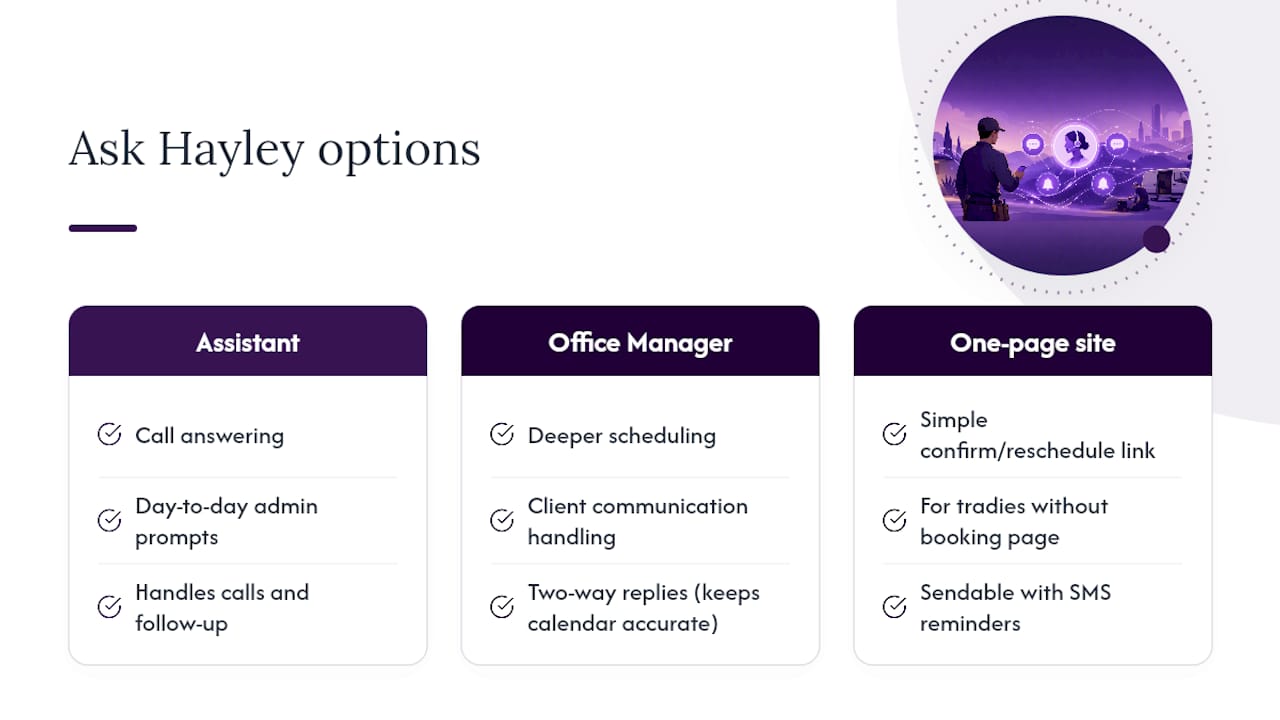
Ask Hayley is the alternative to hiring extra admin support just to chase confirmations and answer the phone, it handles both the calls and the follow-up so reminders don’t become another task you manage manually. The Assistant plan covers call answering and day-to-day admin prompts, while Office Manager adds deeper scheduling and client communication handling, including the two-way replies that keep your calendar accurate without you touching a screen.
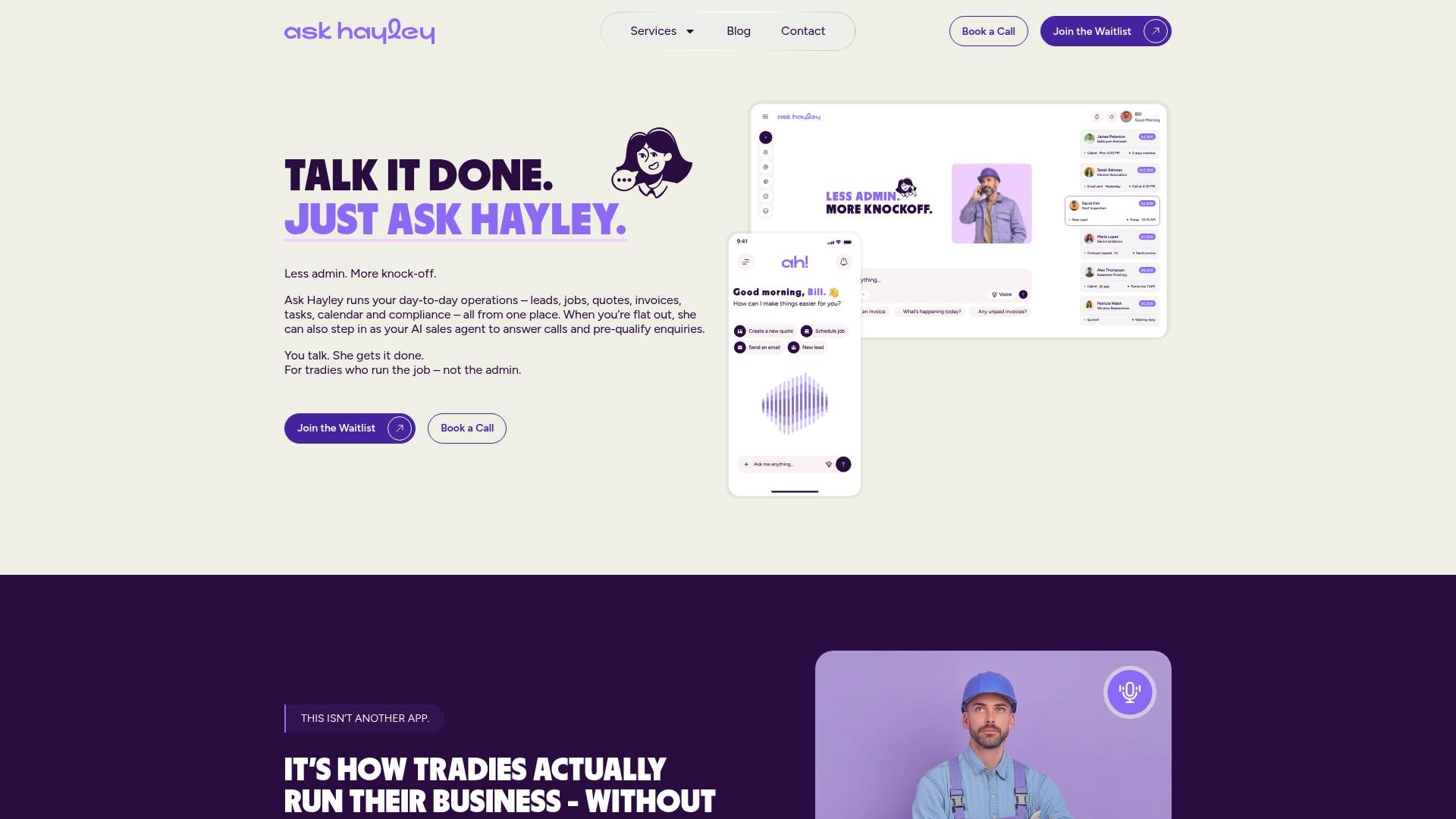
If you’re running appointments through a calendar or booking system already, Ask Hayley slots in around it rather than replacing it. For tradies who don’t yet have a booking page clients can use to confirm or reschedule themselves, the one-page website option gives you a simple link to send alongside your SMS reminders. And if you’re weighing up broader admin support, from lead capture through to tender preparation, the wider service list covers what’s on offer beyond reminders alone.
Start with a short pilot: pick one appointment type, turn on the two-step sequence, and see what happens to your no-show rate over four weeks. Head to Ask Hayley to see how the setup works for your business, or book a walkthrough to get it running this week.
Sources
For deeper setup detail, Sinch’s guide to SMS reminder software covers two-way messaging and sequencing in more depth. Twilio’s appointment confirmation writing guide is worth a read for template wording, and Cliniko’s SMS reminder setup help page shows how template-to-appointment-type linking works in practice. Mobile service operators exploring franchise-based scheduling models can also look at Aussie Pet Mobile’s franchise page for a comparable booking setup.


