


Use short, intent-based chatbot scripts for trades, built for voice-first replies, not long typed menus. Bookings, quotes, emergencies and follow-ups each need their own tight script that works as text on a website or SMS thread, and as a spoken prompt when a customer calls and nobody’s free to pick up. Grab a template below, adjust the fields for your trade, and you can have it live in 20 to 60 minutes.
TL;DR:
- Short, intent-based scripts should focus on one question at a time to improve speech recognition accuracy when used hands-free on-site.
- Deploy scripts on the channel most suited for your business, starting with one and refining before expanding to other platforms.
- Test scripts through role-play, shadowing live traffic, and staged real-enquiry trials to identify and fix issues early.
- Build in clear escalation rules for emergencies, price objections, and complex questions to ensure quick human intervention when needed.
- Capture essential customer details such as name, contact, address, job type, and urgency, and keep data secure to comply with privacy rules.
Table of Contents
- Chatbot scripts for trades: the core templates
- How do you make scripts work hands-free on site?
- Which channel should you deploy scripts on?
- How do you test and improve a trade chatbot script?
- How do you handle tough questions in a trade chatbot?
- How do plumbing and electrical scripts differ?
- What privacy rules apply to trade chatbot scripts?
- Why do trade chatbot scripts fail after launch?
- Hayley’s view: start with one script, not five
- Get voice-first scripts running with Ask Hayley
- Sources
- FAQ
Chatbot scripts for trades: the core templates
Every trade enquiry falls into one of six buckets. Build a script for each, and you’ll cover most of what lands in your inbox or on your phone.
Each template below has a goal, a text version (for web chat or SMS), a voice version (for call answering), the fields to capture, and an escalation rule for when a human needs to step in.
- Booking request. Goal: lock in a job. Text: “Thanks for reaching out! What suburb are you in, and what’s the job? We’ll confirm a time within the hour.” Voice: “G’day, thanks for calling. What suburb are you in, and what’s going on?” Capture: name, suburb, phone, job type, preferred day/time. Escalate if the job sounds urgent or the address is outside your service area.
- Quick quote pre-qualifier. Goal: filter time-wasters before a quote is written. Text: “To give you a ballpark, can you tell us the job type and rough size (e.g. 3-bedroom rewire, single tap replacement)?” Voice: “Can you describe the job in a sentence or two, so we can give you a rough figure?” Capture: job description, property type, timeframe. Escalate if the answer is vague after two prompts.
- Emergency/urgent callout. Goal: triage fast. Text: “Is this urgent, like a burst pipe or power outage? Reply URGENT and we’ll call you back within 15 minutes.” Voice: “Is this an emergency right now, yes or no?” Capture: nature of emergency, address, contact number. Escalate immediately every time an emergency is indicated, without exceptions.
- Availability check. Goal: set expectations. Text: “Our next available slot is [day]. Want us to hold it for you?” Voice: “The earliest we can get to you is [day]. Shall I pencil that in?” Capture: preferred window, flexibility. Escalate if the customer needs same-day and none is free.
- Price-framing. Goal: reduce sticker shock before a quote lands. Text: “Jobs like this usually run within a typical price range depending on access and materials. We’ll confirm exact pricing on inspection.” Capture: job type, access notes. No escalation needed unless the customer disputes the range.
- Follow-up. Goal: re-engage a quote that’s gone quiet. Text: “Just checking in on the quote we sent for [job] — still keen to go ahead?” Capture: quote reference, response. Escalate after two follow-ups with no reply.
Keep every line under 20 words where you can, use suburb names instead of generic terms like “your area,” and stick to Australian time formats (7:30 AM, not 0730). The Ask Hayley blog has more detail on pairing these with SMS appointment reminders and follow-up cadence.
How do you make scripts work hands-free on site?
A script that reads fine on a screen can fall apart the moment it’s spoken aloud to someone standing in a driveway with a drill running nearby. Voice-first design fixes that, and industry commentary increasingly points tradies toward voice tools over typed chatbots because they match how tradies actually work, hands full, phone in a pocket, no time to type a reply (voice-first AI tools for trade businesses).
- Ask one thing at a time. “What suburb are you in?” works. “What’s your suburb, job type and preferred time?” does not, because speech-to-text struggles to parse three answers stacked in one breath.
- Confirm what you heard before moving on. “Got it, Brunswick, right?” catches misheard suburb names before they end up on a job sheet.
- Build in a repeat option. “Sorry, didn’t catch that, can you say it again?” costs nothing and saves a booking.
- Avoid phrasing that depends on punctuation the caller can’t hear, like “press 1 for…” Speak in plain, complete sentences instead.
- Accept variants and shorthand. Callers say “Point Cook” or just “the Point,” and your STT setup needs to recognise both.
Accurate speech-to-text is the backbone of all this. Getting it wrong turns a smooth phone call into a frustrating loop of “sorry, can you repeat that” (STT guidance for voice-first platforms).
Pro Tip: Test your voice script on a job site with the radio on and a compressor running. If the flow still works in that noise, it’ll work anywhere.
Which channel should you deploy scripts on?
Where you put a script matters almost as much as what it says. Website chat suits customers already comparing tradies online and reading your reviews, but it only catches people at their desk. SMS wins for follow-ups and confirmations because almost everyone reads a text within minutes, though it’s clunky for anything needing back-and-forth detail. Voice answering catches the calls you’d otherwise miss while up a ladder, and it’s the closest thing to how a customer would talk to a real receptionist. Messenger and Telegram work well if your customer base already messages you there, but they add another inbox to check.
Before you go live on any channel, check off these basics:
- Decide the minimum fields you need: name, suburb or address, phone number, job type, urgency, preferred day and time, and photos if the platform supports uploads.
- Set a calendar or call-back window so the script never promises a time slot you can’t fill.
- Write a confirmation message that repeats back what was captured, so nothing gets lost in translation.
- Set a clear handover trigger, such as the word “urgent” or three failed attempts to understand a reply, that routes straight to a human.
- Connect captured enquiries to whatever you already use for jobs and invoicing, whether that’s Xero, AroFlo, or a simple spreadsheet, so a chat doesn’t become a dead end.
Start with one channel, leveraging practical AI applications to grow your business like those featured by Sun State Digital – Grow your business. Paste your booking script in, test it on a few real enquiries, switch on notifications so you see every capture, and only add a second channel once the first is running clean.
How do you test and improve a trade chatbot script?
Run every script through three stages before it faces real customers: role-play it yourself first, then shadow it against live traffic without letting it act on anything, then run a small staged test with a handful of real enquiries.
- Role-play. Read the script aloud, playing both customer and bot, and note every place you hesitate or get confused.
- Shadow live traffic. Let the script run alongside your normal process for a week and compare its captured answers to what actually happened on the job.
- Staged customer test. Switch it live for a small slice of enquiries and watch closely for the first few days.
Track four numbers: qualified leads captured, jobs actually booked from those leads, missed calls avoided, and how often the script correctly captured the job details on the first go. Role-play and shadowing live traffic are low-cost ways to catch most problems before a customer ever notices them.
If something’s not converting, the fix is usually simple: trim the prompt to one question, add a confirmation step, or cut a field nobody’s answering properly.
How do you handle tough questions in a trade chatbot?
Customers will test the script, and a good one doesn’t dodge, it redirects to a human at the right moment. “Why is your quote higher than the last bloke?” doesn’t need a defensive answer; it needs a simple line like “Happy to talk through that, I’ll get one of the team to call you back within the hour,” followed by an immediate escalation.
Price objections are the most common. Rather than trying to negotiate through a script, frame a range upfront (see the price-framing template above) and let the human conversation handle specifics. “Can you do it cheaper?” gets a polite, consistent reply: “Our pricing reflects the work and materials involved, we can chat through options when we call.”
Scope creep questions, “can you also look at my hot water system while you’re there?”, are easy to mishandle if the script tries to quote on the spot. Capture the extra request as a note, don’t attempt to price it, and let the tradie decide on site or on the callback.
The trickiest category is safety or compliance questions, “is this actually up to code?” or “do you carry insurance?” These need factual, unembellished answers, not a chatbot guessing. Script a direct line like “Yes, we’re fully licensed and insured, happy to send details,” and if the customer pushes further, escalate rather than let an automated flow improvise on anything regulatory.
How do plumbing and electrical scripts differ?
A generic trade script gets you started, but the details that make a customer trust it are trade-specific. An electrician’s booking script needs to ask about switchboard type or whether it’s an old or new installation, because that changes urgency and pricing dramatically. A plumber’s version needs to ask whether water is actively leaking or the system’s just slow, because that single answer decides whether it’s an emergency escalation or a routine booking.
Language matters too. Electrical customers respond well to scripts that mention safety early, “Is anyone at risk right now?”, because electrical faults carry a fear factor plumbing usually doesn’t. Plumbing scripts do better leading with damage control, “Is water currently coming into the house?”, because the customer’s main worry is property damage in progress.
Builders and renovators need a different shape entirely. Their enquiries are rarely urgent, so the script should slow down and capture more detail upfront, project scope, approximate budget range, and whether council approval is already sorted, rather than rushing to book a time slot.
Arborists and other niche trades benefit from a photo-capture step almost immediately, since a tree or roof issue is hard to quote without seeing it. Wherever an add-on like Ask Hayley’s website chatbot supports image uploads, put that field early in the flow, not buried at the end where fewer people bother.
The rule holds across every trade: ask the one question that changes urgency or price the most, and ask it first.
What privacy rules apply to trade chatbot scripts?
Australian trade businesses collecting customer details through a chatbot are handling personal information, and that puts you under the Australian Privacy Principles if your business meets the threshold for coverage (generally businesses with turnover over $3 million, plus some smaller businesses depending on activity). Even if you’re below that threshold, treating customer data properly is good practice and increasingly expected by customers who’ve read a privacy notice before.
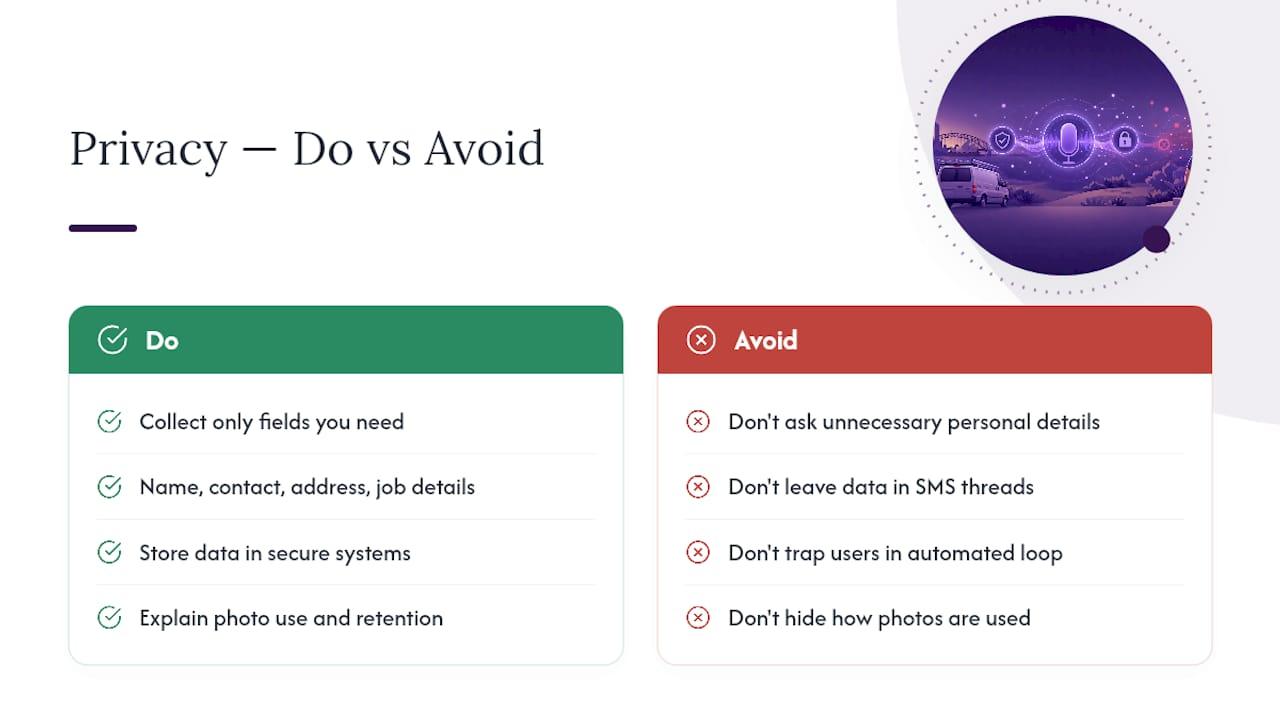
Keep it simple and practical. Only capture fields you actually need, name, contact number, address, job details, don’t ask for anything extra just because a template includes it. Store captured data somewhere secure, whether that’s your CRM, Xero, or AroFlo, rather than leaving it sitting in an SMS thread indefinitely.
If your script captures photos, especially of someone’s home interior, be upfront about what happens to those images and for how long you keep them. A short line in the script, “Photos are used only to prepare your quote,” covers this without turning the conversation into a legal disclaimer.
Cancellation and no-show handling also touches privacy and expectations at once, and it’s worth scripting clearly rather than leaving it ambiguous. The job cancellation policy guide covers how to phrase this without sounding punitive.
Finally, always give customers a way to reach a real person. A script that traps someone in an automated loop with no human option isn’t just bad customer service, it risks looking evasive if a complaint ever escalates.
Why do trade chatbot scripts fail after launch?
Most deployment problems trace back to three causes: scripts that ask too much at once, STT that mishears trade-specific terms, and handover triggers that never fire.
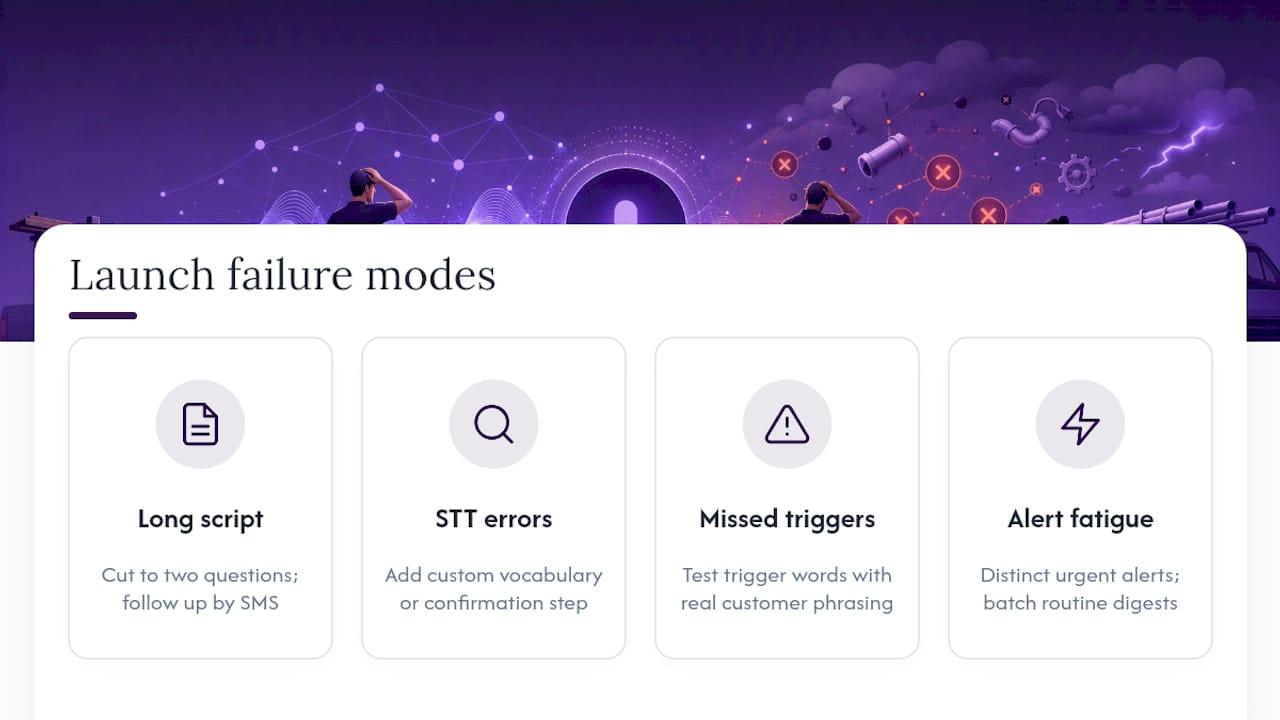
The “asks too much at once” problem shows up as customers abandoning a chat halfway through. If you’re losing people at the third question, that’s not a customer problem, that’s a script problem, cut it to two questions and pick up the rest by follow-up SMS.
Speech-to-text mishearing suburb names, trade jargon or brand names (“Rinnai,” “Clipsal”) is common and usually fixable by adding those terms to a custom vocabulary list if your platform supports it. If it doesn’t, build a confirmation step around anything easily misheard.
Handover triggers that never fire are the quiet killer. A script that’s supposed to escalate on the word “urgent” but only catches “emergency” will let real emergencies sit in a queue. Test your trigger words against how real customers actually phrase things, not how you’d phrase them yourself.
Notification fatigue is the last common failure. If every captured enquiry pings your phone at the same volume as a genuine emergency, you’ll start ignoring all of them. Set urgent captures to a distinct alert and let routine bookings batch into a daily digest instead.
Hayley’s view: start with one script, not five
Here’s what I’d tell any tradie staring at six templates: don’t deploy all of them on day one. Pick the booking script, get it running on your busiest channel, and watch the metrics for two weeks before touching anything else. Trying to automate every enquiry type at once is how good scripts get abandoned within a month, because nobody has time to fix five broken things simultaneously.
It was built around that exact discipline, one voice-first assistant that answers calls and pre-qualifies leads before expanding into quotes, follow-ups and admin. Run your own version of that trial on one channel first. Fix what breaks. Then expand.
— Hayley
Get voice-first scripts running with Ask Hayley
This is a practical shortcut for tradies who’d rather talk than type their way through setting up chatbot scripts for trades. Instead of building flows in a dashboard, you tell the assistant what you want, it answers inbound calls when you can’t, pre-qualifies leads using the same intent-based logic covered above, and routes anything urgent straight to you.
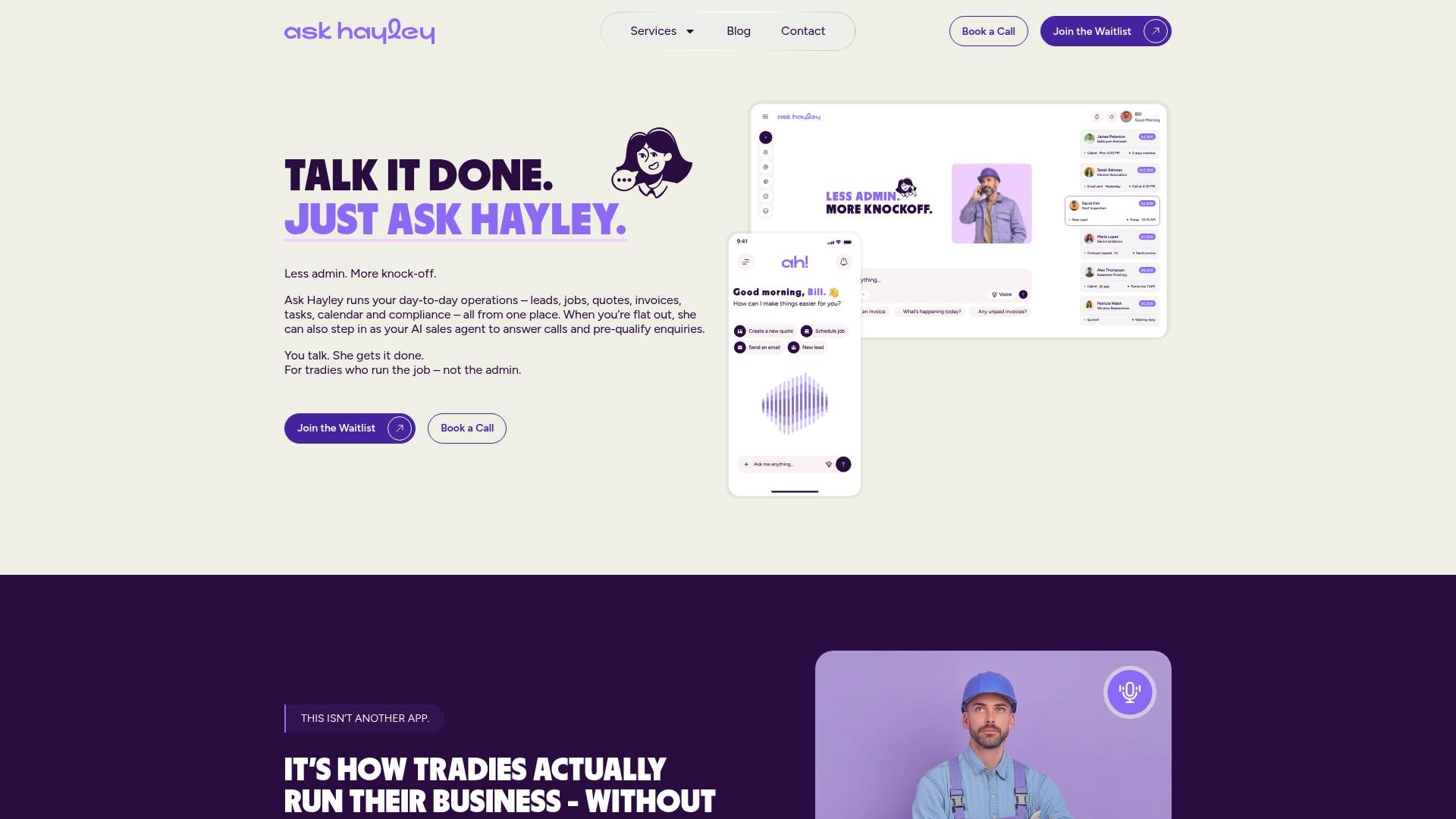
For businesses wanting coverage beyond phone calls, the optional AI Website Chatbot add-on applies the same booking, quote and emergency templates to your website and SMS threads, so a customer gets a consistent experience whichever way they reach out. Captured enquiries can flow into work order tracking, turning a conversation into a scheduled job without you touching a spreadsheet.
If you’ve read this far and you’re ready to stop losing jobs to missed calls, the next step is simple: head to Ask Hayley and set up a trial on your busiest channel.
FAQ
What are the best chatbot scripts for trades?
Short, intent-based scripts covering bookings, quote pre-qualifying, emergencies, availability, price-framing and follow-ups cover most trade enquiries without overwhelming the customer.
Should tradies use a chatbot or a voice assistant?
A voice-first assistant like Ask Hayley suits tradies better than a typed chatbot because it works hands-free while you’re on the tools, though a website chatbot add-on still helps for customers who prefer typing.
How long does it take to set up a trading chatbot script?
Most tradies can paste a booking template into their website chat or SMS platform and have it live within 20 to 60 minutes, then refine it over the first week of real enquiries.
What information should a trade chatbot script always capture?
Name, suburb or address, contact number, job type, urgency, and preferred day or time cover the essentials for almost any trade booking.
How do I stop a chatbot script from mishandling emergencies?
Build a clear trigger word, like “urgent” or “emergency,” that escalates immediately to a human, and test it against how real customers actually describe emergencies, not formal phrasing.


