


If you can’t answer within 30 seconds or you’re getting under 2,000 visitors a month, skip live chat and use a callback form or a lightweight bot. If your traffic is steady and you can staff quick responses during business hours, live chat or a hybrid setup will outperform a bot on its own. Ask Hayley suits tradies who want the hybrid outcome without hiring anyone new.
TL;DR:
- Live chat is only cost-effective for businesses with over 2,000 monthly visitors and the ability to respond within 30 seconds during business hours.
- Chatbots excel at handling repetitive questions and volume but lack empathy and are ineffective if left unsupervised or used improperly.
- A hybrid setup that combines AI-based bots for initial engagement with seamless human escalation offers the best balance of scale and trust for small teams.
- Voice-first automation like Hayley can replace most staffing and app management, providing real-time call answering, lead pre-qualification, and admin handling without extra hires.
- Small businesses should start with simple callbacks and lightweight bots, then layer in hybrid routing as volume grows and response times improve.
Table of Contents
- Live chat vs chatbot: a quick comparison
- Live chat: what it delivers and the staffing economics for small Australian businesses
- Chatbots and AI chatbots: efficiency, limits and configuration overhead
- When should you choose a bot, live chat, or hybrid setup?
- How to design a hybrid workflow that doesn’t lose customer trust
- Implementation checklist for tradies and small service teams
- The bottom line on live chat vs chatbot
- Why voice-first automation makes more sense for tradies than another screen
- How Ask Hayley gives you the hybrid without the hiring
- Sources
Live chat vs chatbot: a quick comparison
Before picking a side, look at how the two options actually behave once real customers start typing.
Live chat runs on a human being watching a screen. That means it’s only as good as your roster, but when it’s staffed well, it feels personal in a way automation can’t fake. Chatbots never sleep, never get tired of the same question, and cost roughly the same whether you get ten enquiries a day or a hundred.
Here’s how they stack up:
- Availability: Live chat covers business hours (or whenever a human is watching). Chatbots run 24/7. Hybrid setups use the bot after hours and route to a person during the day.
- Cost shape: Live chat costs scale with staff time. Chatbots have a flatter, mostly fixed cost regardless of volume.
- Response speed: Chatbots reply instantly. Live chat depends entirely on staffing. Both fail if nobody’s watching.
- Best for: Live chat suits complex, high-value enquiries. Chatbots suit repetitive questions (hours, pricing, booking links).
- Choose live chat if: you get consistent daytime traffic and can commit someone to watch the widget.
- Choose a chatbot if: your enquiries are repetitive and you don’t have spare hands to sit at a screen.
Live chat: what it delivers and the staffing economics for small Australian businesses
Live chat is a real person, usually a receptionist, office manager or the tradie themselves, watching a chat window and replying in real time, with the option to escalate a tricky job to someone more senior. Done well, it’s the closest thing to having someone standing at your front counter.
The numbers back this up, but only under the right conditions. Live chat converts at 6% to 12% when it’s staffed properly and first responses land under about 30 seconds. Below roughly 2,000 monthly visitors, the same research suggests live chat often doesn’t pay off at all, because there aren’t enough conversations to justify someone sitting there waiting.
Live chat pays off when:
- You’re getting steady daytime traffic (roughly 2,000+ monthly visitors)
- Someone can genuinely reply within 30 seconds during your advertised hours
- Your enquiries are complex enough to need judgement (quotes, scheduling conflicts, urgent jobs)
The pitfalls are just as real. A chat widget that shows “we’re online” while nobody replies for ten minutes does more damage than not having chat at all. It signals neglect. And at low volume, paying for a person’s attention per conversation gets expensive fast compared to what each enquiry is actually worth.
Chatbots and AI chatbots: efficiency, limits and configuration overhead
A chatbot is software that replies to messages based on either fixed rules (“if the customer types ‘quote’, send the pricing page”) or AI models that interpret intent more flexibly and hold a natural conversation, as explained in this small-business-focused practical guide to chatbots. Rule-based bots handle narrow, predictable questions well. AI-assisted bots can manage a wider range of phrasing and even qualify a lead before a human ever sees it.
Where bots earn their keep is volume. Chatbots can deflect a substantial share of routine tickets, often reported between 30% and 60% in vendor studies, freeing a tradie or office manager from repeating the same five answers all day.
But bots have a ceiling. They’re good at scaling repetitive queries and consistently weak on empathy, particularly when a customer is frustrated, anxious about a burst pipe, or trying to explain a problem that doesn’t fit a script. Left unsupervised, a bot that fails silently can actually increase repeat contacts rather than reduce them.
Before deploying a bot, weigh up:
- The time it takes to write and test prompts or rules against likely customer questions
- Whether your query mix is repetitive enough to justify the setup
- How you’ll monitor and retrain it once it’s live
Pro Tip: Never let a bot pretend to be human. Tell customers upfront they’re chatting with an assistant, and make the “talk to a real person” option obvious. Hidden handovers are what turn a helpful bot into a customer complaint.
When should you choose a bot, live chat, or hybrid setup?
Matching the right tool to your business comes down to four checks, run in order.
- Check your traffic. Under roughly 2,000 monthly visitors, live chat rarely earns its keep. Start with a callback form or a simple bot that captures name, number and job type.
- Check your response capability. If nobody can reliably reply within 30 seconds during your stated hours, don’t advertise live chat. A slow “live” chat converts worse than an honest form.
- Check your query complexity. If most questions are repetitive (pricing, availability, service areas), a bot handles them fine. If most are unique, urgent or emotionally loaded, you need a human in the loop.
- Check your staffing reality. A solo tradie on the tools all day can’t watch a chat widget. A small office with someone at a desk can.
The natural sequence for most small Australian service businesses looks like this: start with a callback form, add a lightweight bot once you’ve got enough traffic to justify it, layer in hybrid routing once the bot is handling volume well, then add staffed live chat only once you can genuinely hit that 30-second reply target during business hours.
Once something’s running, track three numbers:
- Chat-to-lead rate — what percentage of conversations turn into an actual enquiry or booking
- Abandonment rate — how many people start typing and give up
- Response time — actual, not advertised
AI-assisted live chat plugins can shift these numbers considerably, cutting cost per conversation while still hitting near-instant first responses, which is worth knowing before you assume staffed live chat is your only option once traffic grows.
How to design a hybrid workflow that doesn’t lose customer trust
The best-performing setups don’t treat this as chatbot vs live chat. They treat it as a relay: the bot runs first, and a human takes over the moment the conversation needs judgement.
Set clear routing rules from day one. Let the bot handle bookings, pricing questions, service area checks and basic scheduling. Anything involving a complaint, an urgent repair, or a question the bot can’t confidently answer twice should escalate immediately, not after three failed attempts.
Handover wording matters more than most businesses realise. “Let me connect you with someone who can help with that” builds trust. Silence, or a bot that just keeps guessing, destroys it. Seamless handover is what separates a useful bot from a frustrating one, especially for trade customers dealing with something urgent like a burst pipe or an electrical fault.
Before handing off, get the bot to capture phone number, job type, and urgency level. That alone can cut agent time significantly, since a human isn’t starting from scratch.
What to build in:
- A short list of trigger phrases or scenarios that force escalation
- A visible, honest handover message
- A minimum data set the bot collects before passing the conversation on
- A monthly review of transcripts to catch where the bot’s guessing wrong
Pro Tip: Review your bot’s failed conversations weekly for the first month, then monthly after that. Most bots don’t fail loudly. They fail quietly, by giving a vague answer the customer accepts and then never books.
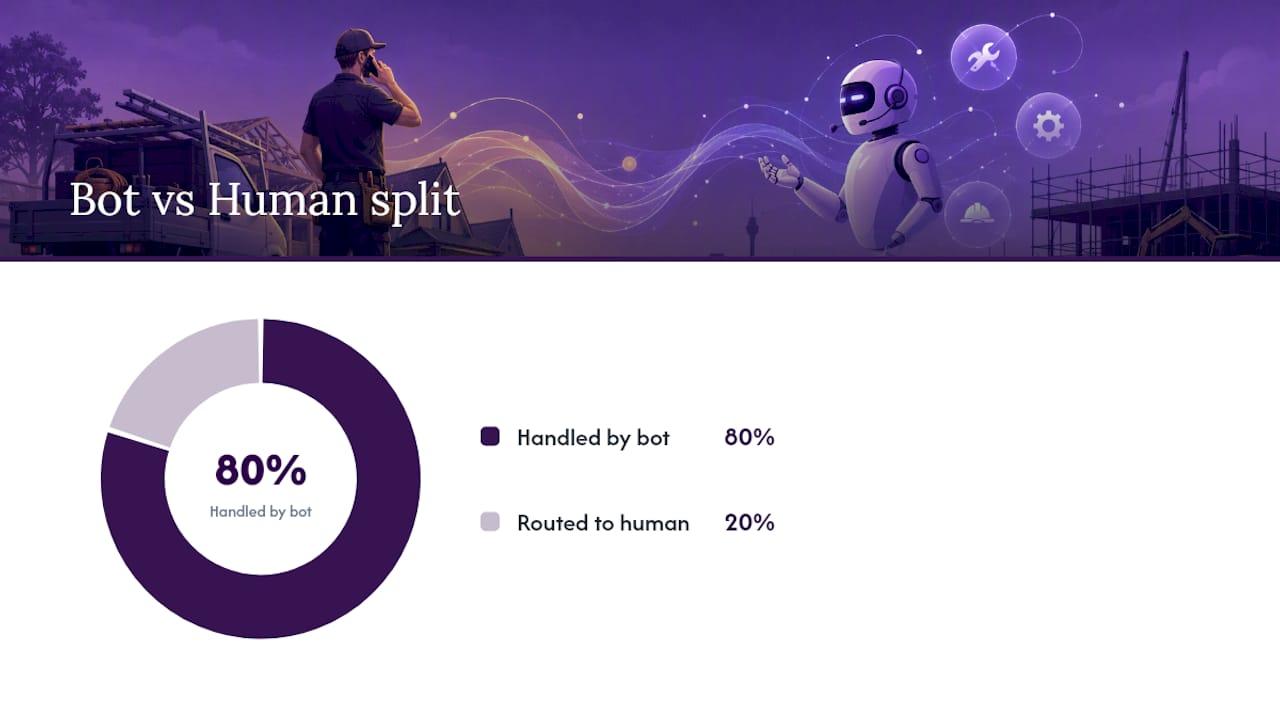
Research suggests hybrid systems that let AI handle roughly 80% of interactions while routing the remaining 20% to a human deliver the strongest mix of scale and trust, which is roughly the split most small service businesses should be aiming for.
Implementation checklist for tradies and small service teams
Getting this right isn’t complicated, but skipping a step is where most small businesses lose leads.
- Pick your pages. Put chat on your quote request, service area, and contact pages first, not your blog.
- Set honest availability. If you’re only watching chat 8am to 5pm, say so. Don’t display “online” when nobody’s there.
- Write one qualifying question. Ask what the job is and where, before anything else.
- Capture phone and job details early. Don’t wait until the third message to ask for a callback number.
- Match staffing to team size. A solo tradie should lean on a bot plus callback form. A team of three or more can justify staffed hours.
- Set a 30 to 90 day review. Check chat-to-lead rate, abandonment, and actual response time, not the advertised one.
- Run one A/B test. Try the qualifying question on and off for two weeks and compare lead quality.
Live chat’s own numbers make the staffing stakes clear: responses under 30 seconds can lift conversion into the 6% to 12% range, while slower replies push it under 2%. That gap is the difference between a chat widget that pays for itself and one that quietly costs you leads. Ask Hayley’s voice-first model was built around exactly this problem, answering calls and pre-qualifying leads the moment they come in, so tradies aren’t the ones stuck watching a screen for that 30-second window.
The bottom line on live chat vs chatbot
For most Australian tradies, the honest answer is sequencing, not picking a side. Under 2,000 monthly visitors or without reliable staffing, start with a callback form and a simple bot for repetitive questions. Once traffic and enquiry volume grow, layer in hybrid routing, then staffed live chat only if you can genuinely hit 30-second replies.
Three things to do this week: test a callback form on your busiest page, trial a lightweight bot on your quote request page, and set a 30-day plan to track chat-to-lead rate and response time before deciding what’s next.
Why voice-first automation makes more sense for tradies than another screen
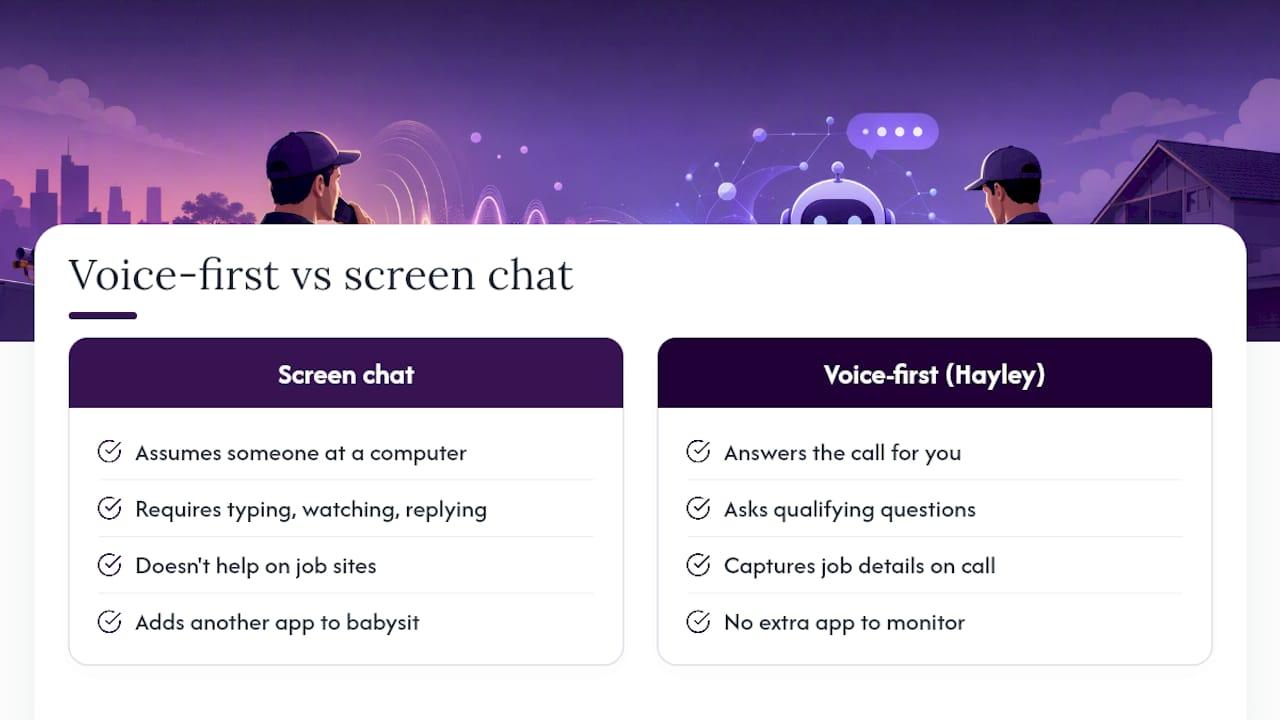
Most chatbot vs live chat advice assumes someone’s free to sit at a computer. Tradies aren’t. You’re under a house, up a ladder, or driving between jobs, and a chat widget doesn’t help if nobody’s there to answer it.
That’s the gap Hayley was built to close. Instead of asking you to type, watch, and reply, Hayley answers the call, asks the qualifying questions, and captures the job details while you keep working. It’s not about choosing between a bot and a human. It’s about giving tradies back the hours they’d otherwise lose to admin, without handing them another app to babysit.
— Hayley
How Ask Hayley gives you the hybrid without the hiring
Building a proper hybrid setup usually means a bot, a live chat tool, staff rostering, and someone reviewing transcripts every week. That’s a lot of moving parts for a business that’s already stretched thin. Ask Hayley replaces most of that with one voice-first assistant that answers your calls when you can’t, pre-qualifies leads before they hit your inbox, and handles the admin that usually falls through the cracks.
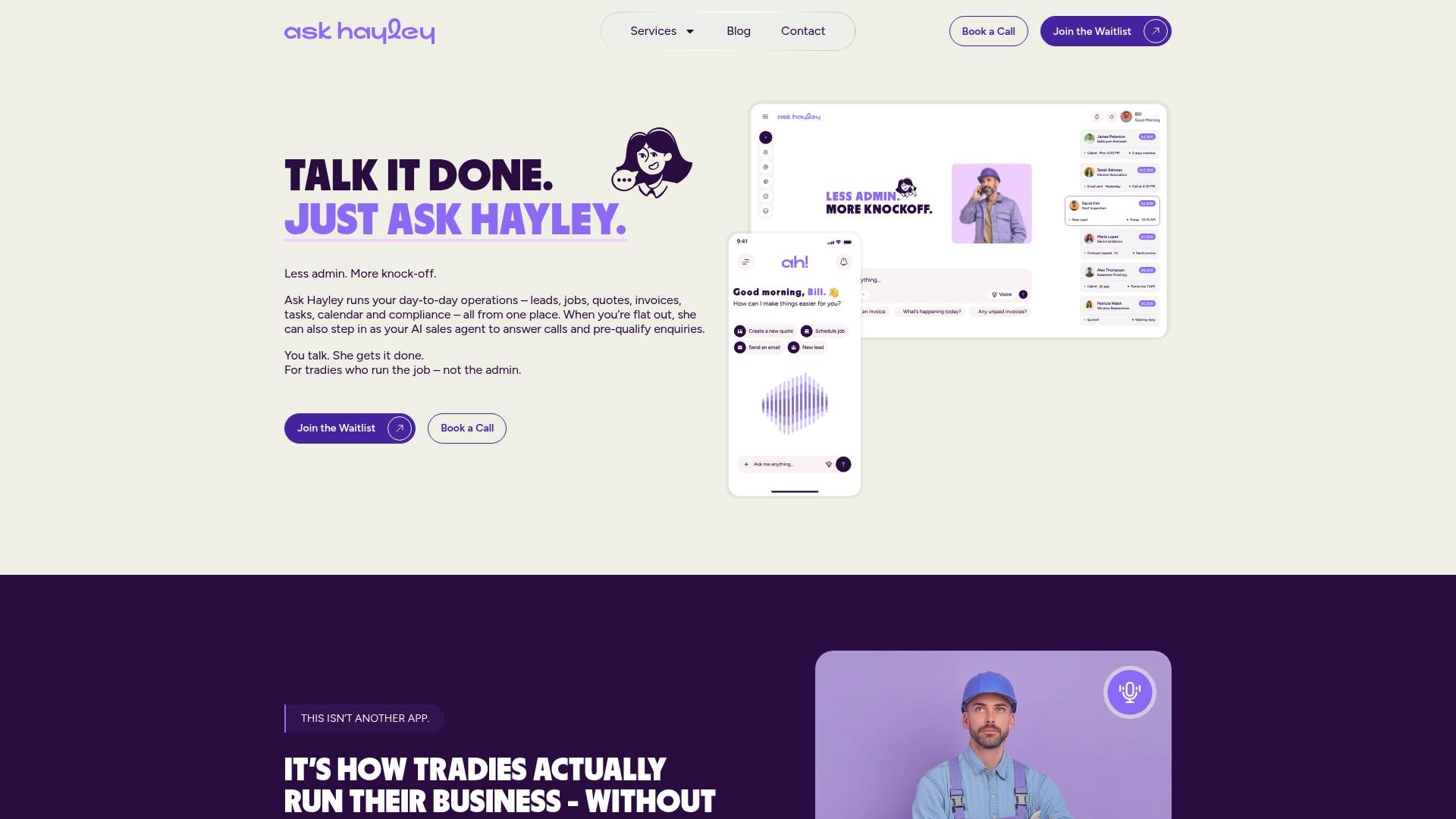
For businesses wanting broader coverage across your website too, the optional AI Website Chatbot add-on pairs with a simple one-page website so your online presence and your phone line work off the same system, rather than three disconnected tools. If you’re currently missing calls on-site or letting enquiries sit unanswered overnight, that’s the exact gap Hayley fills. Have a look at the Ask Hayley platform and see which plan, Assistant or Office Manager, matches how your business runs right now.
Sources
The staffing thresholds and conversion figures in this guide come from LiveHelpNow’s traffic and live chat ROI analysis, BotHero’s live chat plugin economics study, and Mailchimp’s chatbot vs live chat comparison. For a broader industry view on where automation is heading, Intelegencia’s analysis of the chatbot maturity curve is worth a read, alongside this Australian-focused comparison of chatbots and live chat for local context.


