


The best job scheduling practice for Australian tradies is to automate the Job Chain, the link between enquiry, booking, job card and invoice, and pair it with hands-free capture and SMS confirmations. This cuts admin time, reduces no-shows and speeds up invoicing without adding another app to your day. It also keeps you aligned with Safe Work Australia fatigue guidance and OAIC privacy expectations, both of which shape how you schedule and store customer information.
TL;DR:
- Automating the Job Chain and pairing it with SMS confirmations can significantly reduce admin time, no-shows, and speed up invoicing for tradies.
- Keeping schedules simple by linking quotes to bookings, using clear arrival windows, and building buffers prevents double-booking and delays.
- Using voice notes and integrated job details from initial contact through invoicing streamlines on-site work and minimizes re-entry errors.
- Scheduling should prioritize safe work hours, include recovery time, and avoid consecutive long days to reduce fatigue and comply with Australian WHS guidance.
- Implementing straightforward privacy practices, such as collecting only necessary data and securing devices, helps build client trust and meet legal obligations.
Table of Contents
- Practical checklist: 5 job scheduling best practices tradies can apply today
- On-site workflows and tools that work without a desktop dashboard
- Scheduling that reduces fatigue and meets Australian WHS expectations
- Privacy and customer data: short, usable obligations for Australian tradies
- How to roll this out without adding admin: a 30-day plan and quick wins
- Prioritising jobs: urgency, client value and job length
- Handling unexpected changes and rescheduling strategies
- Performance metrics and KPIs to evaluate scheduling effectiveness
- Matching the right tradie to the right job
- Time zone considerations for multi-location or remote teams
- Why simple, voice-friendly scheduling wins
- How Ask Hayley keeps the Job Chain moving without a screen
- Sources
- FAQ
Practical checklist: 5 job scheduling best practices tradies can apply today
Good scheduling isn’t about a fancier calendar. It’s about removing the small gaps where jobs get double-booked, forgotten or written down twice.
- Automate bookings into live availability. Link your quoting tool to your calendar so a confirmed quote becomes a booking without a phone call or a second entry.
- Use clear arrival windows with SMS reminders. A message 24 hours before and another 30 minutes before keeps the job on the client’s radar and cuts down on you waiting at an empty driveway.
- Capture job details at first contact. Ask about access, materials and scope when the enquiry comes in, not the morning of the job, so your quote and your ute are both ready.
- Keep dispatch rules simple. Decide who takes what job based on location and skill, and sequence jobs by travel time rather than by whoever answers the phone last.
- Build in buffers. Add realistic travel time between jobs and set a quote expiry window so a job booked three weeks out still reflects current pricing.
Pro Tip: Set your quote expiry to match your busiest season, a 30-day expiry policy protects margins when material costs shift.
On-site workflows and tools that work without a desktop dashboard
Most tradies don’t lose time doing the job. They lose it re-entering the same information three times, once in a notebook, once in a text message and once in an invoice.
- Capture the job once, hands-free. A quick voice note or a single SMS reply can create a calendar slot and a job card at the same time, so the details travel with the booking.
- Thread quote through to invoice. When a quote becomes a booking, the same job card should carry through to dispatch and then to the invoice, so nobody retypes an address or a scope of work.
- Dispatch from the field. SMS with a call-back fallback works better than an app nobody opens between jobs, and photo-enabled job notes mean the next tradie on site knows exactly what’s needed.
- Connect to your accounting system. Linking bookings to Xero and to work order tracking means an invoice reflects the actual job, not an estimate from three weeks earlier.
Lightweight, connected systems tend to work better for small teams than a single all-in-one dashboard that needs a login and a screen you don’t have time for on site.
Scheduling that reduces fatigue and meets Australian WHS expectations
Fatigue is a safety issue, not just a comfort one, and it shows up directly in how jobs get scheduled. Safe Work Australia guidance recommends designing schedules to avoid early starts where practicable, allowing proper recovery time between shifts and putting the hardest tasks in the middle of the day rather than at the end of a long shift.
- Limit long or back-to-back days. Avoid stacking consecutive early starts or late finishes for the same tradie.
- Plan recovery windows. Build minimum rest periods between the end of one job and the start of the next day’s run.
- Put demanding jobs mid-day. Save the physically toughest work for when concentration and energy are highest.
- Treat urgent or night work as an exception. Apply extra controls, such as a second person on site or a shorter shift the next day, and note the decision.
The model code of practice recommends forward rotation and limiting successive night or early starts as practical fatigue controls for PCBUs.
Consulting your team on rosters, even informally, and keeping a short record of how you’ve considered fatigue risk gives you something to point to if a WHS question ever comes up.
Privacy and customer data: short, usable obligations for Australian tradies
If your business meets the threshold under the Privacy Act, you’re required to comply with the Australian Privacy Principles. Even if you’re not covered, following the same principles builds trust with clients who are handing over their address, phone number and access details.
- Collect only what you need. Name, address, phone number and job details are usually enough, skip anything extra.
- Secure the phone or tablet you use on site. A passcode and app-level login protect customer data if the device is lost.
- Keep a short privacy note on your booking form. A sentence explaining what you collect and why covers most small jobs.
- Record SMS opt-ins. A simple “reply YES to confirm” creates a record of consent for reminders.
The OAIC small business guidance covers when the Act applies and how to opt in voluntarily if you’d like the extra credibility with clients. If you’re unsure where you sit, a quick chat with an adviser is worth it before you scale up your booking volume.
How to roll this out without adding admin: a 30-day plan and quick wins
You don’t need to overhaul your whole system in one weekend. Small, sequenced changes get you most of the benefit.
- Week one: Turn on SMS confirmations and set your arrival windows.
- Week two: Start capturing job details at first contact, by voice or a short intake message.
- Week three: Set up a follow-up cadence for quotes that haven’t been accepted yet.
- Week four: Link bookings through to invoicing so the job card becomes the invoice automatically.
Pro Tip: Track three numbers only, no-show rate, lead response time and admin hours per week, and you’ll know within a month whether the changes are working.
A voice-first tool can support this rollout by handling hands-free capture and SMS reminders without needing you to sit at a screen between jobs.
Prioritising jobs: urgency, client value and job length
Not every booking deserves the same slot. A burst pipe beats a routine service call, and a long-standing client with a recurring maintenance contract usually deserves priority over a first-time enquiry with a flexible timeline.
A simple way to sort incoming jobs is to weigh three things: how urgent the problem is, how valuable or long-term the client relationship is, and how long the job will realistically take. An urgent, short job might slot in before a longer, non-urgent one even if the longer job was booked first, because it clears faster and protects the client relationship.
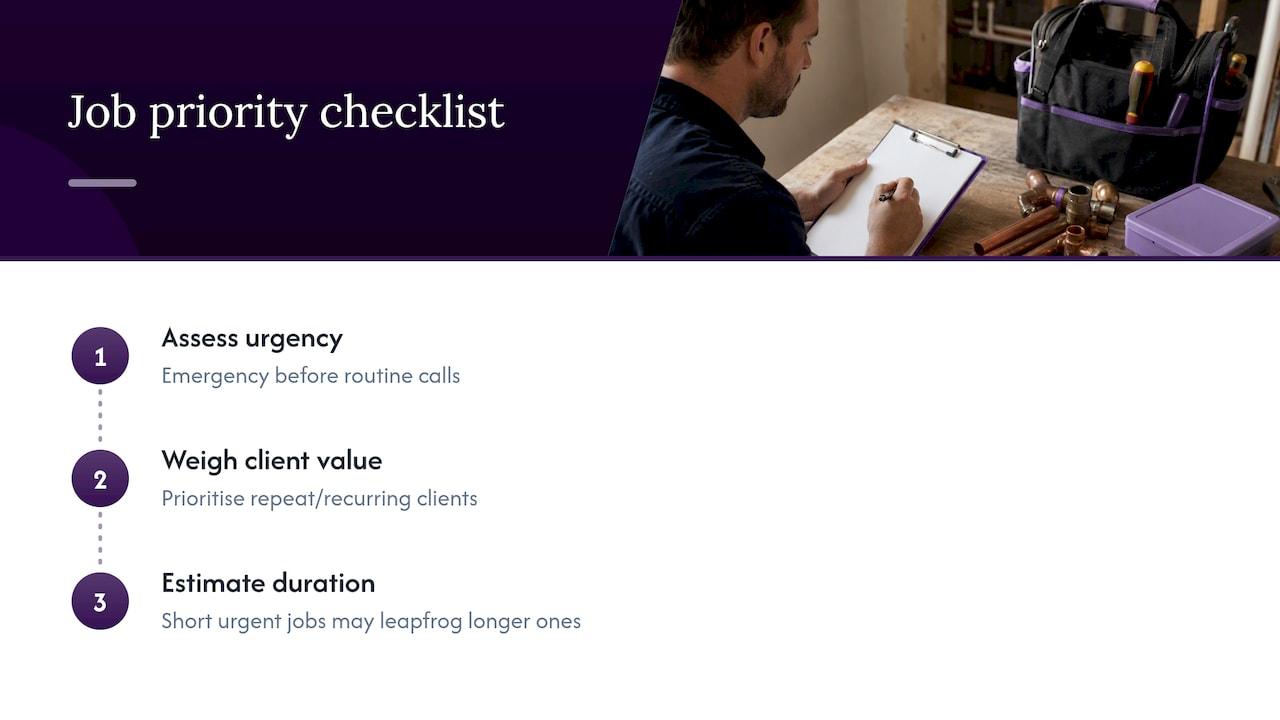
Job duration matters more than tradies often give it credit for. A two-hour job squeezed between two longer bookings can throw off the rest of the day if travel time isn’t accounted for. Building duration estimates into your booking process, even rough ones, keeps the whole day’s schedule realistic rather than optimistic.
Client importance isn’t about playing favourites, it’s about recognising that a repeat client generating steady work is worth protecting with a faster response than a one-off enquiry that might not convert. None of this needs a scoring system or software module. A quick mental checklist, urgency first, then relationship, then time required, is usually enough to sort a day’s bookings sensibly.
Handling unexpected changes and rescheduling strategies
Jobs run long, materials don’t turn up, and clients cancel at the last minute. The businesses that handle this well aren’t the ones with the tightest schedules, they’re the ones with the most realistic buffers.
Build a small amount of slack into each day rather than booking back-to-back with no room to move. When a job overruns, that buffer absorbs the delay instead of pushing every later appointment back by an hour. If a reschedule is unavoidable, tell the client as early as possible and offer a specific new window rather than a vague “we’ll be in touch.”
Keep a short list of standby jobs, smaller tasks that can fill a gap if an appointment cancels. This turns a cancellation from lost revenue into a chance to slot in something else. A consistent process for notifying clients of changes, ideally by SMS so there’s a written record, also reduces confusion and repeat phone calls chasing an update.
Performance metrics and KPIs to evaluate scheduling effectiveness
You don’t need a dashboard full of numbers to know if your scheduling is working, three or four simple metrics tell the story. Track your no-show rate to see whether confirmations and reminders are doing their job. A high rate usually points to unclear arrival windows or a missing reminder step.
Lead response time matters just as much. The faster you respond to a new enquiry, the more likely it converts into a booking rather than going to whoever calls the client back first.
Admin hours per week is a quiet but telling number. If you’re spending several hours a week re-entering job details across a notebook, a calendar and an invoicing app, that’s time the Job Chain approach is meant to claw back. Finally, look at how many jobs get rescheduled more than once. A rising number often signals that buffers are too tight or that job duration estimates need adjusting.
Matching the right tradie to the right job
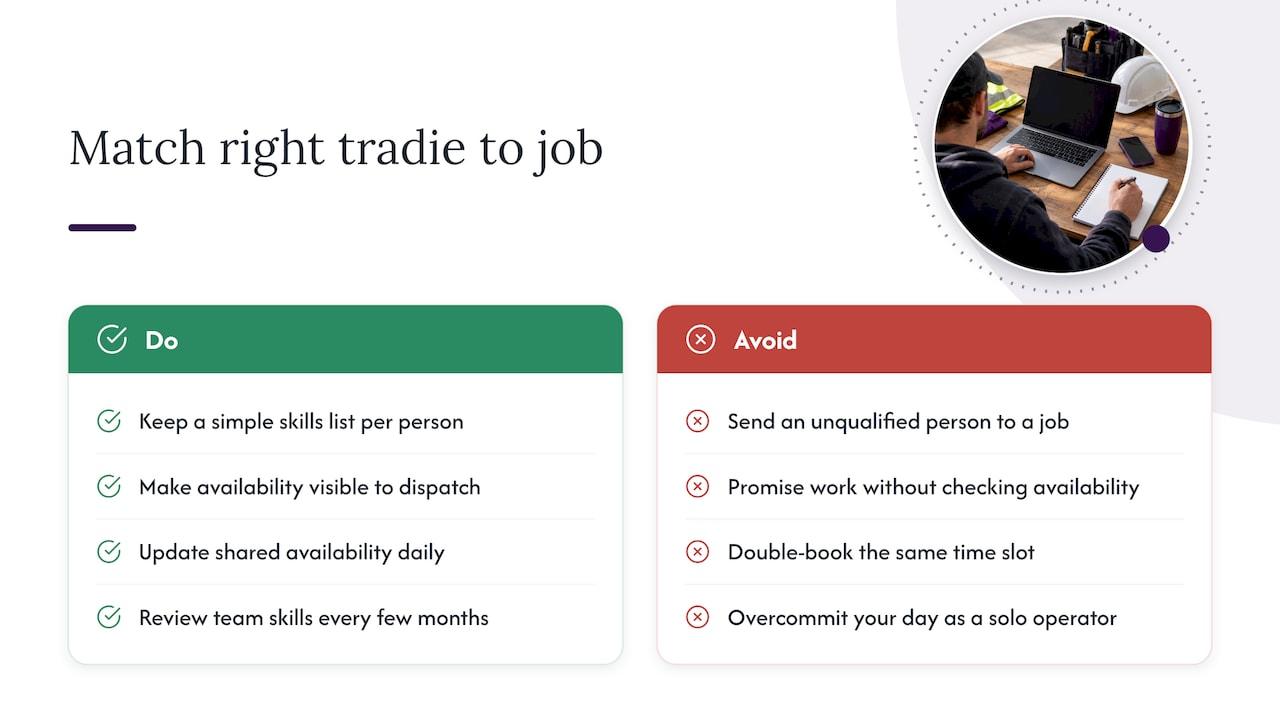
Scheduling isn’t just about time, it’s about who’s actually free and qualified for the work. A simple skills list for each person on your team, even a basic one covering licences, specialities and equipment they’re comfortable using, makes dispatch decisions faster and avoids sending the wrong person to a job that needs a specific ticket or certification.
Availability needs the same clarity. If someone’s booked solid until Thursday, that should be visible before a job gets promised for Wednesday. Keeping availability current, even a simple shared note updated daily, prevents the double-booking that damages trust with clients faster than almost anything else.
For solo operators, this is less about matching and more about being honest with yourself about how many jobs you can realistically fit in a day once travel and buffers are accounted for. For small teams, it’s worth reviewing who’s best suited to which job types every few months, skills and confidence change, and so should how you allocate work.
Time zone considerations for multi-location or remote teams
Most tradie businesses operate within a single time zone, but if you take on jobs across state lines, say a border town, a regional franchise or remote-site work, time zone gaps can quietly cause missed calls and mismatched arrival windows.
Australia spans several time zones, and daylight saving adds another layer during parts of the year since not every state observes it. If you’re coordinating bookings or SMS reminders across a boundary like this, set your scheduling system to the client’s local time, not your own, and double check reminder timestamps during the daylight saving transition periods each year. A reminder that says “9am” but lands in the wrong zone is worse than no reminder at all, it creates false confidence that everything’s on track.
For most single-location trade businesses this won’t come up often, but it’s worth a quick check if your work ever crosses a state border.
Why simple, voice-friendly scheduling wins
Tradies don’t need more screens, they need fewer places where information gets lost. The best scheduling systems are the ones you barely notice because they work while your hands are full and your phone’s covered in dust.
Try changing one thing this week, add SMS confirmations or start capturing job details by voice, and see what time it gives back.
— Hayley
How Ask Hayley keeps the Job Chain moving without a screen
Some voice-first business management platforms answer calls you miss, capture job details by voice and link them straight through to booking, dispatch and invoicing, so nothing gets typed twice.
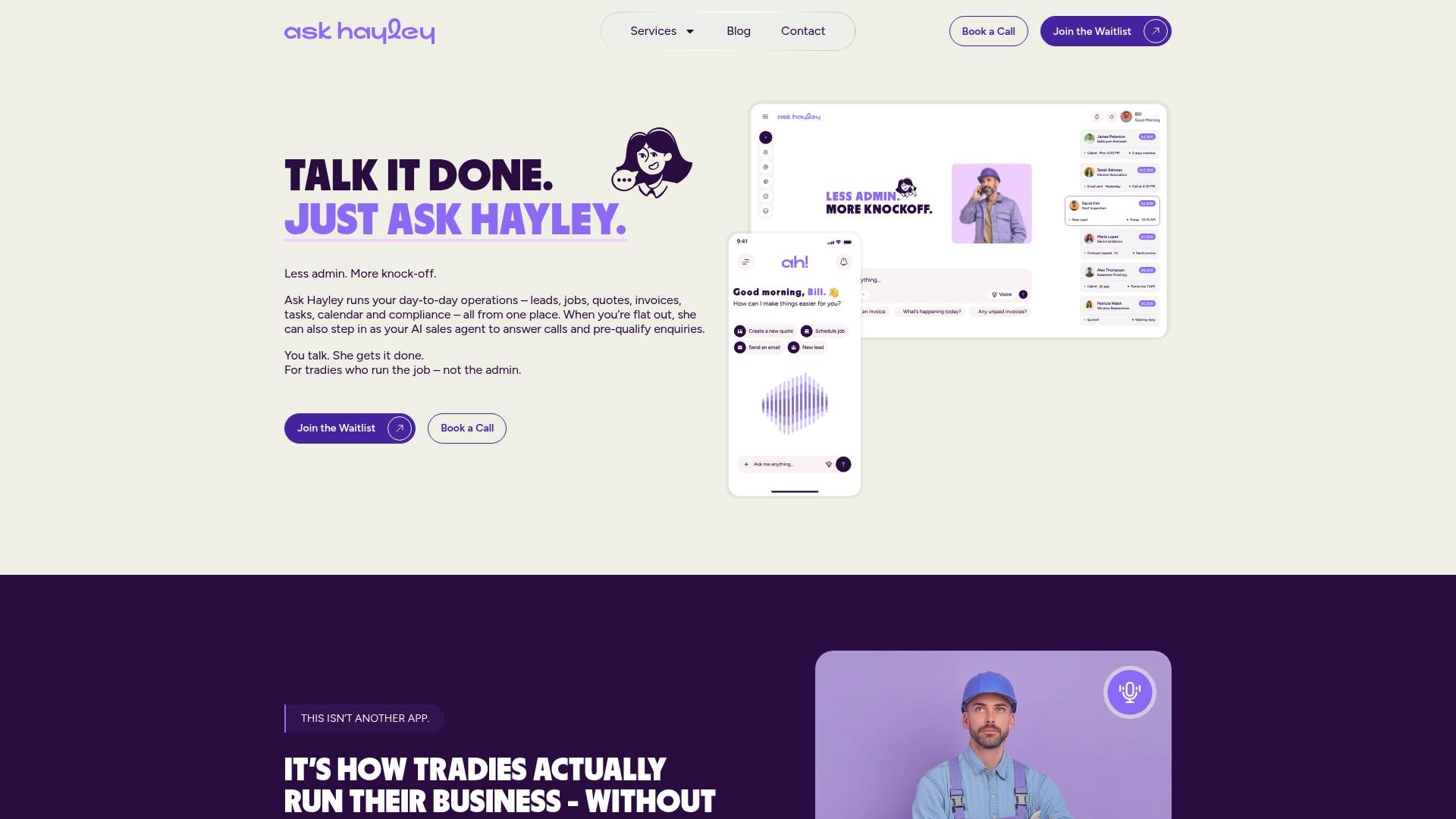
- Voice intake and call answering mean enquiries turn into booked jobs even when your hands are full.
- SMS appointment reminders cut down on no-shows without you sending a single text yourself.
- Work order tracking keeps job details attached to the booking all the way through to invoicing.
If you’d like to see how this fits your business, visit Ask Hayley to check plan options and get started.
Sources
- Guide for managing the risk of fatigue at work (Safe Work Australia)
- Privacy guidance for small businesses (OAIC)
FAQ
What is the Job Chain in job scheduling?
The Job Chain is the path a job takes from first enquiry through booking, job card, dispatch and invoicing. Automating it means details entered at booking carry through automatically, so nothing gets retyped or lost along the way.
How often should I send SMS appointment reminders?
A common cadence is one reminder about 24 hours before the job and a second around 30 minutes before arrival. This two-step approach, covered in Ask Hayley’s SMS reminders feature, helps reduce no-shows without extra phone calls.
Do I need to comply with the Privacy Act as a small tradie business?
If your business meets the threshold set out in the Privacy Act, you must follow the Australian Privacy Principles. Even if you’re not covered, the OAIC’s small business guidance recommends adopting the same practices to build client trust.
How does scheduling affect worker fatigue?
Poor scheduling, such as stacking early starts or skipping recovery time, increases fatigue risk on site. Safe Work Australia recommends avoiding early starts where practicable and scheduling demanding tasks for the middle of the day to manage this risk.
Can voice-first tools like Ask Hayley replace a scheduling app?
Ask Hayley handles call answering, voice intake and SMS reminders so you can manage bookings without opening a dashboard. It’s built specifically for tradies who need hands-free scheduling on site rather than a desktop-first tool.


