


You can automate most tradie admin by handing the repeatable jobs to software in a sensible order: answering and sorting calls first, then quotes, invoices, follow-ups and reminders. Keep a human on the decisions that carry risk, such as final pricing, safety and disputes. Start with one workflow, test it for a few weeks, then add the next.
This guide shows which admin jobs cost you the most time, what to automate first, what each tool should actually do, and what to check on privacy before you switch anything on.
TL;DR
- Start with missed calls and lead replies. A job lost because nobody answered is the most expensive admin gap you have.
- Next, automate quote follow-ups, quote-to-invoice steps, appointment reminders and job notes.
- Keep final pricing, safety calls, compliance wording and disputes with a person.
- Trial one or two workflows first, tell customers when they are dealing with AI, and check how your data is handled.
- Pick tools you can use by voice or from your phone, not ones that need a desk.
Table of Contents
- Where tradies lose the most admin time
- What to automate first
- Step 1: stop missing the call
- Step 2: follow up quotes without nagging
- Step 3: quote and invoice without retyping
- Step 4: reminders, bookings and job tracking
- What each tool should do
- Perspective
- Check privacy and keep a human in the loop
- How much time can you expect to save?
- Get help setting it up
- Beyond day-to-day admin
- Put your admin on voice with Ask Hayley
- FAQ
- Sources
Where tradies lose the most admin time
Most tradies know the pattern. You finish a job at 4 pm, then spend the evening on quotes, invoices, replies and tomorrow’s schedule. Nobody is paid for that time.
The numbers back up the feeling. A September 2026 report on an OpenAI-commissioned Australian small-business study found that 62% of construction respondents spent more time quoting, invoicing or scheduling than working on the tools, and 45% said slow response times had cost them potential clients or jobs. That is a broad small-business survey, not a tradie-only trial, but it matches what you see on the ground.
The jobs that eat the most time tend to be the same ones in every trade:
- Answering calls and messages while you are on a roof, under a sink or up a ladder.
- Sorting leads, including tyre-kickers, out-of-area callers and jobs you do not do.
- Quoting, especially writing it up after hours from memory.
- Chasing quotes that went quiet.
- Invoicing and chasing payment.
- Scheduling and reminders, including the back-and-forth to find a time.
- Paperwork, such as job notes, safety documents and handover records.
The easiest to automate are the ones with a clear pattern: the same questions asked of every caller, the same follow-up after a quote, the same reminder before a visit. The ones that need judgement, like pricing a tricky job, stay with you.
What to automate first
The temptation is to buy a big system and switch everything on at once. That usually creates more work. The Australian Government’s business.gov.au advises that AI should be introduced in a small way first, so you can check how accurate the tool is before relying on it.
A practical order, based on how much each step costs you if it goes wrong:
| Order | Workflow | Why it comes first | What stays human |
|---|---|---|---|
| 1 | Missed-call answering and lead sorting | Every unanswered call is a possible lost job | Deciding which jobs to take |
| 2 | Quote follow-up reminders | Quotes already sent are money sitting idle | The conversation about price |
| 3 | Quote-to-invoice flow | Removes retyping and mistakes | Final pricing and variations |
| 4 | Appointment reminders and bookings | Cuts no-shows and phone tag | Changes on the day |
| 5 | Job notes and records | Saves the evening paperwork | Safety and compliance sign-off |
One Australian IT guide for trades suggests the same sequence: missed-call replies first, then quote-follow-up reminders, then job-note summaries, with final pricing, safety decisions, compliance wording and disputes kept human. It is a sensible rule of thumb.
Step 1: stop missing the call
When you are on site, you cannot answer the phone. The caller rings the next tradie on the list. That is why call handling is the best first workflow.
A good setup does four things:
- Answers every call, straight away, in a natural voice.
- Asks the questions you would ask: name, suburb, what the job is, how urgent it is.
- Filters out spam and jobs outside your area or trade.
- Sends you a short summary so you can call back the jobs worth having.
The quality of the questions matters more than the technology. Our voice triage questions for pre-qualifying leads show how a one-minute call can separate a real job from a time-waster. If spam calls are clogging your line, there is a separate guide on screening spam calls safely.
Not sure whether to use a person or software? Our comparison of an AI receptionist versus a human walks through what suits a small trade business. If you also want a web chat option, see live chat versus chatbot.
Once more of your calls are being captured, it helps to know where the enquiries come from. If you pay for ads, understanding what Google Ads cost for a small business lets you judge whether each extra call is worth what you paid to get it. Answering them all is what makes that spend count.
Step 2: follow up quotes without nagging
A quote that goes quiet is not always a no. Often the customer got busy, or went with whoever replied first. A simple cadence fixes most of that: a short message a couple of days after the quote, another later, and then a last, polite check-in.
What the automation should do:
- Send the first follow-up automatically after the quote goes out.
- Stop sending as soon as the customer replies.
- Flag the quotes worth a personal call, such as large jobs.
We lay out timing and wording in our guide to a follow-up cadence. The part you keep is the conversation about price. Software can nudge. It should not negotiate.
Step 3: quote and invoice without retyping
Retyping the same job details into a quote, then again into an invoice, is where errors creep in. A connected flow captures the job details once and carries them through.
Two things help here:
- Voice quoting on site. You describe the job out loud and the quote is drafted for you to check. Our guide to dictating a voice quote on site explains how this works, and automated quoting for tradies covers where to start.
- A quote-to-invoice workflow. Once the customer accepts, the quote becomes the job and then the invoice, with no second round of data entry. See the hands-free quote to invoice workflow.
On the invoicing side, the ATO says businesses can use an eInvoicing Ready product to connect to the secure Peppol network and send or receive eInvoices. The ATO has also said eInvoicing can reduce reliance on manual invoice processes and support faster processing and better record-keeping. This matters most if you do work for larger businesses or government that are moving to eInvoicing. Ask your accounting software provider whether it is eInvoicing ready.
Whatever you use, make sure it works with your accounts package. Integration with tools like Xero or AroFlo means your invoices land where your bookkeeper expects them.
Step 4: reminders, bookings and job tracking
No-shows and last-minute reschedules cost you travel time and a slot you could have sold. Automated SMS reminders are cheap and effective. Our guide to SMS appointment reminders covers what to say and when to send it.
For bigger or multi-visit work, tracking each job from enquiry to completion keeps things from falling through the cracks. Read how work order tracking works in practice. A clear job cancellation policy also gives your reminders something firm to point to.
Once the basics run themselves, you can look at the numbers. Field service KPIs and the utilisation rate calculation show whether your time is going into billable work.
What each tool should do
You do not need ten apps. You need a few jobs done well. Here is what to expect from each type of tool:
| Tool type | What it should do | What to test before trusting it |
|---|---|---|
| Call answering / AI receptionist | Answer, ask your questions, filter spam, send a summary | Does it get names, suburbs and urgency right? |
| Quoting tool | Turn a spoken or typed job description into a draft quote | Are line items and totals right? |
| Accounting software | Invoices, payments, GST records | Does it connect to your quoting tool? |
| Scheduling and reminders | Book, remind, reschedule | Does it respect your travel times? |
| Website chatbot | Capture enquiries outside business hours | Does it say it is automated? |
The more tools you stack, the more logins and mismatched data you manage. That is why a single platform that handles calls, quotes and admin often beats a pile of separate apps.
Perspective
Most tradie software is built for someone sitting at a desk. Tradies are not. Your hands are full, your phone is in your pocket and the next job starts in twenty minutes.
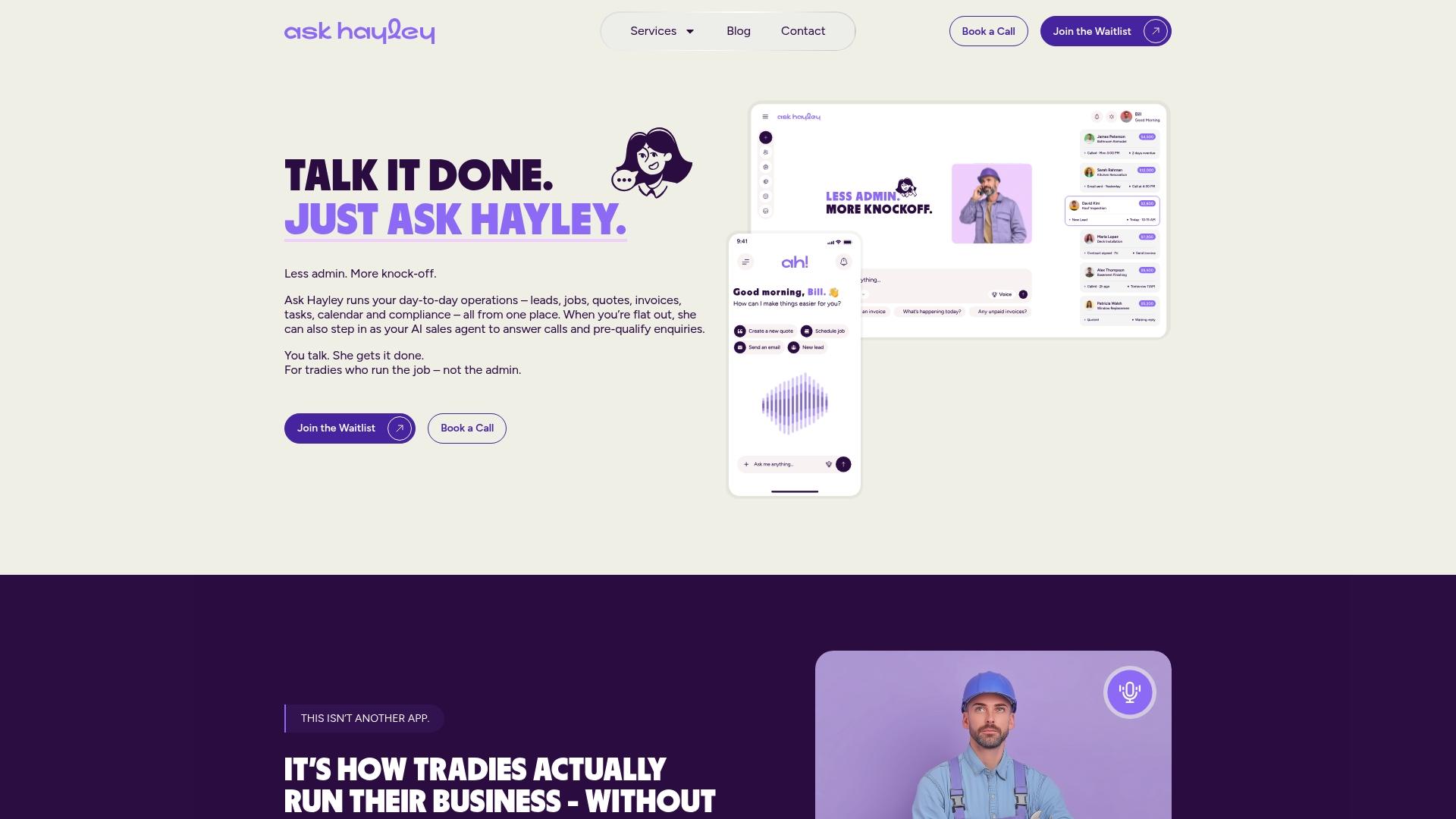
That is why we built Ask Hayley around voice. You talk, and Hayley answers calls when you can’t, pre-qualifies leads before they land in your inbox and handles day-to-day admin from natural prompts. Nothing to type, no dashboard to learn, no extra app to add to the pile.
Our view is simple: the best admin system is the one you will actually use on a ladder. If it needs a laptop and an hour of setup every week, it will not last. Start with calls and leads, because that is where the money walks out the door, then build outwards.
Hayley
Check privacy and keep a human in the loop
Automation touches customer names, addresses, phone numbers and sometimes photos of their homes. That is personal information, and you are responsible for it.
What business.gov.au recommends is practical. You should test AI tools, assign someone accountable, keep a register of the AI systems you use, and tell customers when they are dealing with AI rather than a person. It also suggests trialling in one or two areas and testing thoroughly before rollout, to protect data privacy and security.
The Office of the Australian Information Commissioner has published guidance on how privacy law applies to commercially available AI products, including how to choose an appropriate product. If you are unsure whether your business is covered by the Privacy Act, check with the OAIC or your adviser before you roll out anything that records calls.
A simple checklist before going live:
- Where is customer data stored, and who can see it?
- Does the tool announce that it is automated?
- Can you review what it sent or recorded?
- Who in your business is responsible for checking it each week?
- Which decisions never go to the tool? For most tradies: price changes, safety advice, compliance wording and complaints.
How much time can you expect to save?
Be wary of big promises. The same study reported in September 2026 found that among Australian businesses already using AI, 74% saved at least one hour a week and 26% saved seven hours or more. Those are broad small-business results, so your own result will depend on your trade, your volume of calls and how many steps you automate.
A fair way to measure your own: note how many hours a week you spend on admin and how many calls go unanswered before you start. Check again after a month. If both are down, keep going. If not, change the workflow, not the whole system.
Get help setting it up
If you would like a second opinion before you commit, the Australian Government’s Digital Solutions program offers small businesses and sole traders up to 5 hours of low-cost, one-on-one advice on business software, AI and cybersecurity. Check the page for current eligibility.
Beyond day-to-day admin
Some admin is not daily, but it decides whether you win bigger work. Tender responses, safety documents and a professional website all take time most tradies do not have.
Our team can help with a one page website, tender preparation and safety and compliance documentation. If you are working towards bigger contracts, these guides cover contractor prequalification, a tender cover letter, and project handover documentation.
Put your admin on voice with Ask Hayley
Ask Hayley is a voice-first business management platform built for Australian tradies and small service businesses. Hayley answers calls when you can’t, pre-qualifies leads and handles admin through natural voice prompts, with two core plans (Assistant and Office Manager) and optional add-ons such as an AI Sales Agent and AI Website Chatbot. It also connects with Xero and AroFlo.
If you want to see how it fits your trade, start at askhayley.com.au and see what Hayley could take off your plate this week. For capturing more calls specifically, read about owning your leads.
FAQ
What admin should a tradie automate first?
Start with missed calls and new-lead replies, because an unanswered call is often a lost job. Quote follow-ups and appointment reminders come next. Keep final pricing, safety decisions and disputes with a person.
Do I need to tell customers I’m using AI?
The Australian Government’s guidance for small businesses recommends telling customers when they are interacting with AI rather than a human. It is also good practice for trust. Say so early in a call or chat, and make it easy to reach you directly.
Will automation make me look impersonal?
Not if it is set up well. A quick, polite reply from an automated assistant beats a call that goes to voicemail. Keep the personal touch for pricing conversations, difficult jobs and your regular customers.
How long does it take to set up?
It depends on the tool, but a good rule is one workflow at a time. Trial missed-call handling for a few weeks, review what it captured, then add quote follow-ups. Starting small keeps the setup from becoming another job.
Can I automate admin if I work alone?
Yes, and sole traders often gain the most because there is no one else to pick up the phone or send the invoice. Choose tools you can run by voice or from your phone so they work while you are on the tools.
Sources
- Artificial intelligence (AI) | business.gov.au
- Digital Solutions | business.gov.au
- Getting started with eInvoicing for small business | ATO
- National Tax Liaison Group key messages 27 August 2025 | ATO
- New AI guidance makes privacy compliance easier for business | OAIC
- Slow customer follow-up costing Australian tradies work | Building Connection
- What Admin Should Tradies Automate | Your IT & Tech Mates


