


Start with a 5 to 8 touch, multi-channel follow up cadence that tightens in the first fortnight and widens after that, with pause on reply and Australian compliance rules built into every step. Use email for the durable record, phone for real conversation, and SMS only where you’ve confirmed permission. Get the timing and the channel governance right, and reply rates lift without a single call breaking ACMA or OAIC rules.
TL;DR:
- The best follow-up schedules involve specific timing, channels, and rules, with shorter, high-frequency touches for inbound leads and longer, tailored cadences for enterprise deals.
- Using email for record keeping, calls for real conversations, SMS for time-sensitive updates, and LinkedIn for human connection optimizes multi-channel outreach without breaching Australian compliance rules.
- Every contact method must have explicit permission, with strict respect for communication windows, unsubscribe options, and tracking of contact origins to avoid regulatory penalties.
- CRM automation must enforce immediate pause on reply and track sequence triggers, owners, permitted channels, and stop conditions to prevent duplicate or non-compliant outreach.
- Testing cadence adjustments should isolate one variable at a time, monitor reply and complaint rates, and follow upfront rules to refine outreach strategies without risking compliance or effectiveness.
Table of Contents
- What is a good sales follow up schedule?
- How do email, phone, SMS and LinkedIn work together?
- What are the ACMA and OAIC rules for follow up messages?
- How should your CRM govern automated follow up?
- How do you test and improve your cadence over time?
- How do you adjust cadence by lead type and deal size?
- What scripts can you use for each channel?
- What actually happens when tradies apply this
- Where most follow up advice gets it backwards
- A practical next step for busy trade businesses
- Sources
What is a good sales follow up schedule?
A follow up cadence is the planned sequence of touches, across channels, that carries a lead from first contact to a decision. It’s not a random string of “just checking in” emails. It’s a deliberate schedule with rules for timing, channel, and what happens the moment someone replies.
Most Australian sales teams get this wrong in one of two ways. They either follow up twice and give up, or they blast the same lead across email, phone and LinkedIn with no coordination and no memory of what’s already been said. Both cost you deals. Harvard Business Review’s research on sales performance points to disciplined, consistent follow up as one of the biggest levers in modern selling, bigger than most product or pricing tweaks.
Here are three starter templates, built for the way Australian buyers actually respond.
Cold outbound: 5 to 8 touches over 28 days
Cold leads need space early to think, then urgency near the end.
- Day 0: first email, tightly framed on one problem
- Day 2: phone call, no email if you reach them
- Day 5: short follow up email with a new angle
- Day 9: LinkedIn touch (only if connected or permitted)
- Day 14: phone call plus voicemail
- Day 21: value-add email (a resource, not a pitch)
- Day 28: break-up email
That break-up email at day 28 to 30 does more work than people expect. Industry cadence data consistently flags it as one of the highest-reply touches in a sequence, because it removes pressure and gives the recipient a clean exit. Write it with genuine respect, not a guilt trip, and re-queue the lead for a fresh cadence after roughly 90 days rather than deleting them outright.
Inbound and warm leads: 4 to 6 touches over 14 days
Someone who filled in a form or downloaded a guide is already leaning in. Match that energy.
- Same business day: call first, email second if no answer
- Day 1: follow up email confirming what they asked about
- Day 3: phone call
- Day 7: SMS or email nudge, tied to a specific next step
- Day 14: final check in before moving to a longer nurture cadence
Speed matters more here than volume. A lead that sits for four hours before a first call has already cooled.
Qualified, post-demo: tight 7 to 14 day cadence
Once someone has taken a demo or discovery call, cadence changes shape entirely. The goal isn’t attention anymore, it’s commitment. Every touch should reference a specific next action from the last conversation: “You mentioned checking with your ops manager by Friday, how did that land?” Space these touches every two to three days rather than stretching to a week, because momentum decays fast after a demo.
Reply rates and touch distribution tell the real story here. Cadences that stop after two touches leave the majority of eventual replies on the table, because most engagement across a sequence comes from touches four through seven, not the opener. If your team gives up before touch five, you’re abandoning leads right before they were statistically likely to respond.
How do email, phone, SMS and LinkedIn work together?
Multi-channel cadences beat single-channel ones, but only when each channel does a job it’s actually suited to. Stacking channels without a plan just annoys people faster.
- Email carries the record. Use it for anything the lead needs to reference later: pricing, scope, next steps. It’s asynchronous, searchable, and doesn’t interrupt anyone’s day.
- Phone resolves ambiguity. Reserve calls for moments that need a real conversation, objection handling, scoping a job, or confirming a decision maker.
- SMS handles time-critical confirmations. Appointment reminders, “running 10 minutes late”, or a same-day nudge. Not a sales pitch.
- LinkedIn adds a human, manual touch. Comment on a post, send a short connection note with real context. It works because it’s clearly not automated.
The catch: permission for one channel doesn’t transfer to another. A lead who gave you their email for a downloaded guide has not given you permission to text them or DM them on LinkedIn. Legal commentary on recent ACMA investigations makes this point explicitly, warning businesses to track the origin and permission of every contact point rather than assuming one form fill covers everything.
Build that logic straight into your sequence rules:
- SMS touches only fire if the lead has an explicit SMS opt-in or has texted you first
- LinkedIn touches only fire if you’re already connected or the platform message is manual, not automated
- Phone touches respect permitted calling windows, not just “business hours” as you imagine them
- Email touches always carry a working unsubscribe link, regardless of B2B or B2C context
A 14 to 28 day multi-channel template
Day 0: Email opener, one clear ask.
Day 1: Phone call attempting live contact.
Day 4: Email with a specific resource tied to their industry.
Day 8: SMS confirmation nudge (permission-gated) — “Hi [Name], following up on our chat about [job]. Keen to lock in a time this week? Reply STOP to opt out.”
Day 12: LinkedIn comment or manual DM referencing something specific from their profile or business.
Day 18: Phone call plus voicemail script: “Hi [Name], it’s [You] from [Business]. Following up on the quote I sent through last week, happy to run through it if you’ve got five minutes. I’ll try again Thursday, or feel free to call me back on [number].”
Day 28: Break-up email, warm and low-pressure.
What are the ACMA and OAIC rules for follow up messages?
This is where most cadence advice online falls short. It’s written for the US or UK market and simply doesn’t map onto Australian obligations. Get this section wrong and a well-meaning cadence turns into a compliance liability.
Spam rules under the Spam Act: ACMA’s guidance on avoiding spam is unambiguous. Every commercial electronic message, email or SMS, needs a lawful basis to send and a working unsubscribe mechanism. Common breaches ACMA has penalised include missing unsubscribe links, unsubscribe requests that aren’t honoured within the required window, and messages sent without any legitimate connection to the recipient. The consequences aren’t hypothetical: ACMA fined Luxottica $1.5 million for spam breaches in 2024, one of several recent enforcement actions showing regulators are actively watching commercial messaging practices.
Direct marketing under the Privacy Act: OAIC’s APP 7 guidance sets separate obligations around using personal information for direct marketing, including recording where consent came from and what it actually covers. A lead who consented to marketing emails hasn’t automatically consented to marketing calls or texts. Track the source of every piece of contact information, not just the contact detail itself.
Telemarketing timing and Do Not Call obligations: Do Not Call’s industry standards set permitted calling windows and expectations around suppression list checks before outbound calling. Skip this check and you’re exposed regardless of how good your cadence template looks on paper.
Build these operational controls into every sequence, not just the compliance policy document nobody reads:
- Record the exact permission source for every contact (form, call, referral, event) at the point of capture
- Maintain a live suppression list synced across email, SMS and calling tools
- Include a clear, working opt-out on every commercial message, no exceptions
- Respect calling time windows by state and public holiday calendar, not just a generic 9 to 5 rule
- Review your suppression list weekly if you’re running volume outreach, not quarterly
Ask Hayley’s own safety and compliance documentation approach reflects the same principle that applies here: record-keeping isn’t paperwork, it’s your defence if a complaint ever lands on ACMA’s desk.
How should your CRM govern automated follow up?
A cadence is only as safe as the system running it. Most CRM misfires, embarrassing emails after a lead has replied, duplicate calls from two reps chasing the same person, happen because the sequence was built as a dumb timer rather than a governed state machine.
Model every sequence with four fields locked in from the moment a lead enrols:
- Trigger: what specific event started this sequence (form fill, missed call, quote sent)
- Owner: the one person accountable for this lead’s next action
- Permitted channels: exactly which channels this lead has given permission for
- Stop state: the conditions that end the sequence, not just “reached the end of the list”
The single most important automation rule, and the one teams skip most often, is immediate pause on reply. The moment a lead responds by any channel, every other scheduled touch for that lead should freeze until a human reviews it. Nothing damages trust faster than a prospect replying “not interested” and getting three more emails anyway because nobody built the pause logic.
Beyond pause on reply, your CRM needs:
- Suppression list syncing in real time across email, SMS and calling platforms
- Automatic owner reassignment rules when a rep is on leave or a lead moves territory
- A unique enrolment ID per sequence run, so you can trace exactly which cadence a lead is in and why
- Logging of the last meaningful event and the next action window, visible to anyone who picks up that account
Pro Tip: Build your pause on reply rule to trigger on any inbound message, even an out of office auto reply. Automated systems occasionally read those as “engagement” and speed up the cadence instead of stopping it, which is exactly backwards.
If you’re running this on a general CRM without native sequence logic, tools built for CRM automation can help translate these rules into working workflows rather than a spreadsheet of good intentions.
How do you test and improve your cadence over time?
Most teams tweak their cadence based on gut feel, and most of those tweaks make things worse because they change two things at once and can’t tell which one moved the needle.
- Pick one variable per test. Timing gap, channel mix, or message angle, never all three together. If you change the day-9 touch from email to LinkedIn and rewrite the copy in the same test, you’ll never know which change caused the result.
- Choose your unit of randomisation deliberately. Split by lead, not by day or by rep, so external factors like a slow news week don’t skew one arm of the test.
- Track the metrics that actually matter. Reply rate, meetings booked, qualified conversions, and critically, unsubscribe and complaint rate alongside deliverability signals. A cadence that lifts replies but spikes complaints is not a win.
- Set a stopping rule before you start. Decide your minimum sample size and test duration up front, so you’re not eyeballing early results and calling it a day too soon.
- Never change the message and the cadence timing in the same test window. This is the single most common testing mistake, and it’s the fastest way to end up with a “result” you can’t actually explain or repeat.
HBR’s framing of disciplined sales process backs this up: teams that measure and iterate on their follow up process systematically outperform those relying on instinct, even when individual reps are talented.
How do you adjust cadence by lead type and deal size?
The templates above are starting points, not universal law. Match them to how your buyers actually behave.
- Inbound leads deserve speed above all else. Follow up within the hour, or by end of business day at the absolute latest, then run 4 to 6 touches across 10 to 14 days. Interest decays fast once someone’s filled in a form.
- Transactional or B2C leads need front-loaded urgency. Concentrate 5 to 8 touches into the first week, because these buyers decide quickly or move on to a competitor. Don’t stretch a quote follow up over a month, nobody’s still deciding by then, they’ve just forgotten you.
- Enterprise deals need patience and threading across multiple stakeholders. Expect 8 to 14 touches spread across 30 to 60 days, with different messages tailored to the economic buyer, the technical evaluator, and the day-to-day user who’ll actually work with what you’re selling.
- Trade and small service business leads (quotes for a job, a callback request) sit closer to the transactional model, fast first response, then 4 to 6 touches over roughly two weeks before moving to a slower nurture rhythm.
Deal size changes the tolerance for patience, but it should never change your compliance obligations. A $500,000 enterprise deal and a $500 residential quote both need the same unsubscribe link and the same permission tracking.
What scripts can you use for each channel?
Templates only work if they sound like a person wrote them, not a mail-merge. Adapt these, don’t paste them verbatim.
Email opener:
“Hi [Name], saw you’re across [specific detail about their business]. We help businesses like yours with [one problem], usually in [timeframe]. Worth a quick chat this week?”
Value-add follow up (day 5 to 7):
“Hi [Name], thought this might be useful given [specific context] — [link or resource]. Still keen to find ten minutes if it’s useful.”
Pattern-interrupt touch:
“Hi [Name], I’ll keep this short. Is [problem] still on your radar, or has priorities shifted? Happy to circle back later if the timing’s off.”
Break-up email:
“Hi [Name], haven’t heard back, so I’ll assume now’s not the right time. I’ll close this off on my end, but flick me a message anytime if things change. All the best with [specific detail].”
Voicemail script:
“Hi [Name], it’s [You] from [Business], following up on [specific reference]. No drama if now’s not a good time, I’ll try again in a few days, or call me back on [number] whenever suits.”
SMS confirmation (permission-gated):
“Hi [Name], confirming [appointment/callback] for [day/time]. Reply STOP to opt out.”
LinkedIn connect note:
“Hi [Name], came across your profile through [specific context]. We work with a few businesses in [industry] on [specific problem], thought it’d be worth connecting.”
Pro Tip: Never automate the LinkedIn layer. The entire value of a LinkedIn touch is that it reads as a human took two minutes to look at someone’s profile. Automated LinkedIn messages get spotted almost instantly, and they cost you the credibility the rest of your cadence just built.
What actually happens when tradies apply this
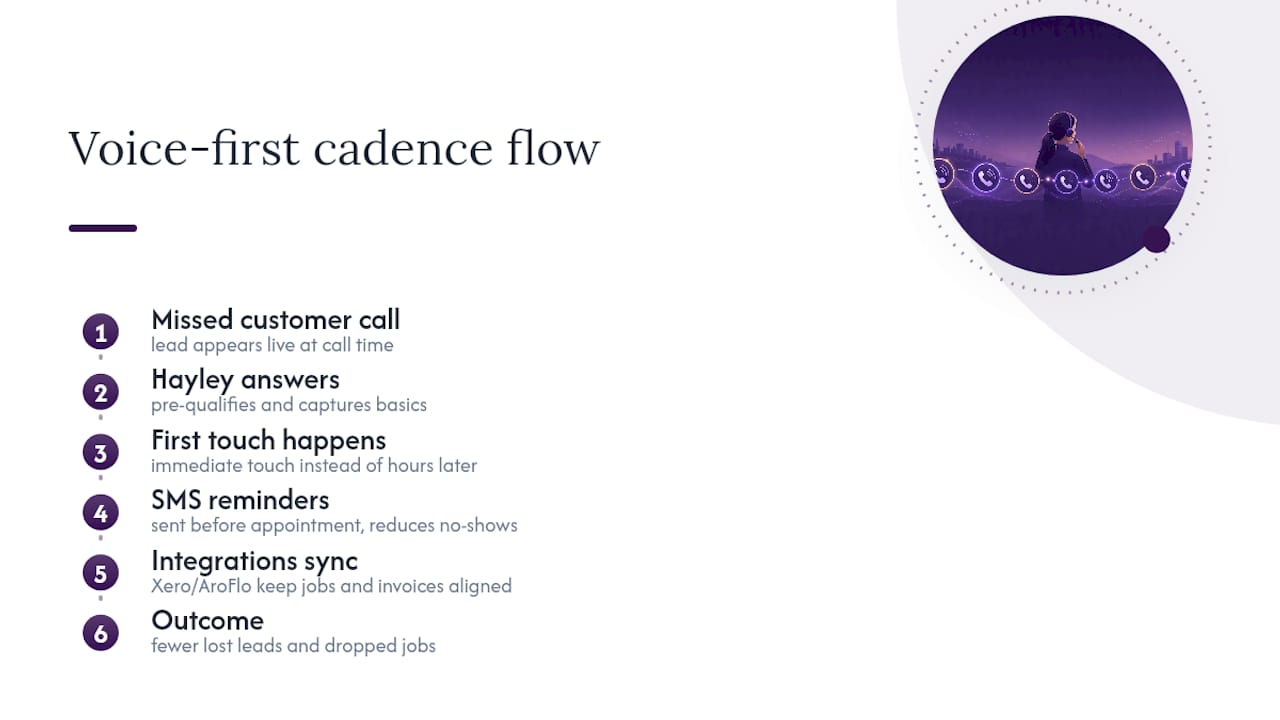
Voice-first call handling changes the maths on cadence completely for trade and small service businesses. A missed call at 7am from someone standing in a Bunnings car park with a burst pipe isn’t a lead that can wait for a day-2 follow up email, it’s gone the moment a competitor picks up first.
That’s the gap Ask Hayley was built to close. When Hayley answers a call a tradie can’t take, pre-qualifies the enquiry, and gets the basics captured before it ever hits an inbox, the first touch of the cadence happens in real time instead of hours later. Pair that with SMS reminders for confirmed jobs and quotes, and no-shows drop because the reminder actually lands before the appointment, not after someone’s already forgotten it.
Integrations with tools like Xero and AroFlo matter here too, because a cadence that lives disconnected from invoicing and job scheduling always eventually falls out of sync with what’s actually happening on site. The lesson from watching this play out across trade businesses is simple: automation earns its keep by capturing the moment a lead first appears, not by adding more touches after the fact.
Where most follow up advice gets it backwards
Most cadence advice obsesses over touch count, as if the eighth email is what closes the deal. It’s rarely the volume that’s broken, it’s the timing of the first response and the discipline around stopping when someone’s already answered.
The conventional wisdom says “just follow up more.” The research says something narrower and more useful: front-load your speed, especially on inbound and trade enquiries, then let the cadence widen out and stay disciplined about pausing the moment a lead engages. Teams that effectively manage response timing and pausing rules consistently perform better than those that simply increase the number of touches without proper sequence management.
If you take one thing from this guide, prioritise the permission tracking before the templates. A beautifully timed cadence that texts someone who never opted into SMS isn’t a growth lever, it’s a liability sitting in your CRM waiting to surface. Get the governance right first. The templates are the easy part.
— Hayley
A practical next step for busy trade businesses
If you’re running a trade or small service business, the honest truth is most missed leads don’t happen because your cadence is wrong, they happen because nobody picked up the phone in the first place. Certain voice-first call handling solutions can close that gap by answering inbound calls when you’re occupied, pre-qualifying enquiries before they land in your inbox, and keeping the follow up moving without requiring you to sit at a screen typing.
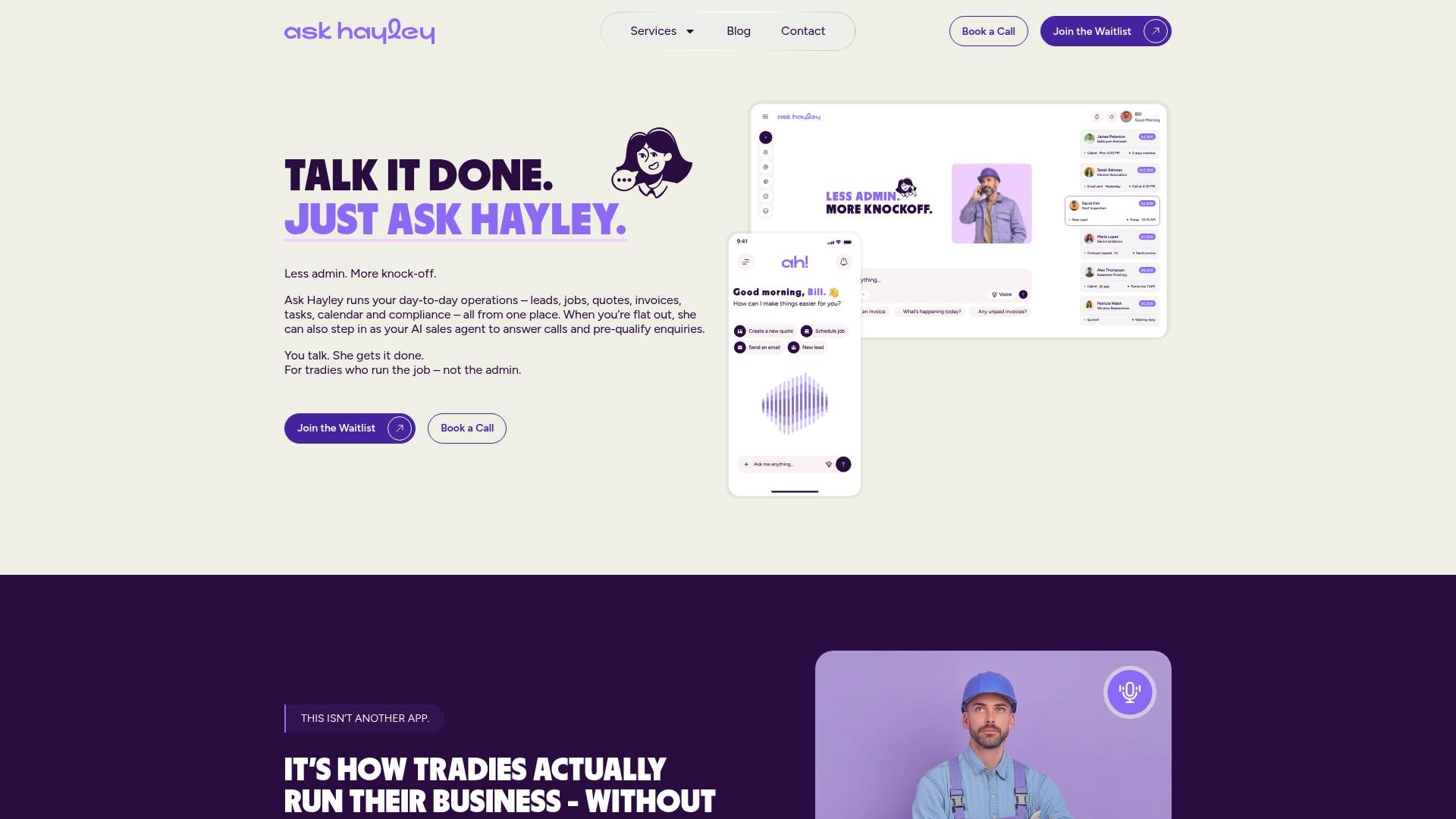
Where a manual cadence needs a person watching a calendar, Ask Hayley’s SMS appointment reminders handle the time-critical confirmation touch automatically, cutting no-shows without adding another app to your day. If you’re weighing up a chatbot against a live-answer approach for your enquiries, the comparison in live chat vs chatbot is worth a look before you decide. And if cancellations are eating into your week, Ask Hayley’s approach to a clear job cancellation policy keeps that part of the cadence just as tidy. Have a look at the Ask Hayley platform and see whether voice-first call handling fits how your business actually runs.
Sources
Keep these close when you’re setting up or auditing a cadence. ACMA’s spam guidance covers the unsubscribe and lawful-basis rules every commercial message needs. OAIC’s APP 7 guidance explains direct marketing consent obligations under the Privacy Act. Do Not Call’s industry standards set the calling-time and suppression rules for phone touches. For implementation support, Sun State Digital’s CRM automation service and MYBMC’s lead generation work both offer practical, Australia-based guidance for teams building this out properly.


